
1. Introduction
This manual provides comprehensive instructions for the safe and effective use of your Autel MaxiDIAG MD808 Pro OBD2 Scanner. It covers product features, setup procedures, operational guidelines for various diagnostic and service functions, maintenance tips, troubleshooting, and product specifications. Please read this manual thoroughly before operating the device to ensure proper usage and to maximize its capabilities.
2. Product Overview
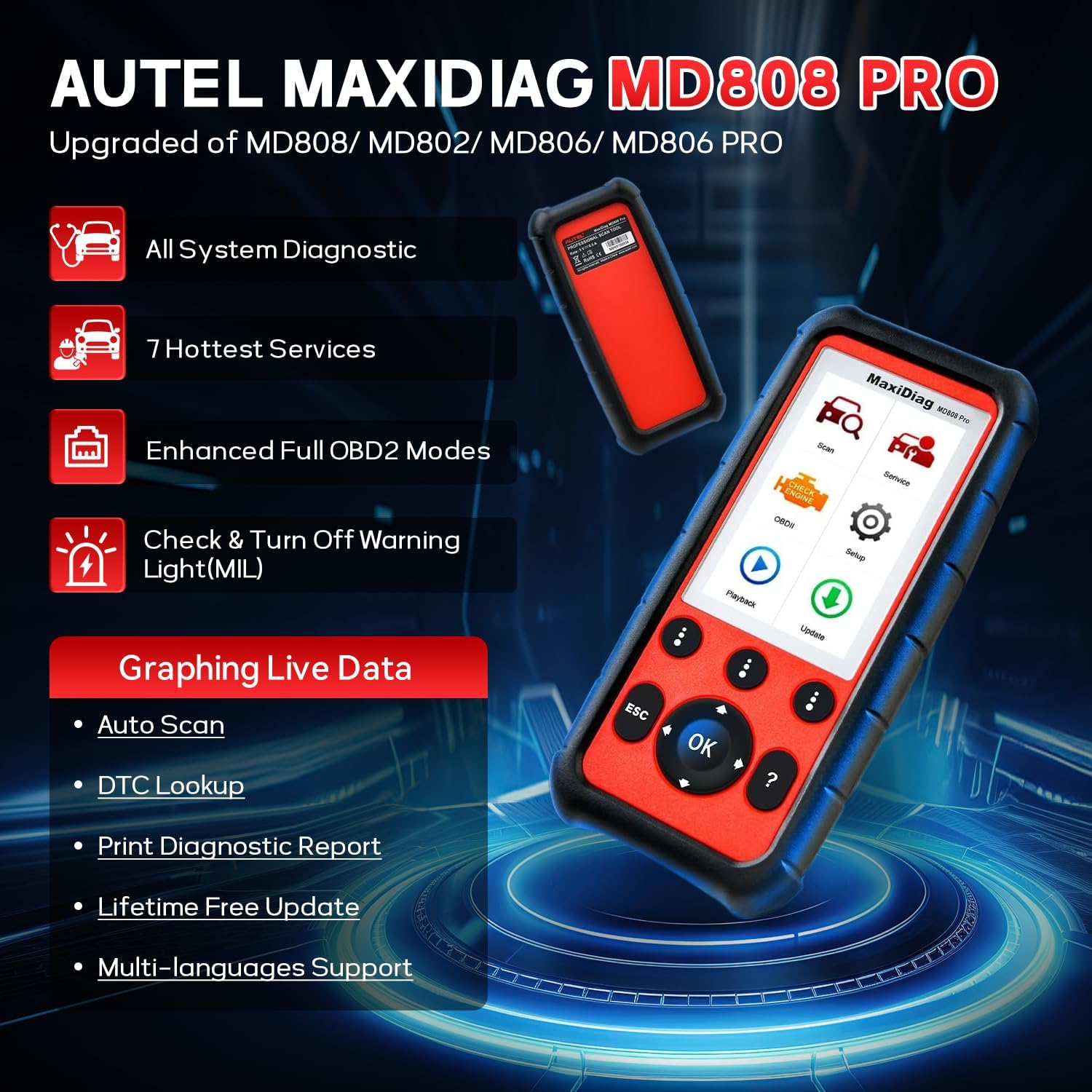
The Autel MaxiDIAG MD808 Pro is a professional diagnostic scan tool designed to provide extensive vehicle system coverage and special service functions. It is an upgraded version offering enhanced capabilities for automotive diagnostics and maintenance.
2.1 Key Features
- All System Diagnostic: Read/Clear Codes and Live Data for all available vehicle systems.
- Special Service Functions: Includes Oil Reset, Battery Registration and Reset, Steering Angle Sensor (SAS) Reset, Electronic Parking Brake (EPB) Pad Relearn, and Battery Management System (BMS) functions.
- Enhanced Full OBD2 Modes: Comprehensive OBDII diagnostics for powertrain systems.
- Check & Turn Off Warning Light (MIL): Quickly locate root causes and clear fault codes.
- Graphing Live Data: Visualize real-time sensor data for accurate diagnosis.
- Auto Scan: Automatically identifies vehicle information and performs a full system scan.
- DTC Lookup: Provides detailed descriptions for diagnostic trouble codes.
- Lifetime Free Update: Ensures the software remains current with new vehicle models and functions.
- Multi-language Support: Operates in multiple languages, including English and Spanish.
- Solid Protective Case: Durable design for professional use.
2.2 Components

The package typically includes the MaxiDIAG MD808 Pro main unit, an OBDII diagnostic cable for connecting to the vehicle, a USB cable for updates and power, and a durable protective case for storage and transport.

3. Setup
Follow these steps to set up and begin using your Autel MaxiDIAG MD808 Pro scanner:
- Connect the Diagnostic Tool: Locate the vehicle's 16-pin OBD-II port, typically found under the dashboard on the driver's side. Plug the diagnostic cable from the MD808 Pro into this port.
- Turn on the Vehicle: Ensure the vehicle's ignition is in the 'ON' position or the engine is running.
- Start Diagnosis: The scanner will power on automatically. Navigate the menu on the device to select the desired diagnostic or service function to begin.

4. Operating Instructions
The MaxiDIAG MD808 Pro offers a range of diagnostic and service functions accessible through its intuitive interface.
4.1 OBD II Diagnostics
This function allows for quick testing of the driveline of an OBD II compliant vehicle. When multiple vehicle control modules are detected, you will be prompted to select the module from which to retrieve data. Commonly chosen modules include the Powertrain Control Module (PCM) and Transmission Control Module (TCM).
- Read Codes: Displays Diagnostic Trouble Codes (DTCs) stored in the vehicle's computer.
- Clear Codes: Erases DTCs from the vehicle's computer and turns off the Malfunction Indicator Lamp (MIL).
- Live Data: Shows real-time data from the vehicle's sensors, which can be displayed in text or graph format.
- Freeze Frame Data: Records a snapshot of vehicle operating conditions at the time a fault code was set.
- I/M Readiness Status: Checks the readiness of the emission-related monitoring systems.


4.2 Special Service Functions
The MD808 Pro provides access to several special service functions. Select the 'Service' function from the Main Menu to access these features. Note that availability of these functions may vary by vehicle model and year.

- Oil Service Reset: Resets the oil life system after an oil change, ensuring accurate calculation for the next service interval.
- Battery Registration and Reset (BMS): Performs battery registration and reset functions, crucial when replacing a vehicle battery to maintain proper charging and system operation.
- Steering Angle Sensor (SAS) Reset: Resets the steering angle sensor, which is important after steering system repairs or alignments to ensure correct operation of stability control systems.
- Electronic Parking Brake (EPB) Pad Relearn: Relearns the parking brake pad position after replacement, ensuring proper functionality of the electronic parking brake system.
- ABS Maintenance: Allows for reading and clearing ABS codes, recording live data, reading ECU information, performing active tests, and special functions related to the Anti-lock Braking System.
5. Maintenance
To ensure the longevity and optimal performance of your Autel MaxiDIAG MD808 Pro, follow these maintenance guidelines:
- Cleaning: Use a soft, dry cloth to clean the device. Avoid using abrasive cleaners or solvents that could damage the screen or casing.
- Storage: Store the scanner in its protective case when not in use. Keep it in a cool, dry place, away from direct sunlight, extreme temperatures, and excessive moisture.
- Software Updates: Regularly check for and install software updates. The MD808 Pro offers lifetime free updates, which provide new vehicle coverage, bug fixes, and improved functionality. Connect the device to a computer with internet access and use the Autel update software.
- Cable Care: Inspect the diagnostic and USB cables periodically for any signs of damage. Replace damaged cables immediately to prevent electrical issues or connectivity problems.
6. Troubleshooting
If you encounter issues while using your MD808 Pro, refer to the following common troubleshooting steps:
- Device Not Powering On: Ensure the OBDII cable is securely connected to the vehicle's diagnostic port and the vehicle's ignition is on. Check the cable for any visible damage.
- Communication Error: Verify that the vehicle is OBDII compliant and that the diagnostic cable is properly connected. Try connecting to a different vehicle to rule out a vehicle-specific issue. Ensure the software is up to date.
- Function Not Available: Some special functions are vehicle-specific. Confirm that your vehicle model and year are supported for the desired function. Refer to the vehicle coverage list provided by Autel.
- Slow Operation: Ensure the device has sufficient battery charge if it has an internal battery (though this model typically draws power from the OBDII port). Perform a software update to optimize performance.
- Screen Issues: If the screen is unresponsive or displaying incorrectly, try restarting the device. If the problem persists, contact Autel technical support.
7. Specifications
| Feature | Specification |
|---|---|
| Brand | Autel |
| Model Number | MD808-JMXD02 |
| Product Dimensions | 4"L x 2"W x 9"H |
| Operating System | Android 4.0 |
| Display | 800x480 LCD |
| Memory | 16 GB Micro SD Card |
| Language Support | English, Spanish |
| Automotive Fit Type | Universal Fit (1996-2015 vehicles with 16-Pin OBD-II Port) |
| Item Weight | 11 ounces |
| Power Consumption | 1.7 W |
8. Warranty and Support
Autel products are designed for reliability and performance. For warranty information, please refer to the warranty card included with your product or visit the official Autel website. For technical assistance, software updates, or any product-related inquiries, please contact Autel customer support through their official channels. Keep your purchase receipt for warranty claims.


