
Product Overview
The UNCHARTED™: Legacy of Thieves Collection brings together two critically acclaimed, globe-trotting single-player adventures: UNCHARTED™ 4: A Thief’s End and UNCHARTED™: The Lost Legacy. This collection has been remastered for the PlayStation 5 console, offering improved visuals and framerate for an enhanced gaming experience. Players will experience Naughty Dog’s thrilling, cinematic storytelling and the iconic franchise’s largest blockbuster action set pieces.

Image: The official game cover for UNCHARTED: Legacy of Thieves Collection.
Discover lost history with the charismatic yet complex thieves, Nathan Drake and Chloe Frazer, as they travel the world pursuing extraordinary adventures and lost lore. The collection offers a deep narrative experience with fluid combat and traversal mechanics.
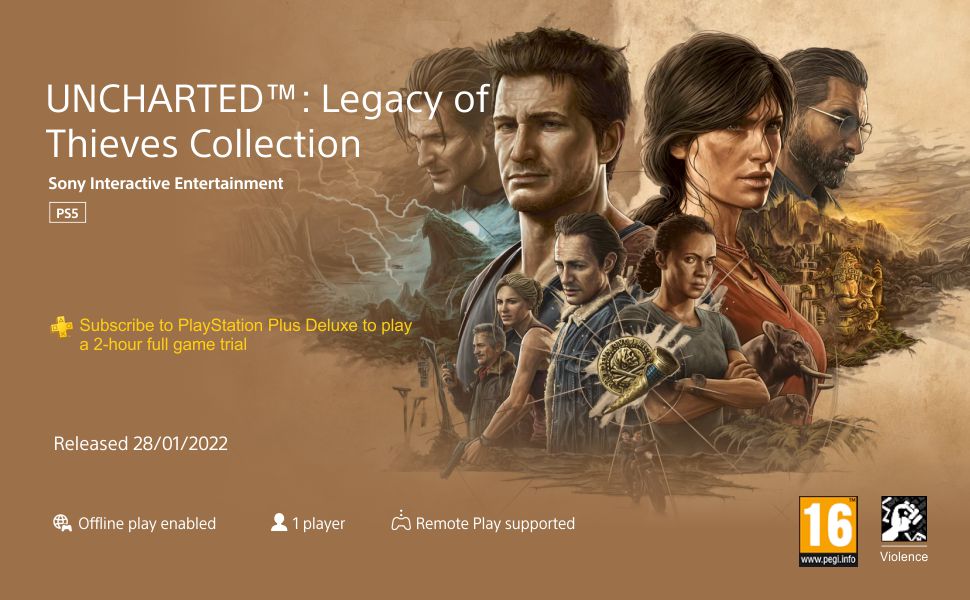
Image: Key art displaying characters and landscapes from the UNCHARTED series.
Setup and Installation
- Console Preparation: Ensure your PlayStation 5 console is connected to a power source and a display, and that it has the latest system software updates installed.
- Disc Insertion: Gently insert the UNCHARTED: Legacy Of Thieves Collection game disc into the disc drive of your PlayStation 5 console with the label facing up.
- Automatic Installation: The console will automatically begin installing the game data from the disc. Follow any on-screen prompts. An internet connection may be required for initial updates and patches.
- Launch Game: Once installation is complete, select the game icon from your PlayStation 5 home screen to launch UNCHARTED: Legacy Of Thieves Collection.
Gameplay and Controls
The collection includes two distinct adventures:
- UNCHARTED™ 4: A Thief’s End: Follow Nathan Drake on his greatest adventure yet, a globe-trotting journey with the largest and most detailed environments in the franchise.
- UNCHARTED™: The Lost Legacy: Play as Chloe Frazer in an all-new setting on the southwestern coast of the Indian peninsula, featuring an exotic mix of urban, jungle, and ancient ruins environments.

Image: Cover art for UNCHARTED 4: A Thief's End.

Image: Cover art for UNCHARTED: The Lost Legacy.
Basic Controls:
- Left Analog Stick: Movement
- Right Analog Stick: Camera Control
- X Button: Jump / Climb
- Square Button: Melee Attack
- Circle Button: Dodge / Cover
- Triangle Button: Interact / Reload
- R2 Button: Fire Weapon
- L2 Button: Aim Weapon
- Touchpad: Map / Journal (context-sensitive)
For detailed control schemes and advanced maneuvers, refer to the in-game tutorial and options menu.
Maintenance and Care
- Disc Care: Handle the game disc by its edges. Store it in its original case when not in use to prevent scratches. Clean the disc with a soft, lint-free cloth if smudges or dust appear, wiping from the center outwards.
- Console Updates: Regularly check for and install system software updates for your PlayStation 5 console to ensure optimal performance and compatibility with the game.
- Game Updates: Ensure your console is connected to the internet to download any available game patches or updates, which often include performance improvements and bug fixes.
- Storage: Ensure your PlayStation 5 has sufficient storage space for game installation and updates.
Troubleshooting
- Game Not Launching:
- Ensure the disc is clean and free of scratches.
- Restart your PlayStation 5 console.
- Check for any pending system software or game updates.
- Disc Read Error:
- Remove the disc, clean it gently, and reinsert.
- Ensure the disc is inserted correctly.
- Performance Issues (Lag, Freezing):
- Close other applications running on your PS5.
- Ensure your console has adequate ventilation.
- Check for game or system updates.
- Audio/Video Problems:
- Verify all cables (HDMI, audio) are securely connected.
- Check your TV/monitor and audio system settings.
If issues persist, consult the official PlayStation support website or the game's publisher support channels.
Specifications
| Feature | Detail |
|---|---|
| Rated | Ages 16 & Over |
| Language | English |
| Product Dimensions | 14.7 x 1.5 x 17.4 cm |
| Release Date | 28 January 2022 |
| ASIN | B09N9MBVD1 |
| Item Model Number | 9791492 |
| Country of Origin | Austria |
| Item Weight | 80 g |
| Included Components | 1 GAME DISC |
| Generic Name | PS5 Console Gaming Software |
Warranty and Support
For information regarding product warranty, please refer to the documentation included with your PlayStation 5 console or visit the official PlayStation support website. Game-specific support and technical assistance can be found through Sony Interactive Entertainment's official channels.
Manufacturer: SONY DADC EUROPE LIMITED ZWEIGNIEDERLASSUNG OSTERREICH SONYSTRASSE 20, A-5081, ANIF AUSTRIA
Importer (India): Sony India Pvt Ltd A-18, Mathura Rd, Mohan Cooperative Industrial Estate, Saidabad, New Delhi, Delhi 110044
Contact: 1800-103-7799 (Manufacturer), 011 6600 6157 (Importer)