
1. Introduction
Thank you for choosing the TempPro F05 Digital Meat Thermometer. This device is designed to provide fast and accurate temperature readings for various cooking applications, ensuring your food is cooked to perfection and safe for consumption. Please read this manual thoroughly before using the thermometer to ensure proper operation and longevity.

Image 1.1: TempPro F05 Digital Meat Thermometer with probe extended.
2. Product Features
- Ultra-Fast and Accurate Readings: Measures temperature in 2-3 seconds with an accuracy of ±0.9°F (±0.5°C).
- Wide Temperature Range: Operates from -58°F to 572°F (-50°C to 300°C).
- Smart Convenient Design: Features motion-sensing auto ON/OFF when the probe is opened/closed, and an auto-shutoff after 10 minutes of inactivity to conserve battery.
- IPX6 Waterproof Rating: Allows for easy cleaning under running water.
- Backlit LCD Display: Provides clear temperature readouts in various lighting conditions.
- Temperature Hold Function: Locks the current temperature reading on the display.
- Calibration Function: Allows re-calibration for long-term accuracy.
- Magnetic Back and Hanging Hole: For convenient storage on metallic surfaces or hooks.
- NSF Certified: Ensures food-safe, quality-qualified, and environmentally friendly materials.

Image 2.1: Illustration of the thermometer's fast and accurate measurement capability, showing a probe inserted into cooked meat.

Image 2.2: Depiction of the thermometer's smart design, including motion-sensing ON/OFF, 10-minute sleep mode, and 180° adjustable probe.
3. Package Contents
Upon opening your TempPro F05 package, please ensure all items listed below are present:
- 1 x TempPro F05 Digital Meat Thermometer
- 1 x AAA Battery (included)
- 1 x User Manual (this document)
4. Setup
4.1 Battery Installation
- Locate the battery compartment on the back of the thermometer.
- Use a small screwdriver to loosen the screw on the battery cover. The screw is designed to remain attached to the cover to prevent loss.
- Insert one AAA battery, ensuring the correct polarity (+/-) as indicated inside the compartment.
- Replace the battery cover and tighten the screw.

Image 4.1: Detailed diagram of the TempPro F05, highlighting the battery compartment and other components.
5. Operating Instructions
5.1 Power On/Off
- To power on, simply unfold the stainless steel probe. The thermometer will automatically activate.
- To power off, fold the probe back into the housing. The thermometer will automatically deactivate.
- The device will also automatically shut off after 10 minutes of inactivity to save battery life.
5.2 Taking a Temperature Reading
- Unfold the probe to turn on the thermometer.
- Insert the tip of the stainless steel probe into the thickest part of the food, avoiding bone or gristle.
- Wait approximately 2-3 seconds for the temperature reading to stabilize on the LCD display.
- Refer to a reliable cooking temperature chart for recommended internal temperatures for different foods. A basic chart is often printed on the thermometer itself or included in the packaging.
5.3 Switching Temperature Units (°C/°F)
Press the °C/°F button located on the thermometer to switch between Celsius and Fahrenheit temperature units.
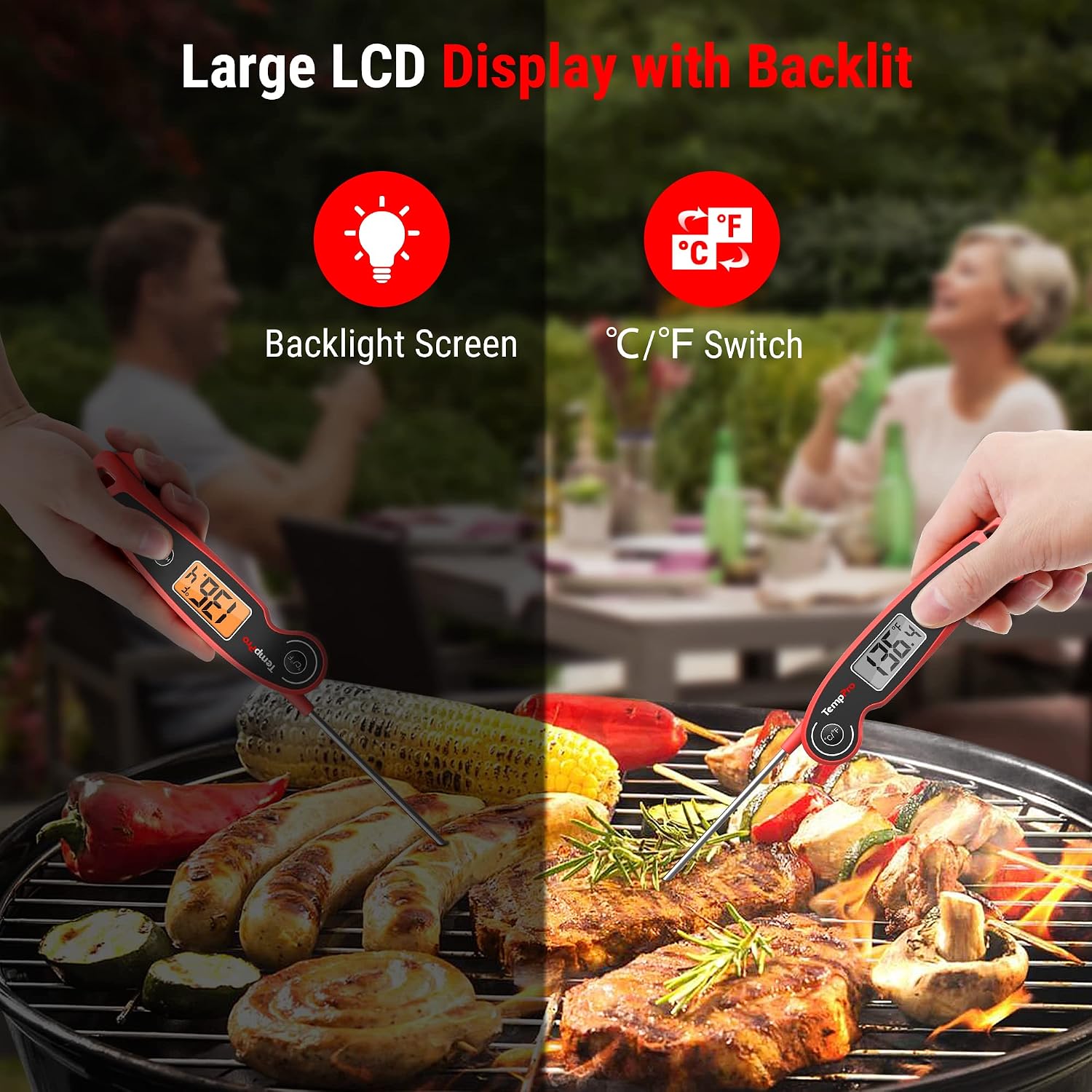
Image 5.1: The thermometer's large LCD display with backlight and the °C/°F switch button.
5.4 Backlight Function
Press the LIGHT button to activate the backlight for easier reading in low-light conditions. Press it again to turn off the backlight.
5.5 Hold Function
Press the HOLD button to lock the current temperature reading on the display. This allows you to remove the thermometer from the heat source and read the temperature comfortably. Press the HOLD button again to release the reading and resume live temperature measurement.

Image 5.2: Demonstrating the 'HOLD' function, allowing the user to read the temperature away from the heat source.
6. Calibration
The TempPro F05 thermometer includes a calibration function to maintain accuracy over time. If you suspect your thermometer is providing inaccurate readings, you can re-calibrate it using an ice-water bath.
6.1 Calibration Procedure
- Fill a glass with crushed ice and top it off with cold water. Stir well and let it sit for 3 minutes.
- Insert the thermometer probe into the ice-water bath, ensuring the tip is fully submerged but not touching the bottom or sides of the glass.
- Wait for the reading to stabilize. It should read 32°F (0°C).
- If the reading is not 32°F (0°C), press and hold the HOLD button for 3 seconds until "CAL" appears on the display.
- The display will then show the current temperature. Press the °C/°F button to adjust the reading to 32°F (0°C).
- Press the HOLD button again to confirm calibration. The display will return to normal operation.
7. Care and Maintenance
- Cleaning: The TempPro F05 is IPX6 waterproof. After each use, clean the probe with a damp cloth or wash it under running water. Do not immerse the entire thermometer body in water.
- Storage: Fold the probe back into the housing for safe storage. The magnetic back allows it to be stored on a refrigerator or other metallic surfaces. A hanging hole is also provided for hook storage.
- Battery Replacement: Replace the AAA battery when the display becomes dim or the thermometer fails to power on.
- Avoid Extreme Temperatures: Do not leave the thermometer in extremely hot environments (e.g., inside an oven or on a hot grill surface) for extended periods, as this can damage internal components.

Image 7.1: The thermometer being rinsed under running water, demonstrating its IPX6 waterproof rating.

Image 7.2: Examples of convenient storage, including hanging on a hook and attaching to a refrigerator with its magnetic back.
8. Troubleshooting
| Problem | Possible Cause | Solution |
|---|---|---|
| Thermometer does not turn on. | Battery is dead or incorrectly installed. | Check battery polarity or replace with a new AAA battery. Ensure the probe is fully unfolded. |
| Inaccurate temperature readings. | Probe tip not fully inserted; needs calibration; probe damaged. | Ensure probe is inserted into the thickest part of the food. Perform calibration (see Section 6). If still inaccurate, the probe may be damaged. |
| Display is dim or flickering. | Low battery. | Replace the AAA battery. |
| "HHH" or "LLL" displayed. | Temperature is outside the measurable range. | The temperature is either too high (HHH) or too low (LLL) for the thermometer's operating range (-58°F to 572°F). |
9. Specifications
- Model: F05
- Temperature Range: -58°F to 572°F (-50°C to 300°C)
- Accuracy: ±0.9°F (±0.5°C)
- Response Time: 2-3 seconds
- Waterproof Rating: IPX6
- Power Source: 1 x AAA Battery (included)
- Auto-Off: 10 minutes of inactivity
- Probe Material: 18/8 Food-grade Stainless Steel
- Product Dimensions: 6.23 x 0.85 x 1.54 inches
- Weight: 3.88 ounces
10. Safety Information
- Keep the thermometer out of reach of children.
- The probe tip is sharp; handle with care to prevent injury.
- Do not touch the hot probe with bare hands after use.
- Do not expose the thermometer to direct flame or extreme heat for prolonged periods.
- Dispose of batteries according to local regulations.
- This product is certified by NSF, CE, and RoHS, ensuring it is free from lead, mercury, cadmium, or other hazardous substances.

Image 10.1: Display of NSF, CE, RoHS certifications and 18/8 Stainless Steel material, indicating product safety and quality.
11. Warranty and Support
TempPro is committed to providing high-quality products and customer satisfaction. For any questions, concerns, or support needs regarding your F05 Digital Meat Thermometer, please contact TempPro customer service.
You can find more information and contact details by visiting the official TempPro store: TempPro Store on Amazon.


