
1. Introduction
The WAVLINK AC1200 Outdoor WiFi Extender is a high-power, weatherproof wireless access point designed to extend your Wi-Fi network coverage in outdoor environments. It complies with IEEE 802.11ac/a/b/g/n standards, offering dual-band Wi-Fi speeds up to 1200 Mbps. Equipped with 4x7dBi detachable omni-directional antennas and Passive Power over Ethernet (PoE) support, it provides robust and flexible deployment options for various outdoor scenarios.
Key Features:
- Dual-Band AC1200 Speed: Delivers combined speeds of up to 1200 Mbps (867 Mbps on 5GHz and 300 Mbps on 2.4GHz) for seamless streaming and browsing.
- High Power Amplifiers: Transmission up to 30dBm/1000mW for strong penetration and extended range.
- Passive PoE Support: Integrated Power over Ethernet for easy and flexible deployment, allowing power and data transmission over a single Ethernet cable.
- Outdoor Weatherproof Design: IP65-rated enclosure with 15KV ESD and 4KV lightning protection, designed to withstand harsh outdoor conditions.
- Multiple Operation Modes: Supports AP, Repeater, Mesh, Router, and WISP modes to suit various networking needs.
- 4x7dBi Detachable Antennas: Provides enhanced signal coverage and stability.

2. Package Contents
Verify that all items listed below are included in your product package:
- AC1200 Dual Band Outdoor AP/Range Extender (1)
- 2.4G Omni Antennas (2)
- 5G Omni Antennas (2)
- RJ45 Networking Cable (1)
- Power Adapter (1)
- PoE Converter (1)
- Main Body Holder (1)
- Cable Ties (2)
- Screw Fitting Kit (1)
- Quick Start Guide (1)

3. Hardware Installation
3.1. Antenna Installation
Carefully screw the four detachable omni-directional antennas onto the corresponding ports on the extender. Ensure that the 2.4G antennas are connected to the 2.4G ports and the 5G antennas to the 5G ports for optimal performance. Tighten them securely but do not overtighten.
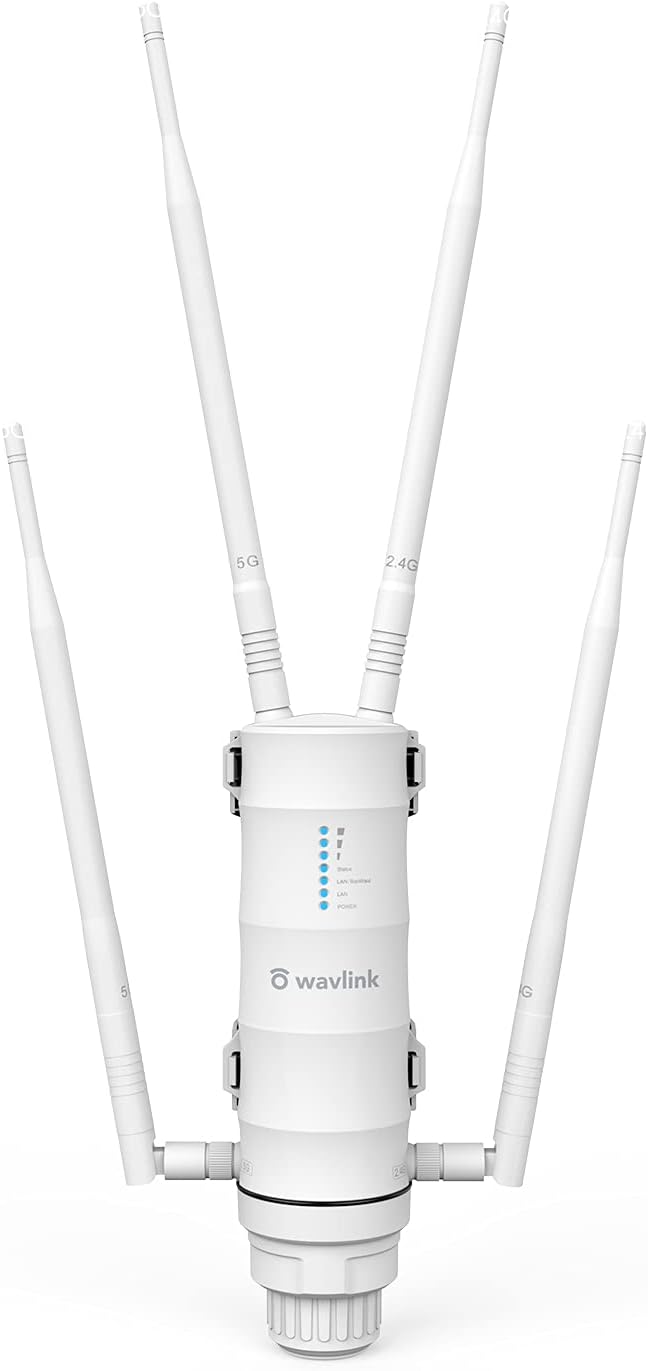

For a visual guide on antenna installation, refer to the official video: Installation Guide how to set repeater mode (relevant section: 0:38 - 2:39).
3.2. Passive PoE Connection
The extender supports Passive Power over Ethernet (PoE), allowing both power and data to be transmitted over a single Ethernet cable. Connect one end of the provided RJ45 networking cable to the PoE IN/WAN port on the extender. Connect the other end of this cable to the PoE port on the PoE converter. Then, connect the power adapter to the PoE converter.

For a visual guide on PoE connection, refer to the official video: Installation Guide how to set repeater mode (relevant section: 0:48 - 1:29 for cable connection, 2:40 - 2:57 for PoE converter connection).
3.3. Mounting Options
The WAVLINK AC1200 Extender offers flexible installation options, including pole mounting and wall mounting, using the provided main body holder and screw fitting kit. Ensure the device is installed in a location that is not higher than 2-3 meters (6.562-9.843 feet) from the ground and not higher than the upstream router or subordinate devices to avoid signal interference and optimize performance.


4. Setup
4.1. Web User Interface (UI) Access
To access the web-based management page, you can connect to the extender wirelessly or via Ethernet.
Wireless Connection:
1. Power on the extender. The Status indicator will flash, and the Wi-Fi lights will turn solid blue after a while.
2. On your computer or mobile device, connect to the extender's default Wi-Fi SSID, which is typically