
PERLESMITH PSMFK9
PERLESMITH TV Wall Mount Instruction Manual
Model: PSMFK9
For 32-65 Inch Flat Curved Screen TVs
Introduction
This manual provides comprehensive instructions for the safe and proper installation, operation, and maintenance of your PERLESMITH Full Motion TV Wall Mount (Model PSMFK9). This mount is designed to securely hold most 32-65 inch flat or curved screen televisions weighing up to 99 lbs, with VESA mounting patterns ranging from 75x75mm to 400x400mm. It is suitable for installation on 12-inch or 16-inch wood studs, solid concrete, and brick walls. Please read all instructions carefully before beginning installation to ensure safety and optimal performance.
What's Included
The PERLESMITH TV Wall Mount comes with all necessary components for installation. The main mount unit is largely pre-assembled for convenience. Included hardware supports various TV models and wall types.

Figure 1: Overview of the PERLESMITH TV Wall Mount and included accessories.
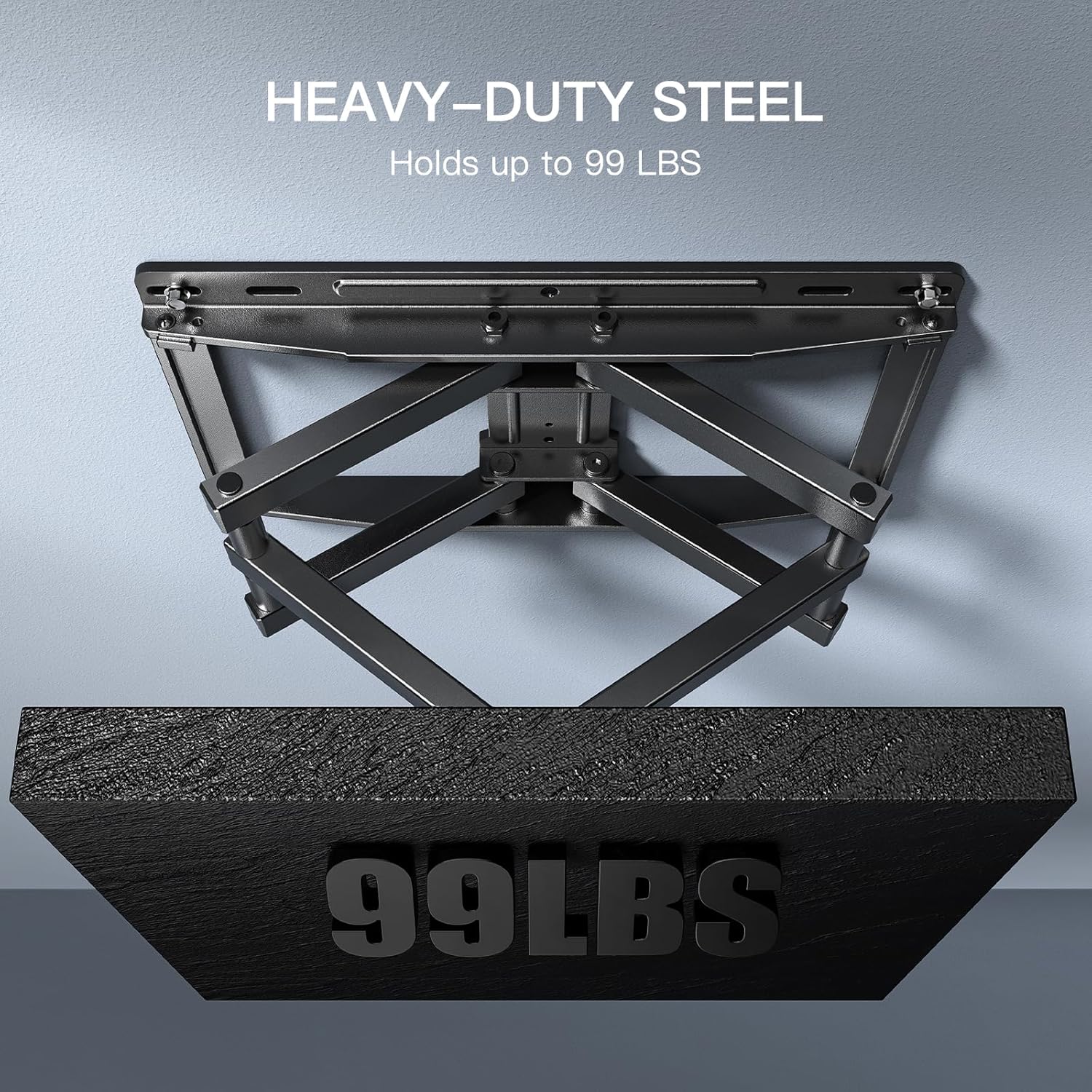
Figure 2: All mounting hardware and tools provided for installation.
Unboxing and Components Overview
Video 1: A detailed look at the contents of the PERLESMITH TV Wall Mount box, demonstrating each component and its purpose.
The package includes the pre-assembled wall plate and articulating arms, TV mounting brackets, a variety of screws and spacers to fit different TV models, wall anchors for concrete/brick, and a small level for accurate installation. Cable ties are also provided for cable management.
Specifications
- Brand: PERLESMITH
- Model Number: PSMFK9
- Compatible TV Sizes: 32-65 inches
- Maximum Weight Capacity: 99 lbs
- VESA Compatibility: 75x75mm to 400x400mm (including 75x75mm, 100x100mm, 100x200mm, 200x100mm, 200x200mm, 200x300mm, 200x400mm, 300x200mm, 300x300mm, 400x200mm, 400x300mm, 400x400mm)
- Wall Type Compatibility: 12-inch or 16-inch wood studs, solid concrete, brick
- Tilt Angle: +5° to -15° (forward and backward)
- Swivel Range: 90° (left to right)
- Extension from Wall: 2.56 inches (retracted) to 16.89 inches (extended)
- Material: Alloy Steel
- Color: Black
- Product Dimensions: 17.6 x 11.1 x 3.3 inches
- Item Weight: 9.35 pounds

Figure 3: Compatibility details for TV size, stud spacing, and VESA patterns.
Figure 4: The mount is constructed from heavy-duty steel, ensuring durability and a high weight capacity.
Setup Instructions
The PERLESMITH TV wall mount is designed for straightforward installation. Follow these steps carefully:
- Verify Compatibility: Before starting, ensure your TV's size, weight, and VESA pattern are within the mount's specifications. Also, confirm your wall type (wood stud, concrete, or brick) is compatible.
- Locate Studs/Mark Drilling Points: For wood stud installation, use a stud finder to locate the center of your wood studs. For concrete or brick walls, mark your desired drilling points. Use the provided level to ensure accuracy.
- Drill Pilot Holes: Drill pilot holes at the marked locations. The size of the drill bit will depend on your wall type and the anchors/lag screws being used.
- Mount Wall Plate: Secure the pre-assembled wall plate to the wall using the appropriate lag screws and anchors (if applicable). Ensure it is firmly attached and level.
- Attach TV Brackets: Attach the two vertical TV brackets to the back of your television. Select the correct screws and spacers from the provided hardware kit that fit your TV's VESA holes. The brackets are designed with multiple slots to accommodate various VESA patterns.
- Hang TV on Wall Plate: Carefully lift your television with the attached brackets and hook them onto the wall plate. Ensure the TV brackets are securely seated on the wall plate's hooks.
- Secure TV to Mount: Tighten the security screws on the TV brackets to lock the television onto the wall mount, preventing accidental dislodgement.

Figure 5: The mount arrives largely pre-assembled, simplifying the installation process.

Figure 6: Post-installation leveling allows for fine-tuning the TV's horizontal position.
Operating the Mount
Your PERLESMITH Full Motion TV Wall Mount offers versatile adjustments to optimize your viewing experience.
- Tilt Adjustment: The mount features a tilt range of +5° backward and -15° forward. This allows you to reduce glare from lights or windows and achieve a comfortable viewing angle. Adjust by gently pushing or pulling the top or bottom of the TV.
- Swivel Adjustment: Enjoy a wide 90° swivel range (45° left and 45° right, depending on TV size and wall distance). This allows you to direct the screen towards different seating areas in the room. Gently push the TV left or right to swivel.
- Extension and Retraction: The dual articulating arms allow the TV to extend up to 16.89 inches from the wall for maximum flexibility. For a sleek, low-profile look, the mount can retract to just 2.56 inches from the wall. Gently pull the TV forward or push it back towards the wall.

Figure 7: Adjust the tilt to reduce glare and extend the TV for optimal viewing.

Figure 8: The 90-degree swivel feature provides flexible viewing angles.
Maintenance
To ensure the longevity and safe operation of your TV wall mount, perform the following maintenance:
- Regular Inspection: Periodically check all screws and bolts to ensure they remain tight. Over time, vibrations or adjustments may cause them to loosen.
- Cleaning: Wipe the mount with a soft, dry cloth to remove dust. Avoid using abrasive cleaners or solvents that could damage the finish.
- Lubrication: The articulating joints are designed for smooth movement. If you notice any stiffness, a small amount of silicone-based lubricant can be applied to the moving parts.
Troubleshooting
If you encounter any issues during or after installation, consider the following common solutions:
- TV Not Level: Use the post-installation leveling feature (Figure 6) to make minor horizontal adjustments. Ensure the wall plate itself was installed level.
- Mount Feels Loose: Double-check all lag screws securing the wall plate to the wall and the security screws locking the TV brackets to the mount. Ensure they are tightened securely.
- Difficulty Adjusting Movement: The mount's tension can be adjusted. Refer to the detailed instruction manual for specific bolt locations to loosen or tighten for desired movement.
- Missing Parts: Review the 'What's Included' section and the detailed parts list in the full manual. Contact customer service if any components are missing.
Warranty and Support
The PERLESMITH 65-inch TV wall mount has been rigorously tested to securely hold your flat or curved TV. Each TV bracket is designed with security screws that tighten into place to keep your TV on the mount without falling. The product comes with a limited 5-year warranty, ensuring confidence in its durability and performance.
For any questions regarding TV wall mount installation or product selection, please contact our U.S.-based product support team. We are committed to providing excellent customer service and product resources to make your experience seamless and hassle-free.
Contact Information:
- Please refer to the contact details provided in your product packaging or visit the official PERLESMITH website for the most current support information.
Related documentsPSMFK9

Ask a question about this manual
Ask about setup, troubleshooting, compatibility, parts, safety, or missing instructions. Manuals+ will review the question and use this page’s manual context to help answer it.