
FEELWORLD SA-FW759
FEELWORLD LUT5 5.5 Inch Ultra Bright DSLR Camera Field Monitor User Manual
Model: SA-FW759
Introduction
The FEELWORLD LUT5 is a 5.5-inch ultra-bright field monitor designed for DSLR and mirrorless cameras. It features a 3000nit daylight viewable touchscreen, auto-dimming capabilities, HDR support, and 3D LUT functionality. This monitor is equipped with 4K HDMI input and output, an F970 external power and install kit, and a 1920x1080 IPS panel, making it an essential tool for professional videography and filmmaking.
This manual provides detailed instructions for setting up, operating, and maintaining your FEELWORLD LUT5 monitor to ensure optimal performance and longevity.
Package Contents
Before you begin, please verify that all items are present in your package:
- 1x FEELWORLD LUT5 Monitor
- 1x Micro HDMI Cable
- 1x Mini Hot Shoe Mount + Hex Wrench
- 1x User Manual (this document)
Note: Battery and power adapter are not included and must be purchased separately.

Image: Contents of the FEELWORLD LUT5 package, showing the monitor, cables, mounting accessories, and manual.
Setup
1. Powering the Monitor
The FEELWORLD LUT5 monitor can be powered via an F970 series battery or a DC 12V power adapter (not included).
- Battery Installation:
Insert a compatible NP-F series battery (NP-F550, NP-F750, or NP-F970 recommended) into the battery plate on the rear of the monitor. Ensure it clicks securely into place.

Image: Different NP-F series battery sizes and their approximate running times for the LUT5 monitor.
- DC Power:
Connect a 12V DC power adapter (not included) to the "DC IN 12V" port on the side of the monitor.

Image: Illustration of the DC input and output ports, highlighting external power options.
2. Mounting the Monitor
Use the included mini hot shoe mount to attach the monitor to your camera's hot shoe or a compatible rig.
- Attach the mini hot shoe mount to the monitor's 1/4"-20 screw hole.
- Slide the hot shoe base into your camera's hot shoe and tighten the locking ring.
- Adjust the monitor's angle using the tilt and swivel features of the mount. The mount allows for 180° tilt and 360° rotation.

Image: The flexible hot shoe mount for the FEELWORLD LUT5, demonstrating its range of motion.
3. Connecting to a Camera
The LUT5 monitor supports 4K HDMI input and loop-out.
- Connect one end of the Micro HDMI cable (included) to your camera's HDMI output port.
- Connect the other end of the Micro HDMI cable to the "HDMI IN" port on the FEELWORLD LUT5 monitor.
- If you need to loop out the HDMI signal to another device, connect an HDMI cable from the "HDMI OUT" port on the monitor to your desired device.

Image: Close-up of the monitor's side ports, including HDMI In/Out and DC power options.
Operating the Monitor
1. Basic Operation
- Power On/Off: Press and hold the power button located on the top or side of the monitor to turn it on or off.
- Touchscreen Control: The LUT5 features a sensitive touchscreen for intuitive control.
- Tap to select menu options or activate functions.
- Swipe left/right or up/down to navigate menus or adjust parameters like backlight and volume.
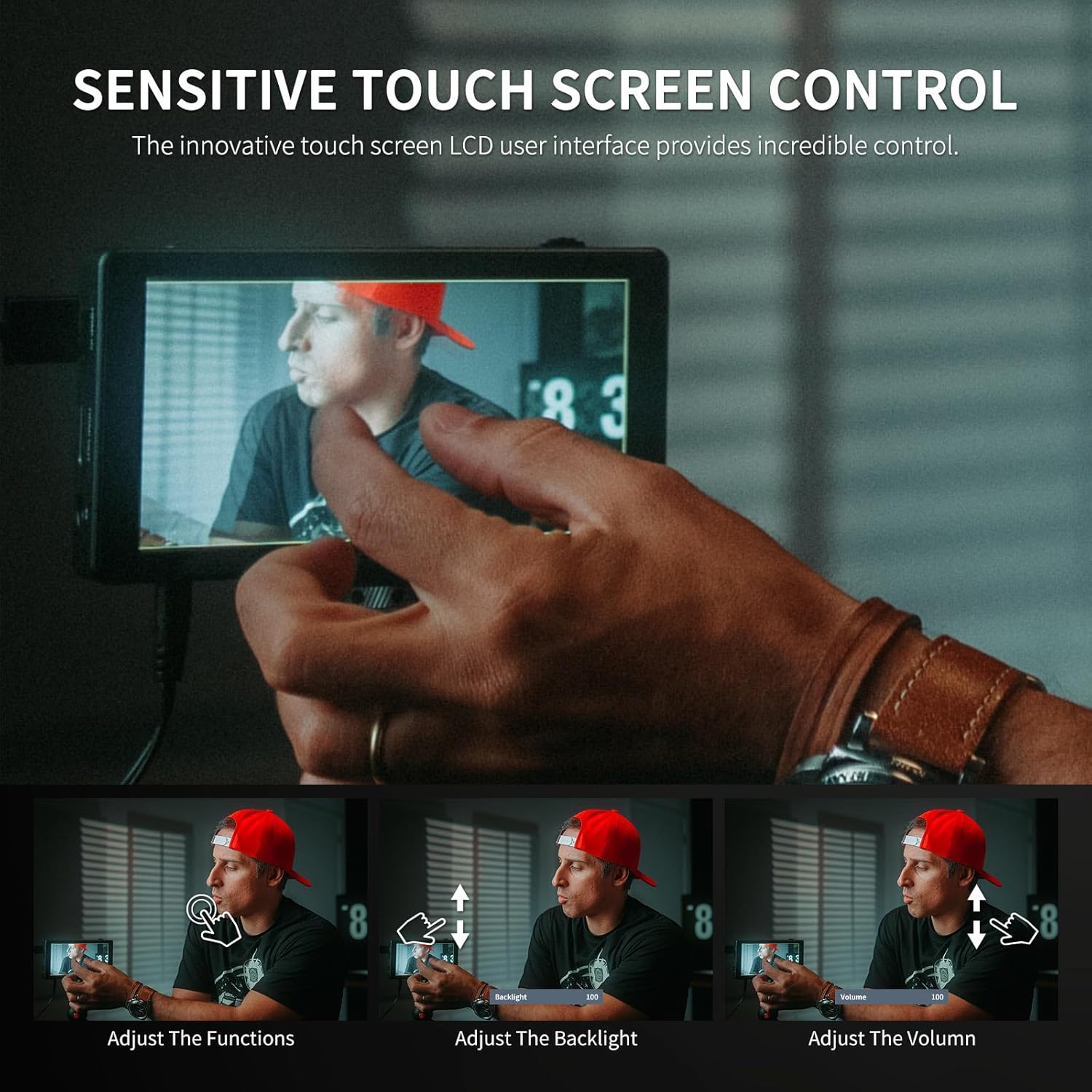
Image: Demonstrating touchscreen gestures for controlling monitor functions.
- Auto Dimming: The monitor features an ambient light sensor that automatically adjusts screen brightness for optimal viewing in various lighting conditions, especially bright daylight.
- Brightness: With 3000nits peak brightness, the screen is easily viewable outdoors in direct sunlight.
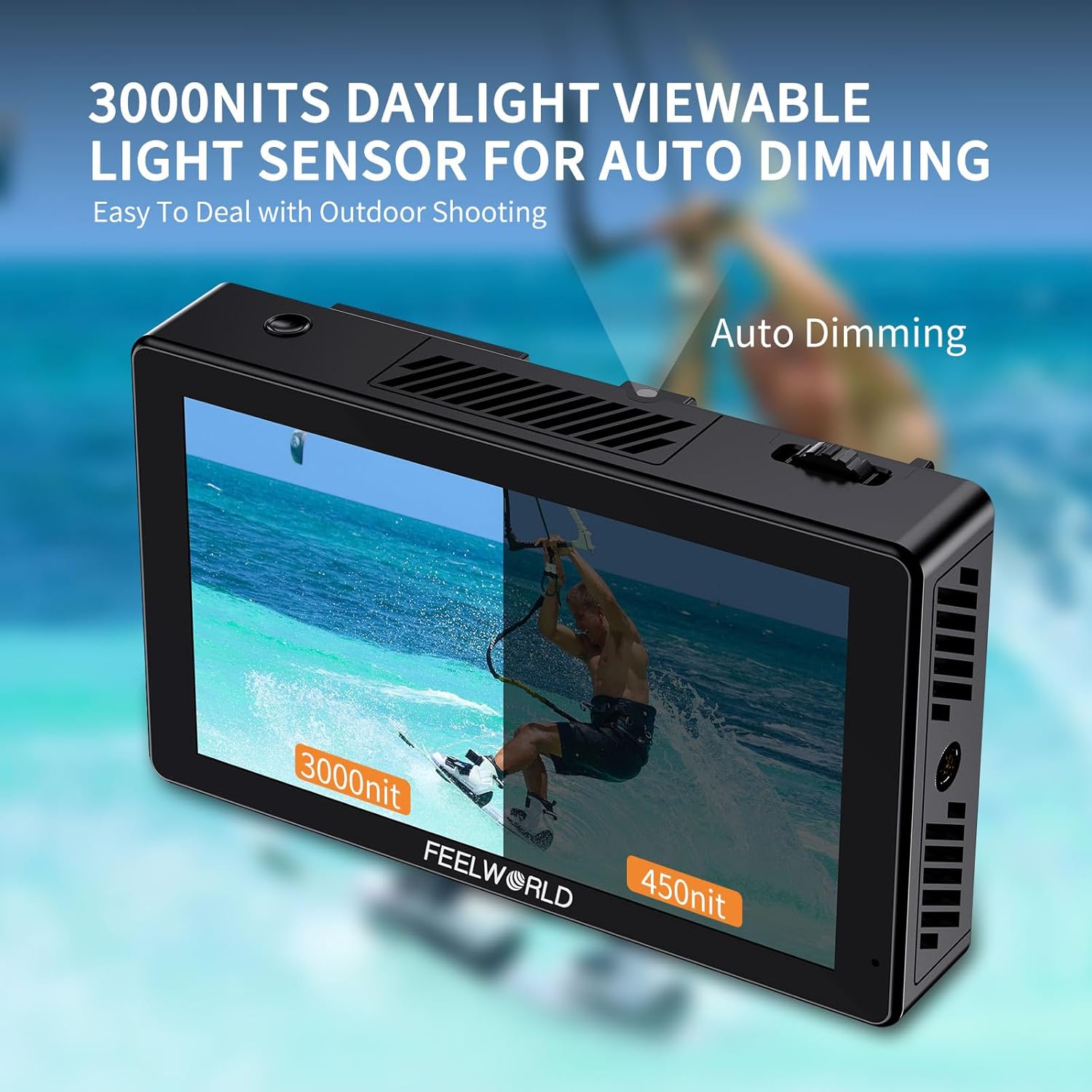
Image: Visual comparison of 3000nits brightness versus 450nits, highlighting daylight viewability.
2. Advanced Features
The FEELWORLD LUT5 offers a range of professional monitoring tools:
- 3D LUT: Supports loading up to 50 custom 3D LUTs via SD card. This allows you to preview your footage with specific color grades in real-time.
- To load LUTs: Save your .cube LUT files to an SD card. Insert the SD card into the monitor's SD card slot. Navigate to the LUT menu and select "Import LUT".
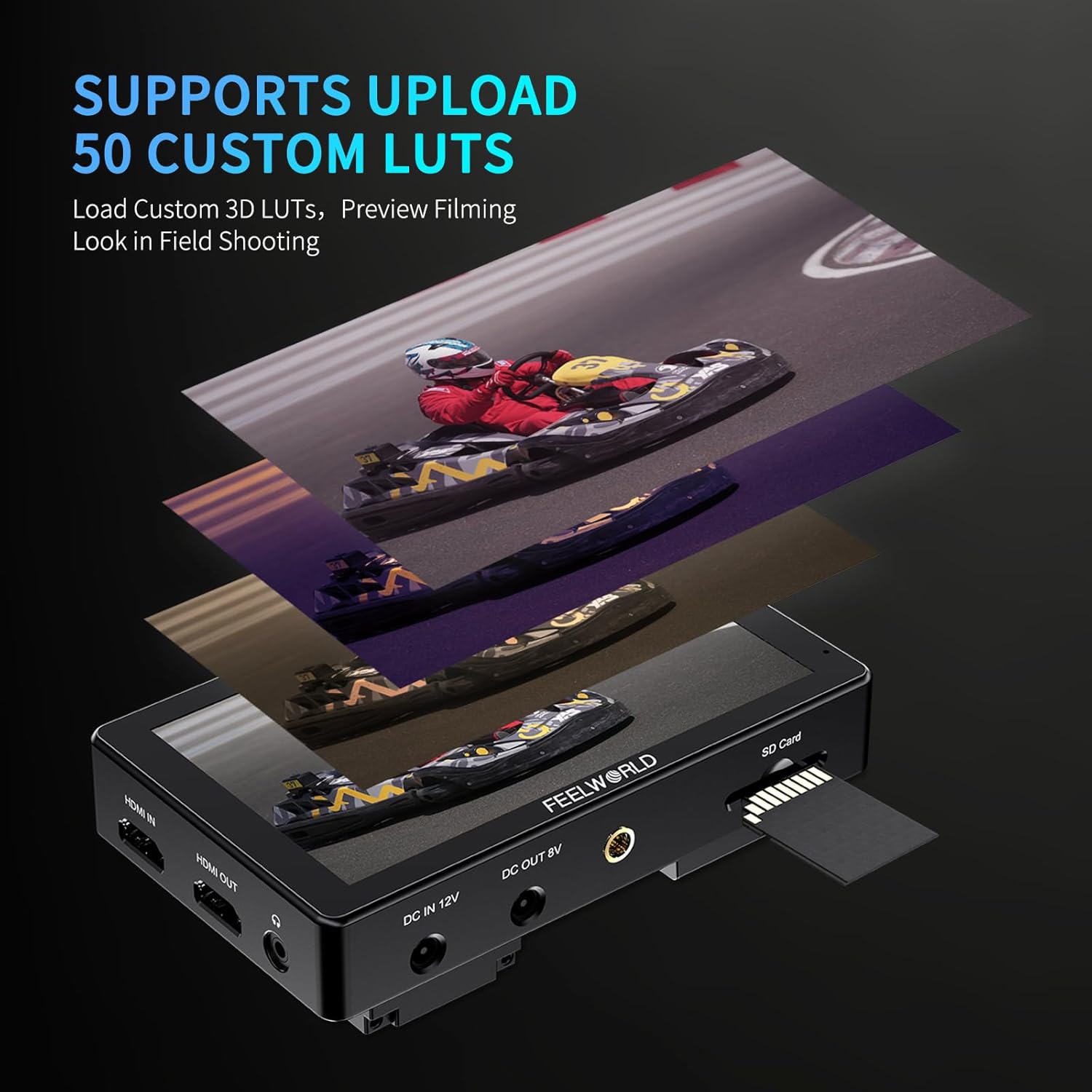
Image: How to upload custom 3D LUTs to the monitor using an SD card.
- Monitoring Tools: Access various tools to assist with accurate exposure and focus. These include:
- Waveform
- Vector Scope
- Histogram
- Peaking Filter (Focus Assist)
- False Colors
- Exposure (Zebras)
- Zoom-in
- Image Flip
- Embedded Audio
- Nine Grid
- Anamorphic Mode
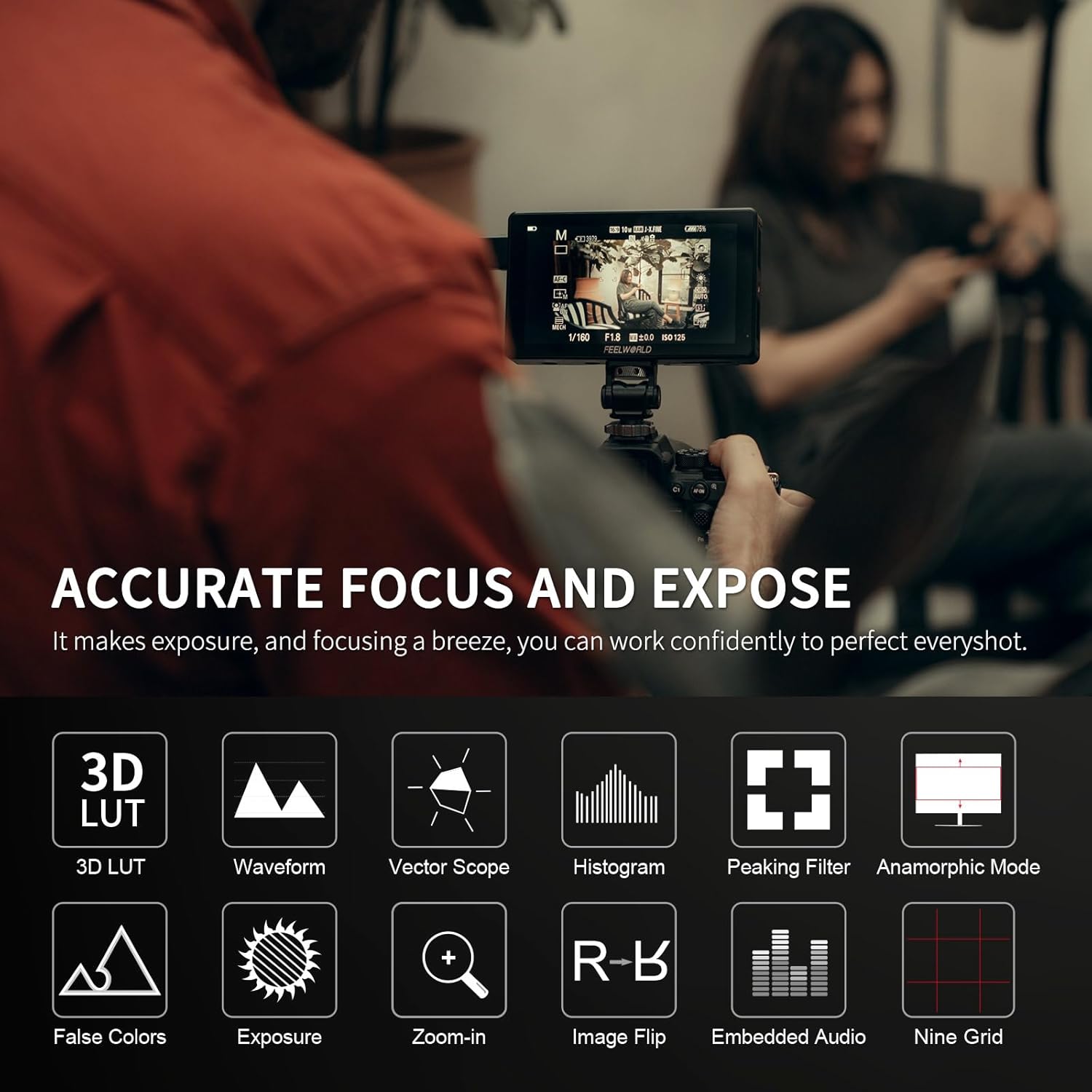
Image: Icons representing the various professional monitoring tools available on the LUT5.

Image: The monitor screen showing a live feed with waveform and vectorscope displays.
- External Install and Power Kit: The F970 external install and power kit allows you to mount and power additional accessories like wireless video transmitters or LED lights directly from the monitor using an F970 battery.

Image: The innovative external install and power design, showing how accessories can be powered by an F970 battery attached to the monitor.
Maintenance
- Cleaning: Use a soft, dry cloth to clean the monitor's screen and body. For stubborn smudges, a slightly damp microfiber cloth can be used. Avoid harsh chemicals or abrasive materials.
- Storage: When not in use, store the monitor in a cool, dry place, away from direct sunlight and extreme temperatures. It is recommended to use a protective case to prevent scratches and damage.
- Heat Dissipation: The monitor has a built-in fan and heat conducting unit for effective heat dissipation. Ensure the ventilation slots are not blocked during operation.

Image: Heat dissipation design of the monitor, showing airflow paths.
Troubleshooting
| Problem | Possible Cause | Solution |
|---|---|---|
| Monitor does not power on. | Battery is low or not installed correctly; DC power cable is loose or faulty. | Ensure battery is charged and properly seated. Check DC power connection and try a different power source if available. |
| No video signal. | HDMI cable is loose or faulty; incorrect input selected; camera output settings. | Check HDMI cable connections. Ensure the camera is outputting a signal and its HDMI settings (resolution, frame rate) are compatible with the monitor. Restart both camera and monitor. |
| Touchscreen unresponsive. | Temporary software glitch; screen protector interference. | Restart the monitor. Ensure the screen is clean and free of debris. If a screen protector is installed, ensure it is applied correctly. |
| Image appears distorted or incorrect colors. | Incorrect color space settings; active LUTs; faulty HDMI cable. | Check the monitor's color space settings (e.g., Rec.709). Disable any active LUTs to see if the issue persists. Try a different HDMI cable. |
Specifications
| Feature | Detail |
|---|---|
| Model Number | SA-FW759 |
| Screen Size | 5.5 inches |
| Resolution | 1920 x 1080 IPS Panel |
| Brightness | 3000 nits |
| Contrast Ratio | 1000:1 |
| Viewing Angle | 160° |
| Input/Output | 4K HDMI In/Out |
| Power Input | DC 12V, F970 Battery Plate |
| Dimensions | 7.52 x 5.12 x 3.5 inches |
| Item Weight | 1.43 pounds |
| Features | Touchscreen, HDR, 3D LUT, Waveform, Vectorscope, Histogram, Peaking, False Color, Auto Dimming, Built-in Fan |
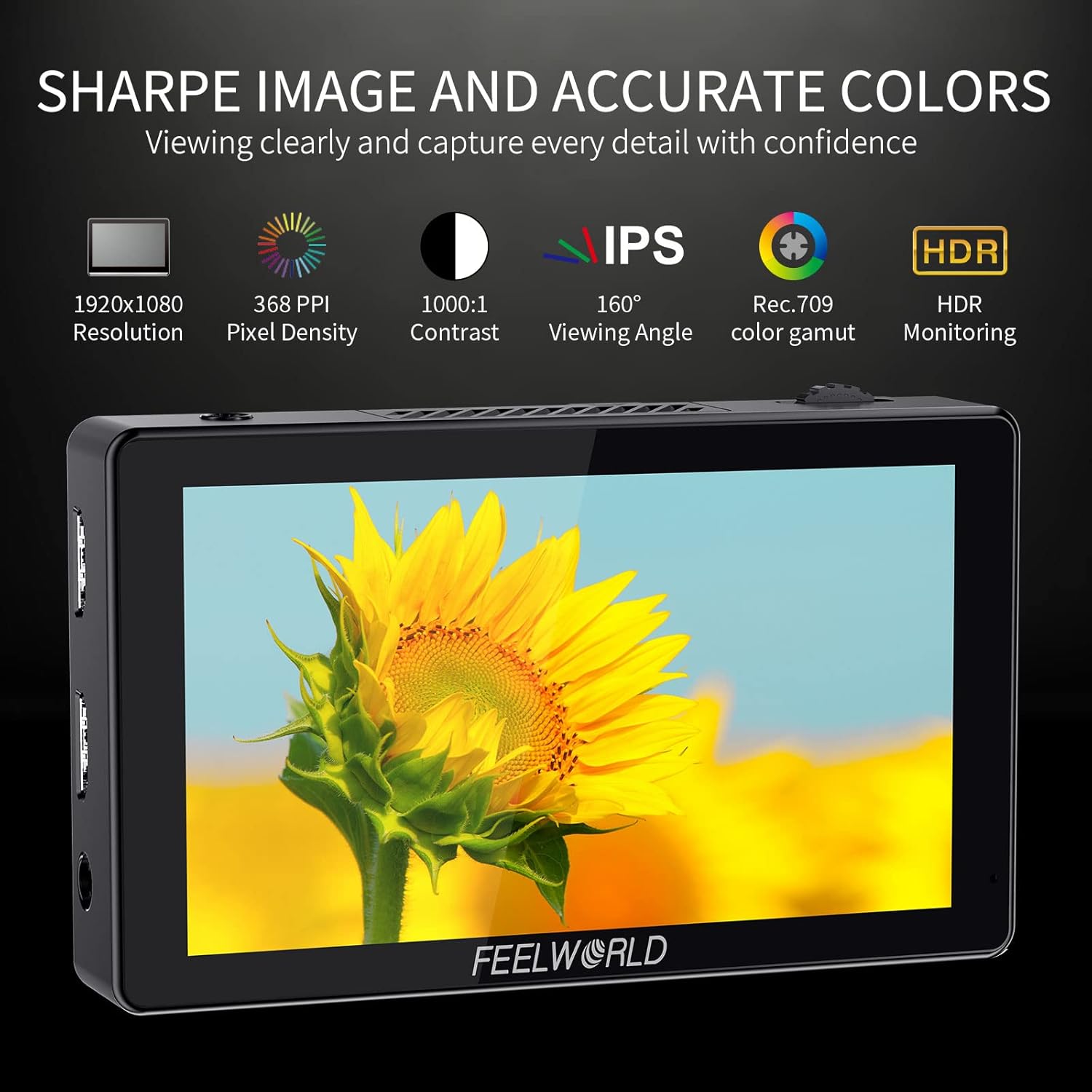
Image: Visual representation of key display specifications.
Warranty and Support
FEELWORLD provides a 1-year warranty for the LUT5 monitor. This warranty covers manufacturing defects and ensures local after-sales support in the US.
For technical support, warranty claims, or service inquiries, please contact FEELWORLD customer service through their official website or the retailer where you purchased the product. Please have your model number (SA-FW759) and purchase information ready when contacting support.
You can visit the official FEELWORLD store on Amazon for more information: FEELWORLD Store
Ask a question about this manual
Ask about setup, troubleshooting, compatibility, parts, safety, or missing instructions. Manuals+ will review the question and use this page’s manual context to help answer it.