
Introduction
This manual provides detailed instructions for the setup, operation, and maintenance of your NIXON Regulus Expedition A1324 Digital Sport Watch. Designed for durability and functionality, this watch features an altimeter, barometer, and compass, making it suitable for various outdoor activities. Please read this manual thoroughly to ensure proper use and to maximize the watch's capabilities.
Product Overview
The NIXON Regulus Expedition A1324 is a robust digital watch equipped with advanced features for adventurers. Its design incorporates a sleek yet rugged case, a high-resolution MLCD display for clear readability, and a comfortable silicone band.

Image: Front view of the NIXON Regulus Expedition A1324 watch, displaying the time, date, and indicators for Altimeter, Barometer, and Compass modes.
Key features include:
- Altimeter, Barometer, and Compass functions.
- Thermometer.
- Camp mode with weather alert.
- Session mode with runs tracker.
- Dual time zones (12 or 24-hour format).
- Date display, chronograph, and alarm.
- High-resolution MLCD technology for optimal visibility.

Image: The NIXON Regulus Expedition A1324 watch worn on a wrist, showcasing its size and fit.
Setup
Initial Power On
Upon first use or after a battery reset, the watch display may be off. To activate, press and hold any button for approximately 5 seconds until the display illuminates.
Setting Time and Date
- From the Time Mode, press the MODE button to navigate to the settings menu.
- Use the UP or DOWN buttons to select 'Time Set' and press MODE to confirm.
- Adjust hours, minutes, year, month, and day using the UP and DOWN buttons. Press MODE to move to the next setting.
- Once all settings are configured, press MODE to exit the Time Set menu.
Unit Configuration
To switch between Imperial (Fahrenheit, feet) and Metric (Celsius, meters) units:
- From the Time Mode, press the MODE button to enter the settings menu.
- Navigate to 'Units' using UP or DOWN and press MODE.
- Select your preferred unit system and confirm with MODE.
Operating Modes
The Regulus Expedition features multiple modes accessible via the MODE button. Pressing MODE cycles through the main functions.
Time Mode
Displays current time, date, and day of the week. This is the default display mode.
Altimeter Mode
Measures and displays current altitude. Calibration may be required for accuracy based on known elevation points.
Barometer Mode
Displays atmospheric pressure. Useful for predicting weather changes. A sudden drop in pressure often indicates approaching bad weather.
Compass Mode
Provides directional readings. Calibrate the compass regularly for accurate navigation, especially after significant magnetic interference or travel.
Chronograph / Stopwatch
Used for timing events. Press UP to start/stop and DOWN to reset.
Alarm
Set up to two independent alarms. Access through the settings menu to configure alarm time and activation.
Camp Mode (Weather Alert)
Monitors barometric pressure changes and provides alerts for significant weather shifts, aiding in outdoor planning.
Session Mode (Runs Tracker)
Records and tracks data for activities, such as runs. Consult the on-screen prompts for starting, pausing, and reviewing sessions.
Backlight Operation
Press the LIGHT button to illuminate the display for improved visibility in low-light conditions. The backlight duration can typically be adjusted in the watch settings.
Maintenance
Cleaning
Regularly clean your watch with a soft, damp cloth. For the silicone strap, mild soap and water can be used. Avoid harsh chemicals or abrasive materials that could damage the watch finish or strap.
Water Resistance
The NIXON Regulus Expedition A1324 is water-resistant up to 100 meters (10 ATM). This makes it suitable for swimming, snorkeling, and showering. Do not press any buttons while the watch is submerged in water, as this can compromise the water resistance seal.
Battery
The watch uses a long-lasting digital movement. While specific battery replacement instructions are not provided in this manual, it is recommended to have battery replacement performed by an authorized service center to maintain water resistance and warranty.
Strap Care
The silicone strap is designed for durability and comfort. Avoid prolonged exposure to direct sunlight or extreme temperatures, which can degrade the material over time. Inspect the strap and buckle regularly for any signs of wear or damage.

Image: Rear view of the NIXON Regulus Expedition A1324 watch strap, showing the double prong buckle and locking looper for secure fit.
Troubleshooting
Display Not Turning On
If the display is blank, press and hold any button for 5 seconds to power on the watch. If it still does not respond, the battery may be depleted and require replacement.
Inaccurate Altimeter/Barometer/Compass Readings
These sensors require calibration for optimal accuracy. Refer to the 'Operating Modes' section for calibration procedures. Environmental factors can also affect readings; ensure the watch is not exposed to extreme temperature changes or strong magnetic fields.
Buttons Are Hard to Press
The buttons are designed to be robust. If they feel unusually stiff, ensure no debris is lodged around them. Avoid forcing the buttons.
Watch Not Responding
A soft reset can sometimes resolve minor software glitches. This typically involves holding a combination of buttons (refer to the full product manual for specific button combinations if available). If the issue persists, contact NIXON customer support.
Specifications
| Feature | Detail |
|---|---|
| Model Number | A1324 |
| Movement | Custom Digital Movement |
| Case Material | Stainless Steel Caseback |
| Water Resistance | 100 meters (10 ATM) |
| Strap Material | Injection Molded Silicone |
| Clasp Type | Tang Buckle with Double Prong |
| Display Technology | High Resolution MLCD |
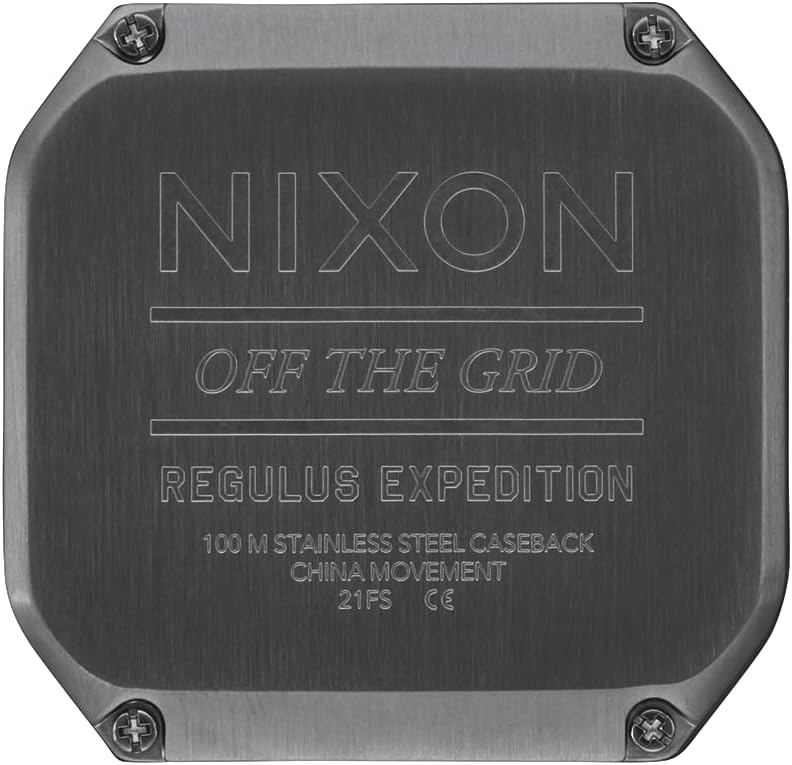
Image: Close-up of the NIXON Regulus Expedition A1324 watch backplate, showing 'NIXON OFF THE GRID REGULUS EXPEDITION 100 M STAINLESS STEEL CASEBACK'.
Warranty and Support
Your NIXON Regulus Expedition A1324 watch is covered by a manufacturer's warranty against defects in materials and workmanship. For specific warranty terms and conditions, please refer to the warranty card included with your purchase or visit the official NIXON website.
For technical support, service, or inquiries, please contact NIXON customer service through their official website or authorized service centers. Always provide your watch model number (A1324) and purchase details when seeking support.