MorePro Kids Fitness Tracker V102 User Manual
Model: V102
1. Introduction
This manual provides comprehensive instructions for the MorePro Kids Fitness Tracker Model V102. It covers setup, operation, health monitoring, activity tracking, maintenance, and troubleshooting. Please read this manual carefully to ensure proper use and optimal performance of your device.
2. Product Overview
The MorePro V102 is a smart fitness tracker designed for children, featuring a vibrant display and comfortable strap. It is equipped with sensors for various health metrics and activity tracking. The device is lightweight and durable, suitable for daily wear.

Image 2.1: Front view of the MorePro Kids Fitness Tracker V102, showcasing its light blue strap and colorful digital display.
3. Setup
3.1 Initial Charging
Before first use, fully charge the fitness tracker. Connect the provided charging cable to the charging port on the device and a USB power source. A full charge typically takes approximately 2 hours.
3.2 App Download and Pairing
- Download the official MorePro App from your smartphone's app store (compatible with Android 4.4 or higher, iOS 8.0 or higher).
- Ensure Bluetooth is enabled on your smartphone.
- Open the MorePro App and follow the on-screen instructions to search for and pair with your V102 fitness tracker.
- Once paired, the device will synchronize time and data with your phone.
4. Operating the Device
4.1 Basic Navigation
- Swipe Up/Down: Navigate through different functions and menus.
- Tap: Select an option or confirm an action.
- Long Press: Activate certain functions or return to the previous screen, depending on the context.
4.2 Customizing the Display
The V102 allows for DIY screen customization and offers various pre-set dials. These can be changed directly on the device or through the MorePro App to personalize the watch face.
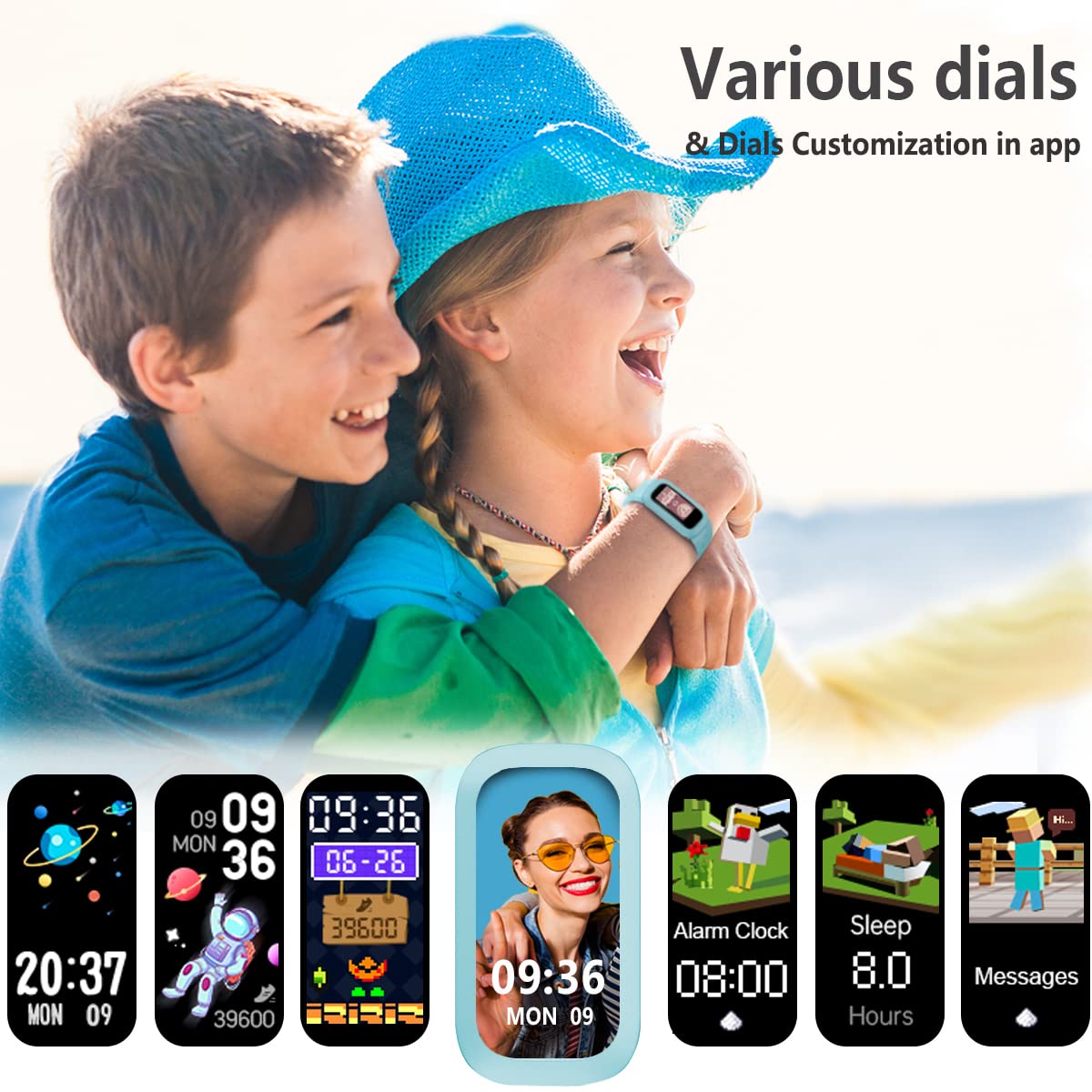
Image 4.1: Examples of various customizable watch faces and dials available for the MorePro Kids Fitness Tracker.
5. Health Monitoring Features
The MorePro V102 continuously monitors several key health metrics throughout the day.
- Blood Oxygen (SpO2) Monitor: Provides 24-hour continuous blood oxygen monitoring, recording real-time SpO2 activity.
- Body Temperature Monitor: Scientifically tracks and records body temperature, displaying detailed line charts and showing highest, lowest, and average temperatures in the app.
- Heart Rate Monitor: Utilizes Greenlight + infrared dual detecting for accurate heart rate measurement, with personalized in-app reports.
- Sleep Monitor: Automatically tracks sleep patterns from 8:00 PM to 10:00 AM, providing detailed data on deep sleep and light sleep in the app.

Image 5.1: Visual representation of the advanced health monitoring capabilities, including heart rate, sleep tracking, SpO2, and body temperature.
6. Activity Tracking Features
The V102 helps track daily physical activity and supports various sport modes.
- Daily Activity Tracking: Automatically records steps, calories burned, and distance covered throughout the day. Detailed graphs are available in the app.
- 6 Sport Modes: Choose from Outdoor Run, Outdoor Walk, Outdoor Cycle, Indoor Run, HIIT, and Rope Skipping. The tracker displays real-time duration, steps, heart rate, distance, and calories during workouts.

Image 6.1: A child on a beach, illustrating the tracker's swim-friendly design and its ability to track daily activity metrics like distance, calories, and steps.
7. Battery and Charging
The MorePro V102 is designed for extended use with efficient battery management.
- Charging Time: A full charge takes approximately 2 hours.
- Battery Life: Provides up to 7-10 days of working time for everyday use on a single charge.
- Charging Method: Use the included charge cord. It can be conveniently charged via any standard USB port.

Image 7.1: Depiction of the tracker's long battery life, indicating approximately 15 days in daily standby mode and 7-10 days in continuous working mode.
8. Water Resistance
The MorePro V102 has an IP68 waterproof rating, meaning it is resistant to dust and can withstand immersion in water up to 1.5 meters for 30 minutes. This allows for use during swimming or other water activities in shallow areas. Avoid hot water, steam, or prolonged immersion.
9. Maintenance
- Cleaning: Regularly clean the device and strap with a soft, damp cloth. Ensure the charging contacts are free of dirt and debris.
- Storage: Store the tracker in a cool, dry place when not in use.
- Avoid Chemicals: Do not use harsh chemicals or abrasive cleaners on the device.
10. Troubleshooting
- Device Not Turning On: Ensure the device is fully charged. If it still doesn't turn on, try resetting it by connecting it to the charger.
- Not Pairing with App: Check if Bluetooth is enabled on your phone and the tracker is within range. Restart both the phone and the tracker, then try pairing again. Ensure the app is updated to the latest version.
- Inaccurate Readings: Ensure the tracker is worn snugly on the wrist, about one finger's width above the wrist bone. Clean the sensor on the back of the device.
- Battery Draining Quickly: Reduce screen brightness, limit notifications, and ensure no background apps are excessively consuming power.
11. Specifications
| Feature | Detail |
|---|---|
| Model Number | V102 |
| Manufacturer | MorePro |
| Item Weight | 50 g |
| Dimensions (LxWxH) | 40 x 20 x 13 Millimeters |
| Operating System Compatibility | Android 4.4+, iOS 8.0+ |
| Connectivity Technology | Bluetooth |
| Wireless Communication Standard | Infrared |
| Battery Type | Lithium Ion |
| Water Resistance | IP68 |
12. Warranty and Support
MorePro offers a 30-day return and refund policy without hassle. The product also comes with a LIFE-TIME warranty, ensuring long-term support for your device. Customer satisfaction is guaranteed. For further assistance or inquiries, please refer to the contact information provided with your purchase or visit the official MorePro website.


