
1. Product Overview
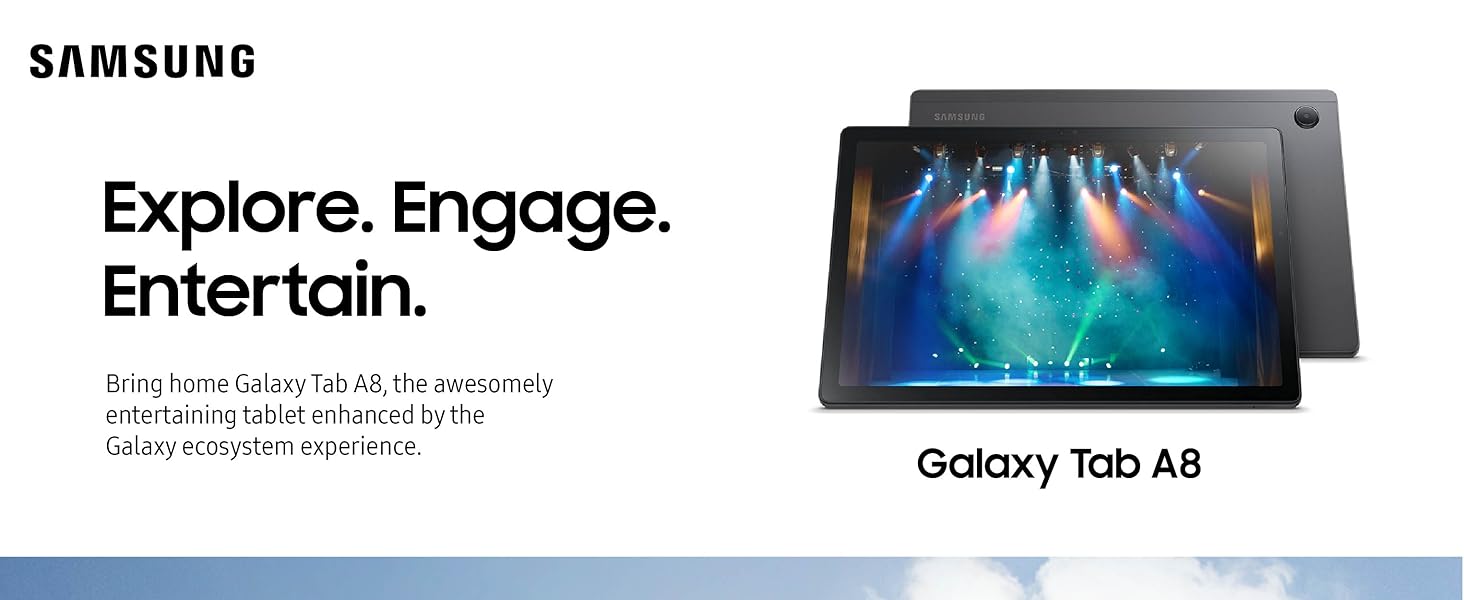
The Samsung Galaxy Tab A8 is a versatile Android tablet designed for family use, offering an engaging experience within the Galaxy ecosystem. It features a 10.5-inch LCD screen, an upgraded chipset for smooth performance, and a long-lasting battery with fast charging capabilities. The tablet supports expandable memory and includes features like Samsung Kids for digital learning and Smart Switch for easy data transfer.
2. Setup
2.1 Initial Power On
To power on your Galaxy Tab A8 for the first time, press and hold the power button located on the side of the device until the Samsung logo appears. Follow the on-screen prompts to select your language, connect to a Wi-Fi network, and set up your Google account.
2.2 Data Transfer with Smart Switch
Easily transfer your data and favorite files from your old device to your new Galaxy Tab A8 using Smart Switch. This feature simplifies the migration process across different operating systems in just three easy steps. Ensure both devices are charged and connected to the same Wi-Fi network or via a USB cable for optimal transfer.
3. Operating Your Tablet
3.1 Display and Visual Experience
The Galaxy Tab A8 features a 10.5-inch LCD screen with a resolution of 1920 x 1200 pixels, providing clear and vibrant visuals for streaming, video calls, and browsing. The display has a 60Hz refresh rate for smooth interaction.
3.2 Performance and Storage
Equipped with an upgraded chipset (ARM Cortex A53, CPU Model T618) and 4GB of RAM, the tablet offers reliable performance for everyday tasks. It comes with 64GB of internal storage, which can be expanded up to 1TB using a microSD card (sold separately), providing ample space for photos, videos, games, and apps.
3.3 Battery Life and Charging
The tablet is powered by a 7040 mAh long-lasting battery, offering an average life of 6 hours on a single charge. It supports fast charging via its USB-C port, allowing you to quickly power up your device. Battery life may vary based on usage patterns and network environment.
3.4 Samsung Kids
For younger users, Samsung Kids provides a safe and engaging environment with a library of kid-friendly games, books, and videos. This feature helps children develop good digital habits while learning.
3.5 Galaxy Ecosystem Integration
Experience seamless connectivity across your Samsung Galaxy devices. The Galaxy Tab A8 allows you to answer phone calls from your tablet, instantly share files with Quick Share, and automatically sync notes, to-do lists, and schoolwork between your tablet, phone, and watch.
4. Media Integration
4.1 Product Images



4.2 Official Product Videos
5. Specifications
| Feature | Detail |
|---|---|
| Brand | Samsung |
| Model Name | Galaxy Tab A8 |
| Model Number | SM-X200NZAEXAR |
| Memory Storage Capacity | 64 GB |
| RAM Memory Installed | 4 GB |
| Screen Size | 10.5 Inches |
| Display Type | LCD |
| Display Resolution Maximum | 1920 x 1200 Pixels |
| Operating System | Android |
| Processor Description | ARM Cortex A53 |
| CPU Model Number | T618 |
| Battery Capacity | 7040 Milliamp Hours |
| Battery Average Life | 6 Hours |
| Rear Facing Camera Photo Sensor Resolution | 8 MP |
| Front Photo Sensor Resolution | 5 MP |
| Video Capture Resolution | FHD 1080p |
| Connectivity Technology | Bluetooth, Wi-Fi |
| Item Dimensions L x W x Thickness | 6.37"L x 0.27"W x 9.72"Th |
| UPC | 887276607368 |
6. Maintenance
6.1 Cleaning Your Tablet
To clean your tablet, use a soft, lint-free cloth. For stubborn smudges, slightly dampen the cloth with water or a screen-specific cleaning solution. Avoid harsh chemicals or abrasive materials.
6.2 Software Updates
Regularly check for and install software updates to ensure your tablet has the latest features, security patches, and performance improvements. You can usually find this option in the device settings under 'Software update'.
6.3 Storage Management
To maintain optimal performance, periodically review and manage your tablet's storage. Delete unnecessary files, uninstall unused apps, and consider moving large media files to expandable storage (microSD card) or cloud services.
7. Troubleshooting
7.1 Common Issues
If your tablet is unresponsive, try a force restart by holding down the power button and volume down button simultaneously for about 10 seconds. For app-specific issues, try clearing the app's cache or reinstalling it.
7.2 Factory Reset
As a last resort for persistent software issues, you may perform a factory reset. This will erase all data on your device, so ensure you back up important files beforehand. This option is typically found in 'Settings > General management > Reset > Factory data reset'.
8. Warranty and Support
8.1 Product Warranty
The Samsung Galaxy Tab A8 comes with a 1-Year Manufacturer Limited Warranty. Please refer to the warranty card included in your product packaging for full terms and conditions.
8.2 Device Protection Plans
Optional device protection plans are available, including a 2-Year Samsung Care+ Device Protection (one-time payment of $38.99) or monthly Samsung Care+ Device Protection ($2.99/month). A Complete Protect plan is also offered at $16.99/month, covering all eligible past and future purchases.
8.3 Customer Support
For further assistance, visit the official Samsung Store online or contact Samsung customer support. You can find more information and support resources at Samsung Store.


