
1. Introduction
This manual provides detailed instructions for the Riversong M2 Wired In-Ear Earphone, Model M5. Please read this manual carefully before using the product to ensure proper operation and to maximize your listening experience. Keep this manual for future reference.
2. Product Overview
The Riversong M2 Wired In-Ear Earphone M5 is designed for high-quality audio playback and clear communication. It features a 14mm driver for rich stereo sound, a built-in HD microphone for calls, and an inline remote for convenient control. The 1.2-meter cable is designed to be tangle-free for ease of use.
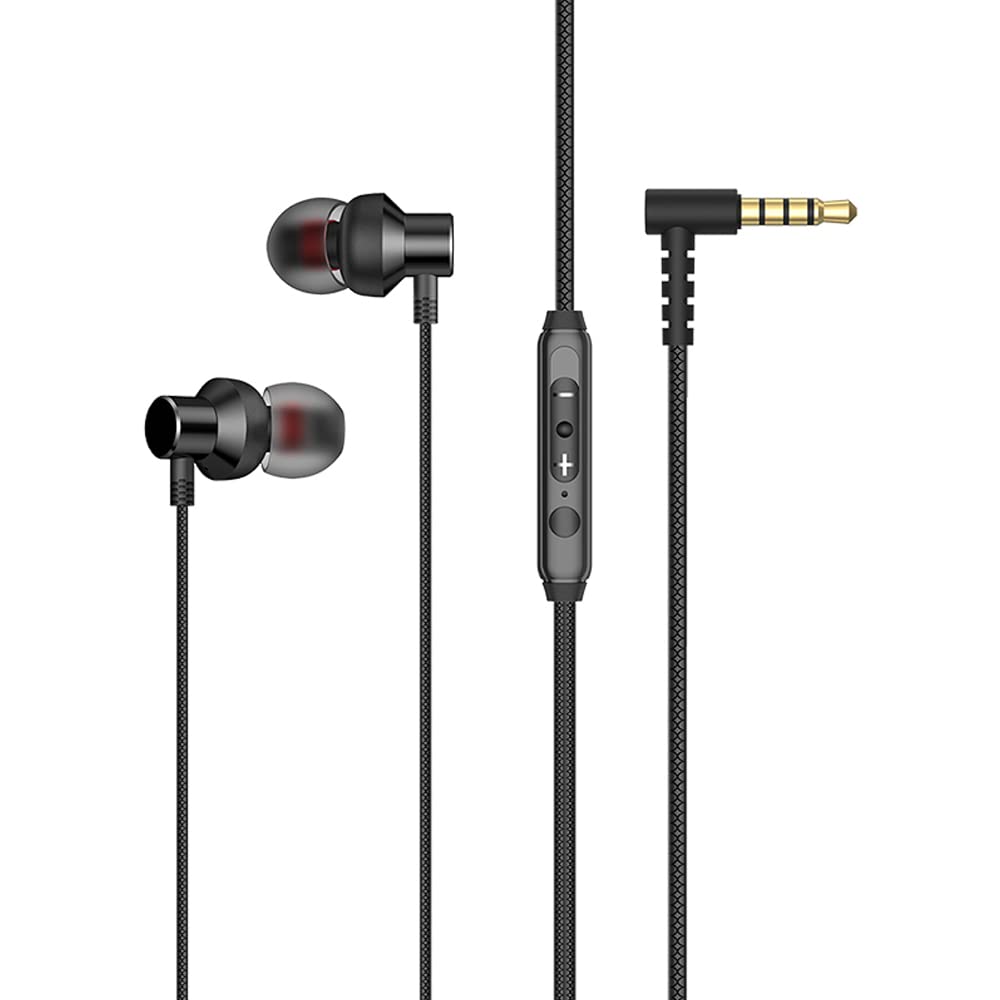
Image 1: Riversong M2 Wired In-Ear Earphone M5. The image displays the earphone buds, the inline remote control on the cable, and the L-shaped 3.5mm audio jack.
3. Key Features
- True Stereo Sound: Designed to deliver a rich audio experience for music and podcasts.
- Comfortable In-Ear Fit: Features soft silicone earmuffs and proper in-ear depth positioning for comfortable and pleasant wear.
- HD Microphone: Built-in HD microphone ensures clear call quality, even in noisy environments.
- Inline Remote Control: Provides easy and convenient control over audio playback and calls.
- Tangle-Free Cable: The 1.2-meter soft TPE cable features a special pattern design to prevent tangling and enhance durability.
- 3.5mm Jack: Standard 3.5mm audio jack for broad compatibility with various devices.
4. What's in the Box
Upon opening the product packaging, you should find the following items:
- Riversong M2 Wired In-Ear Earphone (Silver)
- User Manual (this document)
- Warranty Card
5. Setup
- Connect to Device: Insert the 3.5mm audio jack of the earphone into the corresponding 3.5mm audio port on your smartphone, tablet, laptop, or other compatible audio device. Ensure the jack is fully inserted for a secure connection.
- Position Earphones: Gently place the earphone buds into your ears. Adjust them until they fit comfortably and securely. The soft silicone earmuffs are designed to provide a good seal for optimal sound quality and comfort.
6. Operating Instructions
The Riversong M2 Earphone features an inline remote for easy control of audio and calls.
6.1. Audio Control
- Play/Pause: Press the multi-function button (usually the center button) once to play or pause audio.
- Next Track: Press the multi-function button twice quickly to skip to the next track.
- Previous Track: Press the multi-function button three times quickly to go back to the previous track.
- Volume Up: Press the '+' button to increase the volume.
- Volume Down: Press the '-' button to decrease the volume.
6.2. Call Control
- Answer/End Call: Press the multi-function button once to answer an incoming call or end an ongoing call.
- Reject Call: Press and hold the multi-function button for approximately 2 seconds to reject an incoming call.
- Activate Voice Assistant: Press and hold the multi-function button for approximately 2 seconds (when not on a call) to activate your device's voice assistant (e.g., Google Assistant, Siri).
Note: Specific functionality of the inline remote may vary slightly depending on your connected device's operating system and settings.
7. Maintenance
- Cleaning: Regularly clean the earphone buds and silicone earmuffs with a soft, dry cloth. Do not use harsh chemicals or abrasive materials.
- Cable Care: While the cable is tangle-free, avoid excessive pulling or bending to prolong its lifespan. Store the earphones neatly when not in use.
- Storage: Store the earphones in a clean, dry place away from extreme temperatures and direct sunlight.
- Water Resistance: This product is not water resistant. Avoid exposure to water or moisture to prevent damage.
8. Troubleshooting
| Problem | Possible Solution |
|---|---|
| No sound from earphones. |
|
| Microphone not working during calls. |
|
| Sound quality is poor or distorted. |
|
9. Specifications
| Feature | Detail |
|---|---|
| Model Name | M2 Wired in Ear Earphone |
| Model Number | M5 |
| Connectivity Technology | Wired |
| Headphones Jack | 3.5 mm Jack |
| Driver Size | 14 mm (Inferred from product title) |
| Cable Length | 1.2 Metre |
| Cable Feature | Tangle Free |
| Microphone Format | Built-In HD Microphone |
| Control Type | Volume Control, Multi-function button (Play/Pause, Track Skip, Call Answer/End) |
| Ear Placement | In Ear |
| Form Factor | In Ear |
| Impedance | 16 Ohms |
| Material | Plastic (earbuds), TPE (cable) |
| Product Dimensions | 14.5 x 8.5 x 0.7 cm |
| Water Resistance Level | Not Water Resistant |
| Manufacturer | RIVERSONG |
10. Warranty and Support
The Riversong M2 Wired In-Ear Earphone M5 comes with a standard brand warranty. Please refer to the included Warranty Card for specific terms and conditions, including warranty period and coverage details.
For technical support, service, or warranty claims, please contact Riversong customer support:
- Email: support@riversongtech.com
- Website: Please visit the official Riversong website for further support information.
Always retain your proof of purchase for warranty validation.
11. Product Video (If Available)
No official product video URL was provided in the product data. If an official seller-created video becomes available, it would typically be embedded here to demonstrate product features or usage.