
YXQ MGR-1 D4840
Contents
YXQ 40A SSR Solid State Relay User Manual
Model: MGR-1 D4840
1. Introduction
This manual provides essential information for the safe and effective use of the YXQ 40A SSR Solid State Relay, model MGR-1 D4840. This single-phase solid state relay features an LED indicator and is designed for various applications, including temperature controllers, heaters, and small ovens.
The relay is controlled by a DC voltage input and switches an AC load. Its robust design includes a flame-retardant plastic housing, epoxy casting compound, and wiring screw terminals, ensuring high structural strength, reliability, and electromagnetic compatibility.
2. Safety Information
WARNING: Electrical shock hazard. Always disconnect power before installation or maintenance.
- Ensure all wiring is performed by qualified personnel in accordance with local electrical codes.
- Do not short-circuit the load. Use a dedicated fast-acting fuse for protection.
- Always check the insulation resistance between the output terminals and the heat sink during installation to prevent electrical hazards.
- The relay includes an insulation protection cover. Ensure it is properly installed to prevent accidental contact with live parts.
- Proper heat dissipation is critical for the relay's longevity and safe operation. An insulated cooling plate is included, and thermal grease should be applied between the relay and any external heat sink.
3. Product Overview
The YXQ 40A SSR Solid State Relay (MGR-1 D4840) is a compact and reliable device for controlling AC loads with a DC control signal. Key features include:
- High Current Capacity: Rated for 40A output current.
- Wide Output Voltage Range: Operates with 24-480V AC loads.
- Low Control Voltage: Controlled by 3-32V DC input.
- LED Indicator: A diode indicator provides visual feedback on the relay's power status.
- Durable Construction: Features a flame-retardant plastic housing, epoxy casting, and pure copper terminal blocks for excellent electrical conductivity and long-term stability.
- Integrated Cooling: Designed with an insulated cooling plate for effective heat dissipation.
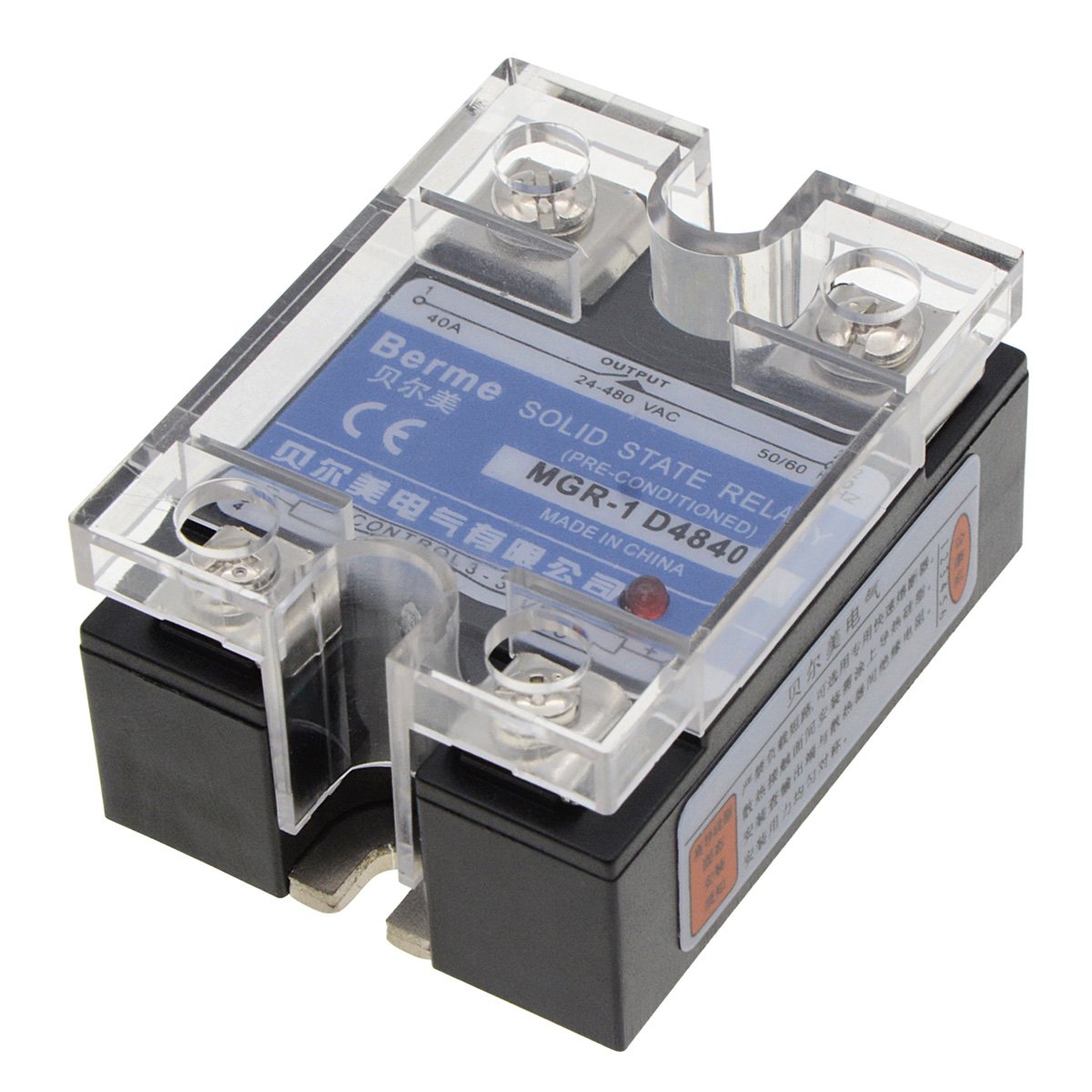
Figure 3.1: Front view of the YXQ 40A SSR Solid State Relay with its transparent insulation protection cover installed.
4. Specifications
| Parameter | Value |
|---|---|
| Product Name | Solid State Relay |
| Model | MGR-1 D4840 |
| Output Current | 40A |
| Output Voltage | 24-480V AC |
| Control Voltage | 3-32V DC |
| Frequency | 50/60Hz |
| Mounting Hole Diameter | 4.5mm (0.18") |
| Total Size (L*W*T) | 58 x 45 x 30mm (2.28" x 1.77" x 1.18") |
| Net Weight | 100g |
| Material | Metal, Plastic, Electronic Parts |
| Connector Type | Screw |
| Contact Type | Normally Open |

Figure 4.1: Dimensions of the YXQ 40A SSR Solid State Relay.
5. Setup and Installation
Follow these steps for proper installation of the solid state relay:
- Mounting: Secure the relay using the 4.5mm mounting holes. Ensure the mounting surface is flat and provides adequate support. Apply even and symmetrical force when tightening mounting screws.
- Heat Sink Application: For optimal performance and longevity, especially when operating at higher currents or temperatures, mount the SSR onto a suitable heat sink. Apply a thin, even layer of thermal grease (heat-conducting silicone grease) between the relay's base plate and the heat sink surface to ensure efficient heat transfer.

Figure 5.1: Bottom view of the relay, highlighting the metal base plate designed for heat dissipation.
- Wiring - Control Input (DC): Connect the 3-32V DC control signal to the input terminals (labeled + and - or 1 and 2). Ensure correct polarity. The LED indicator will illuminate when the control voltage is applied.
- Wiring - Load Output (AC): Connect the 24-480V AC load to the output terminals (labeled AC or 3 and 4). Ensure the load current does not exceed 40A. It is highly recommended to install a fast-acting fuse in series with the load for overcurrent protection.
- Insulation Check: Before applying power, verify the insulation resistance between the output terminals and the heat sink (if used) to ensure no short circuits or leakage paths exist.
- Install Protection Cover: Once wiring is complete and verified, securely place the transparent insulation protection cover over the terminals.

Figure 5.2: The relay with its insulation protection cover detached, revealing the input and output screw terminals.
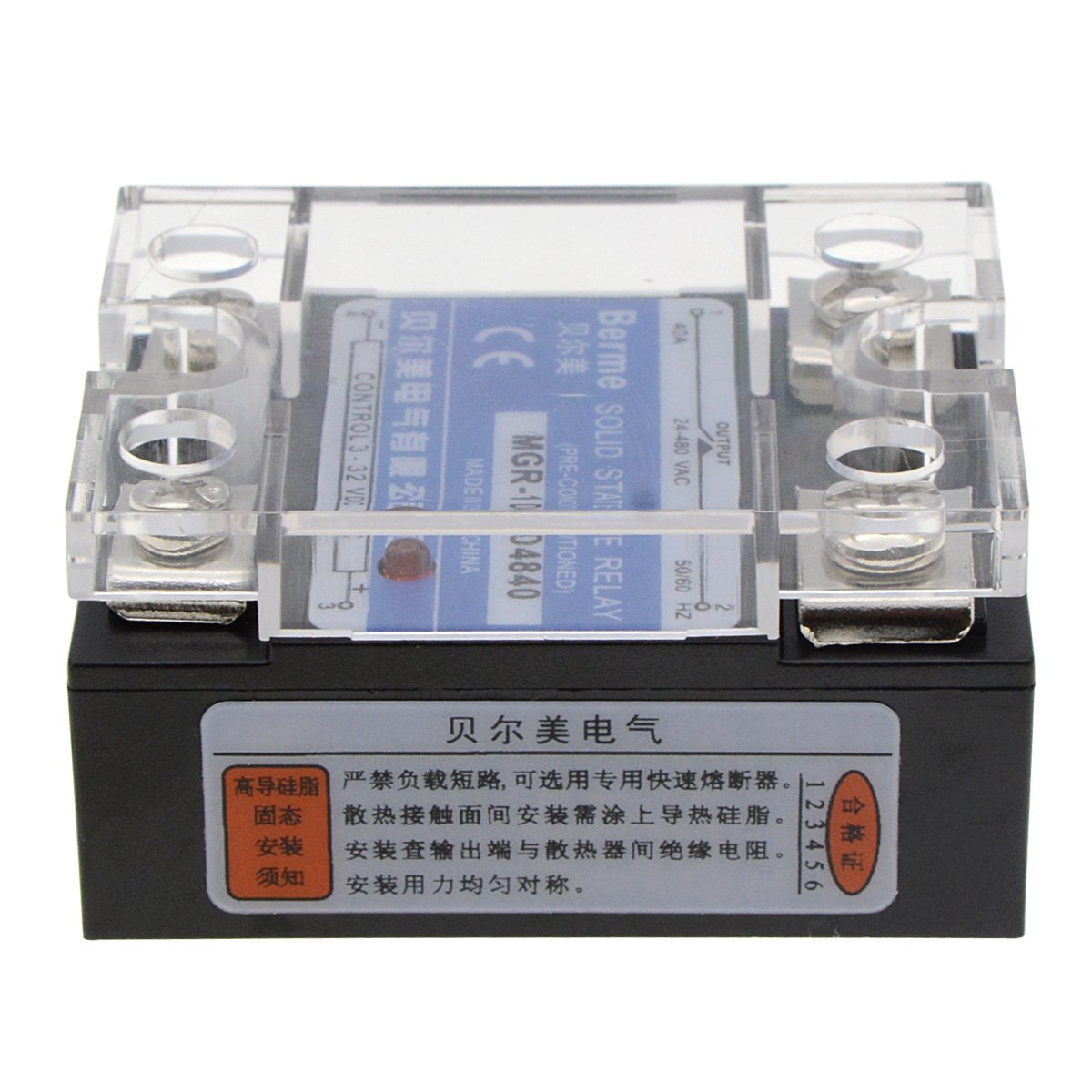
Figure 5.3: Back view of the relay, showing the warning label with important installation notes regarding short circuits, thermal grease, insulation checks, and mounting force.
6. Operating Instructions
The YXQ 40A SSR operates as a simple on/off switch for AC loads, controlled by a DC signal.
- Power On: Once properly wired and mounted, apply the specified 3-32V DC control voltage to the input terminals.
- Status Indicator: The built-in LED indicator will illuminate when the control voltage is present and the relay is activated (conducting current to the load).
- Load Control: When the DC control voltage is applied, the relay will switch on, allowing AC current to flow through the load. When the DC control voltage is removed, the relay will switch off, disconnecting the AC load.
- Continuous Operation: The relay is designed for long-term stable operation, provided proper heat dissipation measures (heat sink, thermal grease) are in place, especially under continuous high-current loads.
7. Maintenance
The YXQ 40A SSR is designed for minimal maintenance. However, periodic checks can ensure its longevity and reliable operation:
- Visual Inspection: Periodically inspect the relay and its wiring for any signs of damage, discoloration, or loose connections.
- Terminal Tightness: Ensure all screw terminals remain tight to maintain excellent electrical conductivity and prevent overheating.
- Heat Dissipation: Verify that the heat sink (if used) is free from dust and debris, which can impede airflow and reduce cooling efficiency. Ensure the thermal grease has not dried out or degraded over time.
- Operating Environment: Ensure the relay operates within its specified temperature and humidity ranges to prevent premature failure.
8. Troubleshooting
| Problem | Possible Cause | Solution |
|---|---|---|
| Relay does not activate (LED off) | No control voltage; Incorrect control voltage polarity; Control voltage too low (below 3V DC); Faulty control circuit. | Verify 3-32V DC control voltage is applied correctly with proper polarity. Check the control circuit for faults. |
| Load does not receive power (LED on) | No AC power to load side; Blown fuse in load circuit; Loose wiring connections; Overload condition; Internal relay failure. | Check AC power supply to the load. Inspect and replace any blown fast-acting fuses. Tighten all wiring connections. Ensure load current does not exceed 40A. If all checks fail, the relay may be faulty. |
| Relay overheats | Insufficient heat sinking; No thermal grease applied; Overcurrent condition; High ambient temperature. | Ensure the relay is mounted on an adequately sized heat sink. Apply thermal grease between the relay and heat sink. Verify load current is within specifications. Improve ventilation in the operating environment. |
| Intermittent operation | Loose wiring connections; Unstable control voltage; Electromagnetic interference. | Check and tighten all wiring connections. Ensure a stable and clean DC control voltage. Consider shielding or filtering if electromagnetic interference is suspected. |
9. Warranty and Support
Specific warranty information for the YXQ 40A SSR Solid State Relay is not provided in the product details. For any support inquiries, please refer to the seller or manufacturer's contact information available at the point of purchase.
No official product videos were found to be relevant for inclusion in this manual.
Documents and downloads
Ask a question about this manual
Ask about setup, troubleshooting, compatibility, parts, safety, or missing instructions. Manuals+ will review the question and use this page’s manual context to help answer it.