
QUINEAR QN-073A (Heated)
QUINEAR Leg Massager User Manual
Model: QN-073A (Heated)
1. Important Safety Information
Please read all instructions carefully before using the QUINEAR Leg Massager. Failure to follow these instructions may result in injury or damage to the device.
- Avoid use on injured or inflamed areas.
- Do not leave unattended while in use.
- Keep away from water.
- Allow the massager to cool before storing.
- Do not use if the power cord is damaged.
- Consult a physician before use if you have a medical condition or are pregnant.
- This device is intended for personal, non-medical use to provide massage and relaxation. It is not intended to diagnose, treat, cure, or prevent any disease or health condition.
2. Package Contents
Verify that all items are present in the package:
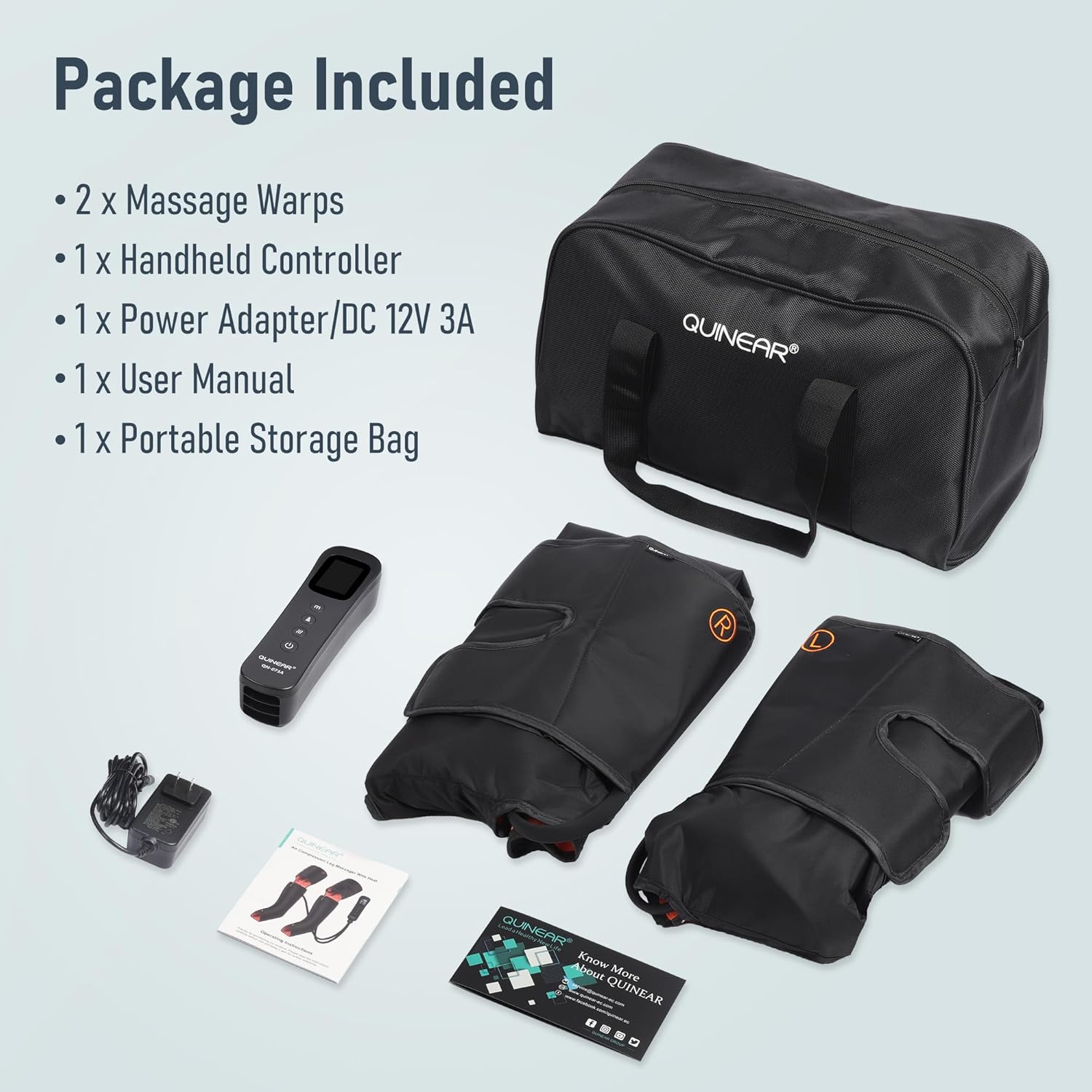
Image: The QUINEAR Leg Massager package contents, showing two massage wraps, a handheld controller, a power adapter, a user manual, and a portable storage bag, all neatly arranged.
- 2 x Massage Wraps (Left and Right)
- 1 x Handheld Controller
- 1 x Power Adapter (DC 12V 3A)
- 1 x User Manual
- 1 x Portable Storage Bag
3. Product Overview
The QUINEAR Leg Massager is designed to provide comprehensive massage and compression therapy for your feet, calves, and thighs. It features adjustable settings for a personalized experience.

Image: The QUINEAR Leg Massager system, featuring the two leg wraps with integrated heating elements, the wired handheld controller, and a portable storage bag.
Key Features:
- 3-in-1 Design: Provides massage for feet, calves, and thighs simultaneously.
- Heat Therapy: Features 3 adjustable heating levels to soothe muscles and improve circulation.
- Air Compression Therapy: Utilizes air compression with 3 intensities and 3 modes for varied massage programs.
- LCD Handheld Controller: Easy-to-use controller with a clear display for selecting modes, intensities, and heat levels.
- Zipper Sleeve Design: New design for easier application and removal, made with TBP fabric for comfort and easy cleaning.
- Built-in Pressure Sensor: Ensures consistent and long-lasting compression experience.
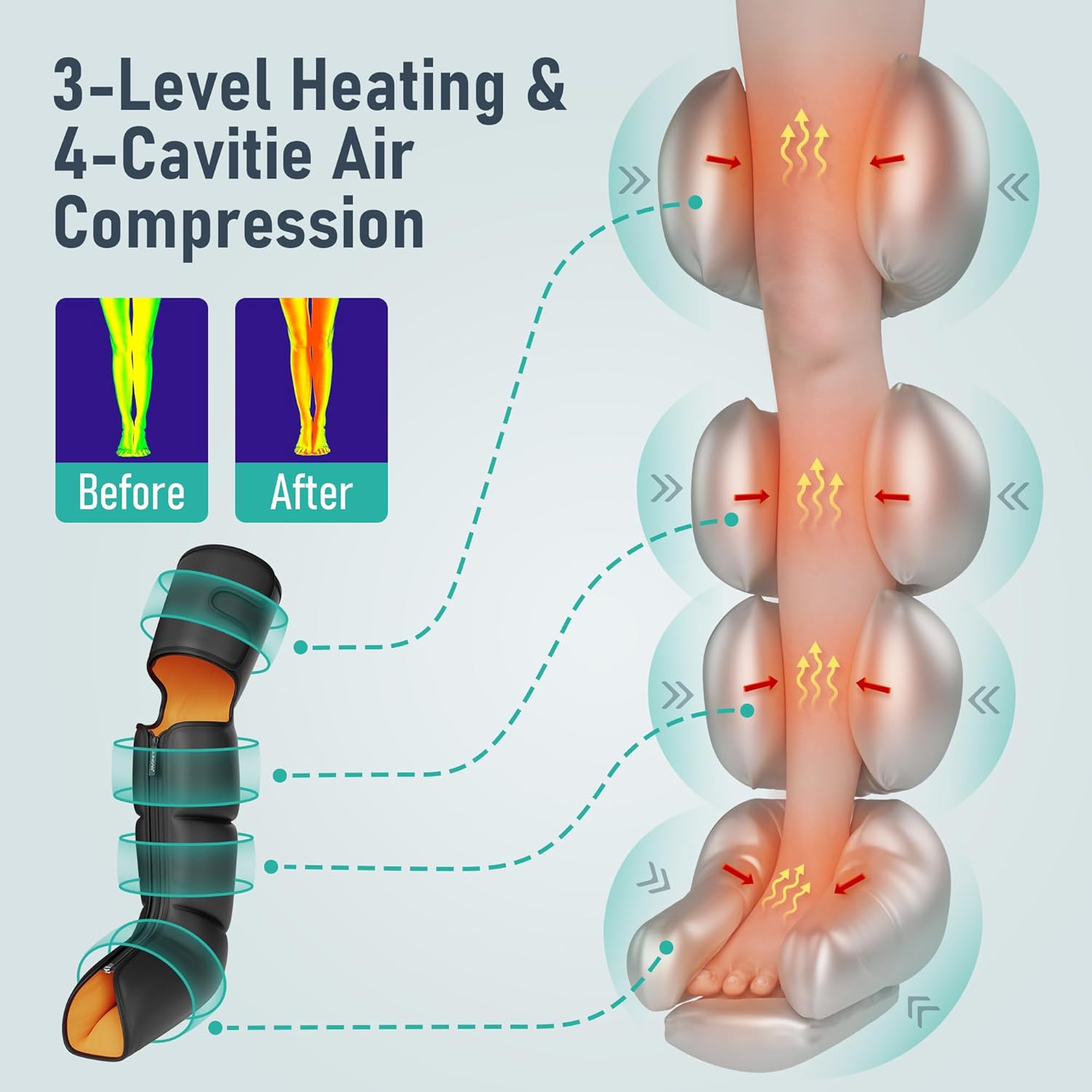
Image: A diagram showing the internal structure of the leg massager, highlighting the 3-level heating function and the 4-cavity air compression system that targets different areas of the leg from foot to thigh.
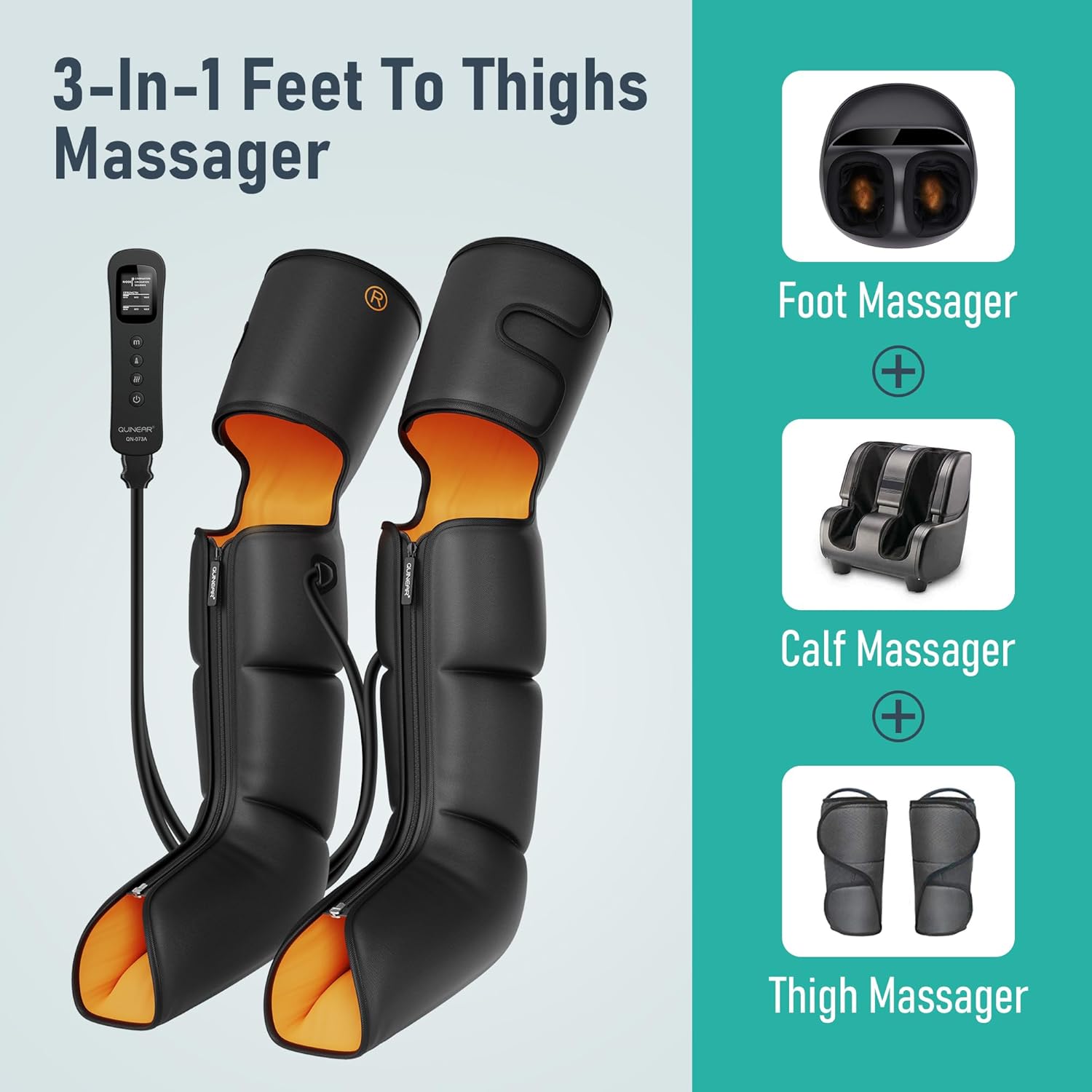
Image: A visual representation of the 3-in-1 functionality, indicating that the device combines the benefits of a foot massager, calf massager, and thigh massager into one unit.
4. Setup Instructions
- Unpack Components: Carefully remove all components from the packaging.
- Identify Wraps: Distinguish between the left (L) and right (R) leg wraps.
- Connect Hoses: Connect the air hoses from each leg wrap to the corresponding ports on the handheld controller. Ensure a secure connection.
- Connect Power Adapter: Plug the power adapter into the designated port on the handheld controller, then plug the adapter into a standard electrical outlet.
- Apply Wraps: Sit comfortably and slide your legs into the wraps. Use the zipper and adjustable straps to secure the wraps snugly around your feet, calves, and thighs. Ensure they are not too tight to restrict circulation.

Image: A woman sitting on a couch, demonstrating the proper way to wear the QUINEAR Leg Massager wraps, with the controller placed on the floor beside her.

Image: A detailed diagram illustrating the dimensions of the leg massager wraps, highlighting the zipper design for easy wear and the waterproof fabric for durability and ease of cleaning. It also notes that size extensions are available separately.
5. Operating Instructions
The handheld controller allows you to customize your massage experience. Refer to the controller diagram for button functions.

Image: A close-up of the LCD handheld controller, displaying the screen with indicators for mode, strength, and circulation sequence, along with buttons for power, mode, intensity, and heat.
Controller Functions:
- Power Button (⏻): Press to turn the massager ON or OFF.
- Mode Button (m): Press to cycle through 3 different massage modes (e.g., Combination, Circulation, Sequence). Each mode offers a unique massage program.
- Intensity Button (▲): Press to adjust the compression intensity. There are 3 intensity levels (Min, Mid, Max) to suit your preference.
- Heat Button (~~~): Press to activate or adjust the heating function. There are 3 heating levels. Press repeatedly to cycle through levels or turn heat off.
- Timer: The device features an automatic shut-off timer, typically set for 20 minutes, to prevent overuse and conserve energy.
Usage Tips:
- Start with the lowest intensity and gradually increase as you become accustomed to the massage.
- Experiment with different modes to find the one that best suits your needs.
- Use the heat function for added relaxation and improved circulation, especially if your legs feel cold or stiff.
- For optimal results, use the massager for 20-30 minutes per session.
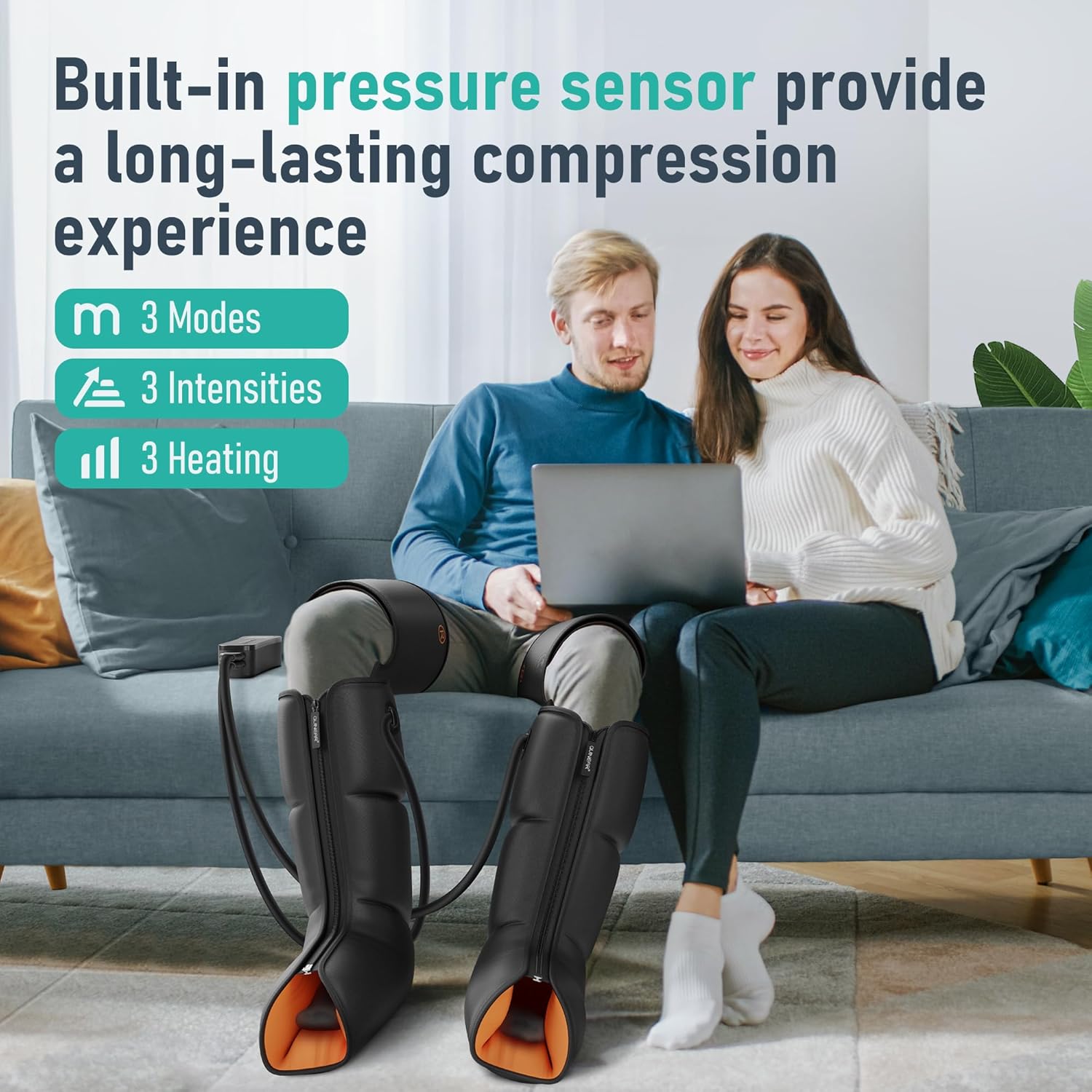
Image: A couple relaxing on a couch, both wearing the QUINEAR Leg Massager wraps, demonstrating comfortable use during other activities like working on a laptop.
6. Maintenance and Care
- Cleaning: Disconnect the power adapter before cleaning. Wipe the surface of the leg wraps and controller with a soft, damp cloth. Do not use abrasive cleaners or immerse the device in water. The TBP fabric is designed for easy cleaning.
- Storage: After use, allow the massager to cool completely. Fold the wraps neatly and store them in the provided portable storage bag. Keep the device in a cool, dry place away from direct sunlight and extreme temperatures.
- Avoid Damage: Do not bend or twist the air hoses excessively. Avoid placing heavy objects on the massager.
7. Troubleshooting
| Problem | Possible Cause | Solution |
|---|---|---|
| Massager does not turn on. | Power adapter not connected properly or no power from outlet. | Ensure the power adapter is securely plugged into the controller and a working electrical outlet. Check the power button on the controller. |
| Weak or no compression. | Air hoses are loose or disconnected; wraps are not secured tightly; intensity setting is too low. | Check all air hose connections. Ensure wraps are snugly fastened. Increase the intensity level using the controller. |
| No heat function. | Heat function is not activated or set to lowest level. | Press the Heat button on the controller to cycle through heat levels. Allow a few minutes for the heating elements to warm up. |
| Uncomfortable pressure. | Intensity setting is too high; wraps are too tight. | Decrease the intensity level. Loosen the straps on the wraps slightly. |
If the problem persists after attempting these solutions, please contact QUINEAR customer support for assistance.
8. Specifications
| Attribute | Detail |
|---|---|
| Brand | QUINEAR |
| Model Number | QN-073A (Heated) |
| Product Dimensions | 16.1 x 7.5 x 9 inches (packaged); 2.2 Pounds |
| Item Weight | 1 Kilogram |
| Material | Nylon (TBP fabric) |
| Power Source | Corded Electric (DC 12V 3A Adapter) |
| Massage Areas | Feet, Calves, Thighs |
| Heat Levels | 3 Levels |
| Compression Intensities | 3 Levels (Min, Mid, Max) |
| Massage Modes | 3 Modes |
| Auto-Off Timer | Approx. 20 minutes |
9. Warranty and Support
For warranty information, product support, or any inquiries not covered in this manual, please contact QUINEAR customer service through the official website or the contact information provided with your purchase. Please retain your proof of purchase for warranty claims.
You can also refer to the official user manual PDF available online: QUINEAR Leg Massager User Manual (PDF)
Related documentsQN-073A (Heated)


Ask a question about this manual
Ask about setup, troubleshooting, compatibility, parts, safety, or missing instructions. Manuals+ will review the question and use this page’s manual context to help answer it.