
1. Introduction
Thank you for choosing the Joyroom JR-T16 True Wireless Earbuds. These earbuds are designed to provide a high-fidelity audio experience with powerful bass, comfortable wear, and stable wireless connectivity. This manual will guide you through the setup, operation, and maintenance of your new earbuds.
2. Safety Information
Please read all safety instructions before using this product to ensure proper and safe operation. Keep this manual for future reference.
- Do not expose the earbuds or charging case to extreme temperatures, humidity, or corrosive environments.
- Avoid dropping, impacting, or disassembling the device.
- Keep away from children and pets.
- Use only the provided or certified charging cables and adapters.
- Do not use the earbuds at high volume for extended periods to prevent hearing damage.
3. Package Contents
Verify that all items are present in your package:
- Joyroom JR-T16 True Wireless Earbuds (Left and Right)
- Charging Case
- Charging Cable (Type-C)
- User Manual
4. Product Overview
The Joyroom JR-T16 earbuds feature a comfortable half in-ear design and are equipped with 14mm speakers for high-fidelity stereo sound and powerful bass. The compact charging case provides extended battery life and features a Type-C fast charging port.
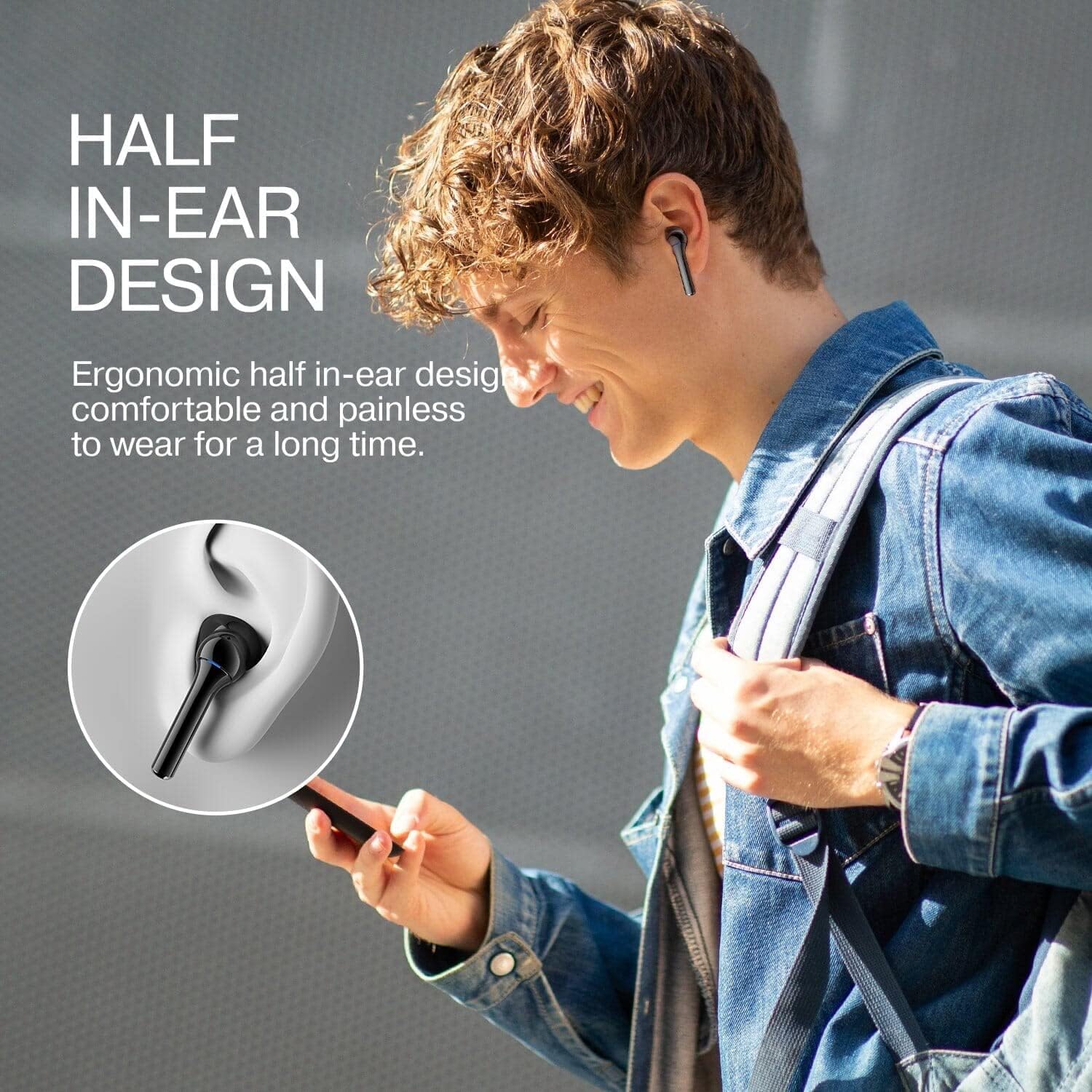
Image: Internal speaker components of the earbud, illustrating the 14mm driver for Hi-Fi sound.

Image: User wearing the earbuds, showcasing the ergonomic half in-ear design for comfortable, long-term wear.
5. Setup
5.1 Charging the Earbuds and Case
Before first use, fully charge the earbuds and the charging case.
- Place the earbuds into the charging case. Ensure they are correctly seated.
- Connect the Type-C charging cable to the charging port on the case and to a power source.
- The indicator lights on the case will show the charging status.
- Earbud charging time: Approximately 1 hour.
- Case charging time: Approximately 1.5 hours.
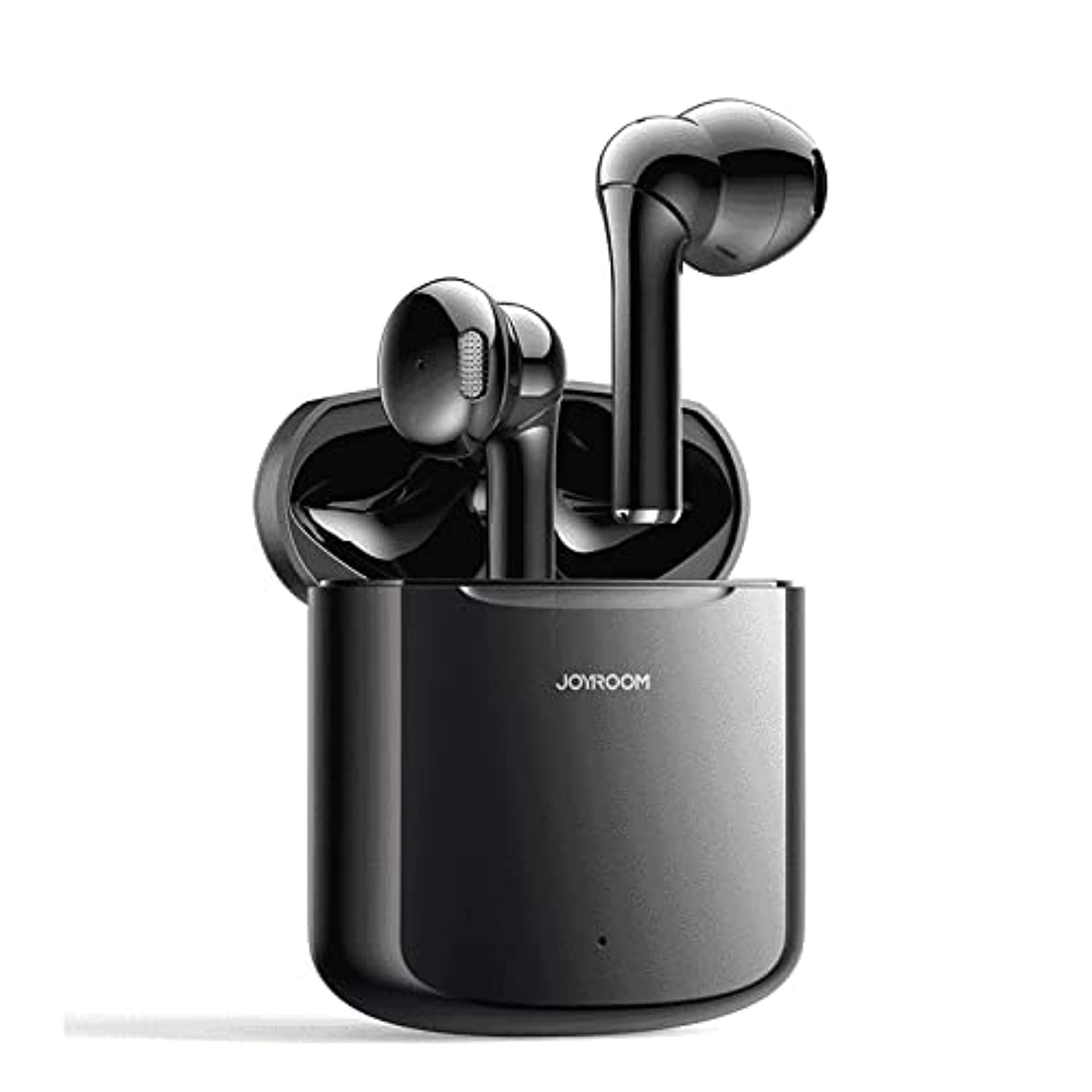
Image: Earbuds in charging case, highlighting the Type-C fast charging port and battery life.
5.2 Initial Pairing
To pair your earbuds with a device for the first time:
- Open the charging case. The earbuds will automatically power on and enter pairing mode.
- On your device (smartphone, tablet, etc.), enable Bluetooth.
- Search for available Bluetooth devices and select "JR-T16" from the list.
- Once connected, you will hear a confirmation tone, and the earbuds will be ready for use.

Image: Visual guide for one-step pairing, showing earbuds connecting to a smartphone.
6. Operating Instructions
6.1 Power On/Off
- Power On: Open the charging case, or long-press the touch area on both earbuds for 3 seconds.
- Power Off: Place the earbuds back into the charging case and close the lid, or long-press the touch area on both earbuds for 5 seconds.
6.2 Wearing the Earbuds
Gently insert the earbuds into your ears, ensuring a comfortable and secure fit. The half in-ear design is crafted for extended wear without discomfort.
6.3 Touch Controls
The JR-T16 earbuds feature touch controls for various functions:
- Play/Pause: Single tap on either earbud.
- Next Track: Double tap on the right earbud.
- Previous Track: Double tap on the left earbud.
- Answer/End Call: Single tap on either earbud.
- Reject Call: Long press on either earbud for 2 seconds.
- Activate Voice Assistant: Triple tap on either earbud.
6.4 Mono/Binaural Mode Switching
The earbuds support seamless switching between mono (single earbud) and binaural (both earbuds) modes. Simply take one earbud out of the case to use it independently, or take both out for stereo sound. The connection remains stable and uninterrupted.

Image: Diagram illustrating the flexible monaural/binaural mode switching capability.
7. Maintenance
7.1 Cleaning
- Wipe the earbuds and charging case with a soft, dry, lint-free cloth.
- Do not use harsh chemicals, cleaning solvents, or strong detergents.
- Avoid getting moisture in any openings.
7.2 Storage
When not in use, store the earbuds in their charging case to protect them from dust and damage, and to ensure they remain charged.
8. Troubleshooting
If you encounter issues with your Joyroom JR-T16 earbuds, refer to the following common problems and solutions:
- Earbuds not pairing: Ensure both earbuds are charged and out of the case. Turn off and on your device's Bluetooth, then try pairing again.
- Only one earbud working: Place both earbuds back into the charging case, close the lid, then open it again. This should reset the connection.
- No sound: Check the volume level on your device and ensure the earbuds are properly connected.
- Charging issue: Ensure the charging cable is securely connected to both the case and the power source. Check for any debris in the charging port.
- Unstable connection: Ensure your device is within the 10-meter Bluetooth range and there are no significant obstacles between the earbuds and your device.
9. Specifications
| Feature | Specification |
|---|---|
| Brand | Joyroom |
| Model Number | JR-T16 |
| Color | Black |
| Connectivity Technology | Wireless (Bluetooth) |
| Bluetooth Version | 5.0 |
| Bluetooth Audio Decoding | HSP, HFP, A2DP, AVRCP |
| Supported Protocols | SBC / AAC |
| Ear Placement | In-Ear (Half In Ear Shape) |
| Speaker Size | 14mm |
| Frequency Response | 20Hz-20KHz |
| Speaker Sensitivity | 111+/-2dB |
| Speaker Impedance | 32Ω+/-15% |
| Rated Power | 3mW |
| Single Earbud Battery Capacity | 30mAh |
| Charging Case Battery Capacity | 400mAh |
| Service Time (70% volume) | Approx. 3 hours |
| Standby Time (connected) | Approx. 24 hours |
| Earbud Charging Time | Approx. 1 hour |
| Case Charging Time | Approx. 1.5 hours |
| Charging Cycles (from case) | Approx. 4 times |
| Wireless Range | 10 meters (barrier-free) |
| Material | ABS Plastic |
| Water Resistance Level | Waterproof (specific rating not provided, implies splash resistance) |
| Item Weight | 140 grams |
| Charging Case Dimensions | 55.75 × 46.6 × 23.15 mm |
10. Warranty
This product comes with a standard manufacturer's warranty. Please refer to the warranty card included in your package or contact Joyroom customer support for details regarding warranty terms and conditions.
11. Support
For further assistance, technical support, or customer service inquiries, please visit the official Joyroom website or contact their customer support channels. Contact information can typically be found on the product packaging or the official brand website.


