
1. Introduction
Welcome to the Geepas GVC19030 Cordless Rechargeable Vacuum Cleaner. This versatile 2-in-1 appliance is designed for efficient cleaning of various surfaces in your home and car. Please read this manual thoroughly before use to ensure safe and effective operation and to maximize the lifespan of your product.
2. Safety Instructions
To reduce the risk of fire, electric shock, or injury, always follow basic safety precautions when using an electrical appliance.
- Read all instructions before using the appliance.
- Do not use outdoors or on wet surfaces.
- Do not allow to be used as a toy. Close attention is necessary when used by or near children.
- Use only as described in this manual. Use only manufacturer's recommended attachments.
- Do not use with a damaged cord or plug. If the appliance is not working as it should, has been dropped, damaged, left outdoors, or dropped into water, return it to a service center.
- Do not pull or carry by cord, use cord as a handle, close a door on cord, or pull cord around sharp edges or corners. Do not run appliance over cord. Keep cord away from heated surfaces.
- Do not unplug by pulling on cord. To unplug, grasp the plug, not the cord.
- Do not handle plug or appliance with wet hands.
- Do not put any object into openings. Do not use with any opening blocked; keep free of dust, lint, hair, and anything that may reduce airflow.
- Keep hair, loose clothing, fingers, and all parts of body away from openings and moving parts.
- Do not pick up anything that is burning or smoking, such as cigarettes, matches, or hot ashes.
- Do not use to pick up flammable or combustible liquids, such as gasoline, or use in areas where they may be present.
- Do not pick up toxic material, such as chlorine bleach, ammonia, or drain cleaner.
- Do not use without dust cup and/or filters in place.
- Turn off all controls before unplugging.
- Use extra care when cleaning on stairs.
- Do not charge the unit outdoors.
- Use only the charger supplied by the manufacturer to recharge.
- Do not incinerate the appliance even if it is severely damaged. Batteries can explode in a fire.
3. Package Contents
Carefully unpack your Geepas GVC19030 vacuum cleaner and ensure all items are present:
- Main Vacuum Unit
- Extension Wand
- Motorized Brush Head with LED Lights
- Crevice Tool
- Dusting Brush
- Upholstery Tool
- Wall Mount
- Charging Adapter
- User Manual

Image: Geepas GVC19030 vacuum cleaner and its packaging, showing overall dimensions.
4. Product Features
The Geepas GVC19030 is engineered for powerful and convenient cleaning:
- 2-in-1 Design: Easily converts between a lightweight stick vacuum and a portable handheld vacuum.
- Powerful Suction: Equipped with a 22.2V Lithium battery for consistent, fade-free suction.
- Two Speed Modes: Choose between Normal mode (35-40 minutes run time) for everyday cleaning and Max mode (25-30 minutes run time) for deeper cleaning.
- Lightweight: The main unit weighs approximately 2.0 kg, making it easy to maneuver.
- Advanced Filtration: Features a HEPA filter system to capture fine dust and allergens.
- Low Noise Operation: Designed for a quieter cleaning experience.
- LED Headlights: Integrated into the brush head to illuminate dirt in dark areas.
- Versatile Attachments: Includes crevice tool, dusting brush, and upholstery tool for various cleaning tasks.
- Wall-Mountable: Convenient storage and charging with the included wall mount.
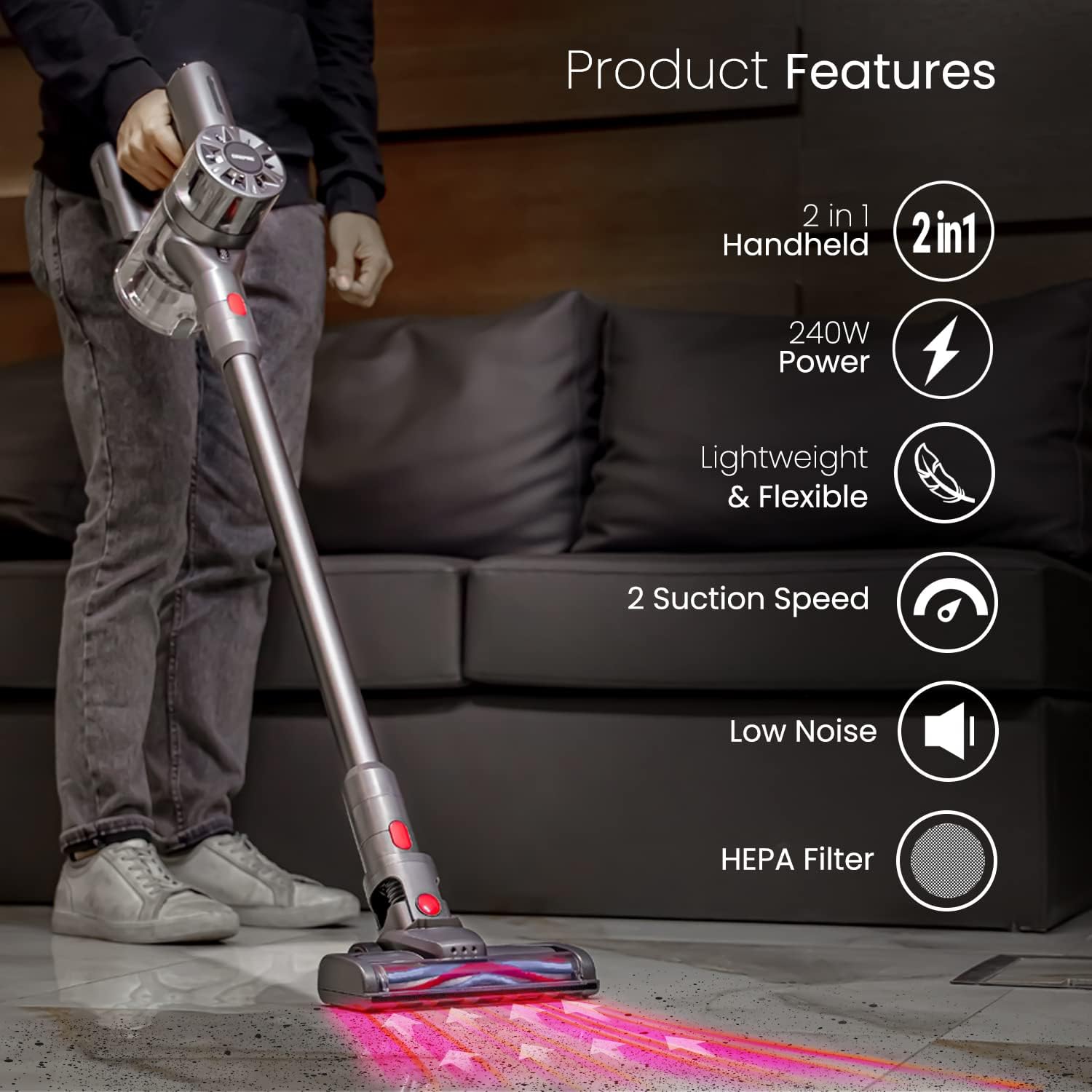
Image: Overview of the Geepas GVC19030 Cordless Vacuum Cleaner and its main features.

Image: The 3-in-1 versatility of the Geepas GVC19030, showing its use as a stick, handheld, and high-reach vacuum.
5. Setup
5.1. Assembly
- Attach the Extension Wand: Align the extension wand with the main vacuum unit and push until it clicks securely into place.
- Attach the Motorized Brush Head: Connect the motorized brush head to the other end of the extension wand, ensuring it clicks into position.
- For Handheld Use: To use as a handheld vacuum, detach the extension wand and attach the desired accessory (crevice tool, dusting brush, or upholstery tool) directly to the main unit.
5.2. Charging the Battery
Before first use, fully charge the vacuum cleaner.
- Connect the charging adapter to the charging port located on the main vacuum unit.
- Plug the charging adapter into a standard electrical outlet.
- The charging indicator light will illuminate. A full charge typically takes approximately 4 hours.
- Once fully charged, unplug the adapter.

Image: The Geepas GVC19030 charging on its wall mount.
5.3. Wall Mount Installation (Optional)
The included wall mount provides convenient storage and charging.
- Choose a suitable location on a wall, preferably near an electrical outlet.
- Mark the positions for drilling holes using the wall mount as a template.
- Drill holes and insert wall plugs (if necessary for your wall type).
- Secure the wall mount to the wall using the provided screws.
- Place the vacuum cleaner onto the wall mount for storage and charging.
6. Operating Instructions
6.1. Power On/Off
Press the power button located on the handle of the main unit to turn the vacuum cleaner ON or OFF.
6.2. Suction Speed Adjustment
Press the speed button (usually next to the power button) to toggle between Normal suction mode and Max suction mode, depending on your cleaning needs.
6.3. Using Attachments
- Motorized Brush Head: Ideal for cleaning carpets, rugs, and hard floors. The integrated LED lights help illuminate dust and debris.
- Crevice Tool: Perfect for reaching into narrow gaps, corners, edges, and tight spaces in your home or car.
- Dusting Brush: Use for delicate surfaces, curtains, blinds, bookshelves, and other areas requiring gentle cleaning.
- Upholstery Tool: Designed for cleaning fabric surfaces such as sofas, chairs, mattresses, and car seats.

Image: The motorized brush head with LED lights in action.

Image: Using the Geepas GVC19030 in handheld mode for cordless cleaning.

Image: The lightweight design allows for easy high-reach cleaning.
6.4. Cleaning Tips
- Move the vacuum cleaner slowly and steadily over surfaces for optimal dirt pickup.
- For heavily soiled areas or stubborn dirt, switch to Max suction mode.
- Regularly check the dustbin and empty it before it becomes too full to maintain suction power.
7. Maintenance
Regular maintenance ensures your vacuum cleaner performs efficiently and extends its lifespan.
7.1. Emptying the Dustbin
- Ensure the vacuum cleaner is turned OFF and disconnected from the charger.
- Locate the dustbin release button (usually near the main unit) and press it to detach the dustbin.
- Hold the dustbin over a waste bin and open the dustbin lid to empty the collected debris.
- Close the dustbin lid and reattach the dustbin to the main unit, ensuring it clicks securely.
7.2. Cleaning the HEPA Filter
The HEPA filter should be cleaned regularly, ideally after every few uses, or when suction power decreases.
- Remove the filter from the dustbin.
- Gently tap the filter over a waste bin to remove loose dust and debris.
- If heavily soiled, rinse the filter under cold running water. Do not use detergents or hot water.
- Allow the filter to air dry completely for at least 24 hours before reinserting it. Do not use a hairdryer or direct heat to dry the filter.
- Ensure the filter is completely dry before placing it back into the dustbin and reattaching the dustbin to the vacuum.
7.3. Cleaning the Brush Head
- Turn off the vacuum and detach the motorized brush head from the extension wand.
- Inspect the brush roll for tangled hair, threads, or debris. Use scissors to carefully cut and remove any tangled material.
- Wipe the exterior of the brush head with a damp cloth. Do not immerse in water.
- Reattach the brush head once clean.
7.4. Battery Care
- Charge the battery fully before its first use.
- Avoid completely draining the battery frequently to prolong its overall lifespan.
- Store the vacuum cleaner in a cool, dry place when not in use for extended periods.
8. Troubleshooting
If you encounter issues with your Geepas GVC19030, refer to the following common problems and solutions:
| Problem | Possible Cause | Solution |
|---|---|---|
| Vacuum does not turn on | Battery is not charged Power button not pressed firmly Parts not assembled correctly | Recharge the battery fully Ensure the power button is pressed completely Check all connections (wand, brush head, dustbin) are secure |
| Low suction power | Dustbin is full HEPA filter is clogged Blockage in brush head, wand, or main unit Loose connections | Empty the dustbin Clean or replace the HEPA filter Remove any obstructions Ensure all parts are securely connected |
| Battery not charging | Charging adapter not properly connected Power outlet not working Charging adapter is damaged | Ensure adapter is firmly plugged into vacuum and outlet Test the outlet with another appliance Contact customer service for a replacement adapter |
| Unusual noise during operation | Blockage in brush head or wand Dustbin or filter not correctly installed | Check for and remove any obstructions Ensure dustbin and filter are securely in place |
9. Specifications
| Feature | Specification |
|---|---|
| Brand | Geepas |
| Model Number | GVC19030 |
| Color | Black |
| Power | 120 Watts |
| Voltage | 240 Volts |
| Number of Speeds | 2 |
| Noise Level | 80 dB |
| Operating Time | 30-40 minutes (Normal), 25-30 minutes (Max) |
| Special Features | Lightweight |
| Item Weight | 2.8 Kilograms |
| Filter Type | HEPA / Foam |
| Surface Recommendation | Carpet, Hard Floors |
| Power Source | AC (Alternating Current) |
| Included Components | Crevice tool, Dusting brush, Upholstery tool, Wall mount |
| Cordless | Yes |
| Product Dimensions | 24 x 25 x 105 cm |
10. Warranty and Support
For warranty information, technical support, or service inquiries, please refer to the warranty card included with your product. You may also visit the official Geepas website or contact their customer service department directly. Please retain your purchase receipt as proof of purchase for any warranty claims.