
1. Introduction
This manual provides detailed instructions for the safe and efficient operation of your NANKADF DC Bench Power Supply, Model 0-30V 0-5A. Please read this manual thoroughly before using the device to ensure proper functionality and to prevent damage or injury. Keep this manual for future reference.
2. Safety Information
Always observe the following safety precautions to prevent electric shock, fire, or damage to the device:
- Ensure the input voltage switch on the rear panel is set correctly for your region (115V or 230V) before connecting to AC power. Incorrect setting can cause severe damage.
- Do not operate the power supply in wet or damp conditions.
- Do not open the casing; there are no user-serviceable parts inside. Refer all servicing to qualified personnel.
- Ensure proper ventilation. Do not block the ventilation openings.
- Always connect the ground terminal to a proper earth ground.
- Disconnect power before making or breaking connections to the output terminals.
- Avoid short-circuiting the output terminals for extended periods, even with OCP enabled.
3. Product Overview
The NANKADF 0-30V 0-5A DC Bench Power Supply is a versatile and precise instrument designed for various electronic applications. It features adjustable voltage and current, memory storage, and multiple protection functions.
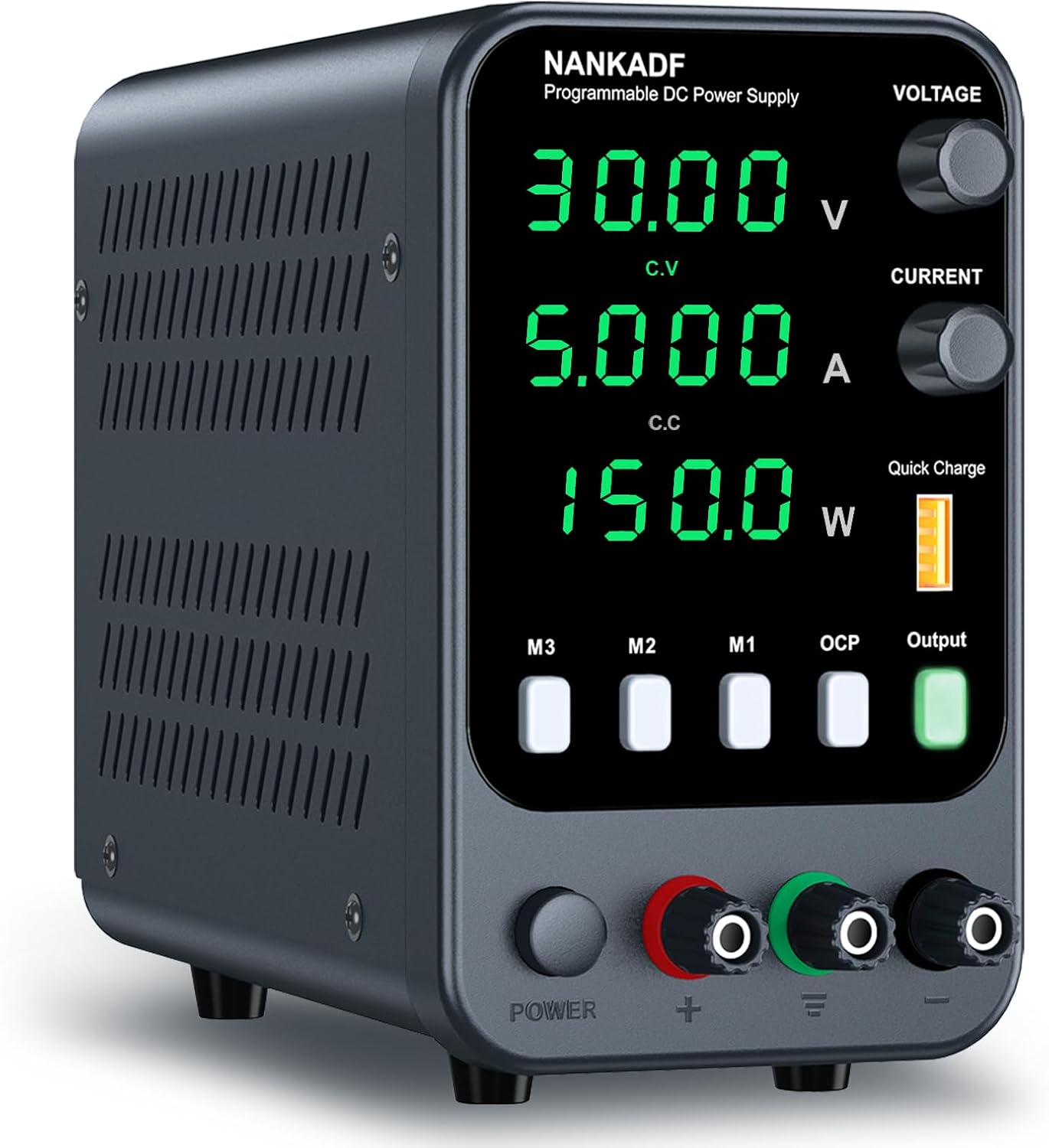
Figure 3.1: Front view of the NANKADF DC Bench Power Supply, showing the display, control knobs, and output terminals.
Key Features:
- High-Precision Encoder Adjustment Knobs: Allows for precise setting of voltage and current values.
- 3 Groups of Memory Storage: Save and recall frequently used voltage and current settings.
- Output Enable/Disable Button: Control output power to prevent accidental damage to connected loads.
- Multiple Protections: Includes Over-Voltage Protection (OVP), Over-Current Protection (OCP), Over-Heat Protection (OHT), and Short-Circuit Protection.
- USB Fast Charging Interface: Integrated 5V/3.6A USB port for quick device charging.
4. Setup
4.1 Unpacking and Inspection
Upon receiving your NANKADF DC Bench Power Supply, carefully unpack all components and inspect for any signs of damage. The package should contain:
- 1 x NANKADF DC Power Supply
- 1 x Power Cable
- 1 x Output Cable (with alligator clips)
- 1 x Instruction Manual

Figure 4.1: Contents of the NANKADF DC Bench Power Supply package.
4.2 Initial Power Connection
- Locate the voltage selector switch on the rear panel of the power supply.
- Ensure the switch is set to the correct voltage for your region (e.g., 115V for North America, 230V for Europe). Failure to do so may damage the unit.
- Connect the provided power cable to the AC inlet on the rear panel and then to a grounded power outlet.
- Press the main power button on the front panel to turn on the unit. The display will illuminate.
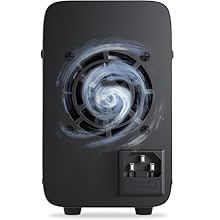
Figure 4.2: Rear panel of the power supply, showing the cooling fan and AC power input.
4.3 Connecting Output Cables
Connect the provided output cables to the binding posts on the front panel. The red terminal is positive (+), the black terminal is negative (-), and the green terminal is ground (GND). Ensure connections are secure before applying power to your load.
5. Operating Instructions
5.1 Powering On/Off
Press the POWER button on the front panel to turn the unit on or off. The display will show the current voltage, current, and power readings.
5.2 Adjusting Voltage and Current
The power supply uses encoder knobs for precise adjustment:
- Voltage Adjustment: Rotate the VOLTAGE knob to adjust the output voltage. Press the knob to cycle through digits (e.g., tens, units, tenths, hundredths) for fine-tuning.
- Current Adjustment: Rotate the CURRENT knob to adjust the output current limit. Press the knob to cycle through digits for precise setting.

Figure 5.1: Encoder knob operation for precise voltage and current adjustment.
5.3 Using Memory Storage (M1/M2/M3)
The unit can store and recall three sets of voltage and current combinations:
- To Save: Set the desired voltage and current. Press and hold one of the memory buttons (M1, M2, or M3) for approximately 3 seconds until a confirmation beep or indicator appears.
- To Recall: Briefly press the desired memory button (M1, M2, or M3). The stored voltage and current values will be loaded.

Figure 5.2: Memory storage buttons (M1, M2, M3) for saving and recalling settings.
5.4 Output Enable/Disable Button
The Output button controls the power delivery to the output terminals:
- Press the Output button to enable or disable the output.
- When the output is disabled, the display will show 0.00V and 0.00A, and no power will be supplied to the load.
- This feature helps prevent accidental damage to sensitive circuits during setup or adjustment.

Figure 5.3: The Output Enable/Disable button and OCP indicator.
5.5 Over Current Protection (OCP)
The OCP function protects the connected load from excessive current:
- If the load draws current exceeding the set limit, the power supply will automatically stop output and sound an alarm.
- The OCP indicator on the display will illuminate.
- To reset OCP, resolve the overload condition and then press the Output button to re-enable output.
5.6 USB Quick Charge Interface
The power supply includes a USB-A port for quick charging compatible devices:
- Connect your USB device to the USB-A port on the front panel.
- The port provides 5V/3.6A output and supports various fast charging protocols.

Figure 5.4: USB Fast Charging Interface in use.
6. Maintenance
To ensure the longevity and optimal performance of your NANKADF DC Bench Power Supply, follow these maintenance guidelines:
- Cleaning: Disconnect the power supply from the AC outlet before cleaning. Use a soft, dry cloth to wipe the exterior. Do not use abrasive cleaners or solvents.
- Ventilation: Regularly check that the ventilation openings on the sides and rear are clear of dust and debris. Proper airflow is crucial for cooling.
- Storage: Store the power supply in a cool, dry environment away from direct sunlight and extreme temperatures.
- Cable Inspection: Periodically inspect the power cable and output cables for any signs of damage (fraying, cuts). Replace damaged cables immediately.
7. Troubleshooting
If you encounter issues with your power supply, refer to the following common problems and solutions:
| Problem | Possible Cause | Solution |
|---|---|---|
| No power/display off | Power cable not connected; Main power switch off; Blown fuse; Incorrect input voltage setting. | Check power cable connection; Ensure main power switch is on; Check fuse (rear panel, if accessible); Verify input voltage selector switch is correct. |
| No output voltage/current | Output disabled; OCP triggered; Output cables not connected properly. | Press the Output button to enable; Check for OCP indicator, resolve overload, then re-enable output; Ensure output cables are securely connected. |
| Voltage/Current cannot be adjusted | Knobs not pressed to select digit; Unit in constant current (CC) mode (for voltage adjustment) or constant voltage (CV) mode (for current adjustment). | Press the respective knob to select the digit for adjustment; Understand that in CC mode, voltage is limited by load, and in CV mode, current is limited by load. |
| OCP alarm frequently triggers | Current limit set too low; Load drawing excessive current; Short circuit in load. | Increase the current limit setting; Inspect the load for faults or short circuits. |
8. Specifications
Detailed technical specifications for the NANKADF 0-30V 0-5A DC Bench Power Supply:
- Model: 0-30V 0-5A
- Output Voltage: 0-30V (Adjustable)
- Output Current: 0-5A (Adjustable)
- USB Output: 5V/3.6A (Quick Charge)
- Item Weight: 2.5 pounds
- Package Dimensions: 10.43 x 8.03 x 5.63 inches
- Connector Type: USB
- Manufacturer: NANKADF
- Date First Available: December 4, 2021

Figure 8.1: Physical dimensions and weight of the power supply.
9. Warranty and Support
For warranty information and technical support, please contact NANKADF customer service through the retailer where the product was purchased or visit the official NANKADF website. Please have your model number and purchase date available when contacting support.
NANKADF is committed to providing high-quality products and customer satisfaction. If you have any questions or require assistance, do not hesitate to reach out.