
1. Setup and Preparation
Before using Accu-Chek Guide test strips, ensure you have the Accu-Chek Guide blood glucose meter and a lancing device with lancets. Always wash your hands thoroughly with warm, soapy water and dry them completely before handling test strips or performing a test.
1.1 Storing Test Strips
Store test strips in their original vial with the cap tightly closed. Keep them in a cool, dry place between 4°C and 30°C (39°F and 86°F). Do not refrigerate or freeze. Protect from direct sunlight and heat. Always check the expiration date printed on the vial and carton; do not use expired test strips.
1.2 Preparing the Meter
Ensure your Accu-Chek Guide meter is clean and functioning correctly. Insert a new Accu-Chek Guide test strip into the meter in the direction of the arrows. The meter will turn on automatically and display a test strip symbol.
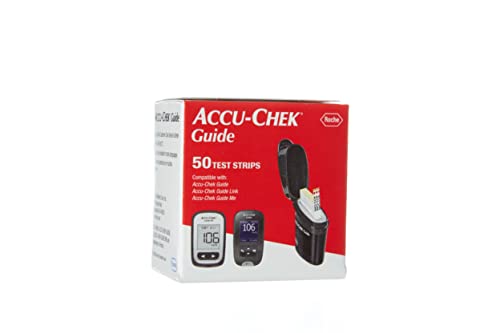
Image 1: Accu-Chek Guide Test Strips packaging. Always store strips in their original vial to maintain integrity.
2. Operating Instructions
Follow these steps to perform a blood glucose test using Accu-Chek Guide test strips and your Accu-Chek Guide meter.
- Prepare Lancing Device: Load a new lancet into your lancing device according to its instructions.
- Insert Test Strip: Insert an Accu-Chek Guide test strip into the meter. The meter will display a flashing blood drop symbol.
- Obtain Blood Sample: Prick the side of your fingertip with the lancing device to get a blood drop. Gently squeeze your finger to form a round drop of blood.
- Apply Blood: Touch the yellow edge of the test strip to the blood drop. Do not apply blood to the top of the strip. The blood will be drawn into the strip automatically.
- Read Result: The meter will beep and display your blood glucose result in approximately 4 seconds.
- Discard Strip and Lancet: Remove the used test strip from the meter and dispose of it, along with the used lancet, in a suitable sharps container.
3. Maintenance and Storage
Proper maintenance and storage are crucial for the accuracy and longevity of your test strips and meter.
3.1 Test Strip Storage
Always keep test strips in their original vial. Close the cap immediately after removing a strip to protect them from air and moisture. Do not transfer strips to another container. Discard any strips that are past their expiration date.
3.2 Meter Cleaning
Clean the Accu-Chek Guide meter regularly with a soft cloth dampened with water or a mild cleaning solution as recommended in your meter's user manual. Do not immerse the meter in liquid.
4. Troubleshooting Common Issues
If you encounter issues during testing, refer to the following common problems and solutions.
- Error E-1: This usually indicates a problem with the test strip or meter. Ensure the strip is inserted correctly and is not expired. Try a new strip.
- Insufficient Blood Sample: If the meter does not register a blood sample, ensure you apply enough blood to the yellow edge of the strip. Do not add more blood after the first application. Discard the strip and retest with a new one.
- No Display: Check if the meter batteries are correctly installed and charged. Replace batteries if necessary.
- Inaccurate Results: Ensure proper hand hygiene, correct strip storage, and that the strip is not expired. Perform a control solution test to verify meter and strip accuracy.
For persistent errors or issues not listed here, consult your Accu-Chek Guide meter's user manual or contact customer support.
5. Product Specifications
- Product Name: Accu-Chek Guide Test Strips
- Sample Type: Capillary whole blood
- Sample Volume: 0.6 µL
- Test Time: Approximately 4 seconds
- Storage Temperature: 4°C to 30°C (39°F to 86°F)
- Humidity Range: 10% to 90% relative humidity
- Compatibility: Accu-Chek Guide blood glucose meter
6. Warranty Information
Accu-Chek Guide test strips are consumable medical devices. They are typically warranted against manufacturing defects. For specific warranty details, please refer to the information provided on the product packaging or contact Accu-Chek customer service directly. Keep your purchase receipt as proof of purchase.
7. Support and Contact Information
If you have questions about your Accu-Chek Guide test strips, meter, or need technical assistance, please contact Accu-Chek customer support.
Accu-Chek Customer Care:
- Website: www.accu-chek.com
- Phone: Refer to your local Accu-Chek website for country-specific contact numbers.
Always consult your healthcare professional for medical advice and interpretation of your blood glucose results.


