
Introduction
This manual provides essential information for the safe and efficient operation, maintenance, and care of your Weber Genesis EPX-335 Premium Smart Gas Grill. Please read all instructions carefully before assembly and use. The Genesis smart grill offers a comprehensive outdoor cooking experience, featuring Weber Connect smart technology and compatibility with Weber Crafted grillware.
Important Safety Information
WARNING: For outdoor use only. Read all instructions before operating this appliance.
- Always ensure proper ventilation when operating the grill.
- Keep children and pets away from the grill during operation.
- Do not store or use gasoline or other flammable vapors and liquids in the vicinity of this or any other appliance.
- Ensure all gas connections are tight and leak-free before use. Perform a leak test as described in the full assembly instructions.
- Never leave a lit grill unattended.
- This grill is designed for Natural Gas. Do not attempt to convert it to Liquid Propane (LP) gas.
Product Overview
The Weber Genesis EPX-335 is a premium smart gas grill designed to elevate your outdoor cooking. It features three main burners, an extra-large sear zone, a side burner, and integrated smart technology for precise temperature control.

Figure 1: Weber Genesis EPX-335 Premium Smart Gas Grill.
Key features include:
- Weber Connect Smart Technology: Real-time food temperature alerts, reminders, and flip & serve notifications.
- Weber Crafted Outdoor Kitchen Collection Compatibility: Replace cooking grates with custom-fit grillware for versatile cooking options (grillware and frame sold separately).
- Extra-Large Sear Zone: Achieve perfect searing on multiple items simultaneously.
- Expandable Top Cooking Grate: Increases grilling capacity for cooking entire meals.
- Side Burner: Ideal for sautéing, boiling, or heating sauces.
- Night Vision Grill Lighting: Motion-censored lighting illuminates the grilling surface and side tables.
- Remote Control Knob Lighting: Enhances visibility and aesthetics during night-time use.
- Integrated Storage Locker: Conveniently store Weber Crafted grillware and other accessories.

Figure 2: Integrated storage locker for grillware and tools.
Setup
Assembly
For detailed, step-by-step interactive assembly instructions, download the free BILT app. The app provides 3D animated guides to ensure correct and confident assembly.

Figure 3: Scan to download the BILT app for interactive assembly instructions.
Download the BILT app from the App Store or Google Play: https://sj83t.app.goo.gl/xonN
Natural Gas Connection
This grill is factory-built to operate using Natural Gas (NG) delivered by your local utility through a pre-installed pipeline system. Ensure your home has a natural gas connection suitable for a grill. Do not attempt to connect this grill to a Liquid Propane (LP) tank.

Figure 4: Natural Gas hose connection. Verify gas type before connecting.
Powering the Grill Display
The grill display can be powered in two ways:
- Electrical Outlet: Plug the grill directly into an electrical outlet.
- Rechargeable Power Bank: Use an external, rechargeable USB-certified 10,000mAh power bank (sold separately) that can be clipped under the side table.

Figure 5: Power cord connection for the grill's display.
Operating Instructions
Ignition
To ignite the grill, ensure the gas supply is open. Turn the burner control knobs to the START/HIGH position and press the ignition button. Refer to the full assembly manual for detailed ignition procedures and safety checks.
Weber Connect Smart Technology
The integrated Weber Connect smart technology provides real-time food temperature monitoring. Insert the temperature probes into your food and connect them to the grill's display. Use the Weber Connect app on your smartphone to receive alerts, set timers, and monitor cooking progress remotely.
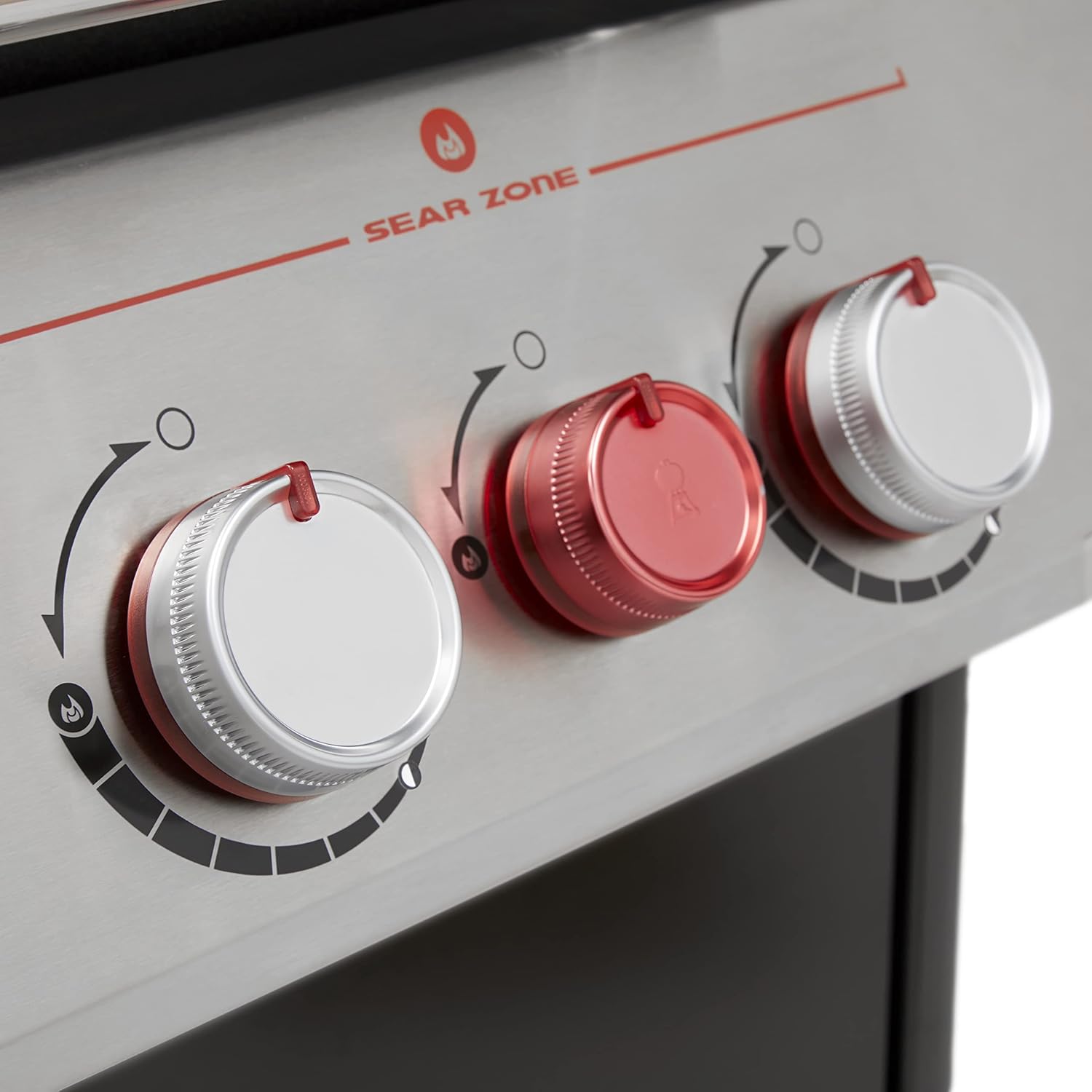
Figure 6: Weber Connect display showing food temperatures.

Figure 7: Monitoring grill temperatures via the Weber Connect app on a smartphone.
Weber Crafted Outdoor Kitchen Collection
Transform your grill into a versatile outdoor kitchen by utilizing Weber Crafted grillware. Simply remove the standard cooking grate and insert the Weber Crafted frame (sold separately), then place your desired grillware, such as a griddle, roasting basket, or wok.

Figure 8: Weber Crafted frame installed in the grill.

Figure 9: Various foods cooked using Weber Crafted accessories.
Sear Zone
The extra-large sear zone provides intense heat for perfectly searing meats. Activate the dedicated sear burner by turning its control knob to the high position. This feature ensures a delicious crust and locks in juices.
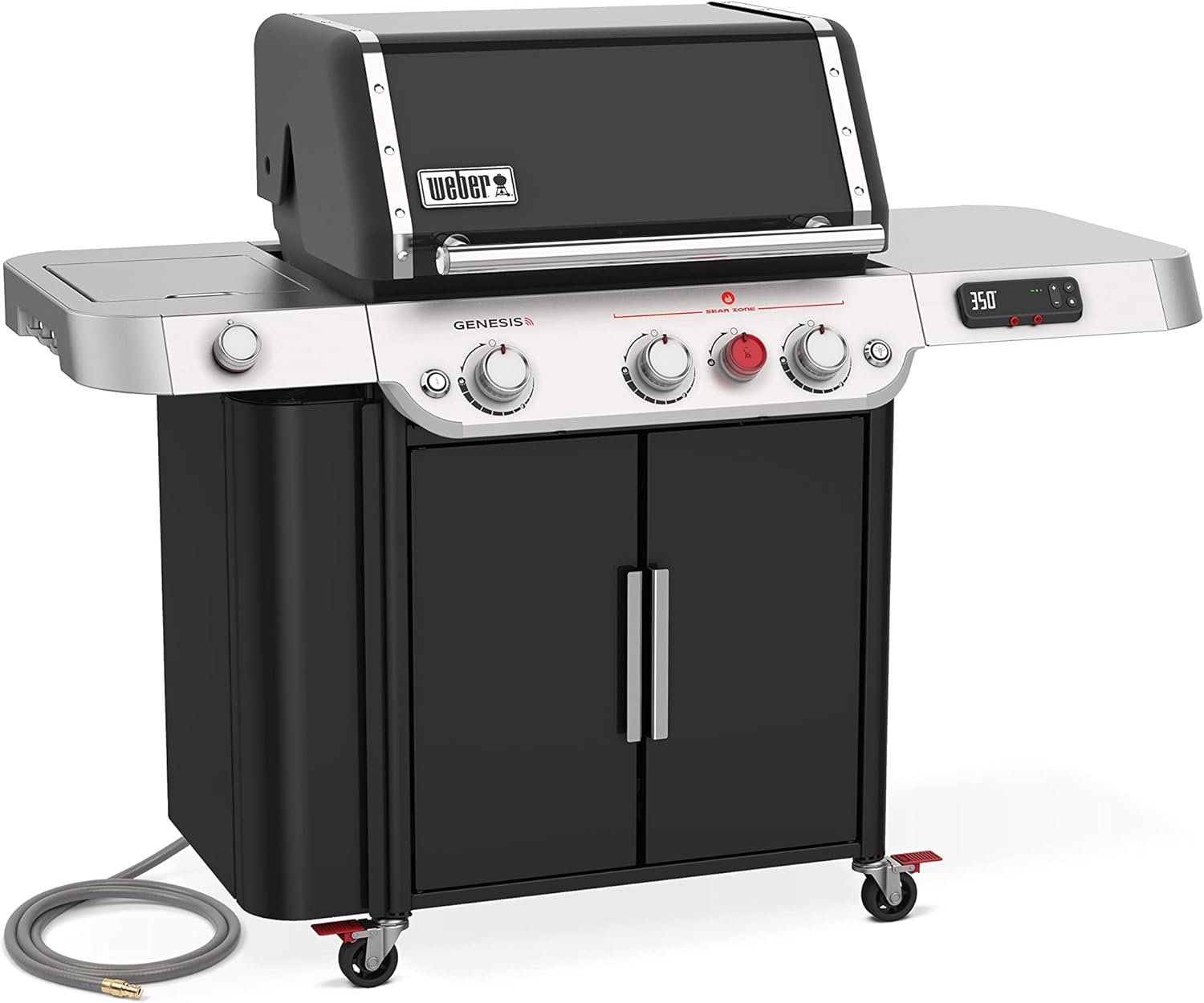
Figure 10: Sear Zone control knob (red) for high-heat searing.
Side Burner
The integrated side burner allows for simultaneous preparation of side dishes, sauces, or other items, expanding your cooking capabilities.

Figure 11: Side burner for cooking sauces or side dishes.
Expandable Top Cooking Grate
Utilize the expandable top cooking grate to increase your grilling surface area, allowing you to cook more food at once or keep items warm.

Figure 12: Expandable top cooking grate for additional capacity.
Night Vision Grill Lighting
The motion-censored Night Vision Grill Lighting illuminates the entire grilling surface and side tables when the lid is lifted, ensuring clear visibility for grilling at any time of day or night.

Figure 13: Night Vision Grill Lighting illuminating the cooking area.
Official Product Videos
Watch these official videos from Weber for more insights into your Genesis grill's features and capabilities:
Discover the All New Genesis Series
This video provides an overview of the new Genesis grill series, highlighting its innovative features and design. Duration: 0:49.
The New 2022 Genesis Grill is the Ultimate Outdoor Kitchen
Explore how the 2022 Genesis grill transforms into an ultimate outdoor kitchen with its advanced capabilities. Duration: 2:27.
BILT App - Step by Step Interactive Assembly Instructions
A demonstration of the BILT app, providing interactive 3D assembly instructions for your Weber grill. Duration: 0:59.
Maintenance
Cleaning the Cooking Grates
After each use, preheat the grill on high for 10-15 minutes, then brush the grates clean with a stainless steel grill brush. This helps remove food residue and prevents buildup.
Grease Management System
The grill features a pull-and-clean grease management system. Regularly check and clean the grease tray and catch pan to prevent grease fires and maintain optimal performance. Ensure the catch pan is properly aligned.
Exterior Cleaning
Clean the exterior surfaces with a mild soap and water solution. For stainless steel parts, use a non-abrasive cleaner and wipe in the direction of the grain. Avoid abrasive cleaners or pads that can scratch the finish.
Troubleshooting
If you encounter issues with your Weber Genesis EPX-335 grill, refer to the comprehensive troubleshooting guide available in the full product manual or through the Weber Connect app. Common issues and their solutions include:
- Burners not igniting: Check gas supply, ensure control knobs are in the correct position, and verify igniter functionality.
- Uneven heating: Clean burner tubes and cooking grates. Ensure proper gas pressure.
- Weber Connect connectivity issues: Ensure the grill display is powered, the app is updated, and your device is within range.
For persistent problems, contact Weber Customer Service for assistance.
Specifications
| Feature | Specification |
|---|---|
| Brand | Weber |
| Model Name | Genesis EPX-335 NG BLK |
| Model Number | 37810001 |
| Fuel Type | Natural Gas |
| Product Dimensions (D x W x H) | 30.75" x 35.5" x 31" |
| Item Weight | 210 Pounds |
| Main Burner Count | 3 |
| Side Burner Count | 1 |
| Number of Heating Elements | 5 |
| Cooking Surface Area | 1261.75 Square Inches |
| Material Type | Metal, Alloy Steel (Frame), Stainless Steel (Handle) |
| Required Assembly | Yes |
| Installation Type | Free Standing |
Warranty and Support
Warranty Information
Your Weber Genesis EPX-335 Premium Smart Gas Grill comes with a 12-year limited warranty. Please retain your proof of purchase for warranty claims. Details of the warranty coverage are provided in the full product documentation.
Customer Support
For any questions, technical assistance, or warranty service, please contact Weber Customer Service. You can find contact information on the official Weber website or in your product packaging. The BILT app also offers interactive support and troubleshooting guides.


