
1. Introduction
Thank you for choosing the Lotmusic Portable Guitar Pedal Power Supply, Model SPB-02. This device is designed to provide stable and isolated power to your guitar effect pedals, ensuring optimal performance without interference. Featuring a built-in 10000mAh rechargeable battery, it offers portability and convenience for musicians on the go. This manual provides essential information for the safe and efficient use of your power supply.
2. Product Overview
The Lotmusic SPB-02 is a compact and robust power supply for guitar and bass effect pedals. It features multiple isolated outputs, short circuit protection, and a high-capacity rechargeable battery.
Key Features:
- 7 Isolated DC Outputs: Six 9V 100mA outputs and one adjustable 9V 300mA output for various pedal requirements.
- Built-in 10000mAh Rechargeable Battery: Provides over 10 hours of continuous power on a full charge (approx. 6.5 hours charging time).
- Short Circuit and Overcurrent Protection: Each isolated output is protected, preventing a fault in one channel from affecting others.
- Low Noise Design: Integrated powerful noise filter to minimize unwanted audio interference.
- Durable Construction: High-quality heat-dissipating aluminum alloy shell for longevity and efficient cooling.
- Bright LED Indicators: Blue LEDs indicate power status for each output and illuminate the pedalboard.
- USB Charging Port: One 5V 1A USB output for charging mobile devices.
Components:
The package includes the Lotmusic SPB-02 power supply unit, multiple DC power cables for pedals, and a USB charging cable.

Figure 2.1: Lotmusic SPB-02 Power Supply with included DC cables and USB charging cable.

Figure 2.2: Illustration of the 7 independent power supply interfaces, highlighting low noise and stable output.
3. Setup
3.1 Charging the Power Supply
- Locate the Type-C power charging port on the side of the unit.
- Connect the provided USB charging cable to the Type-C port and a suitable USB power adapter (not included).
- The charging indicator LED will illuminate (typically red) while charging. It will change color (typically green) when fully charged.
- A full charge takes approximately 6.5 hours.
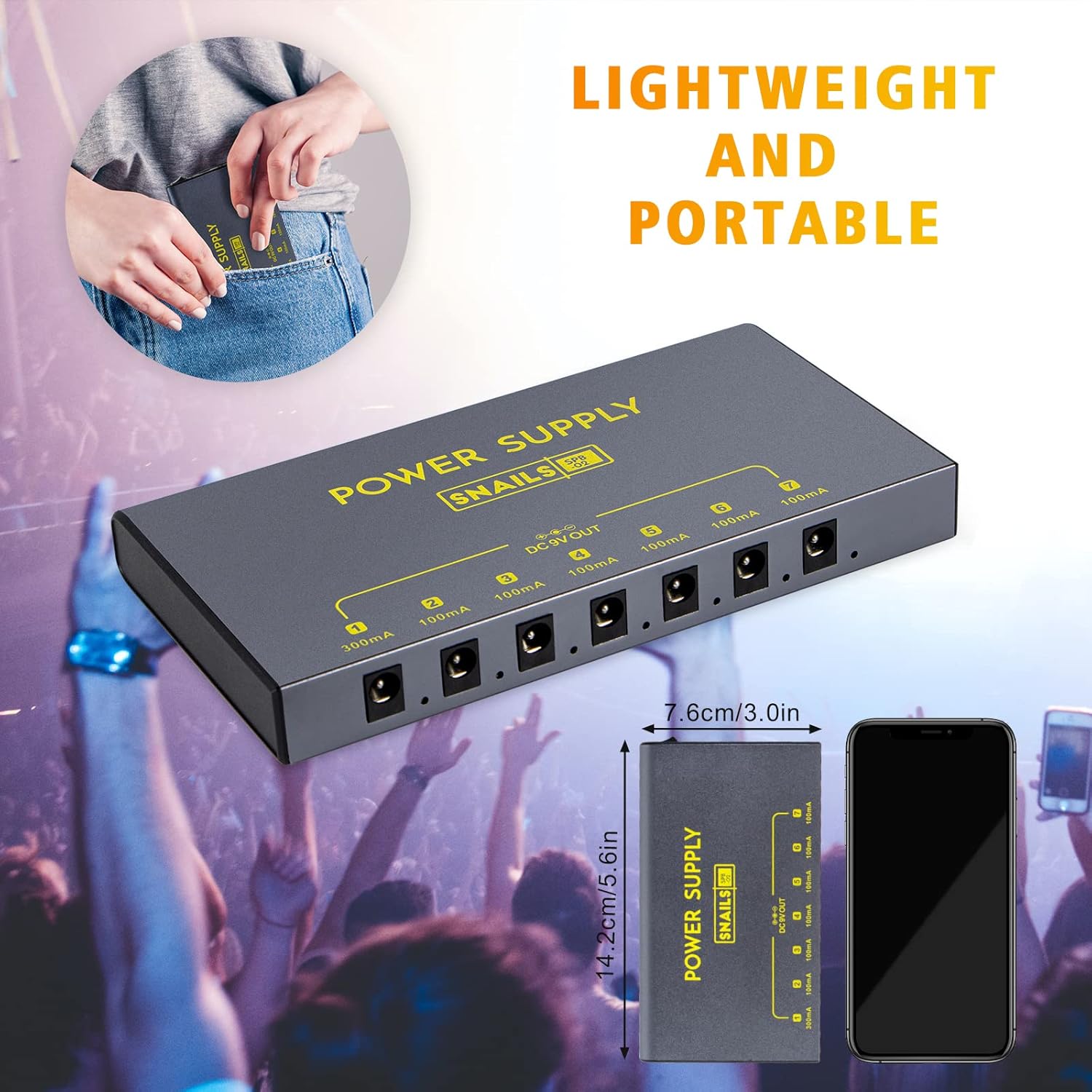
Figure 3.1: Charging port, USB output, and power switch details.
3.2 Connecting Effect Pedals
- Ensure the power supply is turned off before connecting pedals.
- Identify the power requirements of your guitar effect pedals (voltage and current).
- Connect the provided DC power cables from the power supply's output jacks to your pedals.
- The power supply has:
- 6 x DC 9V 100mA outputs (Outputs 2-7)
- 1 x DC 9V 300mA output (Output 1)
- Ensure the correct output is used for each pedal to prevent damage.
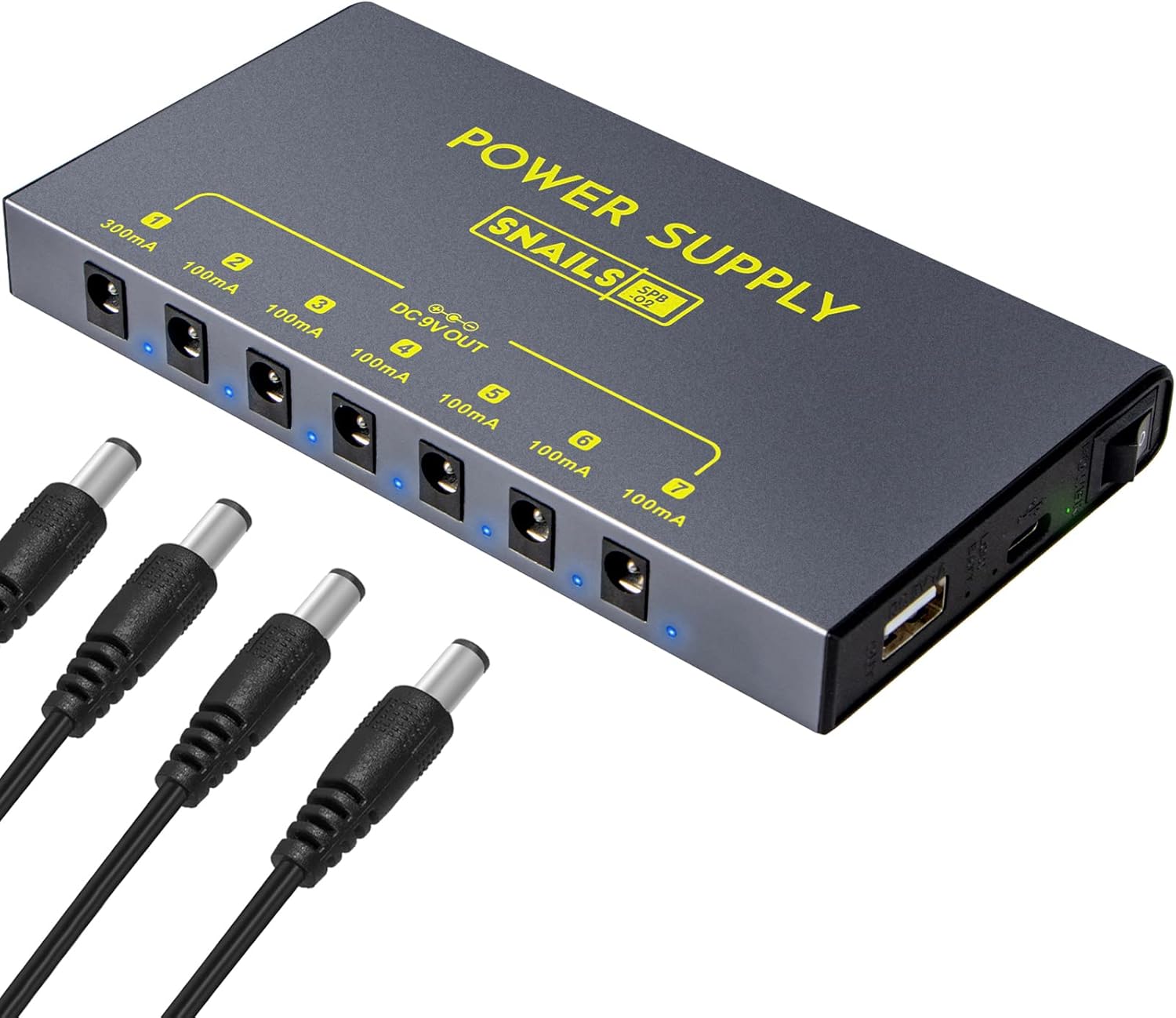
Figure 3.2: Connection diagram for DC outputs and USB charging.
4. Operating Instructions
4.1 Powering On/Off
To power on the unit, slide the power switch located on the side of the power supply to the 'ON' position. All connected output LEDs will illuminate blue, indicating power is being supplied to the pedals. To power off, slide the switch to the 'OFF' position.
4.2 LED Indicators
Each DC output jack has a blue LED indicator. When the power supply is on and an output is active, the corresponding LED will light up. These LEDs also serve as a visual aid for your pedalboard in low-light conditions.
4.3 Using the USB Charging Port
The 5V 1A USB output port can be used to charge mobile devices such as smartphones or tablets. Simply connect your device's USB charging cable to this port.
5. Maintenance
5.1 General Care
- Keep the power supply clean and dry. Use a soft, dry cloth for cleaning.
- Avoid exposing the unit to extreme temperatures, direct sunlight, or high humidity.
- Do not attempt to open the casing or modify the device, as this will void the warranty and could cause damage.
5.2 Battery Care
- For optimal battery life, avoid fully discharging the unit frequently.
- If storing the unit for an extended period, charge it to approximately 50-70% capacity.
- Avoid leaving the unit in extremely cold environments, as this can significantly reduce battery life and performance.
6. Troubleshooting
| Problem | Possible Cause | Solution |
|---|---|---|
| No power to pedals | Power supply is off; Battery is depleted; Faulty cable connection. | Ensure power switch is ON; Recharge the unit; Check all cable connections. |
| One output not working | Short circuit in connected pedal or cable; Overcurrent protection activated. | Disconnect the pedal from the faulty output. Check the pedal and cable for issues. The isolated output protection should prevent other outputs from being affected. |
| Excessive noise/hum | External interference; Ground loop; Faulty pedal or cable. | Ensure all connections are secure. Test pedals individually to identify a faulty unit. The power supply has a built-in noise filter, but external factors can still contribute. |
| Charging indicator not working | Charging cable not properly connected; Unit not receiving power; Internal fault. | Verify the charging cable is securely connected to both the power supply and the adapter. Try a different USB adapter or cable. If the issue persists, contact customer support. |

Figure 6.1: Internal components demonstrating short circuit and overcurrent protection.
7. Specifications
- Model Number: SPB-02 (also identified as 3X-RL6A-O8HI)
- Brand: Lotmusic
- Battery: 1 Lithium Polymer battery (included), 3.7V/10000mAh
- Input Voltage: AC 100V-240V (for charging)
- DC Outputs:
- 6 x 9V DC, 100mA
- 1 x 9V DC, 300mA
- USB Output: 1 x 5V DC, 1A
- Connectivity Technologies: USB
- Special Features: Short Circuit Protection, Overcurrent Protection
- Color: Black
- Item Weight: 1.17 pounds (approx. 0.53 kg)
- Package Dimensions: 7.17 x 4.13 x 1.97 inches (approx. 18.2 x 10.5 x 5 cm)
- Manufacturer: Shenzhen Lotmusic Technologe Co.,Ltd
- Date First Available: November 30, 2021
8. Warranty and Support
Lotmusic products are typically covered by a manufacturer's warranty. While specific warranty duration and contact information may vary, it is generally advisable to retain your proof of purchase. For warranty claims or technical support, please refer to the documentation included with your product or contact the seller directly through your purchase platform. Information regarding manufacturer contact details may also be available on the official Lotmusic website, if applicable.


