1. Product Overview
The Apiker Screen and Camera Protector kit is designed to provide comprehensive protection for your Samsung Galaxy S22. It includes high-quality TPU film for the screen and tempered glass for the rear camera lenses, ensuring durability and maintaining the original clarity and touch sensitivity of your device.

Image: Apiker screen and camera protector kit, showing the packaging, three screen protectors, and two camera lens protectors applied to a green Samsung Galaxy S22.
Key Features:
- New Material (TPU): Offers maximum edge protection for your Samsung Galaxy S22 screen and covers the camera effectively. Highly compatible with phone cases.
- HD-Clarity: Maintains the original color and brightness of your screen without negative impact.
- Easy Installation: Designed for straightforward application, with specific video and manual guidance available.
- Self-Healing: Small scratches and minor bubbles on the TPU screen protector can disappear automatically within 24 hours.
- High Sensitivity: The 0.15mm thin screen protector ensures sensitive touch response for your Samsung Galaxy S22.
- Anti-Scratch: Protects both the screen and camera from scratches and abrasions.
- Bubble-Free: Engineered for a smooth, bubble-free application.
- Maximum Coverage: Precision-designed for full screen coverage while ensuring case compatibility.
2. Specifications
| Attribute | Detail |
|---|---|
| Brand | Apiker |
| Compatible Devices | Samsung Galaxy S22 (Screen and Camera) |
| Material | Thermoplastic Polyurethane (TPU), Tempered Glass |
| Item Hardness | 9H (for camera protector) |
| Screen Size | 6.1 inches (Samsung Galaxy S22) |
| Special Feature | Easy Installation, Self-Healing, High Sensitivity, Anti-Scratch, Bubble-Free |
| Finish Type | Glossy |
| Number of Units | 5.0 Total (3 Screen Protectors, 2 Camera Protectors) |
3. Package Contents
Upon opening your Apiker product package, you should find the following items:
- 3 x Apiker TPU Screen Protectors for Samsung Galaxy S22
- 2 x Apiker Tempered Glass Camera Protectors for Samsung Galaxy S22
- Installation Kit (e.g., cleaning wipes, dust removal stickers, squeegee - typical for screen protectors, inferred)
- User Manual (this document)
4. Compatibility
This Apiker screen and camera protector kit is specifically designed for the Samsung Galaxy S22 (6.1-inch model). It is crucial to ensure your device model matches to guarantee proper fit and functionality.

Image: A visual guide indicating that the product is compatible with the Samsung Galaxy S22 (6.06 Inch) but not with the Samsung S22 Plus or Samsung S22 Ultra models.
Important: This product is NOT compatible with the Samsung Galaxy S22 Plus or Samsung Galaxy S22 Ultra models due to differences in screen size and camera module design.
5. Setup and Installation
For optimal results, please follow these installation steps carefully. It is recommended to perform the installation in a dust-free environment.
5.1. Screen Protector Installation (TPU Film)
- Clean the Screen: Use the provided wet wipe to thoroughly clean your phone screen, removing all dust, fingerprints, and smudges.
- Dry the Screen: Use the dry wipe to dry the screen completely. Ensure no water marks or streaks remain.
- Dust Removal: Use the dust-absorber sticker to pick up any remaining dust particles from the screen. Inspect the screen carefully under light to ensure it is spotless.
- Align the Protector: Carefully peel off the protective film from the adhesive side of the TPU screen protector (usually marked "Step 1" or similar). Align the protector precisely with your phone's screen, paying attention to the cutouts for the camera and sensors.
- Apply and Smooth: Gently lay the protector onto the screen. Use the provided squeegee or a soft cloth to push out any air bubbles from the center towards the edges. If there are small bubbles, the self-healing feature will help them disappear within 24 hours.
- Remove Top Layer: Once the protector is smoothly applied, carefully peel off the top protective layer (usually marked "Step 2" or similar).
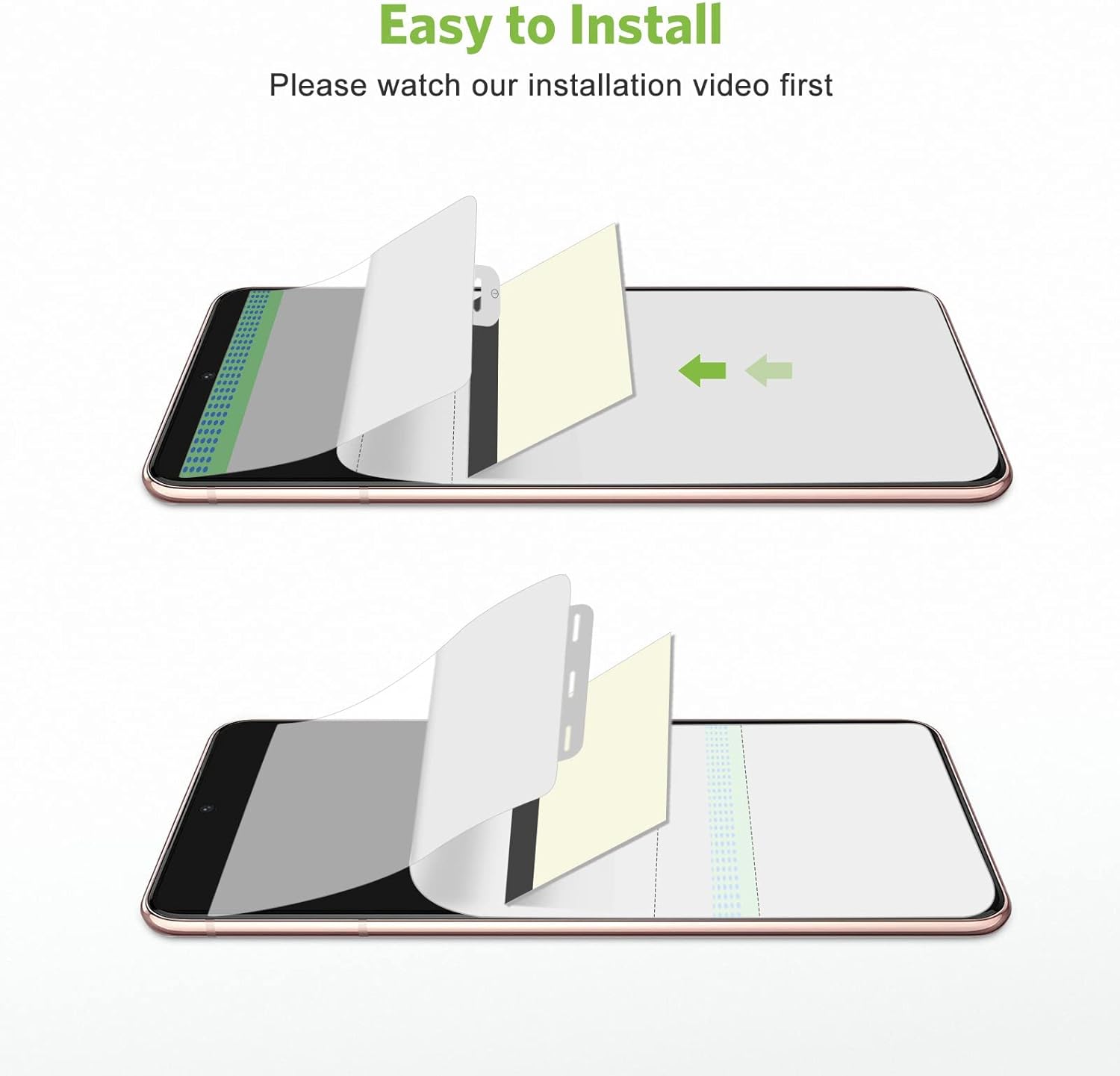
Image: A visual representation of the screen protector installation process, illustrating the peeling of protective layers and application onto the phone screen.
5.2. Camera Protector Installation (Tempered Glass)
- Clean Camera Lenses: Use a cleaning wipe to clean the camera lenses and surrounding area on the back of your phone.
- Dry Camera Lenses: Use a dry wipe to ensure the camera area is completely dry and lint-free.
- Align and Apply: Carefully peel off the adhesive backing from the tempered glass camera protector. Align it precisely over your phone's camera lenses. Gently press down from the center outwards to ensure it adheres properly.
6. Operating and Features
The Apiker protectors are designed to enhance your phone's durability without compromising its functionality.
6.1. Touch Sensitivity and Fingerprint Sensor
The ultra-thin 0.15mm TPU screen protector maintains the original touch sensitivity of your Samsung Galaxy S22, ensuring smooth navigation and gaming experience. It also supports the in-display fingerprint sensor, allowing for quick and accurate unlocking.
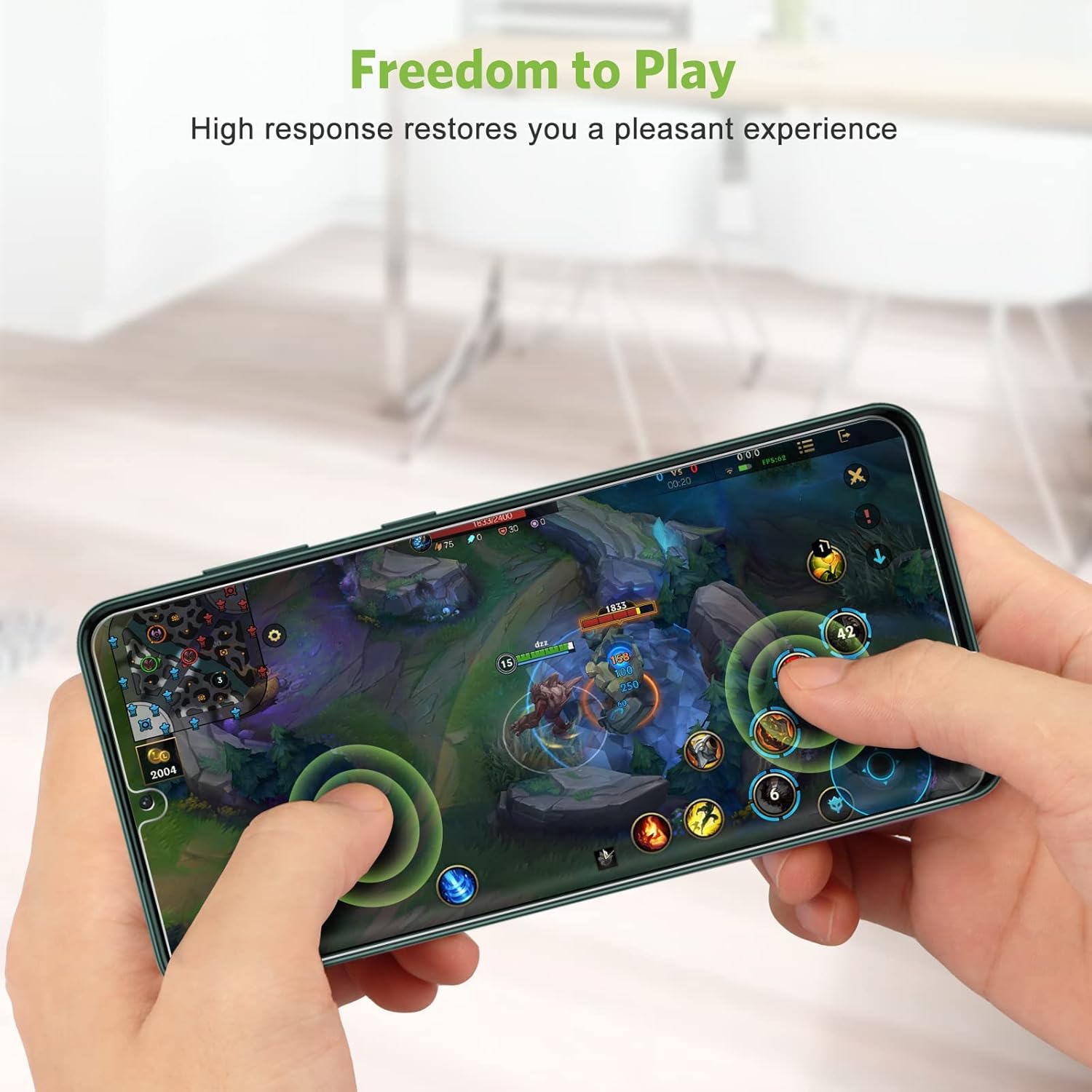
Image: A user interacting with a mobile game on a Samsung Galaxy S22, illustrating the high touch response and sensitivity provided by the screen protector.

Image: A diagram highlighting the compatibility of the 0.15mm thin TPU screen protector with the in-display fingerprint sensor, maintaining original sensitivity.
6.2. Self-Healing Technology
The TPU screen protector features self-healing properties. Minor scratches and small air bubbles that may appear during or after installation will automatically disappear within 24 hours, restoring the protector's smooth surface.

Image: A visual representation of the 24-hour auto-healing feature, showing how tiny scratches and bubbles on the screen protector disappear over time.
6.3. Clarity and Protection
Both the screen and camera protectors offer high transparency, ensuring that your screen's vibrant colors and your camera's image quality remain unaffected. The materials are designed to be anti-scratch, protecting your device from daily wear and tear.
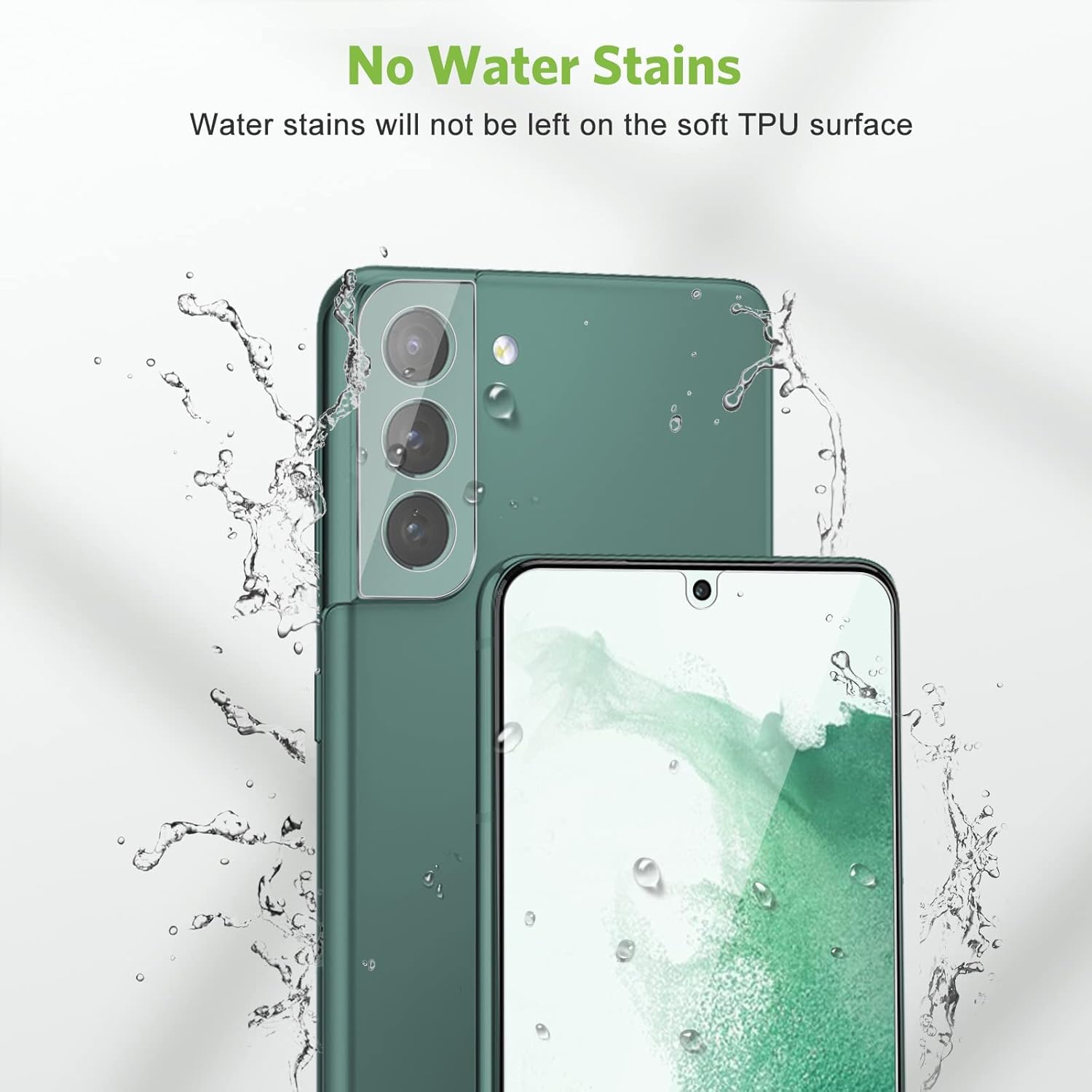
Image: A Samsung Galaxy S22 with the screen and camera protectors installed, demonstrating that water stains will not be left on the soft TPU surface.

Image: A hand holding a Samsung Galaxy S22, highlighting the camera protector's ability to allow for brilliant moment capture with high pixel images.
6.4. Ultra-Thin Design and Precise Cutout
The protectors are engineered to be ultra-thin, adding minimal bulk to your phone. They feature precise cutouts that ensure full compatibility with most phone cases, leaving a small gap (0.15mm) around the edges for case fitting.

Image: A side profile of a Samsung Galaxy S22, illustrating the ultra-thin design of the screen protector that adds no noticeable thickness to the phone.

Image: A close-up view of the Samsung Galaxy S22 screen and camera area, demonstrating the precise cutouts and the 0.15mm left space for case compatibility.
7. Maintenance
To ensure the longevity and effectiveness of your Apiker screen and camera protectors, follow these simple maintenance tips:
- Regular Cleaning: Wipe the screen and camera protectors regularly with a soft, lint-free cloth to remove fingerprints and smudges. For stubborn marks, slightly dampen the cloth with water or a screen-safe cleaner.
- Avoid Harsh Chemicals: Do not use abrasive cleaners, alcohol, or ammonia-based solutions, as these can damage the protector's coating.
- Allow Self-Healing: For minor scratches or small bubbles on the TPU screen protector, allow up to 24 hours for the self-healing process to take effect. Avoid picking at or trying to force out these imperfections.
- Protect from Sharp Objects: While the protectors are anti-scratch, extreme sharp objects can still cause damage. Avoid placing your phone in direct contact with keys, coins, or other sharp items.
8. Troubleshooting
If you encounter any issues with your Apiker screen or camera protectors, refer to the following common problems and solutions:
| Problem | Possible Cause / Solution |
|---|---|
| Bubbles after installation |
|
| Protector not adhering properly |
|
| Reduced touch sensitivity |
|
| Scratches appearing |
|
9. Warranty and Support
Specific warranty details for Apiker products are typically provided with your purchase documentation or on the product packaging. Please refer to those resources for precise warranty terms and conditions.
For technical support, installation assistance, or any other inquiries regarding your Apiker screen and camera protectors, please contact Apiker customer service through the retailer's platform where you made the purchase, or visit the official Apiker website for contact information.
When contacting support, please have your product model (Samsung Galaxy S22) and purchase details ready to facilitate a quicker resolution.


