1. Introduction and Overview
The Canarm CP56D10N is a high-performance 56-inch industrial DC ceiling fan designed to provide exceptional air circulation in large commercial and residential environments. Its energy-efficient DC motor ensures powerful airflow while minimizing electricity consumption. This manual provides essential information for the safe and effective use of your new ceiling fan.
Key Features:
- Powerful 56-Inch Blade Span: Optimized for maximum airflow in large areas.
- Energy-Efficient DC Motor: Delivers strong airflow with reduced energy consumption.
- Sleek Black Finish: Modern industrial aesthetic.
- Durable Downrod Mount: Ensures stability, ideal for high ceilings.
- Versatile Application: Suitable for warehouses, workshops, offices, garages, and open-concept homes.
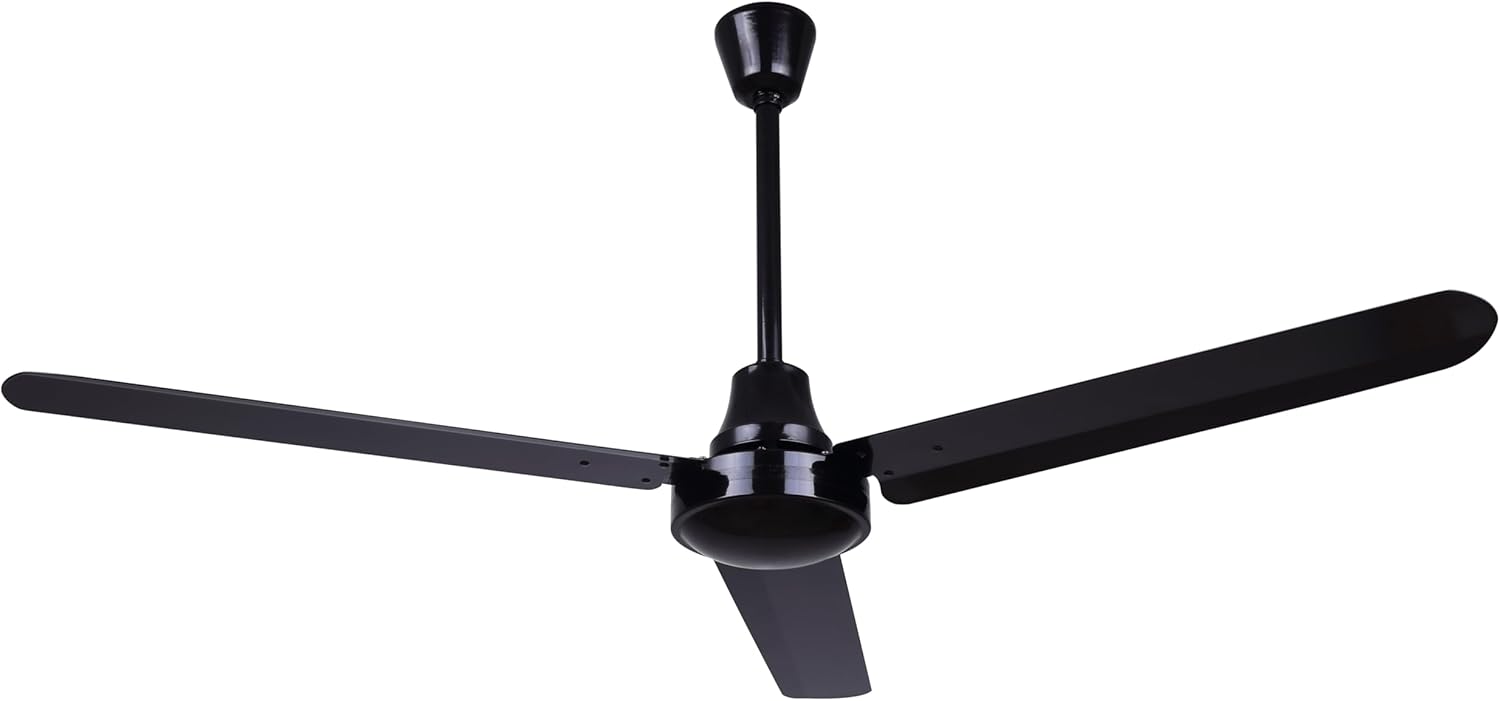
Figure 1.1: The Canarm CP56D10N 56-Inch Industrial DC Ceiling Fan, showcasing its sleek black finish and three large blades.
2. Safety Information
Please read all safety instructions carefully before installing or operating the fan. Failure to follow these instructions may result in electric shock, fire, or personal injury.
- Always disconnect power at the circuit breaker before installation, cleaning, or servicing.
- Ensure all electrical connections comply with local codes and ordinances.
- The fan must be mounted to a structure capable of supporting the fan's weight (18.48 pounds).
- Do not bend the blades during installation or cleaning.
- Keep hands, clothing, and other objects clear of the fan blades when the fan is operating.
- This fan is designed for indoor use only.
- A wall control (RREM-DCQ014-W) is required for operation and is sold separately. Ensure the correct control is used.
3. Package Contents
Verify that all components are present before beginning installation. If any parts are missing or damaged, contact Canarm customer support.
- Ceiling Fan Motor Assembly
- Fan Blades (3)
- Downrod
- Canopy
- Mounting Bracket
- Industrial Mounting Hardware (screws, washers, wire nuts)
- Instruction Manual
4. Setup and Installation
Professional installation is recommended. Ensure power is disconnected at the circuit breaker before proceeding.
4.1 Mounting the Fan
- Attach the mounting bracket to the ceiling junction box. Ensure the junction box is securely fastened to the building structure and can support the fan's weight.
- Assemble the downrod to the fan motor assembly.
- Carefully lift the fan assembly and hang it on the mounting bracket.

Figure 4.1: Close-up view of the downrod and canopy connection, illustrating the secure mounting point.
4.2 Wiring the Fan
- Connect the fan's electrical wires to the household wiring according to the wiring diagram provided in the separate wiring instructions (if applicable) and local electrical codes. Typically, this involves connecting live, neutral, and ground wires.
- Ensure all connections are secure using wire nuts.
- Tuck the wires neatly into the junction box.
4.3 Attaching the Blades
- Attach each fan blade to the motor housing using the provided screws. Ensure all screws are tightened securely.

Figure 4.2: Top-down view of the fan, showing the three black blades attached to the central motor housing.
5. Operating Instructions
The Canarm CP56D10N fan is controlled by a wall-mounted remote control (model RREM-DCQ014-W), which is sold separately. This fan does not operate with a standard wall switch.
5.1 Using the Wall Control
- Power On/Off: Use the main power toggle switch on the wall control to turn the fan on or off.
- Adjusting Fan Speed: Press the speed control buttons to cycle through available fan speeds (e.g., low, medium, high).
- Changing Fan Direction: Use the reverse button to change the direction of the fan blades. This is useful for seasonal comfort: downward airflow for cooling in summer, and upward airflow to circulate warm air in winter.

Figure 5.1: The RREM-DCQ014-W wall control unit, showing buttons for speed adjustment, reverse function, and power.
6. Maintenance
Regular maintenance ensures the longevity and optimal performance of your fan.
- Cleaning: To clean the fan, wipe with a soft, damp cloth. Do not use abrasive cleaners or solvents. Ensure power is disconnected before cleaning.
- Blade Inspection: Periodically check the blade screws to ensure they are tight. Loose blades can cause wobbling and noise.
- Motor Lubrication: The fan's DC motor is permanently lubricated and does not require additional oiling.
7. Troubleshooting
If you experience issues with your fan, refer to the following common problems and solutions:
| Problem | Possible Cause | Solution |
|---|---|---|
| Fan does not start | No power to the fan; Incorrect wiring; Remote control issue. | Check circuit breaker. Verify wiring connections. Ensure the correct wall control (RREM-DCQ014-W) is installed and functioning. |
| Fan wobbles | Loose blade screws; Improper mounting; Unbalanced blades. | Tighten all blade screws. Ensure mounting bracket is secure. Check for bent blades or use a balancing kit if necessary. |
| Noisy operation | Loose parts; Motor issue; Improper installation. | Check all screws and connections. If noise persists, contact customer support. |
| Remote control buttons reversed/not working | Controller malfunction; Compatibility issue. | Ensure you are using the specified RREM-DCQ014-W wall control. If issues persist, the controller may be faulty and require replacement. |
8. Specifications
Technical specifications for the Canarm CP56D10N Industrial DC Ceiling Fan:
| Specification | Value |
|---|---|
| Brand | Canarm |
| Model Name | CP56D10N |
| Product Dimensions | 56"D x 56"W x 19.5"H |
| Item Weight | 18.48 Pounds |
| Color | Black |
| Electric Fan Design | Ceiling Fan |
| Power Source | DC (Two/Three-pronged plug (120V AC)) |
| Style | Industrial |
| Wattage | 85 watts |
| Air Flow Capacity | 2160 Cubic Feet Per Minute |
| Blade Material | Plastic |
| Control Method | Remote (Wall Control RREM-DCQ014-W, sold separately) |
| Indoor/Outdoor Usage | Indoor |
| Specification Met | Energy Star Certified |

Figure 8.1: EnergyGuide label for the Canarm CP56D10N, indicating an estimated yearly energy cost of $18 and airflow of 8,449 Cubic Feet Per Minute.
9. Warranty Information
For specific warranty details, please refer to the warranty card included with your product or visit the official Canarm website. Keep your proof of purchase for any warranty claims.
10. Customer Support
If you have any questions, require technical assistance, or need to order replacement parts, please contact Canarm customer support. Refer to the contact information provided on the product packaging or the official Canarm website.


