
Introduction
This manual provides essential information for the safe and efficient operation of your Ohaus NV422JP Compact Electronic Balance. Please read these instructions carefully before using the device to ensure proper functionality and to prevent damage.
The Ohaus NV422JP is a robust and versatile electronic balance designed for a wide range of weighing applications. It features a clear, backlit LCD display, an infrared (IR) sensor for non-contact operation, and extended battery life.
Safety Information
Always observe the following safety precautions:
- Operate the balance on a stable, level surface, free from vibrations and drafts.
- Avoid exposing the balance to extreme temperatures, humidity, or direct sunlight.
- Do not overload the weighing pan beyond the maximum capacity.
- Keep the balance clean and free from dust and debris.
- Use only the specified AC adapter or batteries.
- Do not attempt to disassemble or repair the balance yourself. Contact qualified service personnel.
Product Overview
Key Features
- High Performance: Suitable for diverse weighing applications.
- Clear Display: Bright white LED backlit 6-digit 7-segment LCD display (20mm character height).
- Non-Contact Operation: Equipped with an IR sensor for hands-free control.
- Extended Battery Life: Approximately 270 hours of operation with dry cell batteries.
- Space-Saving Design: Stackable for convenient storage.
- Included Calibration Weights: For accurate calibration.
Components
The Ohaus NV422JP balance consists of the following main components:
- Weighing Pan (Stainless Steel, Φ145mm)
- Display Unit (LCD with backlight)
- Control Panel with Buttons
- IR Sensor
- Adjustable Feet for Leveling
- AC Adapter Port
- Battery Compartment
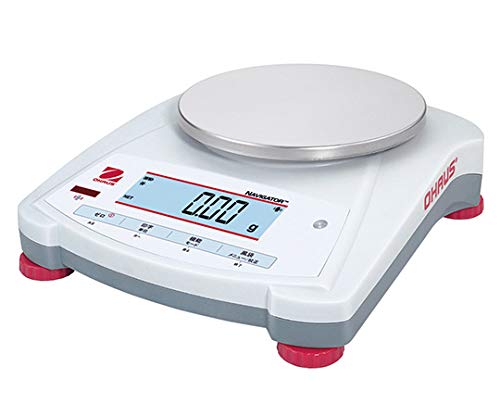
Figure 1: Ohaus NV422JP Compact Electronic Balance. A hand in a blue glove is shown pressing a button on the control panel, and the display reads "-TARE-". This image illustrates the balance's main components and a typical operation.
Setup
- Unpacking: Carefully remove the balance and all accessories from the packaging. Retain the packaging for future transport or storage.
- Placement: Place the balance on a firm, level, and vibration-free surface. Ensure it is away from direct sunlight, heat sources, and strong air currents.
- Power Connection:
- AC Adapter: Connect the supplied AC adapter to the balance and then to a suitable power outlet.
- Battery Operation: For portable use, insert four D-size dry cell batteries (sold separately) into the battery compartment located on the underside of the balance. Alternatively, a rechargeable battery (sold separately) can be used.
- Leveling: Use the adjustable feet at the bottom of the balance to level the device. Observe the spirit level (bubble indicator) to ensure the balance is perfectly horizontal.
Operating Instructions
Turning On/Off
- To Turn On: Press the ON/OFF button. The display will show a self-test sequence and then settle at "0 g".
- To Turn Off: Press and hold the ON/OFF button until the display turns off.
Zeroing / Taring
To ensure accurate measurements, zero the balance before placing an item or tare the container.
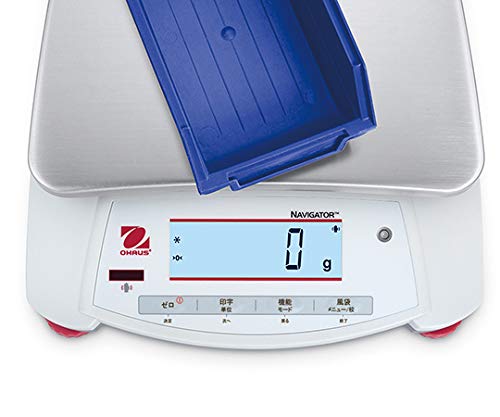
Figure 2: The balance display showing "0 g", indicating it has been successfully zeroed or tared. This is crucial for accurate measurements.
- Zeroing: With nothing on the weighing pan, press the ZERO button to set the display to zero.
- Taring: Place an empty container on the weighing pan. Press the TARE button (often combined with ZERO or a dedicated button) to set the display to zero. Now, when you add material to the container, only the weight of the material will be displayed.
Weighing an Item
- Ensure the balance is level and zeroed.
- Carefully place the item to be weighed in the center of the weighing pan.
- Wait for the display to stabilize. The stable weight will be shown.
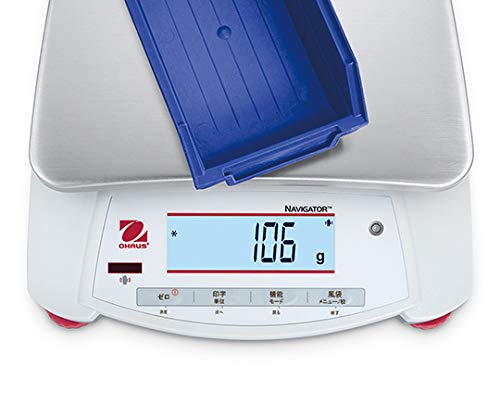
Figure 3: The balance displaying "106 g" with a blue container on the weighing pan, demonstrating a typical weighing operation.
Changing Weighing Units
The balance supports weighing units such as grams (g) and kilograms (kg).
- Press the UNIT button to cycle through the available weighing units.
- The currently selected unit will be indicated on the display.
Using the IR Sensor
The IR sensor allows for non-contact operation, which can be useful in certain environments or to minimize contamination.
- Wave your hand over the IR sensor (located on the front panel) to activate its programmed function.
- Refer to the detailed programming section in the full manual for customizing IR sensor functions (e.g., tare, print, unit change).
Weighing Modes
The Ohaus NV422JP supports various weighing modes to suit different applications:
- Weight: Standard weighing in selected units (g, kg).
- Percentage Weighing (%): Measures the weight of a sample as a percentage of a reference weight.
- Counting: Counts the number of pieces based on a programmed average piece weight.
- Check Weighing: Compares the weight of an item against pre-set target limits (under, accept, over).
- Totalization: Accumulates the total weight of multiple discrete weighings.
To switch between weighing modes, press the MODE button and follow the on-screen prompts.
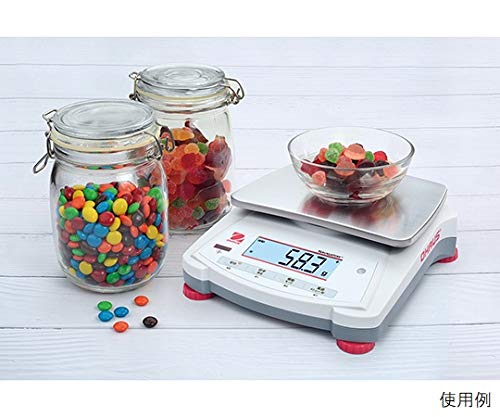
Figure 4: The balance in use, weighing a bowl of colorful candies, demonstrating a practical application of the weight mode.
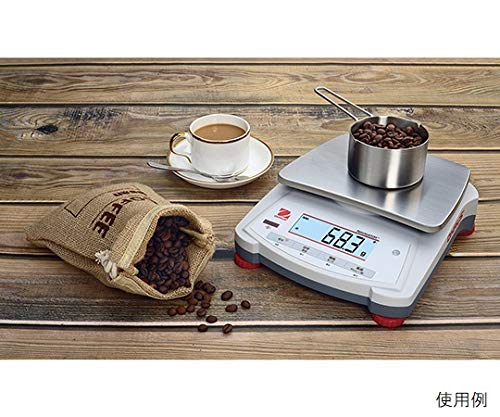
Figure 5: The balance weighing coffee beans in a small pot, illustrating another common use case for precise measurement.
Calibration
Regular calibration ensures the accuracy of your balance. The Ohaus NV422JP includes calibration weights and is provided with a general calibration certificate.
Performing Calibration
For detailed calibration procedures, refer to the dedicated section in the full English version documentation provided with your balance. Generally, calibration involves:
- Accessing the calibration menu (usually by holding a specific button during power-on).
- Following the on-screen prompts to place the specified calibration weight(s) on the pan.
- Confirming the calibration.
The included calibration certificate confirms that the measuring instrument was calibrated at the time of shipment by Ohaus or an Ohaus cooperative company.
Maintenance
Cleaning
- Always disconnect the balance from the power supply before cleaning.
- Wipe the exterior of the balance with a soft, damp cloth. Use a mild detergent if necessary.
- Do not use abrasive cleaners, solvents, or immerse the balance in water.
- The stainless steel weighing pan can be removed and cleaned separately.
Storage
- When not in use for extended periods, store the balance in a clean, dry, and stable environment.
- The NV422JP model is designed for stackable storage, allowing for efficient use of space.
- If using batteries, remove them before long-term storage to prevent leakage.
Troubleshooting
| Problem | Possible Cause | Solution |
|---|---|---|
| Balance does not turn on. | No power supply; discharged batteries; faulty AC adapter. | Check AC adapter connection; replace batteries; try a different power outlet. |
| Unstable readings. | Vibrations; drafts; unlevel surface; electromagnetic interference. | Move balance to a stable location; close windows/doors; level the balance; move away from other electronic devices. |
| Display shows "OVERLOAD". | Weight on pan exceeds maximum capacity. | Remove excess weight immediately. |
| Inaccurate measurements. | Needs calibration; dirty pan; incorrect leveling. | Perform calibration; clean the weighing pan; re-level the balance. |
For further assistance, refer to the comprehensive troubleshooting guide in the full product documentation or contact Ohaus customer support.
Specifications
| Parameter | Value |
|---|---|
| Weighing Capacity | 420 g |
| Minimum Display | 0.01 g |
| Weighing Pan Size | Φ145 mm |
| Repeatability (Standard Deviation) | 0.02 g |
| Linearity | ±0.02 g |
| Weighing Modes | Weight, Percentage (%), Counting, Check Weighing, Totalization |
| Weighing Units | g, kg |
| Display | White LED backlit 6-digit 7-segment LCD (Character height: 20mm) |
| Weighing Pan Material | Stainless Steel |
| Power Supply | AC adapter (included), 4 x D-size dry cell batteries (sold separately), or rechargeable battery (sold separately) |
| Dry Cell Battery Operating Time | Approximately 270 hours |
| Body Size (W x D x H) | 204 x 230 x 70 mm |
| Weight | 1 kg |
| Special Features | Stackable storage, IR sensor, Calibration weights included |
Warranty and Support
Your Ohaus NV422JP Compact Electronic Balance comes with a general calibration certificate, ensuring its accuracy at the time of shipment. This certificate includes a calibration certificate, inspection report, and traceability system diagram.
For warranty information, technical support, or service inquiries, please refer to the official Ohaus documentation included with your product or visit the Ohaus website. Both Japanese and English version documents are included with the product.