
1. Introduction
Thank you for choosing the LEAP Digital Chess Clock Timer. This device is designed to enhance your two-player board game experience by providing accurate and versatile timekeeping. It supports various game modes, including standard chess, Chinese chess, and I-GO, with features such as count up, count down, bonus time, and delayed time. This manual will guide you through the setup, operation, and maintenance of your new chess clock.
2. Product Overview
The LEAP Digital Chess Clock Timer (Model PQ9907S) features a compact and lightweight design, making it ideal for portability. It includes a large digital display for clear visibility and intuitive controls for easy operation.

Figure 1: A front view of the LEAP Digital Chess Clock Timer, showing its dual digital displays and the central rocker switch.
Key Components

Figure 2: An annotated diagram highlighting the screen, timing control button, increase button (+), stop/start/setting button (►►/⏻/Ρ), and decrease button (-) on the chess clock.
- Digital Displays: Two large, clear displays show time for each player.
- Timing Control Button (Rocker Switch): The large button on top to switch turns between players.
- Increase (+) Button: Used to increase time values during setting.
- Stop/Start/Setting (►►/⏻/Ρ) Button: Used to pause/resume the timer and navigate settings.
- Decrease (-) Button: Used to decrease time values during setting.
- ON/OFF Switch: Located on the bottom of the unit to conserve battery life.
- Battery Compartment: Located on the bottom, requires one AA battery.
Dimensions
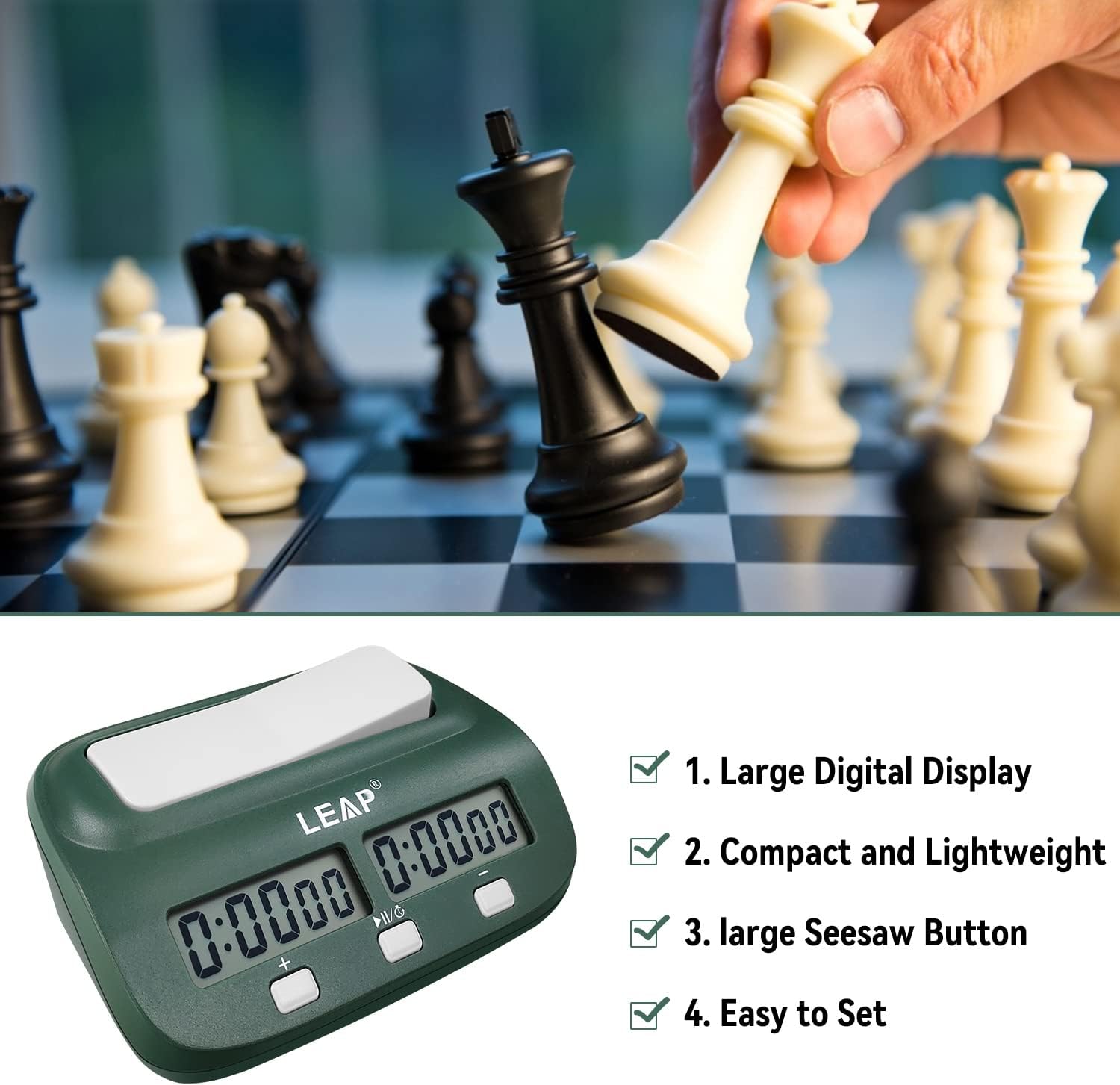
Figure 3: A diagram illustrating the physical dimensions of the chess clock: approximately 5.2 inches (13.2 cm) long, 4.5 inches (11.4 cm) wide, and 1.4 inches (3.6 cm) high.
3. Setup
Battery Installation
- Locate the battery compartment on the bottom of the chess clock.
- Open the battery compartment cover.
- Insert one AA battery, ensuring correct polarity (+/-). Note: Battery is not included.
- Close the battery compartment cover securely.
Powering On/Off
- To turn the clock ON, slide the ON/OFF switch on the bottom of the unit to the 'ON' position.
- To turn the clock OFF, slide the ON/OFF switch to the 'OFF' position.
Video 1: Official product video demonstrating the LEAP Digital Chess Clock Timer in various colors and showing its use in a chess game. It highlights the sleek design and the action of pressing the timing control button.
4. Operating Instructions
The chess clock offers multiple timing modes suitable for various game types.
Quick Start (Counting Up)
- Turn the clock ON using the switch on the bottom.
- Set the rocker switch (timing control button) so the side where your time will start is up.
- Press the ►►/⏻/Ρ button briefly to start the clock in counting up mode.
Setting Countdown Time (with Bonus/Delay)
- Turn the clock ON.
- Press and hold the ►►/⏻/Ρ button for 3 seconds to enter setting mode. The display will flash.
- Use the + and - buttons to adjust the hours, minutes, and seconds. Press ►►/⏻/Ρ briefly to move to the next time segment (hours, minutes, seconds, then bonus/delay settings).
- Adjust bonus or delay time as desired using the + and - buttons.
- Repeat for the second player's time if different settings are required.
- Once all settings are complete, press and hold the ►►/⏻/Ρ button for 3 seconds to save and exit setting mode.
- Press ►►/⏻/Ρ briefly to start the game.
Using the Timer During Play
- After making a move, press the rocker switch on your side to stop your clock and start your opponent's clock.
- The clock will automatically apply any set bonus or delay time.
- When time runs out, an alarm can be set to sound (refer to setting mode for alarm options).

Figure 4: This image illustrates the various functions of the LEAP Digital Chess Clock Timer, including count up, countdown, alarm clock, bonus, and delay features.
5. Maintenance
- Cleaning: Wipe the clock with a soft, dry cloth. Do not use abrasive cleaners or immerse in water.
- Battery Replacement: Replace the AA battery when the display becomes dim or the clock malfunctions. Ensure the clock is turned OFF before replacing the battery.
- Storage: Store the clock in a cool, dry place when not in use. Remove the battery if storing for extended periods to prevent leakage.
6. Troubleshooting
| Problem | Possible Cause | Solution |
|---|---|---|
| Clock does not turn on. | Battery is dead or incorrectly installed. | Check battery polarity or replace with a new AA battery. Ensure ON/OFF switch is in 'ON' position. |
| Display is dim or flickering. | Low battery. | Replace the AA battery. |
| Time setting is incorrect after turning off/on. | Memory mode not engaged or battery removed. | The clock has a memory mode that retains the last set time if the switch is turned off and on (without removing the battery). If the battery is removed, settings may reset. Re-set the desired time. |
| Buttons are unresponsive. | Clock is frozen or in an unexpected state. | Turn the clock OFF, remove the battery, wait 10 seconds, then reinsert the battery and turn ON. |
7. Specifications
- Model: PQ9907S
- Brand: LEAP
- Material: Acrylonitrile Butadiene Styrene (ABS)
- Power Source: 1 x AA Battery (not included)
- Max Time Setting: 9 hours, 59 minutes, 59 seconds
- Number of Settings: 5 (pre-programmed modes)
- Item Weight: 8.8 ounces (approx. 249 grams)
- Package Dimensions: 6.69 x 3.94 x 2.24 inches (approx. 17 x 10 x 5.7 cm)
8. Warranty and Support
For warranty information or technical support, please refer to the product packaging or contact LEAP customer service directly. Keep your purchase receipt for any warranty claims.


