
1. Introduction
The ttstar ZU-C095 USB C Lavalier Microphone is a professional-grade, omnidirectional condenser microphone designed for clear audio capture with Type-C devices. This lapel clip-on mic is ideal for various applications including video recording, vlogging, live streaming, audio recording, and interviews. Its plug-and-play design ensures ease of use without the need for external batteries or drivers.
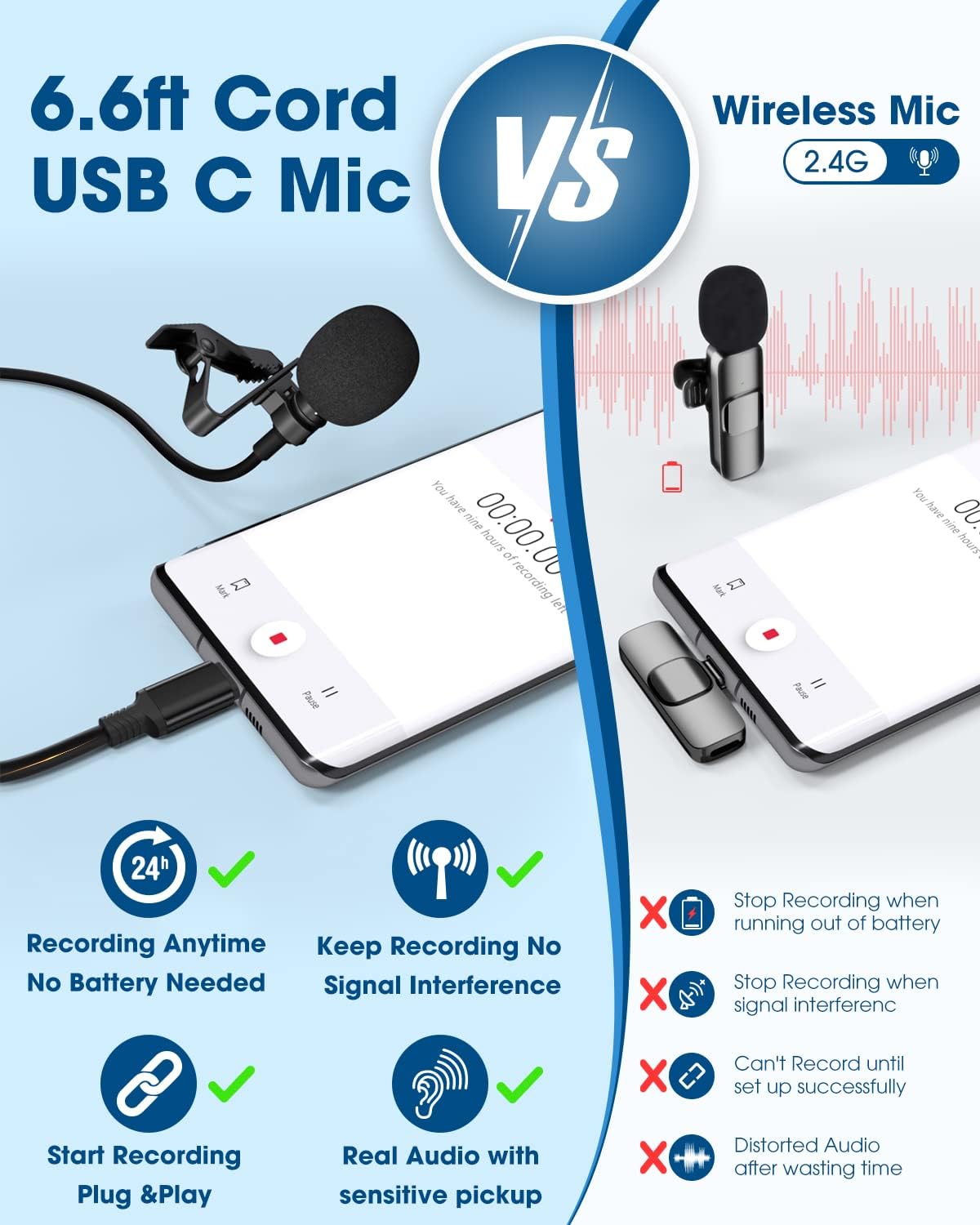
Image: The ttstar ZU-C095 USB C Lavalier Microphone, showcasing its compact design and USB-C connector.
2. Package Contents
Upon opening your ttstar ZU-C095 USB C Lavalier Microphone package, you should find the following items:
- 1 x USB C Lavalier Microphone (6.6ft/79in cable)
- 1 x Foam Windscreen (pre-installed)
- 1 x Metal Clip (pre-installed)
- 1 x Storage Pouch

Image: All components included in the ttstar ZU-C095 USB C Lavalier Microphone package, including the microphone, clip, windscreen, and storage pouch.
3. Setup
Setting up your ttstar ZU-C095 microphone is quick and easy due to its plug-and-play functionality.
- Connect the Microphone: Insert the USB C connector of the lavalier microphone directly into the USB C port of your compatible device (e.g., Android smartphone, tablet, MacBook). No additional adapters or drivers are required.
- Secure the Microphone: Use the strong metal clip to attach the microphone to your clothing, typically near your mouth, for optimal sound capture. The clip can be rotated to adjust the microphone's orientation.
- Prepare for Recording: Ensure your device's recording application is open and ready. The microphone will automatically be recognized as the audio input device.
Compatibility Note: This microphone is designed for devices with a USB C port. It is compatible with Samsung, LG, Google Pixel, MacBook, and most other Type-C connector devices. It does not work for online chatting or Zoom meetings. If your phone has a 3.5mm jack, you may need to enable the "OTG" setting in your phone's settings for the microphone to function correctly.

Image: A hand connecting the USB C lavalier microphone to a smartphone, illustrating the plug-and-play setup.
Video: An official seller video demonstrating the portable USB C lavalier microphone, highlighting its features and ease of connection.
4. Operating Instructions
The ttstar ZU-C095 is an omnidirectional microphone, meaning it picks up sound equally from all directions. This makes it versatile for various recording scenarios.
- Optimal Placement: For best results, clip the microphone to your lapel or collar, approximately 6-8 inches from your mouth. This ensures clear voice capture while minimizing ambient noise.
- Noise Cancellation: The microphone features external noise cancellation, which helps to reduce background distractions and provide a clearer sound.
- Recording Length: The 6.6ft (79in) long cable provides ample length for flexible positioning, allowing you to move freely while recording.
- Audio Playback: When playing back recorded audio, ensure the microphone is unplugged from your device. Your device will mute its internal speakers when the microphone is connected, expecting audio output through the microphone's connection. Alternatively, you can use Bluetooth earbuds for playback while the mic is connected.

Image: A person using the ttstar USB C lavalier microphone for recording, demonstrating its application in content creation.
Video: An official seller video demonstrating the USB C lavalier microphone, showcasing its sound quality and ease of use in various recording scenarios.
5. Maintenance
To ensure the longevity and optimal performance of your ttstar ZU-C095 microphone, follow these maintenance guidelines:
- Cleaning: Gently wipe the microphone and cable with a soft, dry cloth. Avoid using harsh chemicals or abrasive materials.
- Storage: When not in use, store the microphone in the provided storage pouch to protect it from dust, dirt, and physical damage.
- Cable Care: Avoid sharp bends or excessive pulling on the cable to prevent internal wire damage. Use the cable tie to keep it neatly coiled.
- Windscreen: The foam windscreen helps reduce plosives and wind noise. Replace it if it becomes damaged or worn.
6. Troubleshooting
If you encounter issues with your ttstar ZU-C095 microphone, try the following solutions:
- No Sound/Microphone Not Detected:
- Ensure the USB C connector is fully inserted into your device.
- Check your device's audio input settings to confirm the external microphone is selected.
- If your Android phone has a 3.5mm jack, verify that the "OTG" setting is enabled in your phone's developer options or system settings.
- Test the microphone with a different compatible device to rule out device-specific issues.
- Poor Sound Quality/Background Noise:
- Ensure the microphone is clipped securely and positioned correctly (6-8 inches from your mouth).
- Check if the foam windscreen is properly attached to reduce plosives and ambient noise.
- Record in a quieter environment to minimize background distractions.
- Playback Issues:
- Remember to unplug the microphone from your device before playing back audio through your device's speakers.
- Alternatively, use Bluetooth earbuds for audio playback while the microphone remains connected.
7. Specifications
| Brand | ttstar |
| Model Name | ZU-C095 |
| Connectivity Technology | USB C |
| Connector Type | USB Type-C |
| Special Feature | Clip |
| Compatible Devices | Devices with USB C port (Laptop, Smartphone, Tablet) |
| Color | Black |
| Polar Pattern | Omnidirectional |
| Audio Sensitivity | 30 Decibels |
| Microphone Form Factor | Lavalier |
| Signal-to-Noise Ratio | 60 dB |
| Frequency Response | 20 KHz |
| Frequency Range | 20 Hz - 16 KHz |
| Audible Noise | 25 Decibels |
| Item Weight | 31 Grams |
| Cable Length | 6.6ft / 79in |
8. Warranty and Support
For any questions or concerns regarding your ttstar ZU-C095 USB C Lavalier Microphone, please contact the seller directly through your order page on Amazon for support and assistance. Specific warranty details may vary and are typically provided at the point of purchase or within the product packaging.