1. Safety Information
Please read all instructions carefully before using the Sportstech F-Bike X150. Retain this manual for future reference.
- Consult a physician before starting any exercise program, especially if you have pre-existing health conditions.
- Ensure all parts are correctly assembled and securely tightened before each use.
- Keep children and pets away from the exercise bike during operation.
- Place the bike on a flat, stable surface with adequate clearance around it.
- Wear appropriate exercise clothing and athletic footwear.
- The maximum user weight for this device is 120 kg. Do not exceed this limit.
- Stop exercising immediately if you feel dizzy, faint, or experience any pain.
2. Product Overview and Features
The Sportstech F-Bike X150 is a versatile 4-in-1 home trainer designed for effective and comfortable indoor workouts. It combines multiple functionalities to provide a comprehensive fitness experience.
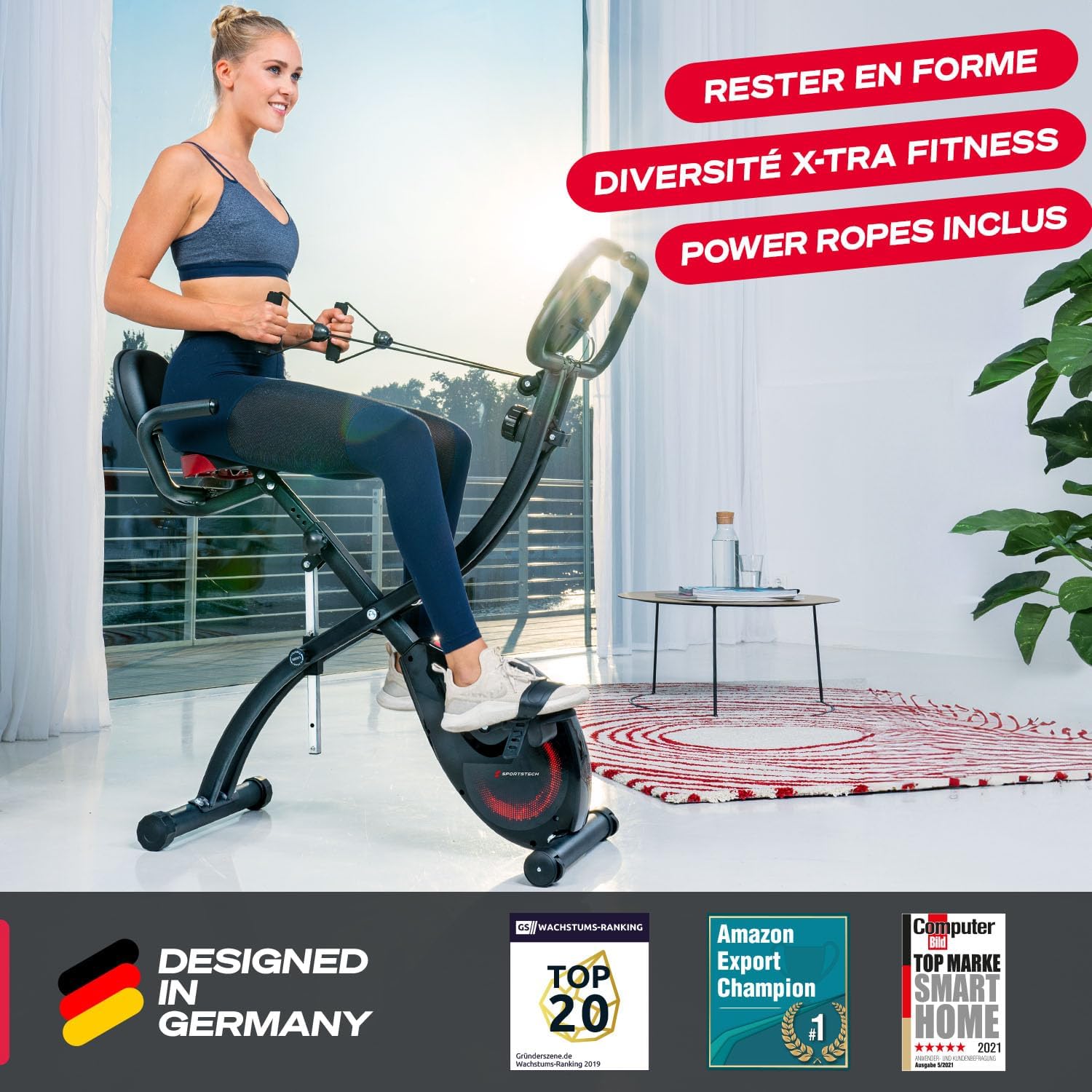
Sportstech F-Bike X150 exercise bike in upright position with user engaging resistance bands, highlighting its multi-functional design.
Key Features:
- 4-in-1 Home Trainer: Easily switch between upright and recumbent exercise positions.
- Adjustable Resistance: Features a magnetic braking system with 16 continuously adjustable resistance levels for varied workout intensity.
- Quiet Operation: The magnetic resistance ensures a smooth and silent workout experience.
- Comfortable Seating: Equipped with a height-adjustable seat and a comfortable memory foam saddle with a backrest.
- Integrated Pulse Monitor: Handlebars include sensors for real-time heart rate monitoring.
- Resistance Bands: Built-in power ropes allow for simultaneous upper body workouts.
- Tablet Holder: A practical holder for your tablet or smartphone, enabling entertainment or app-based training.
- Compact & Portable: Foldable design for easy storage and transport wheels for convenient relocation.
- App Connectivity: Compatible with fitness applications like Sportstech Live and Kinomap for interactive training.

The F-Bike X150 offers both upright and recumbent cycling positions for diverse workouts.

Experience friction-free pedaling with the magnetic resistance system, ensuring quiet and smooth performance.
3. Setup and Assembly
The Sportstech F-Bike X150 is designed for straightforward assembly. Refer to the separate assembly guide included in your package for detailed, step-by-step instructions and diagrams.
General Assembly Steps:
- Unpack all components and verify against the parts list.
- Attach the front and rear stabilizers to the main frame.
- Install the pedals, ensuring they are tightened correctly (left pedal is reverse threaded).
- Mount the seat post and saddle, adjusting the height as needed.
- Attach the handlebars and the console unit.
- Connect any necessary cables for the console and pulse sensors.
- Perform a final check to ensure all bolts and connections are secure before first use.
This video demonstrates the quick and easy assembly process of the Sportstech F-Bike X150, highlighting its quiet operation, adjustable resistance, and comfortable design. It also shows the integrated pulse monitor and tablet holder.
4. Operating Instructions
Starting a Workout:
- Sit comfortably on the bike. Adjust the seat height and position (upright or recumbent) to ensure proper ergonomics.
- Place your feet securely in the pedal straps.
- Adjust the resistance level using the rotary knob located on the main frame. Turn clockwise for higher resistance, counter-clockwise for lower resistance.
- Begin pedaling smoothly.
Using the Multifunction Console:
The console automatically activates when you start pedaling or press any button. It displays various workout metrics:
- TIME: Duration of your workout.
- SPEED: Current cycling speed.
- DISTANCE: Distance covered during the current session.
- CALORIES: Estimated calories burned.
- PULSE: Your heart rate (when holding the pulse sensors on the handlebars).
- SCAN: Cycles through all metrics automatically.
Use the 'MODE' button to select a specific display mode or 'SCAN' to view all metrics sequentially. Press and hold 'RESET' to clear all values.

The integrated tablet holder allows for easy access to entertainment or fitness apps during your workout.
App Connectivity:
Enhance your training experience by connecting your F-Bike X150 to compatible fitness apps:
- Place your tablet or smartphone securely in the integrated holder.
- Download the Sportstech Live app or other compatible apps like Kinomap from your device's app store.
- Follow the app's instructions to pair with your exercise bike via Bluetooth.
- Enjoy interactive workouts, track your progress, and explore virtual routes.
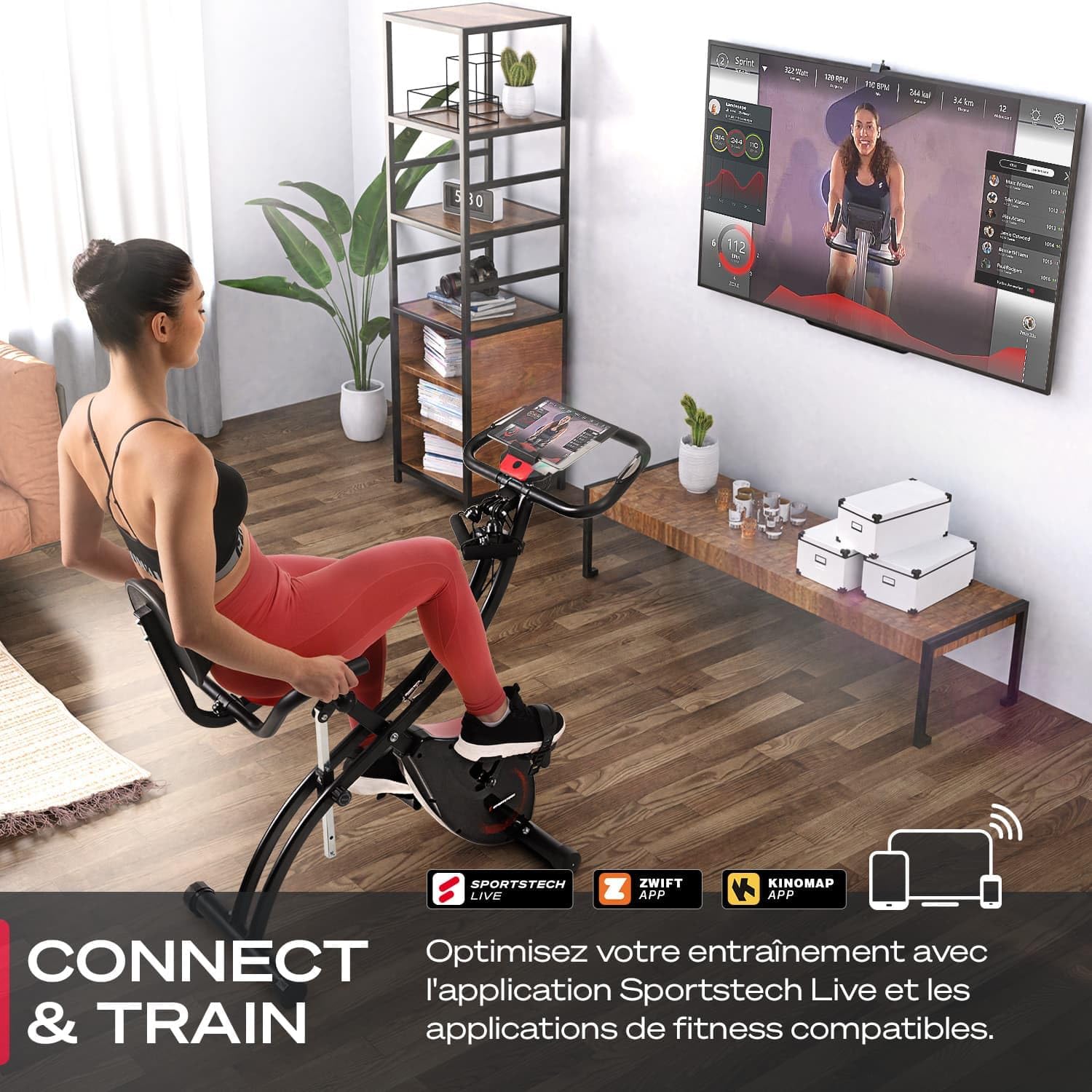
Connect and train with popular fitness apps like Sportstech Live, Zwift, and Kinomap for an engaging workout experience.

The Sportstech Live app offers a variety of training programs and real-time performance tracking.
Using Resistance Bands:
The F-Bike X150 includes integrated resistance bands for upper body exercises. While pedaling, you can use these bands to engage your arms, shoulders, and back muscles, providing a full-body workout.
5. Maintenance
Regular maintenance ensures the longevity and optimal performance of your Sportstech F-Bike X150.
- Cleaning: Wipe down the bike with a damp cloth after each use to remove sweat and dust. Avoid abrasive cleaners.
- Inspection: Periodically check all bolts, nuts, and moving parts for tightness and wear. Tighten any loose fasteners.
- Lubrication: The magnetic resistance system is generally maintenance-free. If you notice any squeaking from moving parts, apply a small amount of silicone-based lubricant.
- Storage: When not in use, fold the bike for compact storage. Store it in a dry, clean environment away from direct sunlight and extreme temperatures.

The foldable design allows for easy storage, saving space in your home.
6. Troubleshooting
If you encounter any issues with your Sportstech F-Bike X150, refer to the following common problems and solutions:
- Console not displaying: Check the battery compartment for proper battery installation and charge. Replace batteries if necessary.
- Inaccurate pulse reading: Ensure your hands are firmly and completely gripping the pulse sensors on the handlebars. Skin contact must be consistent.
- Resistance not changing: Verify that the resistance cable is properly connected and not kinked or damaged. Ensure the resistance knob is turning freely.
- Unusual noise during operation: Check for any loose bolts or screws, especially around the pedals and frame joints. Tighten them if found loose.
- Bike feels unstable: Ensure the bike is placed on a flat, level surface. Adjust the leveling feet on the stabilizers if your floor is uneven.
If the problem persists after attempting these solutions, please contact Sportstech customer support for further assistance.
7. Specifications
| Feature | Specification |
|---|---|
| Brand | Sportstech |
| Model Number | SP_X150 |
| Color | X150 Black |
| Material Type | Aluminum |
| Resistance Mechanism | Magnetic |
| Resistance Levels | 16 (Continuously Adjustable) |
| Power Source (Console) | Battery Powered |
| Maximum User Weight | 120 Kilograms |
| Recommended User Height | 1.55 m to 1.90 m |
| Product Dimensions (L x W x H) | 97 x 53.5 x 119 cm |
| Item Weight | 52 Kilograms |
| Special Features | Foldable, Adjustable Seat, Pulse Monitor, Resistance Bands, Tablet Holder |
| Recommended Uses | Indoor |
8. Warranty and Support
Your Sportstech F-Bike X150 comes with a manufacturer's warranty. Please refer to the warranty card included with your product for specific terms and conditions.
For technical support, spare parts, or any questions regarding your product, please contact Sportstech customer service. Contact details can typically be found on the Sportstech website or on your purchase documentation.


