1. Introduction
Thank you for choosing the SUDOKEJI Pure Sine Wave Power Inverter. This device is designed to convert 12V DC power from your vehicle battery into 220V AC household power, allowing you to operate various electronic devices on the go. It features a pure sine wave output, ensuring compatibility with sensitive electronics, and includes multiple protection features for safe and reliable operation. Please read this manual thoroughly before use to ensure proper installation and operation.
2. Safety Instructions
- Ventilation: Ensure the inverter is placed in a well-ventilated area. Do not block the cooling fan or vents.
- Moisture: Do not expose the inverter to water, rain, or excessive moisture.
- Heat: Keep the inverter away from direct sunlight, heat sources, and flammable materials.
- Connections: Always connect the inverter to a 12V DC power source. Ensure correct polarity (+ to + and - to -). Loose connections can cause overheating.
- Load Capacity: Do not exceed the inverter's continuous power rating of 1000W or peak power rating of 2000W. Overloading can damage the inverter and connected devices.
- Cigarette Lighter Limit: If using the cigarette lighter adapter, do not connect devices with a power consumption exceeding 150W to avoid blowing the vehicle's fuse. For higher power devices, use the direct battery connection cables.
- Children: Keep the inverter out of reach of children.
- Maintenance: Do not attempt to open or modify the inverter. Refer all servicing to qualified personnel.
3. Package Contents
Verify that all items are present in your package:
- 1 x SUDOKEJI Pure Sine Wave Power Inverter
- 2 x Battery Connection Cables (Red and Black)
- 1 x Cigarette Lighter Adapter
- 1 x User Manual
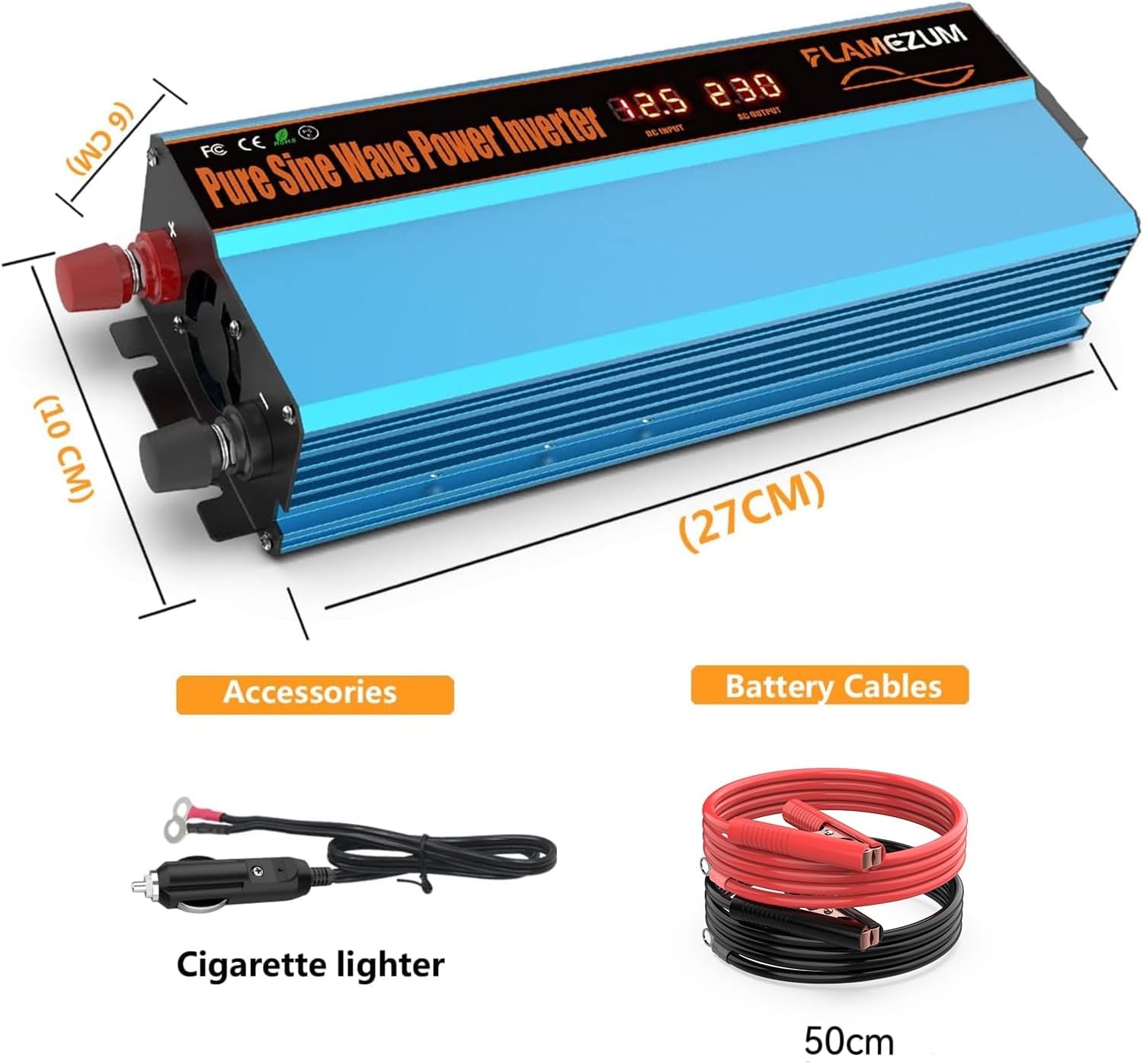
Figure 3.1: Inverter and included accessories (battery cables and cigarette lighter adapter).
4. Product Overview
The SUDOKEJI FLAMEZUM inverter features a robust design with essential ports and an informative LCD display.
4.1 Front Panel

Figure 4.1: Front view of the inverter showing the LCD display.
The front panel features an LCD display that shows real-time information such as input voltage, output power, and protection status codes. This allows for easy monitoring of the inverter's operation.
4.2 Rear Panel and Side Features

Figure 4.2: Side view of the inverter detailing connection points.
- DC Input Terminals: Red (+) and Black (-) terminals for connecting to the 12V vehicle battery.
- Cooling Fan: An intelligent temperature-controlled fan for efficient heat dissipation.
- Power Switch: On/Off button for controlling the inverter.
- Dual AC Sockets: European standard 220V AC outlets for connecting household appliances.
- USB Port: Two USB ports (max 3.4A) for charging mobile devices.
5. Setup
Follow these steps to properly set up your power inverter:
- Preparation: Ensure your vehicle engine is off. Place the inverter on a stable, flat surface in a well-ventilated area, away from direct sunlight or heat.
- Connecting to Battery (Recommended for >150W):
- Connect the red battery cable to the positive (+) terminal of the inverter.
- Connect the black battery cable to the negative (-) terminal of the inverter.
- Connect the other end of the red cable to the positive (+) terminal of your 12V vehicle battery.
- Connect the other end of the black cable to the negative (-) terminal of your 12V vehicle battery.
- Ensure all connections are tight and secure.
- Connecting via Cigarette Lighter (For devices ≤ 150W):
- Insert the cigarette lighter adapter into the inverter's DC input terminal.
- Plug the cigarette lighter adapter into your vehicle's 12V cigarette lighter socket.
- Important: Do not connect devices requiring more than 150W when using the cigarette lighter adapter to prevent damage to your vehicle's fuse.
6. Operating Instructions
Once the inverter is properly connected, follow these steps to operate it:
- Power On: Press the power switch on the inverter. The LCD display will light up, showing the input voltage and output power.
- Connect Devices: Plug your 220V AC appliances into the AC sockets or your USB devices into the USB ports.
- Monitor: Observe the LCD display for input voltage and output power. Ensure the total power consumption of your devices does not exceed 1000W.
- Power Off: When finished, first disconnect all devices from the inverter, then press the power switch to turn off the inverter. Finally, disconnect the inverter from the 12V power source.
6.1 Compatible Devices
This inverter is suitable for powering a wide range of small electronic devices and appliances, including:
- Mobile phones, tablets, laptops
- Small fans, LED lights, camping lighting
- Small car refrigerators, electric kettles (under 500W)
- Bluetooth speakers, shavers
- Vacuum cleaners (small, handheld models)

Figure 6.1: Examples of devices compatible with the inverter.

Figure 6.2: Inverter in various application settings.
7. Maintenance
To ensure the longevity and optimal performance of your inverter, follow these maintenance guidelines:
- Cleaning: Regularly clean the exterior of the inverter with a dry, soft cloth. Do not use liquid cleaners or solvents.
- Ventilation: Periodically check that the cooling fan and air vents are free from dust and debris. A clogged fan can lead to overheating.
- Connections: Ensure battery cable connections remain tight and free from corrosion.
- Storage: When not in use for extended periods, store the inverter in a cool, dry place, away from direct sunlight and extreme temperatures.
8. Troubleshooting
The inverter's LCD display provides protection codes to assist in troubleshooting. Refer to the table below for common issues and their solutions.
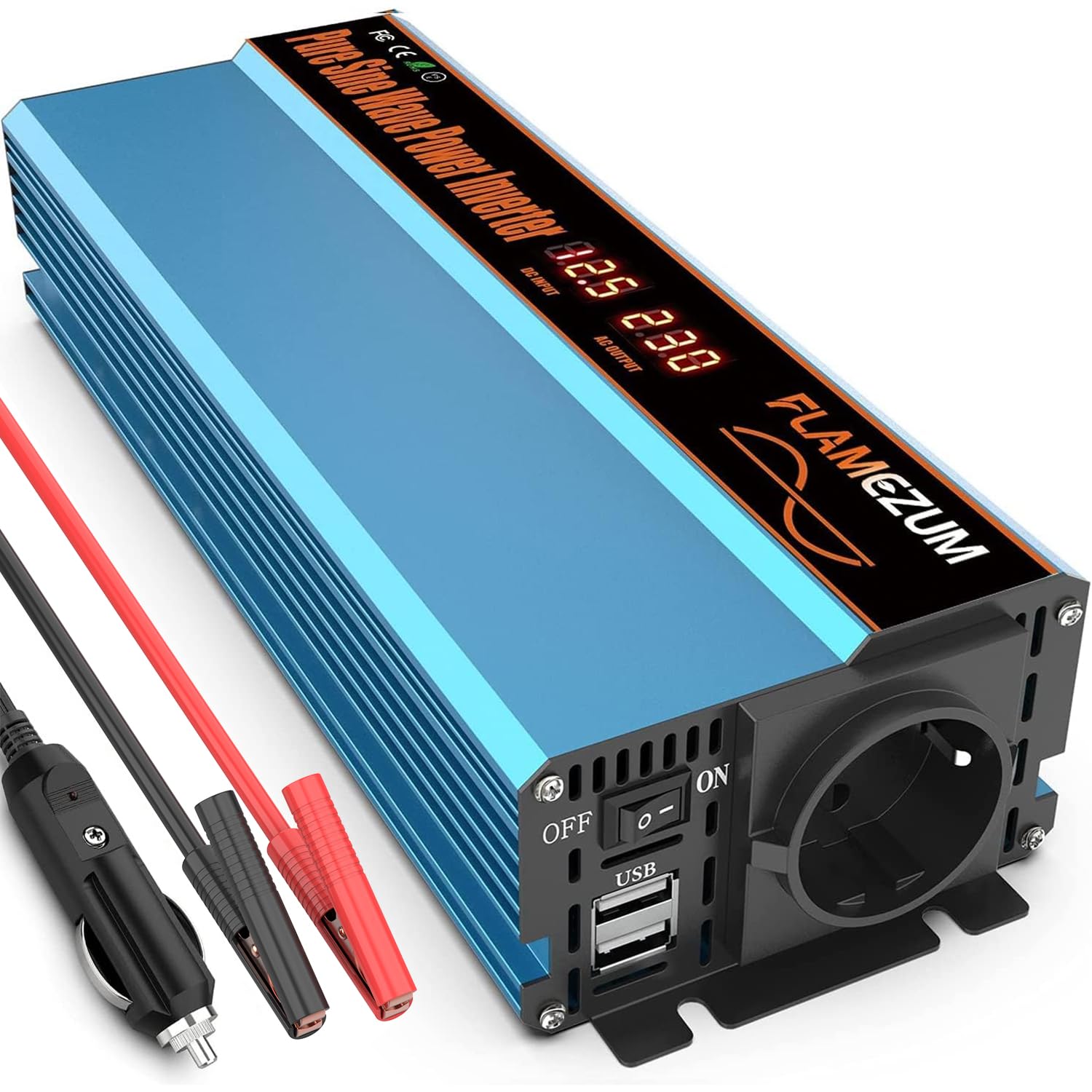
Figure 8.1: LCD display protection codes.
| Code | Description | Possible Cause | Solution |
|---|---|---|---|
| LO | Input Low Voltage Protection | Battery voltage is too low. | Recharge or replace the 12V battery. |
| HI | Input Overvoltage Protection | Battery voltage is too high. | Check battery and charging system. Ensure 12V input. |
| OH | Overheat Protection | Inverter is too hot. | Reduce load, ensure proper ventilation, allow inverter to cool down. |
| OL | Overload Protection | Connected devices exceed 1000W. | Disconnect some devices to reduce the load. |
| No Output | No AC or USB power. | Inverter off, loose connections, blown fuse (vehicle or internal). | Check power switch, all cable connections. If using cigarette lighter, check vehicle fuse. |
9. Specifications
| Feature | Specification |
|---|---|
| Brand | SUDOKEJI |
| Model Number | FLAMEZUM |
| Input Voltage | 12V DC |
| Output Voltage | 220V AC |
| Continuous Power | 1000W |
| Peak Power | 2000W |
| USB Output | 2 ports, max 3.4A |
| Output Waveform | Pure Sine Wave |
| Protection Features | Overvoltage, Undervoltage, Overload, Overheat, Short Circuit |
| Product Dimensions | 27 x 10 x 6 cm |
| Product Weight | 1.4 kg |
| Power Source | Solar and Battery Powered |
10. Warranty and Support
The SUDOKEJI Pure Sine Wave Power Inverter comes with a 24-month service warranty. If you encounter any issues or have questions regarding the product, please do not hesitate to contact our customer support. We are committed to providing assistance and ensuring your satisfaction.
For support, please refer to the contact information provided with your purchase or visit the official SUDOKEJI website.