1. Introduction
This manual provides detailed instructions for the setup, operation, and maintenance of your OKYUK 4G GPS Smartwatch. Please read this manual thoroughly before using the device to ensure proper functionality and safety. This smartwatch is designed for children aged 3-14, offering communication, tracking, and various interactive features.
2. What's in the Box
Upon opening the package, please verify that all the following items are included:
- OKYUK 4G GPS Smartwatch
- USB Charging Cable (Magnetic)
- User Manual
- Replaceable Straps (Concise/Cartoon styles)
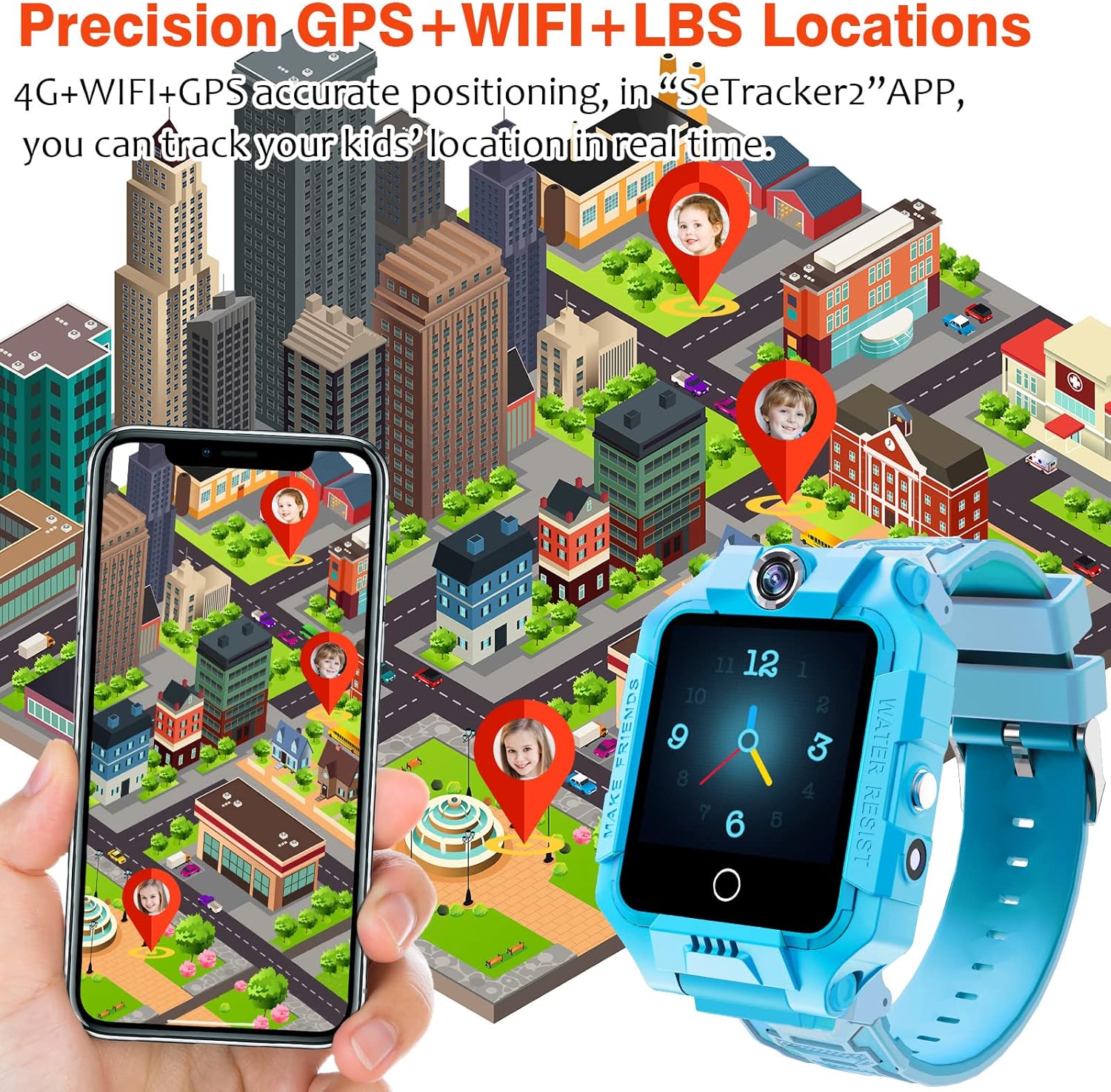
Image: The OKYUK 4G GPS Smartwatch with its charging cable and additional straps.
3. Setup
3.1 SIM Card Installation
The smartwatch requires a 4G Nano SIM card (not included) for network connectivity. Ensure the watch is powered off before inserting the SIM card.
- Locate the SIM card slot on the side of the smartwatch.
- Carefully open the SIM card slot cover.
- Insert a Nano SIM card into the slot with the metal contacts facing up and the notched corner aligned correctly.
- Close the SIM card slot cover securely to ensure water resistance.
Note: Only Nano SIM cards are compatible. Other SIM card types (Normal, Micro) are not supported. Speedtalk SIM cards are recommended for optimal signal and compatibility.
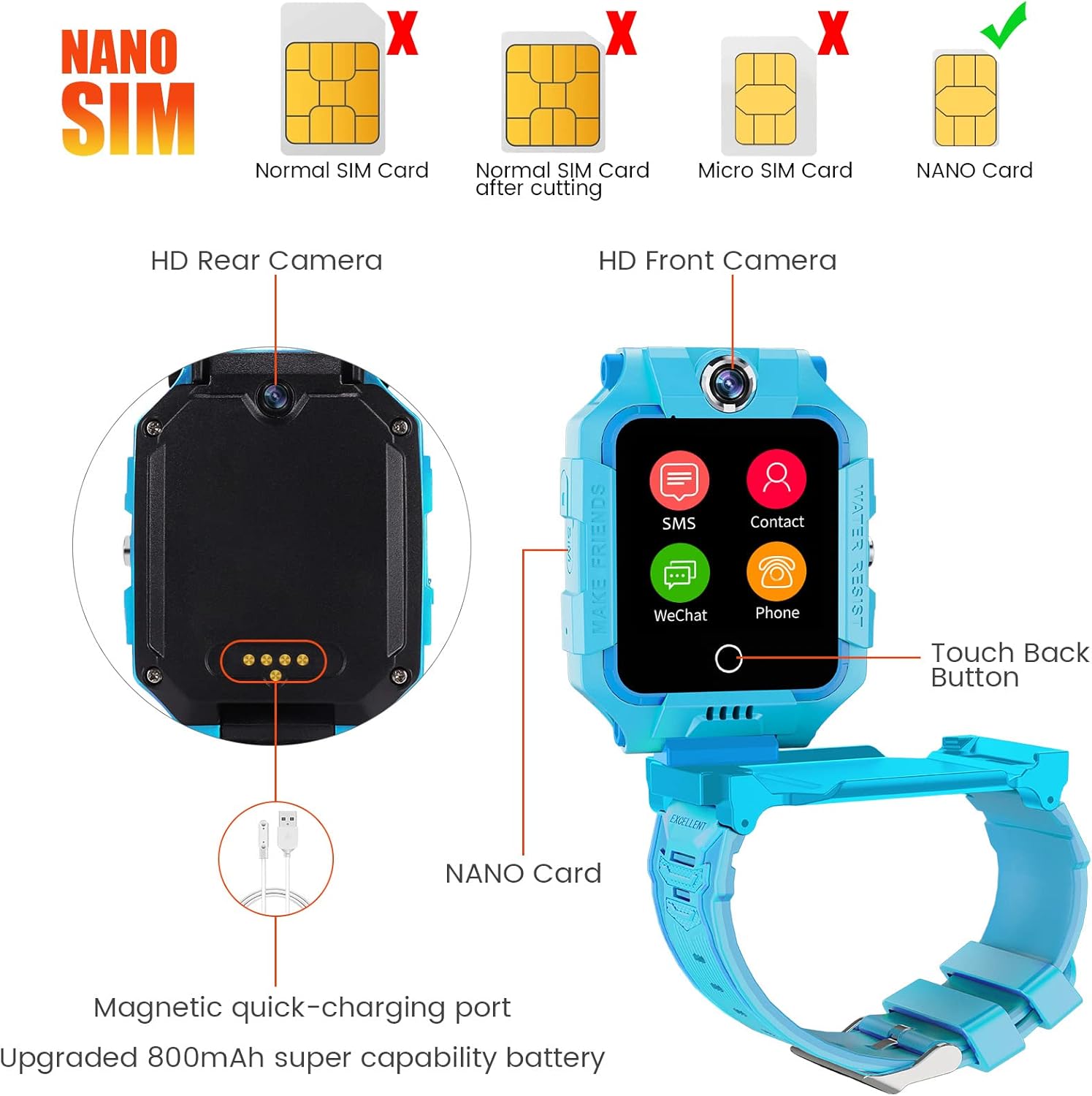
Image: Illustration of compatible Nano SIM card and the watch's rear view with the magnetic charging port.
3.2 App Installation (SeTracker2)
To manage and monitor the smartwatch, download the "SeTracker2" application on your smartphone. The app is available on both Android and iOS platforms.
- Scan the QR code provided in the physical manual or search for "SeTracker2" in your phone's app store.
- Download and install the application.
- Register an account and bind the smartwatch to your account using the unique registration code found on the watch or its packaging.
- Configure necessary settings within the app, such as family contacts, safe zones, and classroom mode.

Image: Screenshots demonstrating the SeTracker2 app interface for managing the smartwatch.
4. Operating Instructions
4.1 Power On/Off
- Power On: Press and hold the power button until the screen lights up.
- Power Off: Press and hold the power button, then select "Power Off" on the screen, or use the remote shutdown feature in the SeTracker2 app.
4.2 Communication Modes
The smartwatch supports various communication methods:
- Two-Way Calls: Make and receive calls with pre-approved contacts.
- Voice Chat: Send and receive short voice messages.
- 4G Video Calls: Conduct video calls with contacts via the 4G network or Wi-Fi.
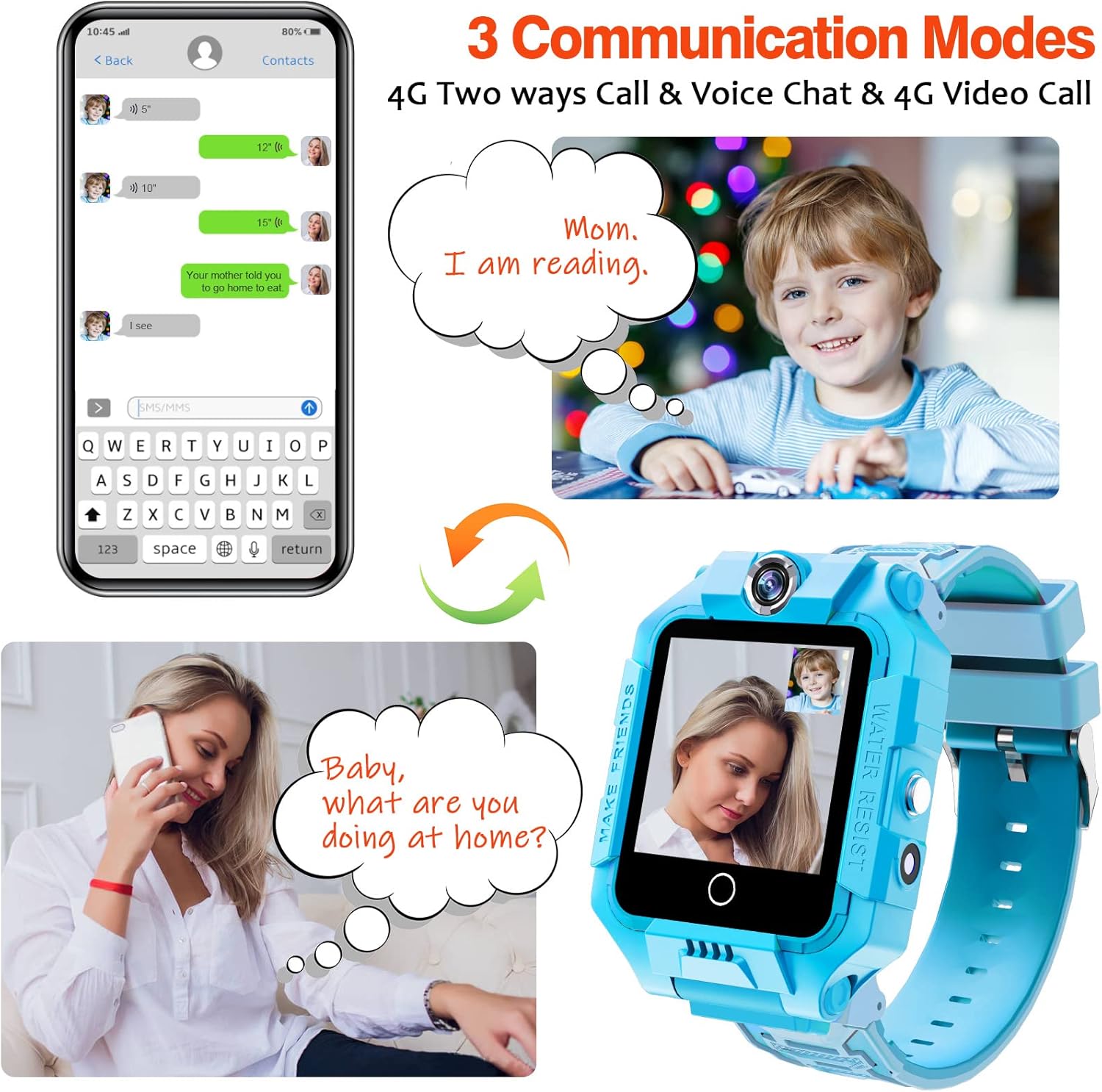
Image: Visual representation of two-way calls, voice chat, and video calls on the smartwatch and a connected smartphone.
4.3 GPS Tracking and SOS Function
- GPS Tracking: Monitor the child's real-time location through the SeTracker2 app. Set safe zones and receive alerts if the child leaves these areas.
- SOS Emergency Call: In an emergency, press and hold the SOS button for 3 seconds. The watch will automatically dial up to 3 pre-set emergency contacts until one is answered.

Image: A smartwatch and a smartphone showing real-time GPS, Wi-Fi, and LBS location tracking on a map.

Image: The smartwatch interface highlighting the SOS function and a list of emergency contacts.
4.4 Camera Functions
The smartwatch features dual HD cameras for capturing photos and videos.
- Taking Photos: Access the camera app on the watch to take pictures.
- Video Recording: Record short videos directly from the watch.
- Magic Camera: Apply fun filters and stickers to photos.
- Remote Photography: Parents can remotely activate the watch's camera via the app.

Image: The smartwatch showcasing its dual HD cameras and options for magic camera effects.
4.5 Pedometer
The built-in pedometer tracks daily steps and estimated calories burned. This data can be viewed on the watch and synchronized with the SeTracker2 app.

Image: The smartwatch screen showing the pedometer function with step count.
4.6 Other Functions
- Face Unlock: Securely unlock the watch using facial recognition.
- Music Player: Play music stored on the watch (4GB memory).
- Games: Access pre-installed math games for entertainment.
- Classroom Mode: Set specific times when the watch functions are limited to avoid distractions during school hours.
- Flashlight: A small LED flashlight for convenience.
- Alarm Clock: Set multiple alarms.
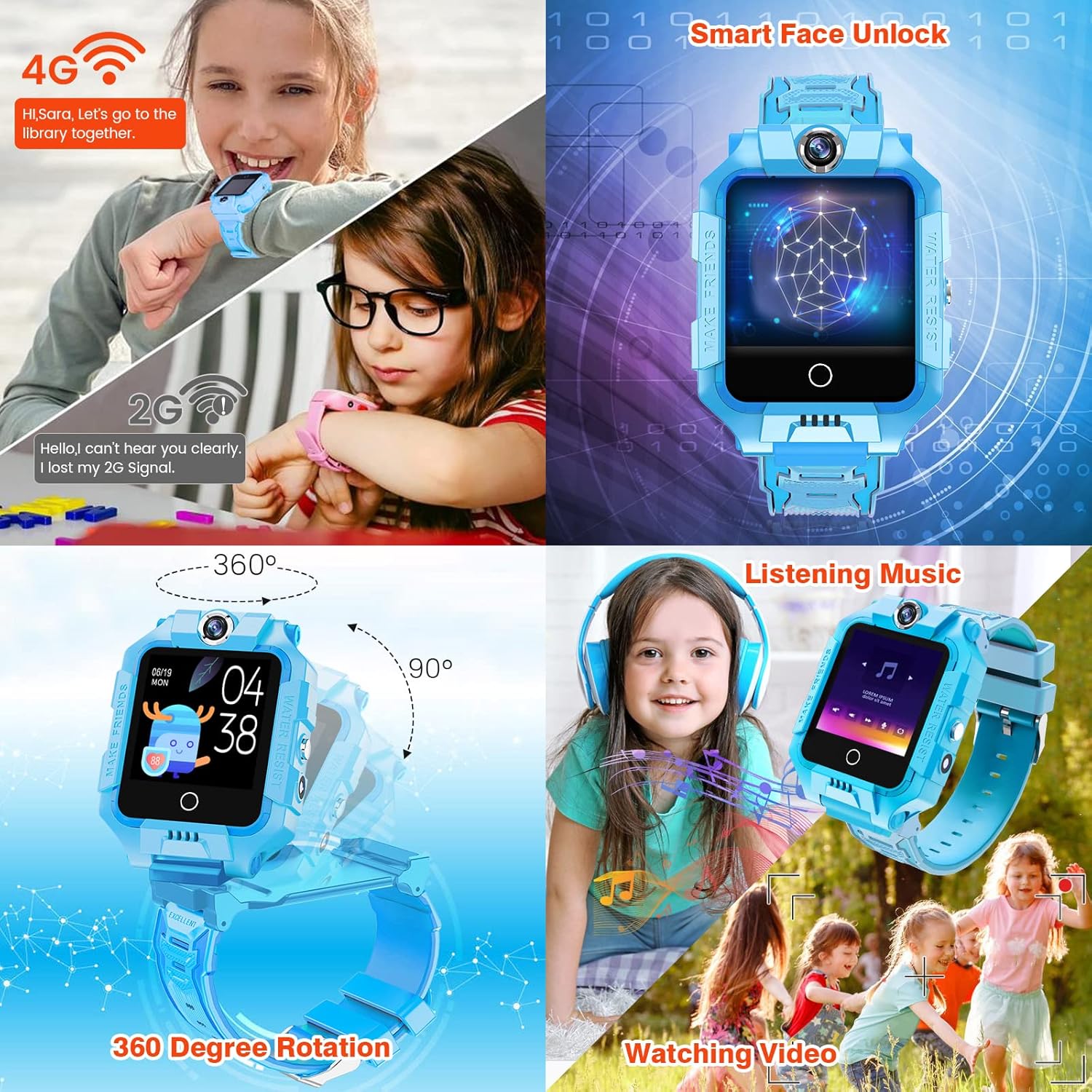
Image: Collage showing the smartwatch's face unlock, 360-degree rotating screen, music playback, and video viewing capabilities.
5. Features Overview
The OKYUK 4G GPS Smartwatch integrates several key features for child safety and engagement:
- 1.44" HD Touch Screen: A clear, responsive display with a 180° full viewing angle.
- 800mAh Long-lasting Battery: Provides 5-7 days of standby time.
- 4G Network & Wi-Fi Connectivity: Enables stable calls, video calls, and accurate location tracking.
- GPS/LBS/Wi-Fi Positioning: Multiple positioning methods for enhanced accuracy.
- IP67 Waterproof Rating: Resistant to splashes, rain, and brief immersion (not recommended for prolonged soaking or hot water).
- Dual HD Cameras: Front and rear cameras for photos and video calls.
- 4GB Internal Memory: For storing photos, videos, and music.
- 360° Rotating Screen: Allows for flexible camera angles.

Image: The smartwatch screen showing icons for its various functions, including contacts, calls, video calls, camera, gallery, pedometer, and more.
6. Maintenance
6.1 Waterproofing Guidelines
The smartwatch has an IP67 waterproof rating, meaning it is protected against dust and can withstand immersion in water up to 1 meter for 30 minutes. However, please observe the following:
- Do not immerse the watch in water for more than 3 minutes.
- Avoid exposing the watch to hot water, steam, or saunas, as this can damage the seals.
- Ensure the SIM card slot cover is securely closed to maintain water resistance.
- If the watch gets wet, wipe it dry with a soft cloth.
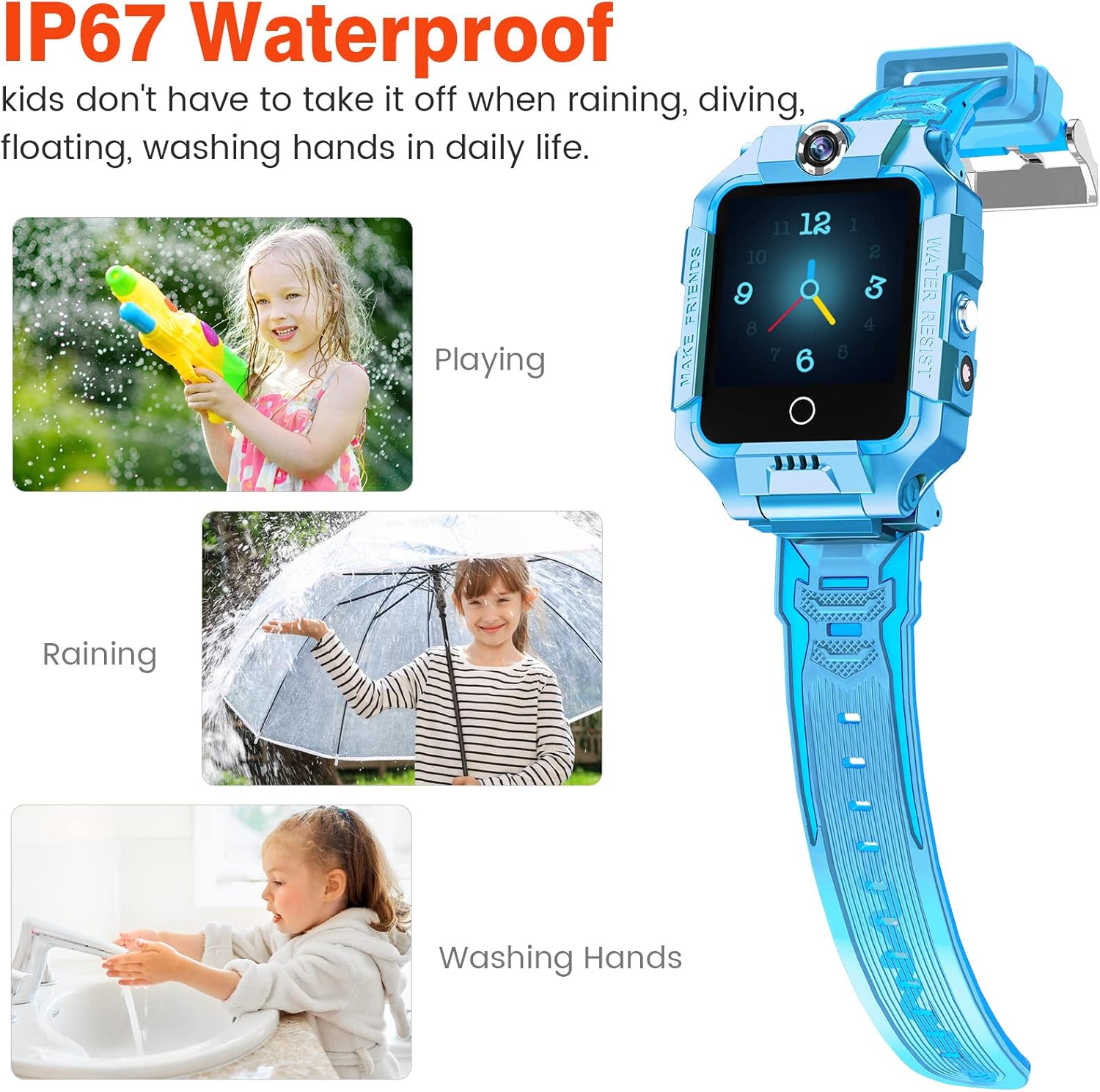
Image: Children wearing the smartwatch while playing with water, demonstrating its IP67 waterproof capability for daily activities like washing hands or light rain.
6.2 Charging
Use the provided magnetic charging cable to charge the smartwatch. Connect the magnetic end to the charging port on the back of the watch and the USB end to a standard USB power adapter (not included).
- Ensure the charging contacts on both the watch and the cable are clean and dry before charging.
- Avoid overcharging the battery.
6.3 Cleaning
Wipe the watch screen and body with a soft, dry cloth. For stubborn dirt, use a slightly damp cloth and then dry thoroughly.
7. Troubleshooting
If you encounter issues with your smartwatch, refer to the following common problems and solutions:
- Watch cannot power on: Ensure the watch is fully charged. If the battery is completely drained, it may take a few minutes for the charging indicator to appear.
- No network signal/cannot make calls:
- Verify that a 4G Nano SIM card is correctly inserted and activated.
- Check if the SIM card has sufficient balance or data plan.
- Ensure the watch is in an area with 4G network coverage.
- Confirm that the contacts are correctly set up in the SeTracker2 app.
- Inaccurate GPS location:
- GPS accuracy can be affected by environmental factors (e.g., indoors, dense buildings, bad weather).
- Ensure the watch has a clear view of the sky for optimal GPS signal.
- Wi-Fi and LBS (Location Based Service) provide supplementary positioning, which may be less precise than GPS.
- App cannot connect to watch:
- Ensure the watch has a stable network connection (4G or Wi-Fi).
- Verify that the watch is correctly bound to your SeTracker2 account.
- Check for app updates and ensure your smartphone's operating system is compatible.
- Short battery life:
- Frequent use of video calls, GPS tracking, and games can consume battery faster.
- Adjust the frequency of location updates in the app to conserve battery.
- Ensure the watch is fully charged before use.
If the problem persists, please contact customer support.
8. Specifications
| Screen Size | 1.44 Inches |
| Battery Capacity | 800mAh Lithium Ion |
| Memory Storage | 4 GB |
| Connectivity | 4G, Wi-Fi, GPS |
| Waterproof Rating | IP67 |
| Operating System Compatibility | Android, iOS |
| Item Weight | 120 Grams (4.2 ounces) |
| Dimensions (Package) | 3.94 x 3.94 x 1.18 inches |
| Manufacturer | OKYUK |
9. Warranty and Support
9.1 Warranty Information
Your OKYUK 4G GPS Smartwatch comes with a standard manufacturer's warranty. Please refer to the warranty card included in your product packaging for specific terms and conditions, including warranty duration and coverage details. Keep your purchase receipt as proof of purchase for warranty claims.
9.2 Customer Support
For technical assistance, troubleshooting, or any questions regarding your OKYUK smartwatch, please contact our customer support team. Contact information can typically be found on the product packaging, our official website, or through the retailer where the product was purchased.
When contacting support, please have your product model (4G GPS Smartwatch) and ASIN (B09MM2951D) ready.