1. Introduction
This manual provides detailed instructions for the TONGVEO 4K Webcam Conference Call TV Room Web Camera. This all-in-one USB video camera is designed for professional-quality video calls, online meetings, and streaming, featuring 4K Ultra HD resolution, dual noise-reducing microphones, and a built-in high-fidelity speaker.
It is compatible with various platforms including Zoom, OBS, WebEx, GoToMeeting, and more, and supports Windows XP/7/8/10/11 and macOS 10.4 or higher.
2. What's in the Box
Upon opening the package, verify that all components are present:
- TONGVEO 4K Webcam Conference Camera
- USB-C Cable
- User Manual

Figure 2.1: The TONGVEO 4K Webcam Conference Camera, showcasing its sleek design with integrated camera and speakers.
3. Setup
3.1 Unboxing and Initial Inspection
Carefully remove the camera from its packaging. Inspect the device for any visible damage. Ensure all listed components are present.
Video 3.1: Unboxing and initial setup of the TONGVEO 4K Conference Webcam, demonstrating how to remove the camera from its packaging and connect the USB-C cable.
3.2 Connecting the Camera
The TONGVEO 4K Webcam is a plug-and-play device, requiring no additional drivers for most operating systems.
- Connect the provided USB-C cable to the USB-C port on the back of the camera.
- Connect the other end of the USB-C cable to an available USB port on your PC, laptop, or monitor.
- The camera will be automatically recognized by your operating system.

Figure 3.2: Rear view of the TONGVEO 4K Webcam, highlighting the USB-C port for connection.
3.3 Mounting Options
The camera features a versatile clip for flexible placement:
- Monitor/Laptop Mount: Securely attach the camera to the top of your monitor or laptop screen using the integrated clip.
- Tripod Mount: The camera can also be mounted on a standard tripod for alternative positioning.
4. Operating the Camera
4.1 Video Quality and Wide Angle
The camera delivers stunning 4K Ultra HD resolution with a fixed 116° wide-angle lens, capturing more participants in conference settings.

Figure 4.1: Visual comparison illustrating the enhanced clarity and detail of 4K resolution compared to 1080P.

Figure 4.2: Illustration of the 116-degree wide-angle view, demonstrating its ability to capture an entire meeting room.
4.2 Audio Features: Microphones and Speaker
Equipped with dual built-in high-sensitivity omnidirectional microphones and a high-fidelity speaker, the camera provides clear audio for both speaking and listening.
- Noise Reduction: Advanced technology filters out background sounds for crisp, natural audio.
- Integrated Speaker: Eliminates the need for external audio devices, providing smooth and balanced sound.

Figure 4.3: Overview of the 3-in-1 webcam features, including the noise-reduction microphone, 4K camera, and integrated speaker.
4.3 AI Auto Framing and Low Light Correction
The camera features AI auto-framing to keep participants centered in the frame and automatic low light correction for optimal video quality in various lighting conditions.

Figure 4.4: Demonstration of AI Auto Framing, which intelligently adjusts the view to keep all participants visible.

Figure 4.5: Example of Auto Low Light Correction, enhancing visibility in challenging lighting environments.
4.4 Software Compatibility
The TONGVEO 4K Webcam is broadly compatible with popular video conferencing and streaming applications:
- Zoom
- OBS
- WebEx
- GoToMeeting
- Microsoft Teams
- And other conferencing apps.
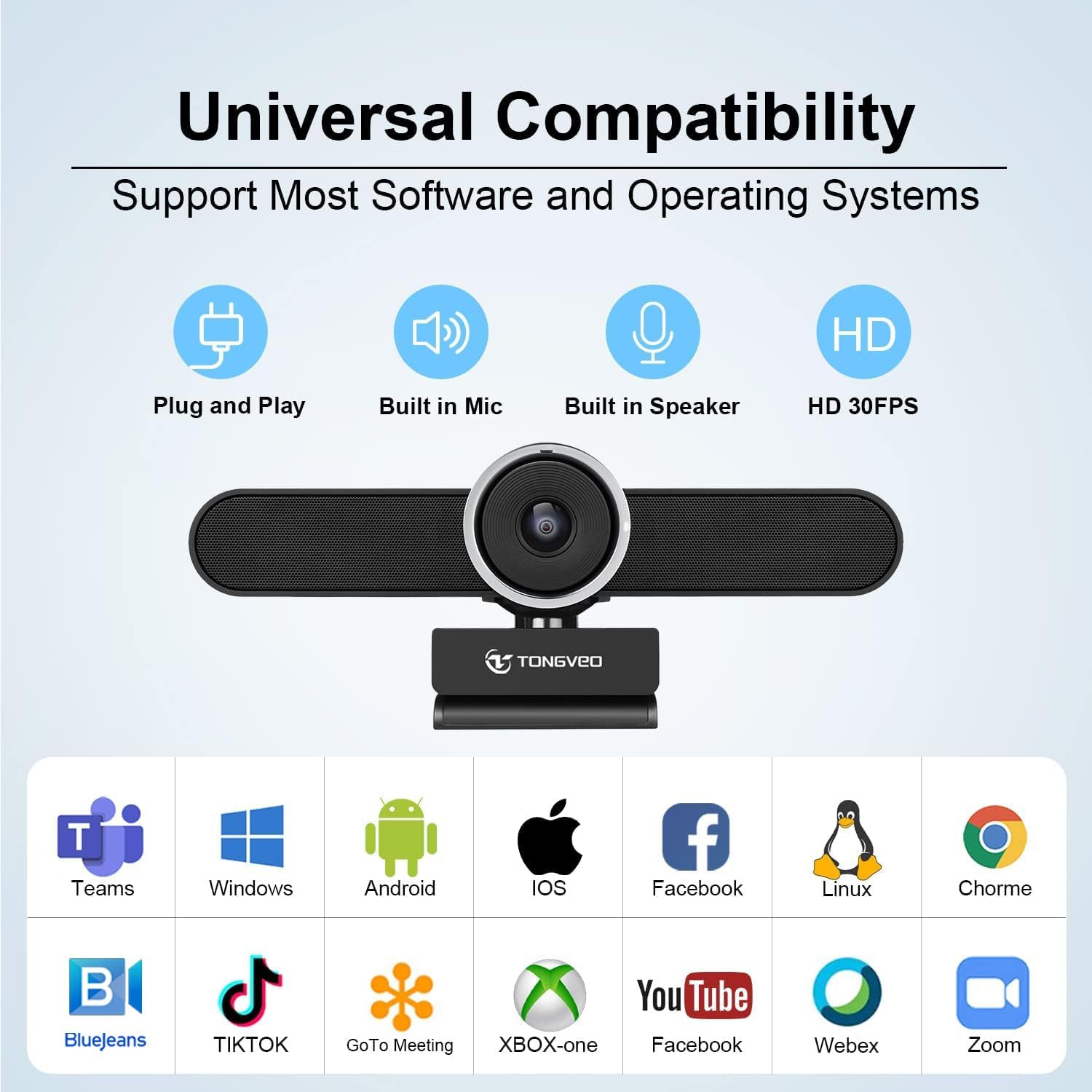
Figure 4.6: Visual representation of the camera's universal compatibility with various software platforms and operating systems.

Figure 4.7: Examples of diverse usage scenarios for the webcam, from professional video conferencing to e-learning and gaming.
5. Maintenance
To ensure the longevity and optimal performance of your TONGVEO 4K Webcam, follow these simple maintenance guidelines:
- Cleaning: Use a soft, dry cloth to wipe the camera lens and body. Avoid abrasive cleaners or solvents that could damage the surfaces.
- Storage: When not in use for extended periods, store the camera in a cool, dry place away from direct sunlight and extreme temperatures.
- Handling: Handle the camera with care to prevent drops or impacts that could damage internal components.
6. Troubleshooting
If you encounter issues with your TONGVEO 4K Webcam, refer to the following common problems and solutions:
| Problem | Possible Cause | Solution |
|---|---|---|
| Camera not detected / No video output | Loose USB connection, incorrect USB port, driver issue (rare for plug-and-play), software settings. |
|
| No audio from speaker / Poor audio quality | Volume settings, software audio output settings, physical obstruction. |
|
| Microphone not working / Poor microphone quality | Microphone settings, software audio input settings, environmental noise. |
|
| Video appears choppy or freezes | Insufficient bandwidth, outdated drivers (less common for plug-and-play), system resource issues. |
|
If the problem persists, please contact TONGVEO customer support for further assistance.
7. Specifications
| Feature | Detail |
|---|---|
| Brand | TONGVEO |
| Model | 4K |
| Video Capture Resolution | 4K |
| Photo Sensor Technology | CMOS |
| Maximum Aperture | 2 f |
| Connectivity Technology | USB |
| Color | Black |
| Item Weight | 1.52 pounds |
| Package Dimensions | 12.05 x 5.24 x 4.17 inches |
| Special Features | Low Light |
| Screen Size | 3 Inches (Visible screen diagonal) |
| Video Capture Format | MP4 |
| Supported Audio Format | AAC |
8. Warranty and Support
TONGVEO is committed to providing high-quality products and customer satisfaction. For warranty information or technical support, please refer to the contact details provided with your product packaging or visit the official TONGVEO website.
Many customer reviews highlight the responsive and helpful customer service provided by TONGVEO, indicating a strong commitment to resolving user issues.


