
1. Introduction
This manual provides essential information for the safe and efficient operation of your Konka 85 Inch UHD Smart TV, model UDE85NR316ANTS. Please read this manual thoroughly before using the television and retain it for future reference.
The Konka 680 series features a borderless full screen design and is equipped with the webOS operating system for an intuitive user experience. This television offers a 4K UHD resolution of 3840×2160 pixels, HDR technology for enhanced contrast, motion blur compensation, and surround sound capabilities. It is powered by a Quad-Core A55 processor for responsive performance.
2. Safety Information
Always follow basic safety precautions when using this television to reduce the risk of fire, electric shock, and injury.
- Do not expose the TV to rain or moisture.
- Do not open the TV casing; refer all servicing to qualified personnel.
- Ensure proper ventilation around the TV.
- Place the TV on a stable, level surface to prevent it from falling.
- Unplug the TV during lightning storms or when unused for long periods.
- Keep small objects and liquids away from the TV's openings.
3. Package Contents
Verify that all items listed below are included in the package:
- Konka 85 Inch UHD Smart TV
- Remote Control
- Power Cable
- TV Stand components
- User Manual (this document)
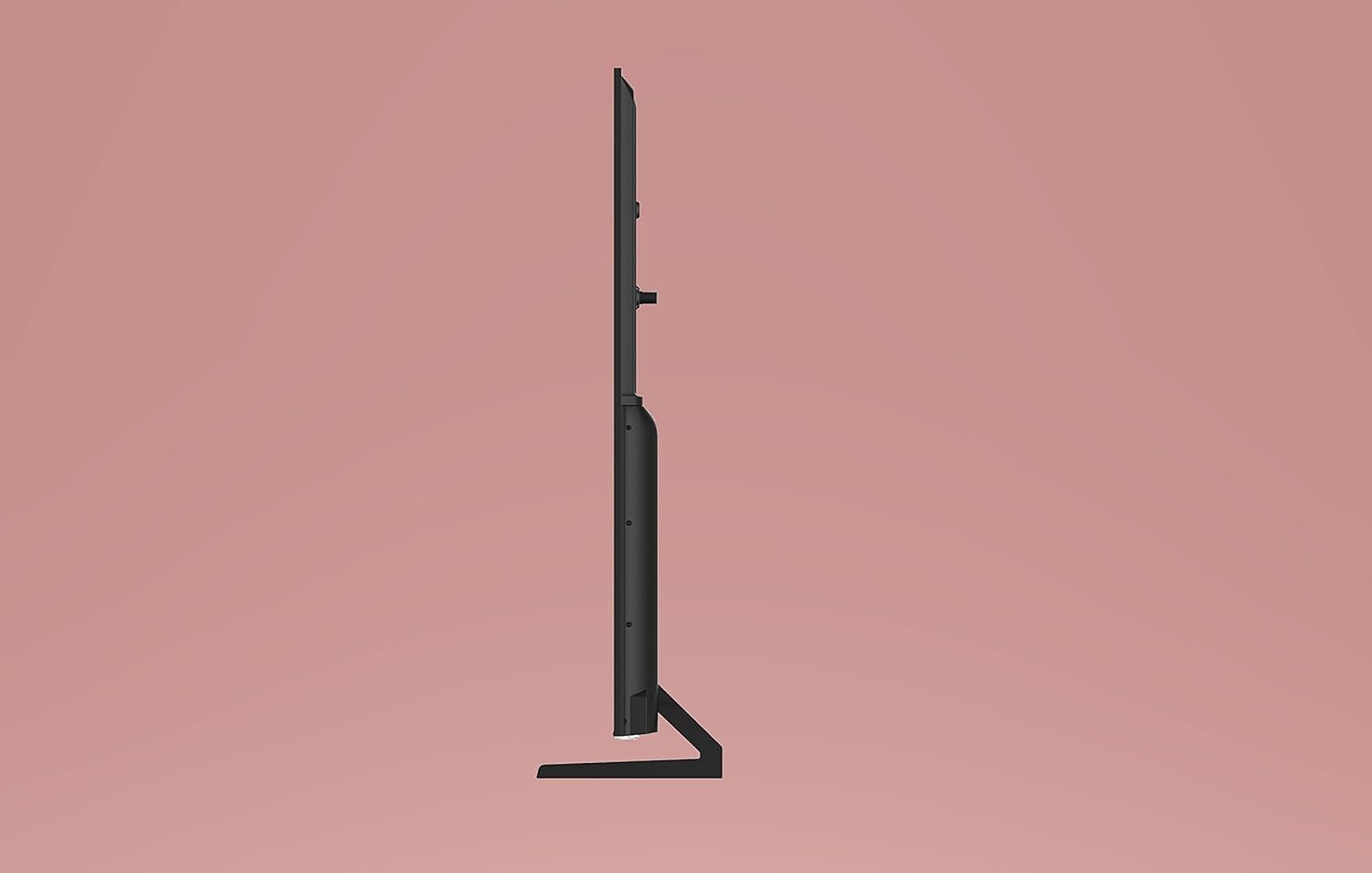
Image: The television packaging, showing the Konka brand logo, "powered by webOS TV" text, and icons indicating features like 85" UHD Smart TV, 4K, 2x HDMI, 2x USB, 8GB storage, and Wi-Fi connectivity. The image also displays logos for Netflix, Prime Video, and YouTube.
4. Setup
4.1 Installing the TV Stand
Carefully place the TV screen-down on a soft, flat surface to prevent damage. Attach the stand components to the designated slots on the bottom of the TV using the provided screws. Ensure the stand is securely fastened before placing the TV upright.

Image: A side profile view of the Konka 85 Inch TV, illustrating its slim design and the attached stand. The TV is shown against a plain pink background.
4.2 Connecting Power
Connect the power cable to the TV's power input port, then plug the other end into a wall outlet. Ensure the power outlet is easily accessible.
4.3 Connecting External Devices
Your Konka TV supports various connectivity options:
- HDMI: Connect Blu-ray players, game consoles, or set-top boxes using HDMI cables. The TV features multiple HDMI ports.
- USB: Connect USB storage devices for media playback.
- Wi-Fi: Connect to your home wireless network for internet access and smart TV features.
5. Operating the TV
5.1 Remote Control Overview
Familiarize yourself with the remote control buttons for easy navigation and control of your TV.
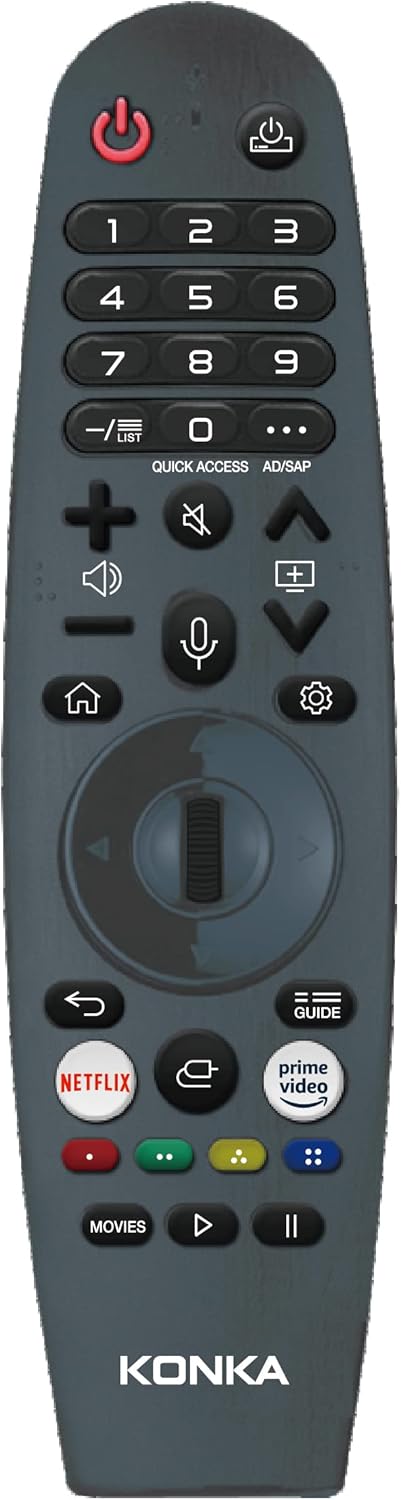
Image: A smart remote control for the Konka TV. It features a power button, number pad, volume and channel controls, navigation pad, dedicated buttons for Netflix and Prime Video, and a microphone button for voice commands. The Konka logo is at the bottom.

Image: A standard remote control for the Konka TV. It includes a power button, number pad, subtitle button, settings button, volume and channel controls, navigation buttons, media playback controls, and dedicated buttons for Netflix and Prime Video. The Konka logo is at the bottom.
5.2 Basic Functions
- Power On/Off: Press the Power button on the remote control.
- Volume Control: Use the Volume Up/Down buttons.
- Channel Selection: Use the Channel Up/Down buttons or the number pad.
- Input Source: Press the Input button to select between HDMI, USB, and other sources.
5.3 Smart TV Features (webOS)
Your Konka TV runs on the webOS system, providing access to various applications and online content.

Image: The Konka 85 Inch TV displaying its webOS smart interface. The screen shows a scenic background with a row of application icons at the bottom, including Photo & Video, Netflix, Prime Video, YouTube, and other smart TV functions.
- Home Screen: Press the Home button on the remote to access the webOS launcher bar.
- Applications: Navigate through pre-installed apps like Netflix, YouTube, and Amazon Prime Video.
- Internet Browsing: Use the built-in web browser to access websites.
- Voice Control: If your remote supports it, use the microphone button for voice commands.
6. Maintenance
Proper maintenance ensures the longevity and optimal performance of your TV.
- Screen Cleaning: Gently wipe the screen with a soft, dry, lint-free cloth. For stubborn marks, use a screen-specific cleaner applied to the cloth, not directly to the screen.
- Casing Cleaning: Wipe the TV casing with a soft, dry cloth. Avoid using abrasive cleaners or solvents.
- Ventilation: Ensure the ventilation openings on the back of the TV are not blocked to prevent overheating.
7. Troubleshooting
If you encounter issues with your TV, refer to the following common solutions:
- No Power:
- Check if the power cable is securely connected to both the TV and the wall outlet.
- Verify that the wall outlet is functioning by plugging in another device.
- No Picture/Sound:
- Ensure the correct input source is selected (e.g., HDMI 1, HDMI 2).
- Check all cable connections between the TV and external devices.
- Adjust the volume level.
- Remote Control Not Working:
- Replace the batteries in the remote control.
- Ensure there are no obstructions between the remote and the TV's IR sensor.
- Smart Features Not Working:
- Check your internet connection.
- Restart the TV by unplugging it from the power outlet for a few minutes, then plugging it back in.
For further assistance, please contact Konka customer support.
8. Specifications
| Feature | Detail |
|---|---|
| Model Name | UDE85NR316ANTS |
| Brand | KONKA |
| Screen Size | 85 Inches (216 cm visible diagonal) |
| Display Technology | 4K UHD |
| Resolution | 3840 x 2160 pixels |
| Refresh Rate | 60 Hz |
| Special Features | Flat, HDR, Motion Blur Compensation, webOS Smart TV |
| Connectivity Technology | HDMI, USB, Wi-Fi |
| Supported Internet Services | Netflix, YouTube, Amazon Prime Video |
| Processor | Quad-Core A55 |
| Product Dimensions (L x W x H) | 189.9 x 7.8 x 108.7 cm |
| Item Weight | 70 kg |
9. Warranty and Support
For detailed warranty information, please refer to the warranty card included with your product or visit the official Konka website. For technical support or service inquiries, please contact Konka customer service through their official channels.
Manufacturer: Konka