
Introduction
Thank you for choosing the FLYLINKTECH Car Jump Starter with Air Compressor. This versatile device is designed to provide emergency jump-starting for vehicles, inflate tires, and serve as a portable power bank and LED light source. Please read this manual thoroughly before use to ensure safe and optimal operation.
Product Overview
The FLYLINKTECH CF700 is a multi-functional device combining a powerful jump starter, a 150 PSI air compressor, a 24000mAh power bank, and an emergency LED light. It is suitable for all gas engines and diesel engines up to 8.0L.

Figure 1: What's in the Box - The jump starter unit, smart jumper cables, air hose with various nozzles, USB charging cable, and carrying case.
Key Features
- Battery Starter: 2500A peak current, 1200A starting current, capable of starting all gas and 8.0L diesel engines.
- Power Bank: 24000mAh capacity with 2 USB outputs (one Quick Charge) and a DC 12-16.8V / 10A port for charging various devices and car accessories.
- Tire Compressor: Powerful 150 PSI inflator with a digital display for setting desired pressure and automatic shut-off. Includes pins for inflating balls, rubber boats, and mats.
- Emergency LED Light: 5W bright LED light with multiple modes (stable, SOS, strobe) for emergency situations, night breakdowns, or repairs.
- 12V Socket: Connects various car accessories such as additional USB chargers or car fans.
- Smart Protection System: Features short circuit protection, high/low temperature protection, reverse connection protection, surge voltage protection, high voltage protection, and over discharge protection.

Figure 2: Overview of the multi-functional features of the device.
Safety Information
Always follow these safety guidelines to prevent injury or damage to the device and vehicle:
- Read all instructions before using the product.
- Do not immerse the product in water.
- Do not operate the product in explosive atmospheres, such as in the presence of flammable liquids, gases, or dust.
- Keep out of reach of children.
- Ensure proper polarity connection when jump-starting to avoid sparks and damage. The smart clamp provides protection against reverse connection.
- Do not touch the air hose connector immediately after prolonged inflation, as it may be hot.

Figure 3: The device incorporates multiple safety protections for user and vehicle safety.
Setup
Charging the Device
Before first use, fully charge the jump starter. Use the provided USB-C charging cable to connect the device to a compatible USB power adapter (not included). The digital display will indicate the charging status. It is recommended to recharge the device every 3-6 months to maintain battery health, even if not in use.
Operating Instructions
1. Jump Starting a Vehicle
- Ensure the jump starter is sufficiently charged.
- Connect the smart jumper cables to the jump starter's jumping port.
- Attach the red clamp to the positive (+) terminal of the vehicle's battery.
- Attach the black clamp to the negative (-) terminal of the vehicle's battery. The smart clamp will indicate a safe connection (e.g., green light).
- Start the vehicle's engine.
- Once the engine starts, immediately remove the clamps from the battery, then disconnect the smart jumper cables from the jump starter.

Figure 4: Proper connection for jump starting a vehicle.
Video 1: Demonstration of jump starting a vehicle using a similar device. The video shows connecting the clamps to the battery and starting the car.
2. Tire Inflation
- Screw the air hose into the designated port on the jump starter.
- Attach the air hose nozzle securely to the tire valve stem.
- Turn on the device and select the desired pressure unit (PSI, BAR, KPA).
- Use the '+' and '-' buttons to set the target tire pressure.
- Press the start button to begin inflation. The compressor will automatically stop once the preset pressure is reached.
- Disconnect the air hose from the tire valve and then from the jump starter.
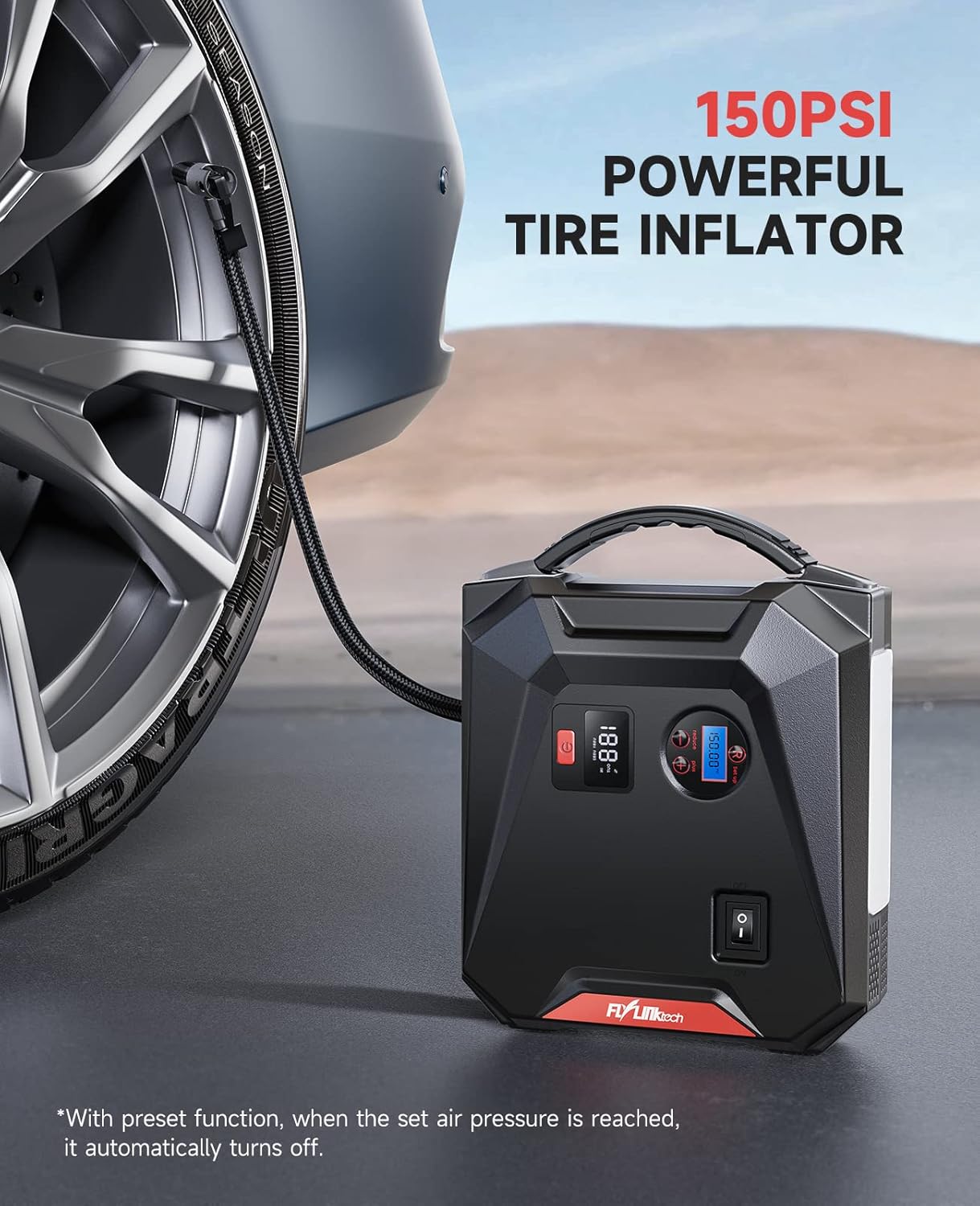
Figure 5: The device connected to a car tire for inflation.
Video 2: A seller demonstration of the car jump starter's air compressor function, showing how to connect and inflate a tire.
3. Using as a Power Bank
Connect your electronic devices (phones, tablets, etc.) to the USB output ports or car accessories to the DC 12-16.8V / 10A port for charging.

Figure 6: The device being used to charge multiple electronic devices.
4. Using the LED Light
Press and hold the light button to turn on the LED light. Short presses will cycle through different modes: stable light, SOS signal, and strobe light. Press and hold again to turn off.

Figure 7: The device's LED light providing illumination in a dark setting.
Maintenance
- Keep the device clean and dry.
- Store in a cool, dry place away from direct sunlight and high temperatures.
- Recharge the device at least once every 3-6 months to prevent deep discharge and prolong battery life.
- Inspect cables and accessories for any damage before each use.
Troubleshooting
| Problem | Possible Cause | Solution |
|---|---|---|
| Device does not turn on/charge | Battery completely depleted or charging cable/adapter faulty. | Ensure charging cable and adapter are working. Try a different charging source. Allow sufficient time for initial charge. |
| Vehicle does not jump start | Incorrect clamp connection, insufficient device charge, or vehicle battery severely damaged. | Check clamp polarity and ensure secure connection. Fully charge the jump starter. Consult a mechanic if vehicle battery is beyond jump-starting. |
| Air compressor not inflating | Air hose not securely attached, incorrect pressure setting, or device not powered on. | Ensure air hose is tightly screwed in and nozzle is secure on valve. Verify pressure setting and device power. |
| Air compressor stops prematurely | Preset pressure reached (automatic shut-off). | This is normal operation. Check the current tire pressure. |
Specifications
- Brand: FLYLINKTECH
- Model: CF700
- Peak Current: 2500A
- Starting Current: 1200A
- Battery Capacity: 24000mAh
- Vehicle Service Type: Passenger Car (All Gas or 8.0L Diesel)
- Air Compressor Pressure: 150 PSI
- USB Output: 2 ports (one Quick Charge)
- DC Output: 12-16.8V / 10A
- Item Weight: 5.74 pounds
- Product Dimensions: 8.66 x 6.69 x 3.35 inches
- Battery Cell Composition: Lithium Ion
- Voltage: 12 Volts
Warranty & Support
This product comes with a 24-Months Global Warranty. FLYLINKTECH is committed to providing Life Time After-sale Service & Technical Support. For any inquiries or assistance, please contact FLYLINKTECH customer service.


