Product Overview
The WAVLINK WL-UG7602HC is a versatile USB 3.0 or USB-C to Dual HDMI Adapter designed to expand your display capabilities. It allows you to connect up to two external monitors to your computer, supporting both extended and mirrored display modes. This adapter is ideal for enhancing productivity and managing multiple applications across several screens.

Image: The WAVLINK USB 3.0/USB-C to Dual HDMI Adapter, featuring a compact design with two HDMI ports and a hybrid USB-A/USB-C cable.
Key Features
- Dual 2K Display: Supports resolutions up to dual 1920x1080@60Hz or one 2560x1440@60Hz and another 1920x1080@60Hz. Android devices support mirror mode up to 1080P.
- Multiple Monitor Support: Connect up to 8 monitors on Windows and up to 6 monitors on macOS using multiple adapters. Recommended for web and productivity applications.
- Hybrid 2-in-1 Universal Compatibility: Features a USB 3.0 and USB-C cable for connection to USB-C, USB 3.0, USB 4.0, or Thunderbolt 3/4 ports. Compatible with Windows 7/8/8.1/10/11+, Mac OS 10.10+, Chrome OS, and Android 7.1+ (with OTG).
- Powerful Chip & Design: Integrated "Content Adaptive Technology" GPU reduces CPU load by up to 70%. Multiple hardware decoders ensure faster video streaming. Designed with heat sinks and non-slip PVC pads for durability and extended lifespan.

Image: Close-up of the adapter's internal chip, highlighting its advanced technology for efficient video processing.
Package Contents
- 1x WAVLINK USB 3.0 to HDMI Dual Display Adapter (WL-UG7602HC)
- 1x CD-Shaped Card for Driver Download Links
- 1x Quick Start Guide

Image: The adapter, its packaging, a driver download card, and a quick start guide.
Setup and Installation
Driver Installation
Before connecting the adapter, it is crucial to install the necessary drivers. Please follow the instructions provided on the included CD-shaped card or visit the official WAVLINK website to download the latest drivers for your operating system.
Connecting the Adapter
- Connect the hybrid USB 3.0 or USB-C cable from the WAVLINK adapter to an available USB 3.0, USB-C, USB 4.0, or Thunderbolt 3/4 port on your computer.
- Connect your HDMI monitors to the HDMI output ports on the adapter. The adapter features two HDMI ports, one supporting up to 2K resolution and the other up to 4K resolution.
- Power on your computer and monitors. The system should detect the new displays.
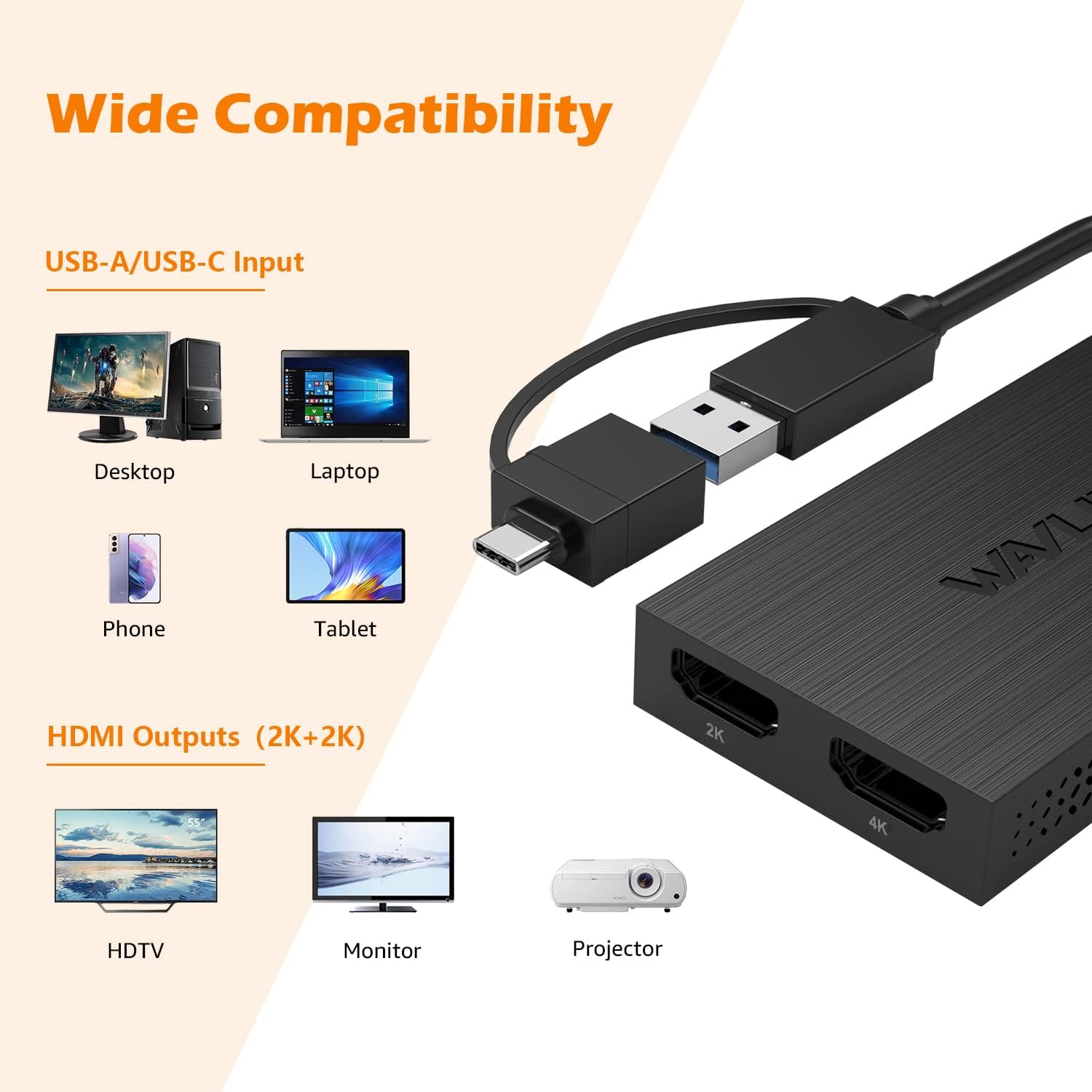
Image: Diagram showing the adapter connected to a laptop via USB-C, with two HDMI cables extending to external monitors.
Video: An animation demonstrating the easy connection of the WAVLINK USB 3.0/USB-C to Dual HDMI Adapter to a laptop and two external monitors, showcasing its heat dissipation and hybrid cable design.
Operating Modes
The adapter supports various display modes to suit your needs:
Extend Mode
In Extend Mode, each connected monitor displays a different desktop, allowing for increased workspace and multitasking.
- Windows: Supports up to 8 monitors with multiple adapters.
- macOS: Supports up to 6 monitors with multiple adapters.
- Android: Does not support Extend Mode.

Image: A laptop connected to two external monitors, displaying different content on each screen, illustrating the Extend Mode.

Image: A laptop connected to six external monitors, demonstrating the capability for extended display across multiple screens.

Image: A visual comparison between Mirror Mode and Extended Mode, showing a laptop screen duplicated on an external monitor (Mirror) versus different content on each (Extend).
Mirror Mode
In Mirror Mode, all connected monitors display the same content as your primary screen.
- Windows: Supported.
- macOS: Supported.
- Android: Supported (up to 1080P resolution).
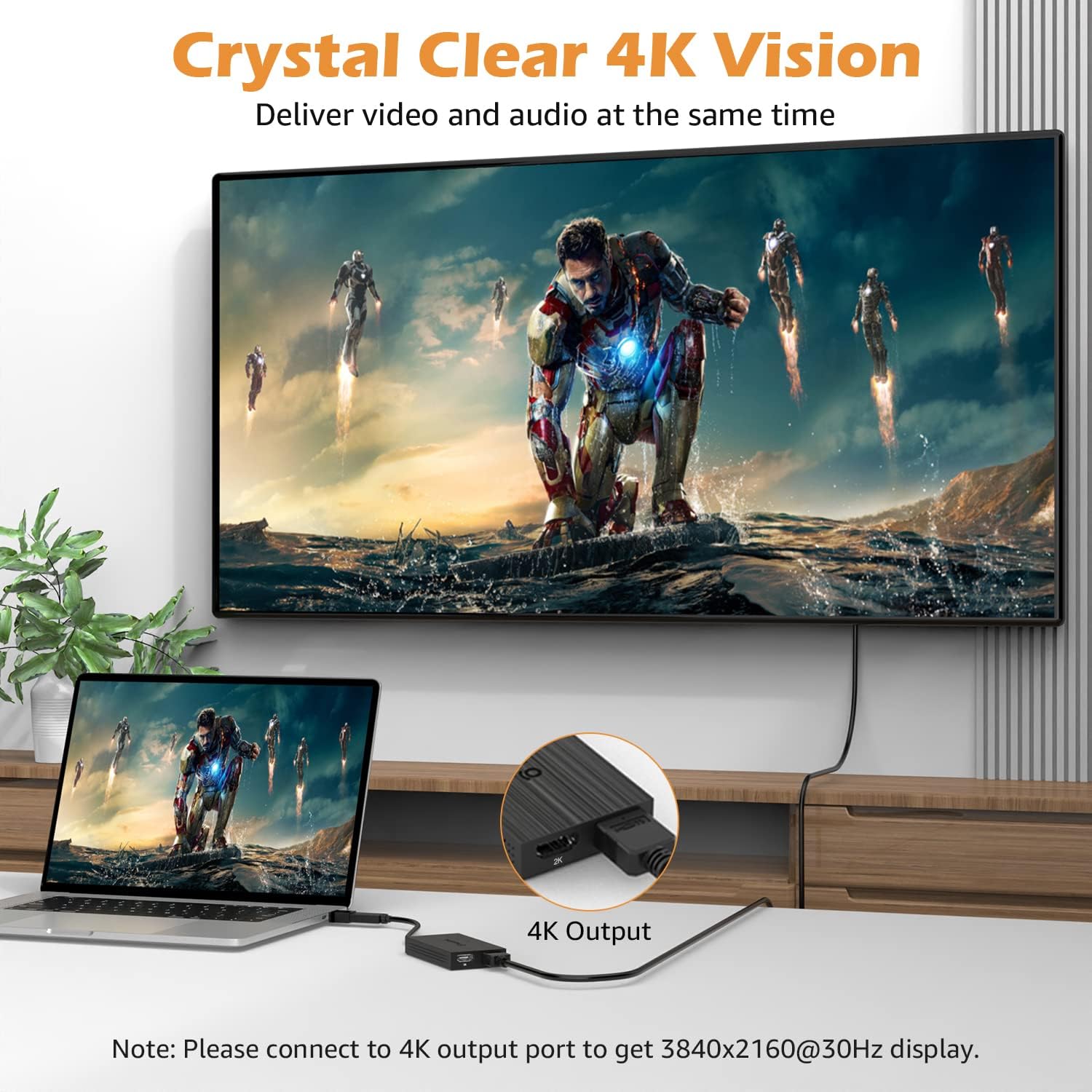
Image: A laptop connected to two external monitors, all displaying identical content, demonstrating the Mirror Mode.
Rotation Mode
Allows for screen orientation adjustment.
- Windows: Supported.
- macOS: Not supported.
Clamshell Mode
Allows you to use external monitors with your laptop lid closed.
- Windows: Supported.
- M1-based Mac: Supported.
- Intel-based Mac: Not supported.
Compatibility
Operating Systems
- Windows 7 / 8 / 8.1 / 10 / 11 or higher
- Mac OS 10.10 or above
- Chrome OS
- Android 7.1 Above with OTG function
Note: iPad OS and Linux are not supported.
Device Types
- PC Laptops
- Desktops
- Monitors
- Projectors
- HDTVs

Image: A chart detailing the compatibility of the WAVLINK adapter with various operating systems and device types, including supported and unsupported platforms.
Specifications (Model: WL-UG7602HC)
| Feature | Detail |
|---|---|
| Product Dimensions | 0.71 x 5.35 x 3.94 inches |
| Item Weight | 4.2 ounces |
| Manufacturer | WAVLINK |
| ASIN | B09MFKXV4K |
| Item Model Number | WL-UG7602HC |
| Date First Available | September 29, 2021 |
| Connector Type | USB 3.0, USB Type C |
| Color | USB to 2 HDMI |
Troubleshooting
No Display Output
- Ensure drivers are correctly installed. Re-download and install the latest drivers from the WAVLINK website if necessary.
- Verify all cable connections (USB to computer, HDMI to monitors) are secure.
- Try connecting the adapter to a different USB port on your computer.
- Test with different HDMI cables and monitors to rule out faulty peripherals.
- Restart your computer after driver installation and connection.
Display Freezes or Blanks Out
- Unplug and re-plug the USB connection to the adapter.
- Ensure your monitor refresh rates are set correctly (e.g., 60Hz).
- Update your computer's graphics drivers.
- Avoid using the adapter for graphics-intensive tasks like gaming if experiencing frequent issues, as it is primarily recommended for productivity.
Android Device Mirror Mode Issues
- Ensure your Android device has OTG (On-The-Go) function enabled.
- Confirm the resolution is set to 1080P or lower, as Android devices only support mirror mode up to 1080P.
macOS Extend Mode Limitations
- macOS supports Extend Mode, but Rotation Mode is not supported.
- Intel-based Macs do not support Clamshell Mode with this adapter.
Maintenance
To ensure optimal performance and longevity of your WAVLINK adapter:
- Keep the device clean and free from dust. Use a soft, dry cloth for cleaning.
- Avoid exposing the adapter to extreme temperatures or humidity.
- Do not obstruct the ventilation holes, as they are designed for heat dissipation.
- Handle cables and connectors gently to prevent damage.
Support
For further assistance or inquiries, please contact WAVLINK customer service:
- Phone: +1 888 973 0883 (UTC-5) Mon-Fri 9 AM - 6 PM
- Email: Contact@wavlink.com
Image: A graphic displaying WAVLINK's customer support phone number and email address.


