1. Product Overview
The Sinjimoru M-Plate is a magnetic sticker designed to add MagSafe compatibility to any phone or non-MagSafe phone case. It enables the use of MagSafe accessories and supports wireless charging by providing a strong magnetic attachment point.
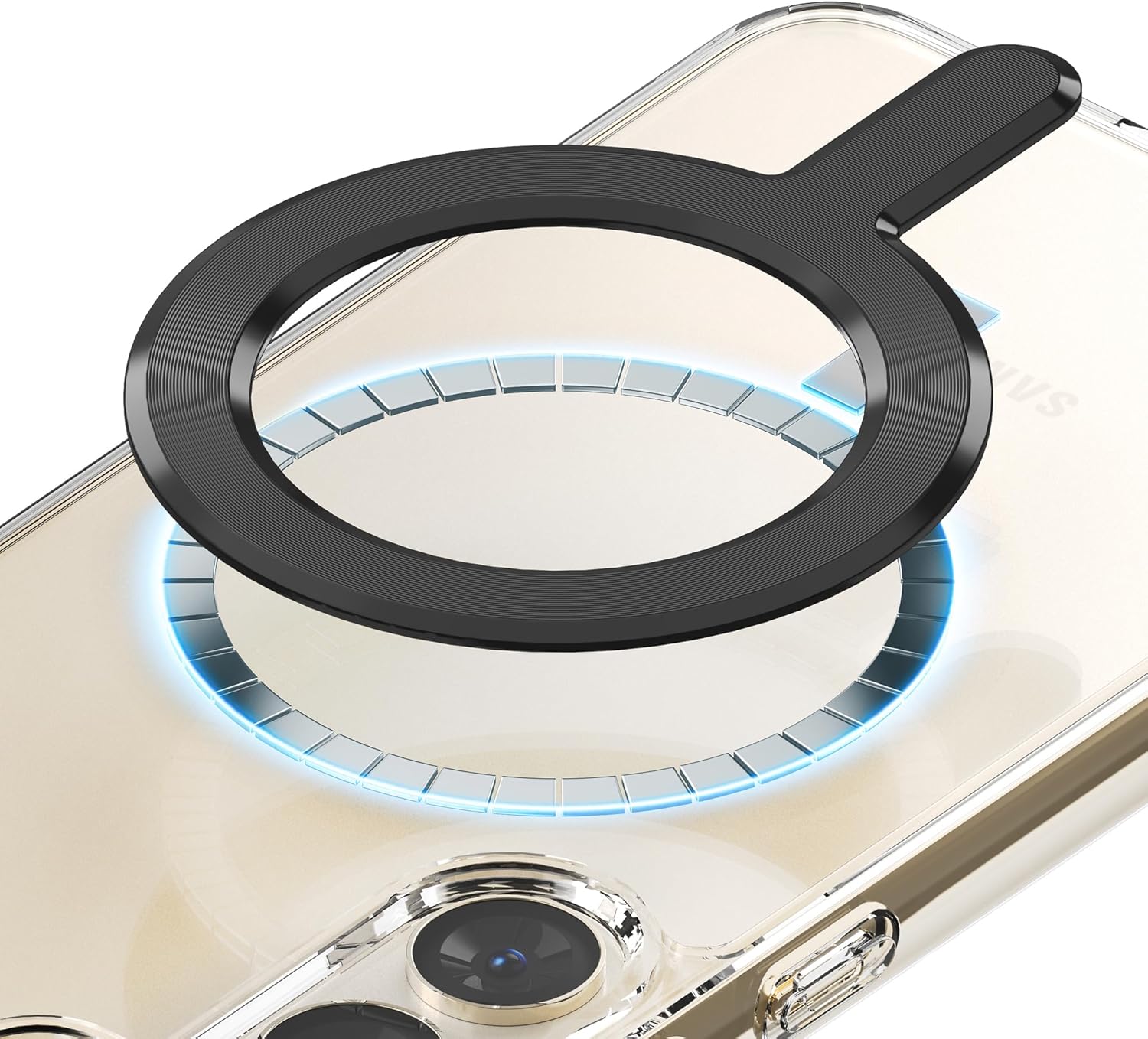
Figure 1: Sinjimoru M-Plate attached to a phone case, illustrating its function as a magnetic ring for MagSafe accessories.

Figure 2: Overview of Sinjimoru M-Plate in black and white, alongside compatible accessories like magnetic card holders.
2. Safety Information and Important Notices
- Sinjimoru does not offer compensation for phone damage that may occur during the use or installation of this product.
- Do not pull or bend the product forcefully, as this may damage the M-Plate or your device. Due to the strong adhesion of the double-sided tape, the M-Plate cannot be reused once attached.
- It is recommended to apply the M-Plate to the back of a phone case rather than directly to the phone. The M-Plate is not compatible with cases made of certain materials such as silicone, leather, fabric, or suede. It is only compatible with PC or TPU cases without a fingerprint-resistant coating.
- Wireless charging efficiency may be reduced on devices with protruding cameras (e.g., iPhone 14 Pro) if the M-Plate cannot be centered correctly. MagSafe accessories can still be used without limitations.
- For iPhone 14 Pro users, the optimal docking point for wireless charging is located slightly lower. When using the attachment guide, pull it down by one line from the standard alignment to optimize wireless charging performance.
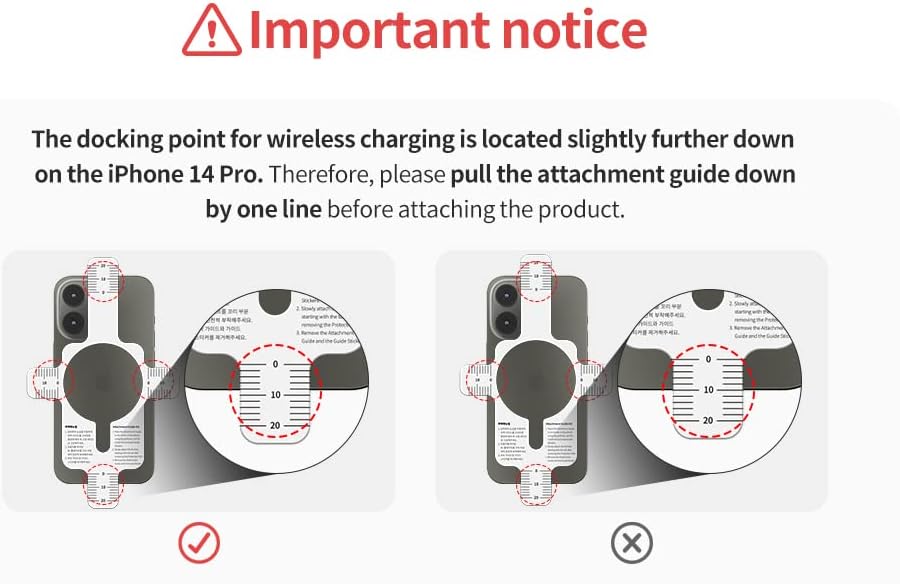
Figure 3: Important notice regarding iPhone 14 Pro wireless charging alignment.
3. Package Contents
The Sinjimoru M-Plate package includes the following items:
- M-Plate (Magnetic Sticker)
- Assistant Adhesive Film
- Attachment Guide
- Manual (this document)
- Guide Sticker

Figure 4: Contents of the M-Plate package and product dimensions.
4. Setup and Installation
The M-Plate is designed for easy attachment to most phone cases (excluding silicone, leather, fabric, and suede). An Attachment Guide Kit is included to assist with precise placement.
4.1 Surface Preparation
- Ensure the back of your phone case (or phone, if preferred, though case is recommended) is clean and dry.
- Wipe the application area with an alcohol swab to remove any oils or residue. Allow the surface to dry completely before proceeding.
4.2 Using the Attachment Guide
- Place the Attachment Guide over your phone or phone case, aligning it with the device's edges and camera module.
- For iPhone 14 Pro users, adjust the Attachment Guide by pulling it down one line from the standard alignment to optimize wireless charging performance.
- Secure the Attachment Guide in place using the provided Guide Stickers.
- Carefully peel off the protective film from the adhesive side of the M-Plate.
- Align the M-Plate within the designated circular area of the Attachment Guide. Ensure it is perfectly centered before pressing down.
- Once aligned, firmly press the M-Plate onto the phone case, applying even pressure across the entire surface for several seconds to ensure strong adhesion.
- Remove the Attachment Guide and Guide Stickers.

Figure 5: Guidelines for M-Plate attachment: on the back of the phone or case, not inside.

Figure 6: Details of the M-Plate's strong 3M adhesive and slim profile.
5. Operating Instructions
Once the M-Plate is securely attached, your device is now compatible with MagSafe accessories and enhanced for wireless charging.
5.1 Using with MagSafe Accessories
Simply align your MagSafe-compatible accessory (e.g., MagSafe charger, wallet, car mount) with the M-Plate on your phone case. The strong magnetic force (1000g, more than twice that of iPhone's MagSafe) will securely hold the accessory in place.

Figure 7: M-Plate's magnetic strength compared to iPhone's built-in MagSafe.
5.2 Wireless Charging
The M-Plate facilitates efficient wireless charging. Place your device with the attached M-Plate onto a compatible wireless charger. Ensure the M-Plate is centered on the charging coil for optimal performance. Refer to the "Important Notice" section for specific instructions regarding iPhone 14 Pro models.
6. Maintenance
The Sinjimoru M-Plate requires minimal maintenance. Keep the surface clean and free of dust or debris. Avoid exposing the adhesive to excessive moisture or extreme temperatures, as this may compromise its bond.
7. Troubleshooting
7.1 MagSafe Accessory Not Holding Securely
- Check Case Compatibility: Ensure your phone case is made of PC or TPU and does not have a fingerprint-resistant coating. The M-Plate is not compatible with silicone, leather, fabric, or suede cases.
- Verify Placement: Confirm the M-Plate was applied correctly and is centered on the device's wireless charging coil area.
- Surface Cleanliness: Ensure the surface was thoroughly cleaned and dry before application.
7.2 Wireless Charging Issues
- Alignment: Ensure the M-Plate is perfectly aligned with your wireless charger's coil. Slight adjustments may be necessary.
- Protruding Cameras: For devices with large, protruding camera modules (e.g., iPhone 14 Pro), wireless charging efficiency might be affected if the M-Plate cannot be perfectly centered. MagSafe accessories will still function.
- Charger Compatibility: Verify that your wireless charger is compatible with your phone model.
8. Specifications
| Feature | Detail |
|---|---|
| Product Dimensions | 3.17 x 2.32 x 0.06 inches (8.05 x 5.89 x 0.15 cm) |
| Item Weight | 0.317 ounces (9 grams) |
| Magnetic Strength | 1000G |
| Color | Black (also available in White) |
| Material | Silicone (referring to adhesive backing or specific component) |
| Special Features | Magnetic, Wireless Charger Compatible, Wireless Charging |
| Manufacturer | Sinjimoru Co, Ltd |
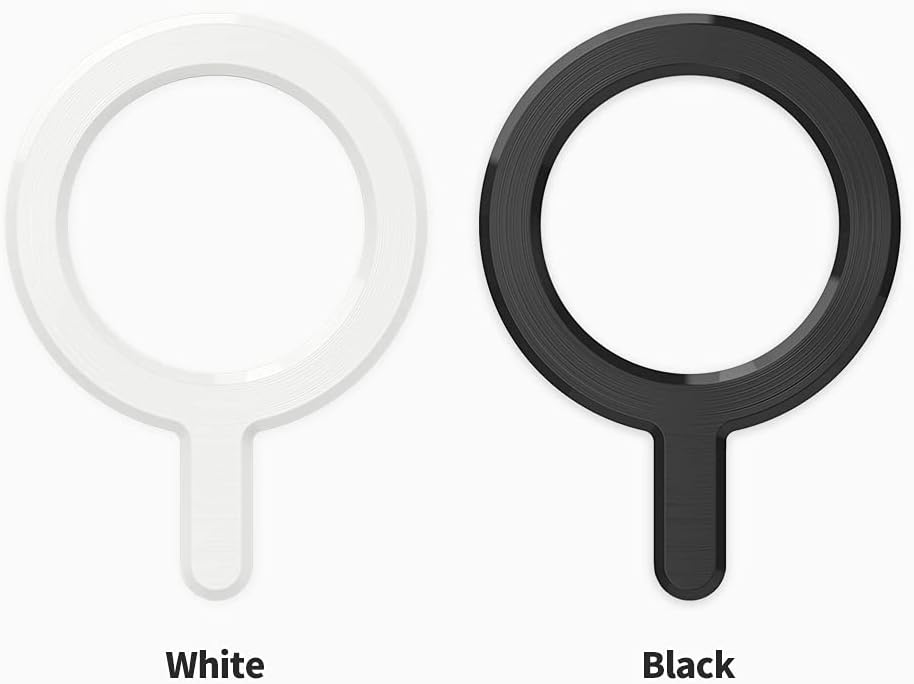
Figure 8: Available M-Plate color options.
9. Warranty and Support
Sinjimoru provides a 90-day warranty for all M-Plate products from the date of purchase. This warranty covers manufacturing defects under normal use.
For product support, warranty claims, or further inquiries, please contact Sinjimoru customer service through their official website or the retailer where the product was purchased.
Visit the official Sinjimoru Store: Sinjimoru Store


