
eMACROS 1r2s
eMACROS Wireless Driveway Alarm System User Manual
Model: 1r2s
Product Overview
The eMACROS Wireless Driveway Alarm System provides a reliable and weatherproof solution for home security, protecting indoor and outdoor property. This system includes one receiver and two motion sensors, designed to detect movement within a 24-foot range and alert you with extra loud chimes. With a wireless transmission range of up to 500 feet, it offers extensive coverage for driveways, walkways, and other monitored areas.

Image: The eMACROS Wireless Driveway Alarm System, showing the main receiver unit and two motion sensors.
Key Features
- Wireless Range: Up to 500 feet (152 meters) for reliable communication between sensors and receiver.
- Motion Detection Range: Detects movement up to 24 feet (7.3 meters).
- Loud Chimes: Features extra loud chimes to alert users of detected activity.
- Weatherproof Design: Sensors are designed to withstand outdoor conditions, operating effectively in temperatures from -4°F to 140°F (-20°C to 60°C).
- Versatile Placement: Suitable for both indoor and outdoor applications, including driveways, walkways, mailboxes, stairs, and desks.
- Battery Powered: Both receiver and sensors operate on batteries for flexible placement.
- Easy Installation: Designed for plug-and-play setup, ready in minutes.

Image: Examples of indoor and outdoor use for the eMACROS alarm system.
Setup and Installation
1. Battery Installation
The motion sensors require two CR2450 lithium coin batteries each. The receiver can be powered by three AA batteries or an external USB charger (not included).
- For sensors: Gently twist the top portion of the sensor counter-clockwise to open. Insert the two CR2450 batteries according to the polarity markings. Close the sensor by twisting the top clockwise until secure.
- For receiver: Open the battery compartment on the back of the receiver. Insert three AA batteries, observing the correct polarity. Alternatively, connect a micro USB cable to the receiver's micro USB port for continuous power.

Image: Instructions for opening the sensor and a diagram of the receiver's controls.
2. Sensor Placement
The sensors are designed for easy DIY installation and can be mounted on walls, posts, or placed on flat surfaces. Consider the following for optimal performance:
- Mount sensors at a height that allows for clear detection of movement in the desired area.
- Ensure the sensor's detection window is unobstructed.
- Avoid pointing sensors directly at heat sources or moving objects like tree branches that could cause false alarms.
- The magnetic ball socket mount allows for flexible aiming of the sensor. Ensure it is securely positioned after adjustment.

Image: Various installation examples for the eMACROS motion sensor.
3. Initial Pairing (Pre-programmed)
Your eMACROS system is typically pre-programmed at the factory, meaning the sensors and receiver are already paired. Upon battery installation, the system should be ready for use. If re-pairing is ever needed, refer to the specific instructions provided in the original packaging or contact customer support.
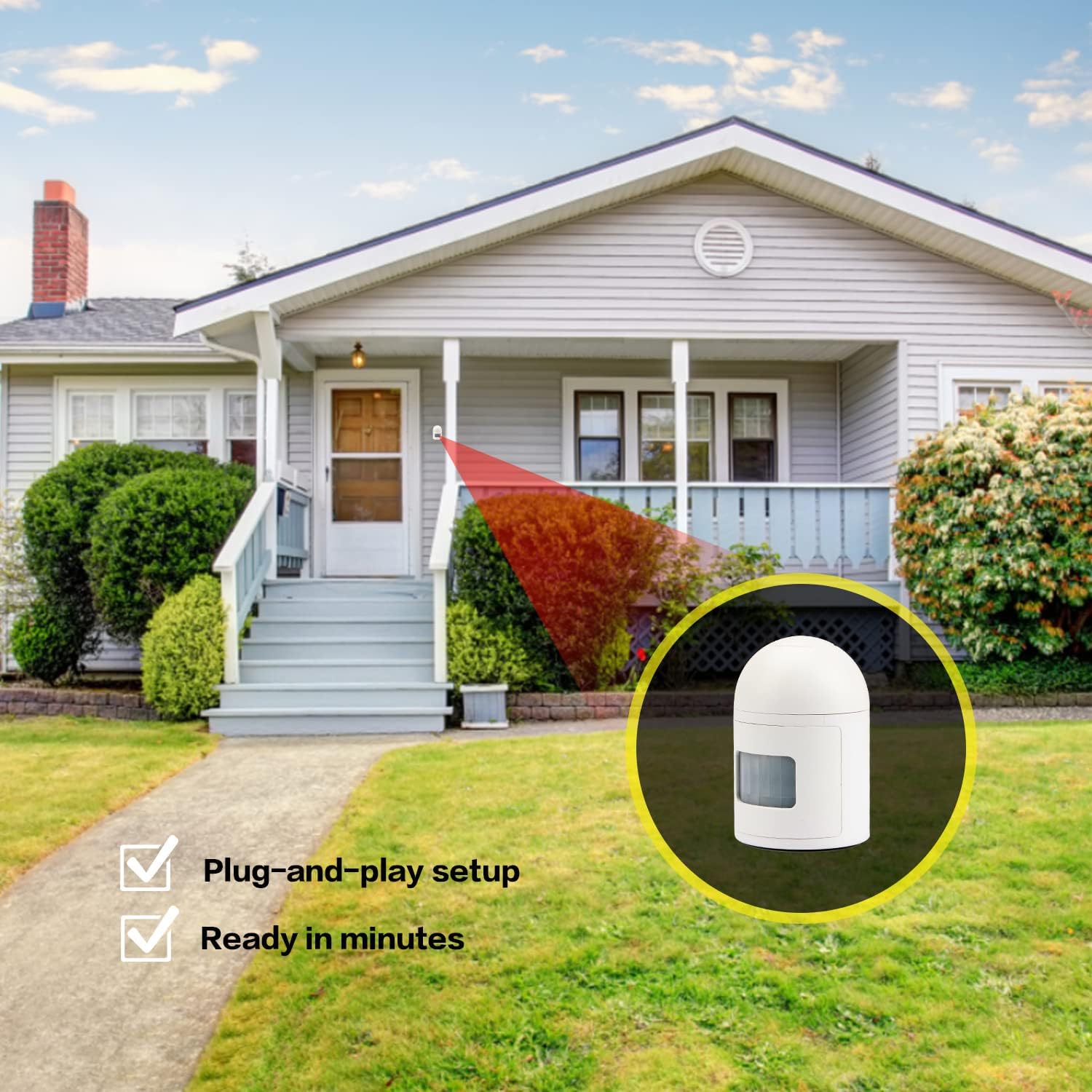
Image: Visual representation of the system's easy plug-and-play setup.
Operating Instructions
Receiver Controls
The receiver features four main control buttons, labeled 1, 2, 3, and 4, corresponding to different functions:
- Volume + (Button 1): Increases the alarm volume.
- Power On/Off (Button 2): Turns the receiver on or off.
- Volume - (Button 3): Decreases the alarm volume.
- Mode / Zone/Channel (Button 4): Used to cycle through different chime modes or assign sensors to specific zones/channels. Consult the original manual for detailed mode configuration.
Motion Detection
When a sensor detects motion within its 24-foot range, it sends a wireless signal to the receiver. The receiver will then sound the selected chime to alert you. The sensor has a small red indicator light that illuminates when triggered, confirming detection.

Image: A motion sensor detecting movement.
Maintenance
- Battery Replacement: Replace batteries in sensors (CR2450) and receiver (AA) as needed. Low battery indicators may be present on the receiver.
- Cleaning: Wipe sensors and receiver with a soft, dry cloth. Do not use abrasive cleaners or immerse units in water.
- Sensor Lens: Keep the sensor's detection lens clean and free from dust, dirt, or spiderwebs to ensure accurate motion detection.
Troubleshooting
- No Detection/False Alarms:
- Check sensor placement; ensure it's not pointing at heat sources or moving foliage.
- Verify batteries are correctly installed and have sufficient charge.
- Clean the sensor lens.
- Poor Wireless Range:
- Ensure no large metal objects or thick walls are obstructing the signal path between the sensor and receiver.
- Relocate the receiver or sensors to improve line-of-sight.
- Check battery levels in both units.
- Receiver Not Responding:
- Confirm the receiver is powered on and batteries are charged or USB power is connected.
- If issues persist, attempt to re-pair the sensors with the receiver (refer to original manual for specific steps).
Specifications
| Attribute | Value |
|---|---|
| Brand | eMACROS |
| Model Number | 1r2s |
| Color | White |
| Power Source (Receiver) | Battery Powered (3 AA) or USB |
| Power Source (Sensor) | Battery Powered (2 CR2450) |
| Wireless Range | Up to 500 Feet |
| Motion Detection Range | Up to 24 Feet |
| Mounting Type | Wall Mount |
| Recommended Uses | Driveway, Walkway, Indoor/Outdoor Security |
| Product Dimensions | 6.89 x 4.25 x 1.93 inches |
| Item Weight | 9.5 Ounces |
| Operating Temperature | -4°F to 140°F (-20°C to 60°C) |
Warranty and Support
eMACROS is committed to providing reliable security solutions. For any product inquiries, technical assistance, or warranty claims, please refer to the contact information provided with your purchase or visit the official eMACROS brand store online. Keep your purchase receipt for warranty validation.
eMACROS was founded in 2012, dedicated to making homes smarter, safer, and more secure.
Related documents1r2s


Ask a question about this manual
Ask about setup, troubleshooting, compatibility, parts, safety, or missing instructions. Manuals+ will review the question and use this page’s manual context to help answer it.