
1. Product Overview
The DOOGEE X96 Pro is an Android 11 smartphone designed for reliable daily use. It features a 6.52-inch HD+ display, a 5400mAh battery, and a 13MP AI quad-camera system. The device supports 4G connectivity and offers security features like facial recognition and a fingerprint sensor.
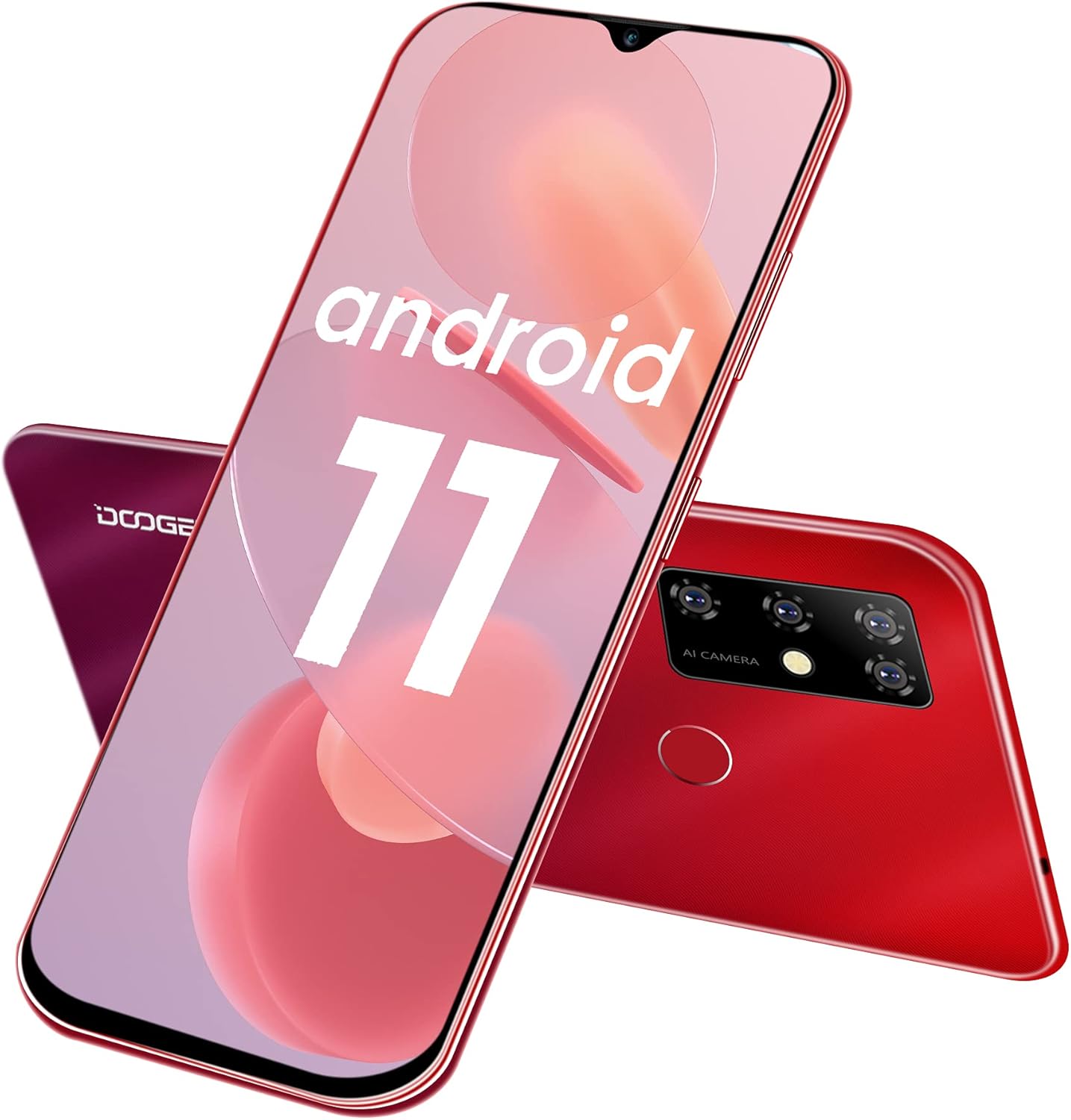
Image 1.1: Front and rear view of the DOOGEE X96 Pro smartphone, showcasing its design and quad-camera setup.
Key Features:
- Operating System: Android 11.0 for enhanced privacy and system optimization.
- Display: 6.52-inch HD+ waterdrop screen with a 91% screen-to-body ratio and 720*1600 resolution.
- Performance: T310 Quad-Core processor with 4GB RAM for smooth operation.
- Storage: 64GB internal storage, expandable up to 256GB via TF card.
- Battery: 5400mAh large capacity battery, offering 1-3 days of normal use, 17 days standby, and 25 hours of call time.
- Camera System: 13MP AI main camera, 2MP macro camera, 2MP portrait camera, and a 2MP secondary camera. Features an 8MP front camera.
- Security: Supports fingerprint unlock and facial recognition.
- Connectivity: Dual Nano SIM support with a 3-in-1 card slot (2 SIMs + 1 TF card).
- Design: Slim and lightweight body, weighing 198 grams with a thickness of 9.7mm.
2. Initial Setup
2.1 Inserting SIM and TF Cards
The DOOGEE X96 Pro features a 3-in-1 card slot, allowing for two Nano SIM cards and one TF (microSD) card to be used simultaneously. To access the card slot, gently remove the back cover of the phone.
- Power off the device before inserting or removing cards.
- Locate the notch on the back cover and carefully pry it open to remove.
- Insert your Nano SIM cards and TF card into their respective slots as indicated on the tray. Ensure the gold contacts face downwards.
- Carefully replace the back cover, ensuring it clicks securely into place.

Image 2.1: Illustration of the 3-in-1 card slot for Nano SIM and TF cards.
2.2 Powering On and Initial Configuration
- Press and hold the Power button on the side of the device until the DOOGEE logo appears.
- Follow the on-screen prompts to select your language, connect to Wi-Fi, and set up your Google account.
- Review and accept the terms and conditions.
2.3 Setting Up Security Features
To enhance device security, configure facial recognition and fingerprint unlock:
- Navigate to Settings > Security.
- Select Fingerprint Unlock and follow the instructions to register your fingerprint. The fingerprint sensor is located on the rear of the device.
- Select Face Unlock and follow the instructions to register your face using the front camera.

Image 2.2: Icons representing facial recognition and fingerprint unlock features.
3. Operating Your Smartphone
3.1 Android 11 Features
The DOOGEE X96 Pro runs on Android 11, offering various enhancements:
- Conversation Bubbles: Manage and respond to conversations directly from floating bubbles on your home screen.
- Privacy Controls: Enhanced privacy settings allow for more granular control over app permissions, including one-time permissions for microphone, camera, and location.
- Device Controls: Access smart home device controls quickly from the power menu.

Image 3.1: Visual representation of Android 11's messaging, quick settings, and privacy features.
3.2 Camera Usage
The device is equipped with a 13MP AI quad-camera system on the rear and an 8MP front camera.
- Open the Camera application from your home screen or app drawer.
- Switch between photo, video, portrait, and macro modes as needed.
- Tap the screen to focus on a specific area.
- Press the shutter button to capture photos or start/stop video recording.

Image 3.2: Overview of the smartphone's camera specifications, including front and rear camera resolutions.
3.3 Battery Management
The 5400mAh battery provides extended usage. To optimize battery life:
- Adjust screen brightness.
- Close unused applications running in the background.
- Enable Battery Saver mode when battery is low.
- Use the provided 10W charger for optimal charging speed.
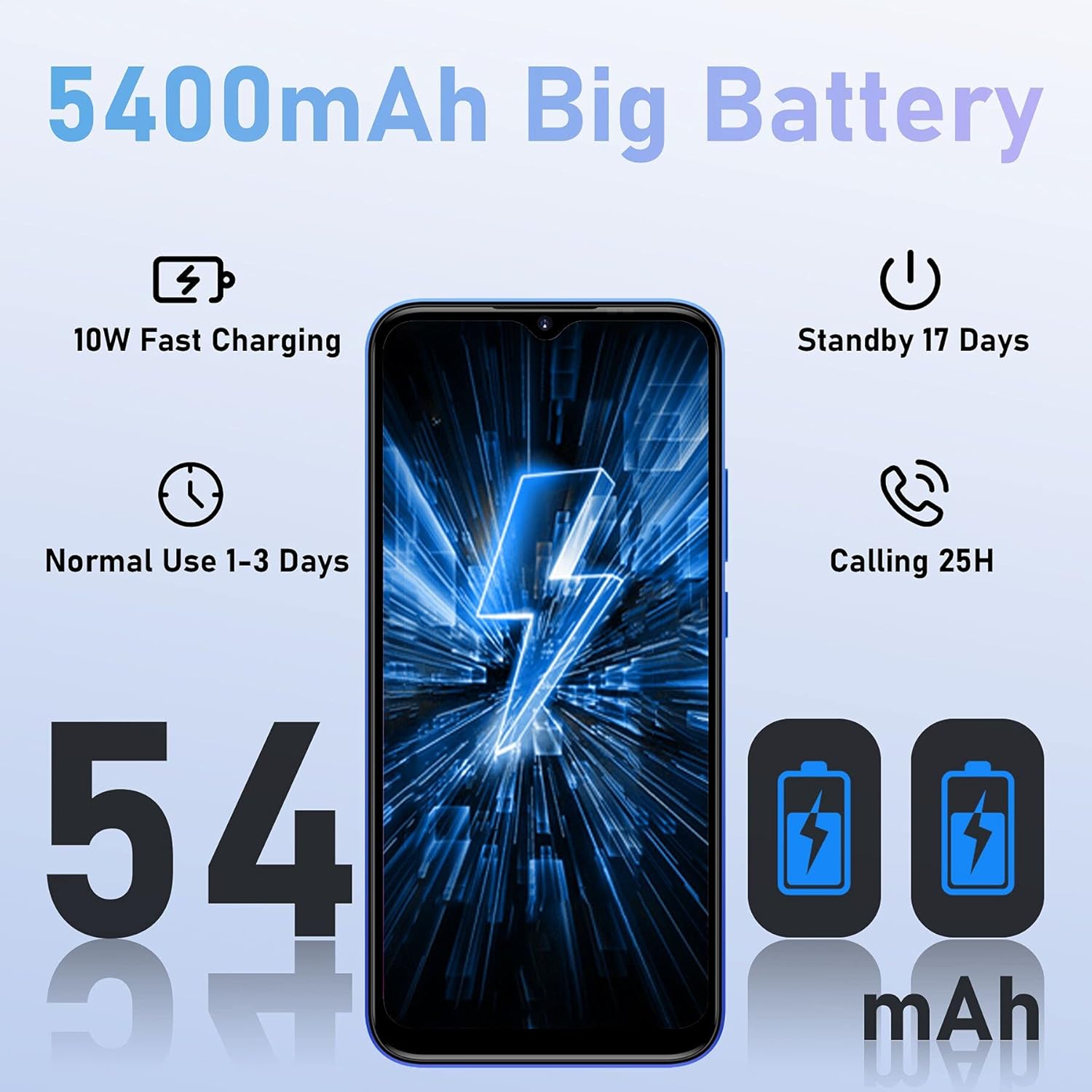
Image 3.3: Battery performance metrics for the 5400mAh battery.
3.4 Storage Management
The device comes with 64GB of internal storage, expandable up to 256GB. Regularly manage your storage to maintain optimal performance:
- Go to Settings > Storage to view usage and free up space.
- Uninstall unused apps.
- Move large files (photos, videos) to a TF card or cloud storage.

Image 3.4: Display of the 4GB RAM and 64GB ROM configuration, highlighting expandable memory.
4. Maintenance
4.1 Cleaning Your Device
- Use a soft, lint-free cloth to clean the screen and body.
- Avoid using harsh chemicals or abrasive materials.
- Keep ports free of dust and debris.
4.2 Software Updates
Regularly check for software updates to ensure your device has the latest features and security patches:
- Go to Settings > System > System update.
- Follow the on-screen instructions to download and install any available updates.
5. Troubleshooting
Common Issues and Solutions:
- Device not powering on: Ensure the battery is charged. Connect the charger and wait a few minutes before attempting to power on again.
- Apps crashing or freezing: Close background applications. Clear the cache of the problematic app (Settings > Apps > [App Name] > Storage > Clear cache). Restart the device.
- Poor network signal: Check if SIM cards are correctly inserted. Move to an area with better network coverage.
- Battery draining quickly: Refer to the Battery Management section (3.3) for optimization tips. Reduce screen brightness and disable unnecessary features like GPS or Bluetooth when not in use.
- Storage full: Refer to the Storage Management section (3.4) to free up space.
6. Specifications
| Feature | Detail |
|---|---|
| Brand | DOOGEE |
| Model Number | X96PRO |
| Operating System | Android 11.0 |
| Processor | T310 Quad-Core |
| RAM | 4 GB |
| Internal Storage | 64 GB |
| Expandable Storage | Up to 256 GB (TF Card) |
| Display Size | 6.52 Inches |
| Display Resolution | 720*1600 HD+ |
| Rear Camera | 13 MP AI Quad Camera (13MP main + 2MP macro + 2MP portrait + 2MP secondary) |
| Front Camera | 8 MP |
| Battery Capacity | 5400 mAh (Lithium-polymer) |
| Charging | 10W Fast Charging, Micro USB |
| Cellular Technology | 4G |
| Wireless Technology | Wi-Fi |
| SIM Card Type | Dual Nano SIM |
| Security Features | Fingerprint ID, Face ID |
| Weight | 198 grams |
| Thickness | 9.7 mm |
7. Warranty and Support
7.1 Product Warranty
The DOOGEE X96 Pro smartphone comes with a 2-year warranty, ensuring a worry-free purchase. Please retain your proof of purchase for warranty claims.
7.2 Customer Support
For technical assistance, troubleshooting beyond this manual, or warranty inquiries, please contact DOOGEE customer support through their official website or the retailer where the product was purchased.


