
MiLESEEY S6
Contents
MiLESEEY Laser Measure User Manual
Model: S6 (131ft)
1. Introduction
Thank you for choosing the MiLESEEY Laser Measure. This digital laser distance meter is designed for precise and efficient measurement of distances, areas, and volumes. It features advanced dual laser tube technology for enhanced accuracy, a clear LCD backlit display, and multiple measurement modes to suit various applications. This manual provides detailed instructions for the safe and effective operation, maintenance, and troubleshooting of your device.

Figure 1: Front view of the MiLESEEY Laser Measure, displaying its screen and control buttons.
2. Key Features
- High Accuracy: Equipped with a unique dual laser tube structure, providing an accuracy of ±1/16 inch (±2mm).
- Fast Measurement: Delivers accurate results in approximately 0.5 seconds.
- Multiple Measurement Modes: Includes single distance, continuous measurement (Min/Max), area, volume, and Pythagorean (three-point) measurements.
- Unit Conversion: Easily switch between meters (m), feet (ft), inches (in), and feet+inches (ft+in).
- LCD Backlit Display: Large, clear display with backlight for improved visibility in various lighting conditions.
- Mute Function: Allows for silent operation, suitable for quiet environments.
- Data Storage: Stores up to 20 groups of measurement data for easy recall.
- Addition & Subtraction: Perform calculations directly on the device.
- Dual Bubble Levels: Assists in achieving more accurate horizontal and vertical measurements.
- Durable Design: IP54 rated for dust and splash protection, with wear and fall resistance.
- Power Saving: Automatic shutdown after 180 seconds of inactivity.
3. Setup
3.1 Package Contents
Before first use, please verify that all items are present in the package:
- 1 x MiLESEEY Laser Measure (Model S6)
- 1 x User Manual
- 2 x AAA Batteries
- 1 x Storage Bag
- 1 x Hand Strap
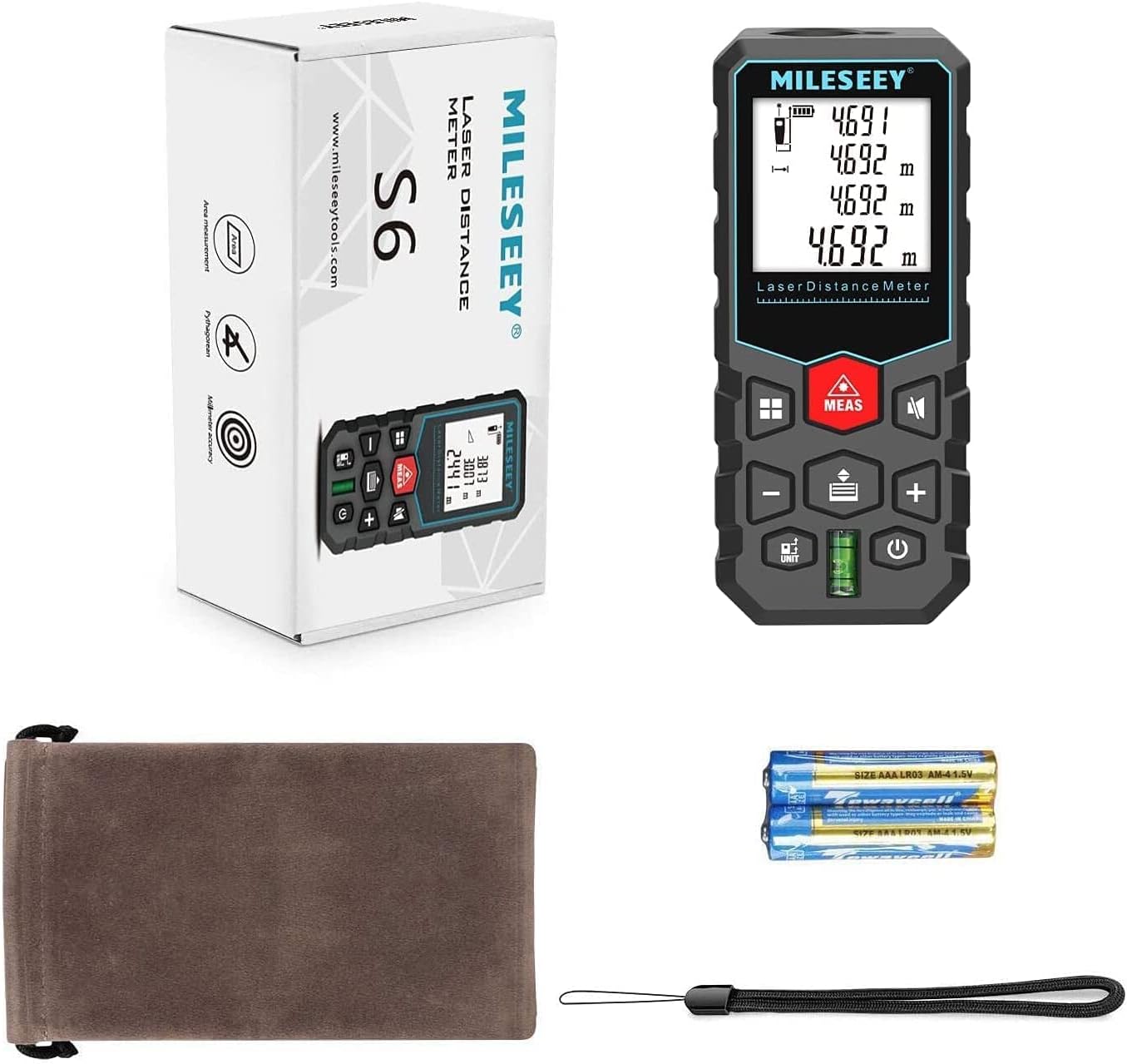
Figure 2: Included components of the MiLESEEY Laser Measure package.
3.2 Battery Installation
The MiLESEEY Laser Measure requires two AAA batteries for operation. To install or replace batteries:
- Locate the battery compartment cover on the back of the device.
- Slide the cover downwards to open the compartment.
- Insert two AAA batteries, ensuring the correct polarity (+/-) as indicated inside the compartment.
- Close the battery compartment cover by sliding it upwards until it clicks into place.
Note: Remove batteries if the device will not be used for an extended period to prevent leakage.
4. Operating Instructions
4.1 Power On/Off
- To power on the device, press the ⓘ (Power) button.
- To power off the device, press and hold the ⓘ (Power) button for 3 seconds, or the device will automatically shut down after 180 seconds of inactivity.
4.2 Basic Measurement (Single Distance)
This mode measures the straight-line distance between the device and a target.
- Point the laser measure at the desired target.
- Press the MEAS button once. The laser will activate.
- Press the MEAS button again to take the measurement. The result will be displayed on the screen.

Figure 3: Overview of various measurement methods supported by the device.
4.3 Continuous Measurement (Min/Max)
This mode continuously measures the distance, displaying the current, minimum, and maximum values. Useful for scanning a room or finding the shortest/longest distance.
- Press the ▣ (Function) button repeatedly until the continuous measurement icon (often a horizontal arrow with Min/Max) appears on the display.
- Press the MEAS button. The device will start continuous measurement.
- Move the device slowly to scan the area. The display will update in real-time with current, minimum, and maximum distances.
- Press the MEAS button again to stop continuous measurement.
4.4 Area Measurement
To calculate the area of a rectangular space.
- Press the ▣ (Function) button until the area icon (a square) appears.
- Press MEAS to measure the first side (e.g., length).
- Press MEAS again to measure the second side (e.g., width).
- The device will automatically calculate and display the area.
4.5 Volume Measurement
To calculate the volume of a cubic space.
- Press the ▣ (Function) button until the volume icon (a cube) appears.
- Press MEAS to measure the length.
- Press MEAS again to measure the width.
- Press MEAS a third time to measure the height.
- The device will automatically calculate and display the volume.
4.6 Pythagorean Measurement
Used to calculate indirect measurements (e.g., height of a building) using the Pythagorean theorem.
- Press the ▣ (Function) button until the Pythagorean icon (a triangle) appears.
- Follow the on-screen prompts to measure the required sides of the triangle (e.g., hypotenuse, base). Ensure the device is held steady and level for each measurement.
- The device will calculate and display the unknown side.
4.7 Addition and Subtraction
You can add or subtract measurements directly on the device.
- Take a measurement.
- Press the + (Add) or - (Subtract) button.
- Take the next measurement.
- The result of the addition or subtraction will be displayed.

Figure 4: The device's capability to perform addition and subtraction of measurements.
4.8 Unit Conversion
To change the measurement units (m, ft, in, ft+in):
- Press the UNIT button repeatedly to cycle through the available units. The current unit will be displayed on the screen.
4.9 Mute Function
To turn the measurement beep sound on or off:
- Press the 🔊 (Mute) button. The speaker icon on the display will indicate whether the sound is on or off.

Figure 5: The mute function and data storage capability of the device.
4.10 Data Storage and Recall
The device can store up to 20 groups of measurement data.
- Measurements are automatically saved.
- To recall stored data, press the 📄 (Memory) button. Use the + and - buttons to navigate through the stored records.
- To manually delete data, refer to the specific instructions in the full user manual if available, as this model typically overwrites the oldest data when memory is full.
5. Maintenance
- Cleaning: Use a soft, damp cloth to clean the device. Do not use abrasive cleaners or solvents. Ensure the laser lens is kept clean and free of dust or smudges for accurate measurements.
- Storage: Store the device in its provided storage bag in a cool, dry place, away from direct sunlight and extreme temperatures. Remove batteries if storing for extended periods.
- Protection: The device is IP54 rated, offering protection against dust and splashing water. However, it is not waterproof and should not be submerged. Avoid dropping the device or subjecting it to strong impacts.

Figure 6: Key features contributing to the device's durability and usability.
6. Troubleshooting
| Problem | Possible Cause | Solution |
|---|---|---|
| Device does not power on. | Low or dead batteries; incorrect battery polarity. | Replace batteries with new AAA batteries. Ensure correct polarity. |
| Inaccurate measurements. | Laser lens is dirty; unstable measurement surface; device not held steady; extreme temperature changes. | Clean the laser lens. Ensure the target surface is stable and reflective. Hold the device steady. Allow device to acclimate to ambient temperature. |
| Laser not visible in bright light. | Environmental conditions (e.g., direct sunlight). | This is normal for laser devices. Try to shade the target area or measure in lower light conditions. |
| Display shows "Error". | Measurement out of range; strong interference; internal error. | Ensure target is within 131ft range. Avoid strong light sources or electromagnetic interference. Restart the device. If error persists, contact support. |
| No sound in mute mode. | Mute function is activated. | Press the 🔊 (Mute) button to toggle sound on. |
7. Specifications
| Parameter | Detail |
|---|---|
| Model | S6 |
| Measurement Range | Up to 131 feet (40 meters) |
| Accuracy | ±1/16 inch (±2mm) |
| Measurement Speed | Approx. 0.5 seconds |
| Units | m / ft / in / ft+in |
| Laser Class | Class 2 |
| Laser Type | 635nm, <1mW |
| Data Storage | 20 groups |
| Auto Laser Off | 30 seconds |
| Auto Power Off | 180 seconds |
| Power Source | 2 x AAA batteries |
| Material | Acrylonitrile Butadiene Styrene (ABS) |
| Dimensions (L x W x H) | 11.5 x 5 x 2.8 cm (4.5 x 2 x 1.1 inches) |
| Weight | 180 grams (approx. 6.35 oz) |
| IP Rating | IP54 (Dust and splash protected) |
8. Warranty and Support
MiLESEEY provides an 18-month worry-free warranty for this product, covering manufacturing defects and malfunctions under normal use. Additionally, lifetime technical support is offered to assist with any operational questions or issues you may encounter.
For warranty claims or technical assistance, please contact MiLESEEY customer service through the retailer where the product was purchased or visit the official MiLESEEY website for contact information.
Please retain your purchase receipt as proof of purchase for warranty purposes.
Ask a question about this manual
Ask about setup, troubleshooting, compatibility, parts, safety, or missing instructions. Manuals+ will review the question and use this page’s manual context to help answer it.