
OKAI EA10PRO-White
OKAI NEON Electric Scooter User Manual
Model: NEON (EA10PRO-White)
Introduction
This manual provides essential information for the safe and efficient operation, maintenance, and troubleshooting of your OKAI NEON Electric Scooter. Please read this manual thoroughly before using the scooter to ensure proper handling and to maximize its lifespan.

Image: The OKAI NEON Electric Scooter, showcasing its sleek white design and integrated atmospheric lights along the stem and deck.
1. Setup and Assembly
1.1 Unboxing and Initial Inspection
Carefully remove all components from the packaging. Inspect the scooter for any signs of damage during transit. Ensure all parts listed in the packing list are present.
1.2 Folding and Unfolding
The OKAI NEON scooter features a convenient folding mechanism for portability and storage.
- Unfolding: Place the scooter on a flat surface. Release the folding latch located near the base of the stem. Carefully lift the stem until it locks into the upright position. Ensure the latch is securely engaged.
- Folding: To fold, disengage the folding latch. Gently push the stem downwards until it clicks into the folded position.
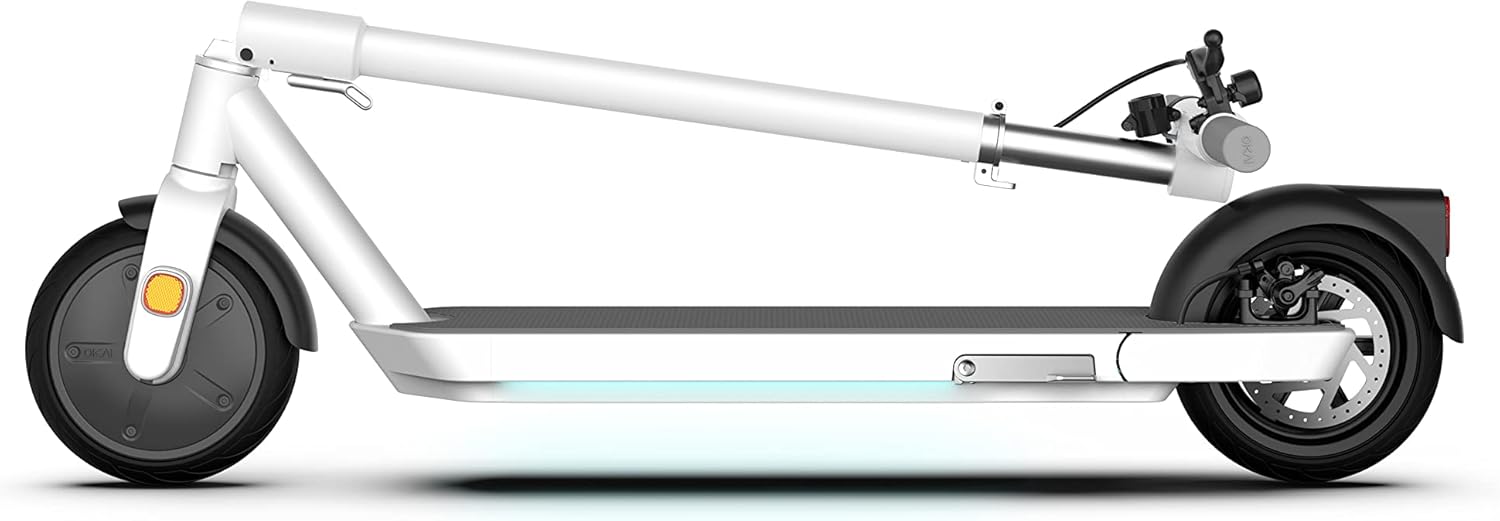
Image: The OKAI NEON Electric Scooter in its folded state, demonstrating its compact form for easy storage or transport.
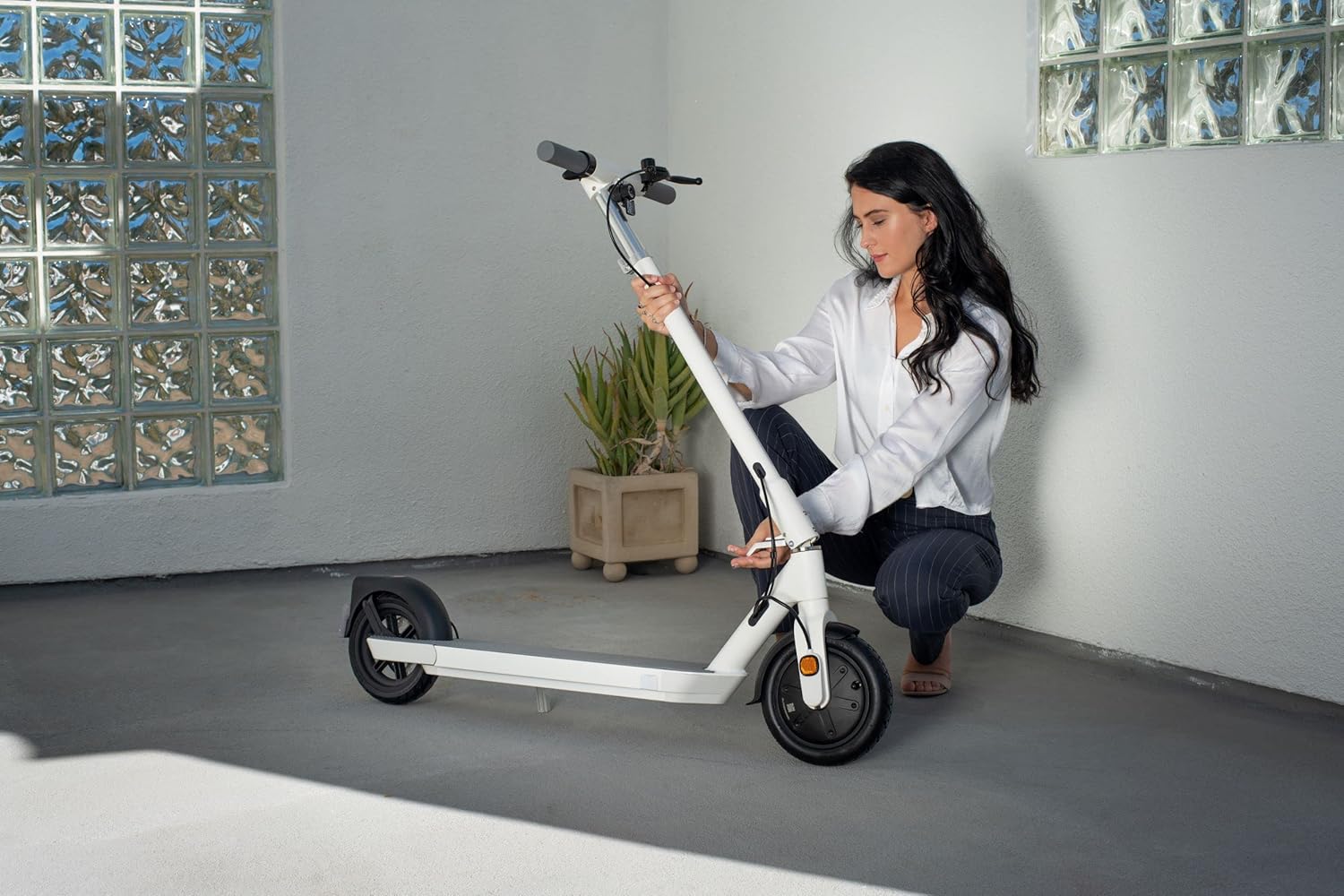
Image: A user interacting with the folding mechanism of the OKAI NEON scooter, illustrating the ease of collapsing the device.
1.3 Charging the Battery
Before first use, fully charge the scooter's battery. Locate the charging port, typically on the side of the deck. Connect the charger to the scooter and then to a power outlet. The indicator light on the charger will change (e.g., from red to green) when charging is complete. Charging time is approximately 6 hours.
2. Operating Instructions
2.1 Powering On and Off
To power on the scooter, press and hold the power button located on the handlebar. The 2.4-inch LED screen will illuminate. To power off, press and hold the power button again until the screen turns off.
2.2 Display Functions
The integrated 2.4-inch LED screen displays key information such as current speed, battery level, and light status. Familiarize yourself with the display before riding.

Image: A detailed view of the scooter's handlebar, highlighting the central 2.4-inch LED screen which shows speed and other operational data.
2.3 Riding the Scooter
- Starting: Place one foot on the deck and push off with the other foot to gain initial momentum. Once moving, gently press the throttle to engage the motor.
- Acceleration: Use the throttle lever to control your speed.
- Braking: The scooter is equipped with triple brakes for optimal safety: electronic (front) and disk (rear). Apply the brake levers gently to slow down or stop. The two-in-one tail light illuminates when the headlights are on or brakes are activated.

Image: Two riders on OKAI NEON scooters, demonstrating the scooter's use in an outdoor setting, with the atmospheric lights visible.
2.4 Atmospheric Lights
The OKAI NEON features integrated atmospheric lights along the stem and deck. These lights enhance visibility and add a unique aesthetic. Refer to the display or companion app (if applicable) for controls to customize light settings.

Image: A visual representation of the OKAI NEON's customizable atmospheric lighting, showing different color options and a color selection interface.
2.5 Safety Guidelines
- Always wear a helmet and appropriate safety gear.
- Obey all local traffic laws and regulations.
- Do not ride in adverse weather conditions (heavy rain, snow).
- Avoid riding on uneven surfaces or steep inclines.
- Maintain a safe distance from pedestrians and other vehicles.
- Do not perform stunts or dangerous maneuvers.
3. Maintenance
3.1 Cleaning
Regularly clean your scooter with a damp cloth. Avoid using high-pressure water jets or harsh chemicals, as these can damage electronic components.
3.2 Tire Care
The scooter features 8.5-inch wheels, which can be pneumatic or solid. If your model has pneumatic tires, regularly check and maintain the recommended tire pressure to ensure optimal performance and range.
3.3 Brake Inspection
Periodically inspect the electronic front brake and disk rear brake for wear and proper function. Ensure brake levers operate smoothly and provide adequate stopping power. Adjust or replace components as necessary.

Image: A detailed shot of the scooter's rear wheel, highlighting the disk brake mechanism and the integrated tail light.
3.4 Battery Care (BMS)
The scooter is equipped with a BMS (Battery Management System) for intelligent battery management. To prolong battery life:
- Avoid fully discharging the battery frequently.
- Store the scooter in a cool, dry place when not in use.
- Charge the battery at least once every three months if stored for extended periods.

Image: A graphic illustrating the internal components and function of the Battery Management System (BMS) within the scooter's battery pack.
3.5 Storage
When storing the scooter, especially for long periods, ensure it is clean and the battery is partially charged (around 50-70%). Store it indoors in a dry environment, away from direct sunlight and extreme temperatures.
4. Troubleshooting
This section addresses common issues you might encounter with your OKAI NEON Electric Scooter. For problems not listed here, please contact customer support.
| Problem | Possible Cause | Solution |
|---|---|---|
| Scooter does not power on. | Low battery; loose connections; power button malfunction. | Charge the battery fully. Check all visible connections. Ensure power button is pressed correctly. |
| Reduced range or speed. | Low tire pressure (if pneumatic); battery degradation; riding conditions (uphill, heavy load). | Check tire pressure and inflate if necessary. Ensure battery is fully charged. Adjust riding style for conditions. |
| Brakes feel weak. | Brake pads worn; cable tension incorrect. | Inspect brake pads for wear and replace if needed. Adjust brake cable tension. |
| Unusual noises during operation. | Loose components; debris in wheels/motor. | Inspect the scooter for any loose screws or parts. Clean wheels and motor area of any obstructions. |
5. Specifications
| Brand | OKAI |
| Model Name | NEON |
| Model Number | EA10PRO-White |
| Color | White |
| Age Range (Description) | Adult |
| Special Features | Lights, Lightweight, Foldable |
| Weight Limit | 220 Pounds |
| Number of Wheels | 2 |
| Wheel Material | Rubber |
| Frame Material | Aluminum |
| Item Weight | 64 Pounds |
| Handlebar Type | Adjustable |
| Wheel Size | 8.5 Inches |
| Wheel Type | Pneumatic, Solid |
| Suspension Type | Front Suspension |
| Brake Style | Electronic (front), Disk (rear) |
| Charging Time | 6 Hours |
| Maximum Distance Range | 25 Miles |
| Recommended Uses | Commuting |
| Item Dimensions (LxWxH) | 13 x 22 x 46 inches |
| UPC | 608938951724 |

Image: A diagram highlighting the ergonomic benefits of the scooter's wider and longer deck, promoting comfortable and stable riding.
6. Warranty and Support
6.1 Warranty Information
The OKAI NEON Electric Scooter comes with a Limited Warranty. Please refer to the warranty card included with your purchase or visit the official OKAI website for detailed terms and conditions regarding coverage, duration, and claims process.
6.2 Customer Support
For technical assistance, spare parts, or any other inquiries, please contact OKAI customer support. Contact information can typically be found on the official OKAI website or on your purchase documentation.
Related documentsEA10PRO-White


Ask a question about this manual
Ask about setup, troubleshooting, compatibility, parts, safety, or missing instructions. Manuals+ will review the question and use this page’s manual context to help answer it.