1. Introduction
This manual provides essential instructions for the assembly, operation, and maintenance of your Meble Furniture Metro WH-EF Electric Fireplace TV Stand. Please read all instructions carefully before assembly and use to ensure safe and proper functioning of the product. Keep this manual for future reference.
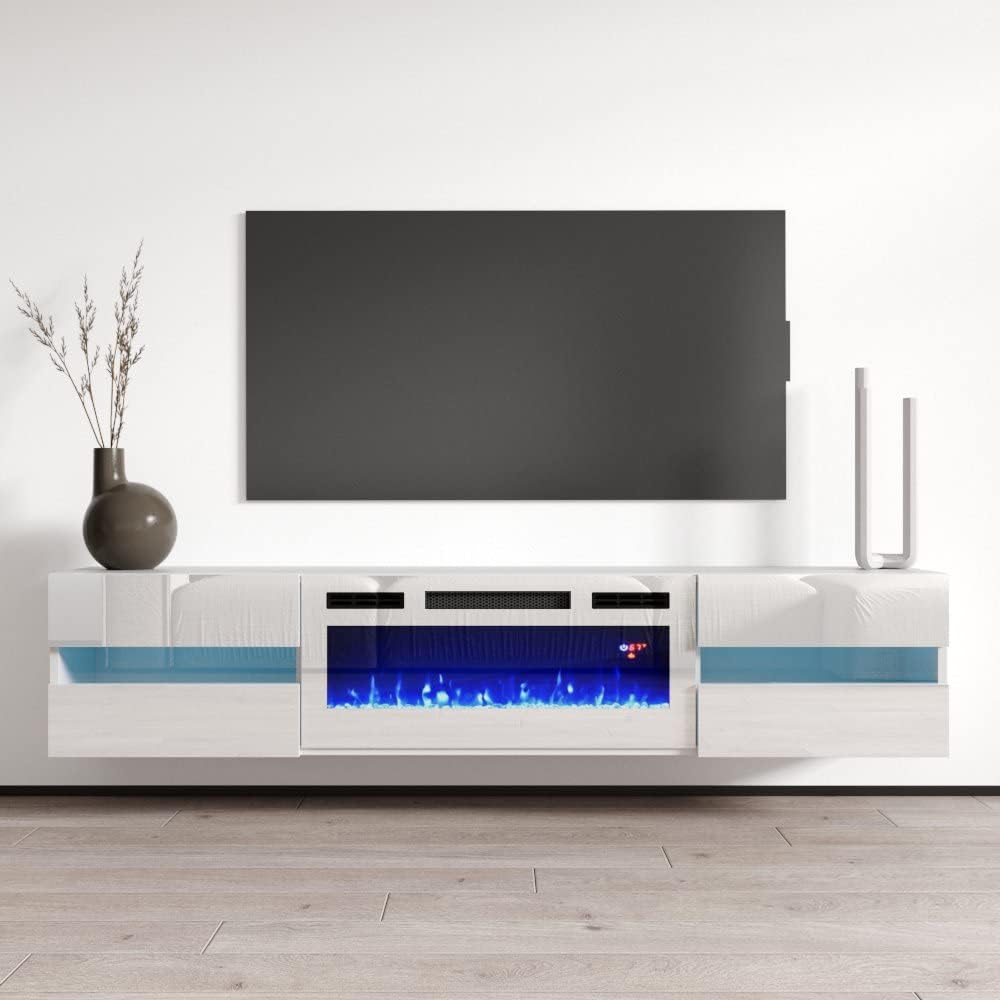
Image: The Metro WH-EF TV Stand with its electric fireplace, designed for modern living spaces.
2. Safety Information
WARNING: Failure to follow these safety instructions may result in fire, electric shock, injury, or property damage.
- Wall Mounting: Securely mount the TV stand to the wall using the provided wall mounting kit to prevent tip-over. This is crucial for stability and safety, especially in households with children or pets.
- Weight Capacity: Do not overload the storage cabinets or the top surface of the TV stand. Refer to the specifications for maximum weight limits. Overloading can compromise stability and lead to structural failure.
- Electric Fireplace: The electric fireplace generates heat. Maintain a safe distance from flammable materials. Do not block the air vents of the fireplace unit. Ensure the power cord is not pinched or routed under the unit.
- Electrical Safety: Connect the electric fireplace to a properly grounded outlet. Do not use extension cords or power strips with the fireplace unit. Disconnect power before cleaning or performing maintenance.
- Assembly: Always follow the assembly instructions carefully. Ensure all fasteners are tightened securely. If any parts are missing or damaged, do not proceed with assembly; contact customer support.
- Children and Pets: Keep children and pets away from the electric fireplace, especially when it is operating. Supervise children around the furniture to prevent accidents.
3. Package Contents
Before beginning assembly, verify that all components listed below are present and undamaged. If any parts are missing or defective, please contact Meble Furniture customer support.
- Furniture Panels (various sizes for top, sides, shelves, doors)
- Hardware Pack (screws, dowels, cam locks, hinges, handles, wall mounting kit)
- Electric Fireplace Insert
- Electric Fireplace Remote Control
- Assembly Instructions Manual
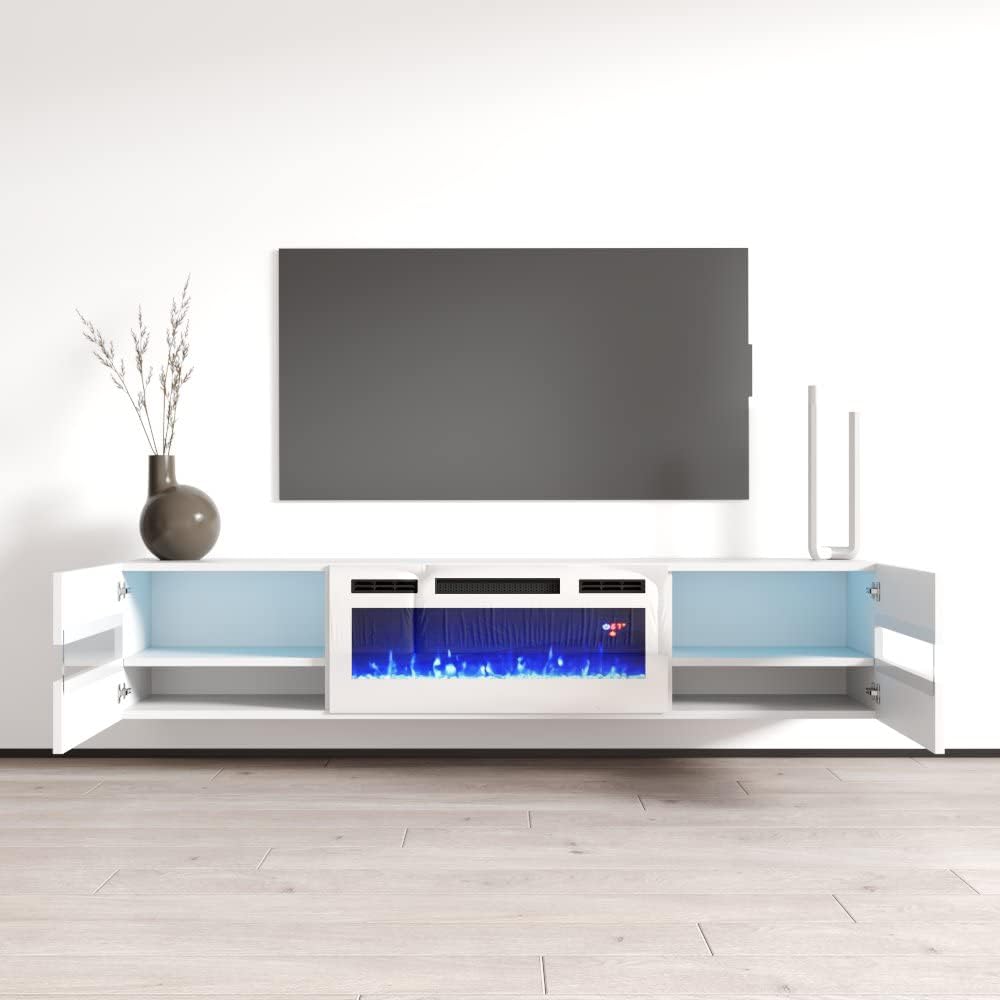
Image: The TV stand with open storage compartments, illustrating the internal structure.
4. Assembly Instructions
The Meble Furniture Metro WH-EF TV Stand includes detailed assembly instructions within the package. Please refer to these instructions for step-by-step guidance. The following provides a general overview and important considerations:
- Preparation: Clear a spacious area for assembly. Lay out all parts and hardware. It is recommended to assemble on a soft, clean surface to prevent scratches.
- Tools Required: Typically, a Phillips head screwdriver and a hammer are needed. A power drill with appropriate bits may expedite the process but use with caution to avoid overtightening.
- Follow Steps Sequentially: Adhere strictly to the numbered steps in the provided assembly manual. Do not skip steps.
- Secure Fasteners: Ensure all screws, cam locks, and dowels are fully engaged and tightened. Do not overtighten, as this can damage the engineered wood material.
- Electric Fireplace Installation: Carefully insert the electric fireplace unit into the designated central opening. Ensure it is seated correctly and secured according to the fireplace unit's specific instructions.
- Wall Mounting: The Metro WH-EF TV Stand is designed to be wall-mounted for a modern, floating look. Use the included wall mounting kit and follow the instructions precisely. Ensure the wall is suitable for supporting the weight of the TV stand and any items placed on it. Professional installation is recommended if you are unsure about wall mounting procedures.

Image: Illustration suggesting straightforward assembly of the TV stand.
5. Operating Instructions (Electric Fireplace)
The electric fireplace unit provides ambient flame effects and supplemental heat. It can be operated via the control panel on the unit or the included remote control.
5.1. Control Panel
The control panel is typically located on the fireplace unit itself. It usually includes buttons for power, flame effects, temperature control, and a timer.
5.2. Remote Control
The remote control offers convenient operation from a distance. Ensure batteries are correctly installed.
- Power On/Off: Press the power button to turn the fireplace on or off.
- Temperature Control: Use the temperature buttons (e.g., '+' and '-') to adjust the heat output. The fireplace typically offers various heat settings or a thermostat function.
- Dimmer: Adjust the brightness of the flame effect.
- Timer Setting: Set a timer for the fireplace to automatically shut off after a specified duration.
- Flame Color: Cycle through available flame color options (e.g., red, blue, purple).

Image: Features and controls of the electric fireplace unit, including flame colors and remote.
6. Maintenance
Proper care will ensure the longevity and appearance of your TV stand.
- Cleaning the Furniture: Wipe the surface with a dry cloth. For stubborn marks, a slightly damp cloth followed by a dry cloth can be used. Avoid abrasive cleaners or harsh chemicals, as these can damage the high-gloss finish.
- Cleaning the Fireplace: Ensure the fireplace is turned off and unplugged before cleaning. Use a soft, dry cloth to clean the exterior. Do not spray liquids directly onto the unit.
- Dusting: Regularly dust all surfaces to prevent buildup.
- Inspections: Periodically check all fasteners to ensure they remain tight. Re-tighten if necessary. Inspect the power cord of the fireplace for any signs of damage.
7. Troubleshooting
If you encounter issues with your electric fireplace TV stand, refer to the following common problems and solutions:
| Problem | Possible Cause | Solution |
|---|---|---|
| Fireplace does not turn on. | No power, unit unplugged, circuit breaker tripped, remote batteries dead. | Check power connection, ensure outlet is functional, reset circuit breaker, replace remote batteries. |
| No heat output. | Heat function not activated, thermostat set too low, air vents blocked. | Activate heat function, increase thermostat setting, clear any obstructions from air vents. |
| Remote control not working. | Dead batteries, obstruction, remote too far from unit. | Replace batteries, ensure clear line of sight to fireplace sensor, move closer to the unit. |
| Unstable TV stand. | Loose fasteners, improper assembly, not wall-mounted. | Check and tighten all fasteners. Ensure proper wall mounting as per instructions. |
If the problem persists after attempting these solutions, please contact Meble Furniture customer support.
8. Specifications
Key specifications for the Meble Furniture Metro WH-EF Electric Fireplace TV Stand:
- Model Number: METRO-WHEF-WHITE
- Material: Engineered Wood
- Color: White
- Product Dimensions (L x W x H): 72 x 14 x 15 inches (182.88 x 35.56 x 38.1 cm)
- Item Weight: Approximately 100 pounds (45.36 kg)
- Number of Shelves: 4 (within storage cabinets)
- Fireplace Power: 1500 Watts / 5100 BTU
- Heating Area: Heats up to 400 sq ft
- TV Size Compatibility: Up to 80 inches
- Assembly: Includes assembly instructions, wall mounting kit provided.
- Care Instructions: Wipe with Dry Cloth
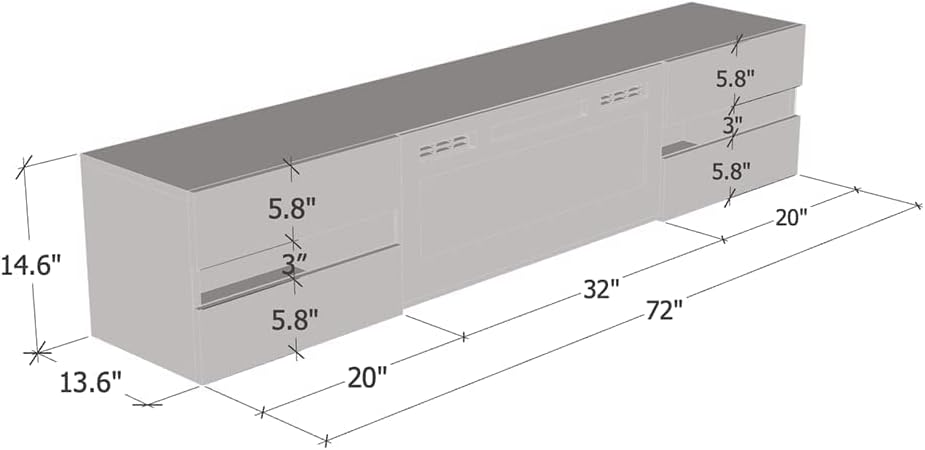
Image: Dimensional drawing of the TV stand, indicating key measurements.
9. Warranty Information
Meble Furniture products are typically covered by a manufacturer's warranty against defects in materials and workmanship. Specific warranty terms, duration, and conditions are usually provided with your product at the time of purchase or can be obtained directly from Meble Furniture customer service. Please retain your proof of purchase for warranty claims.
10. Support
For further assistance, missing parts, or technical support, please contact Meble Furniture customer service. Contact information can typically be found on the product packaging, the manufacturer's website, or your purchase documentation.
When contacting support, please have the following information ready:
- Product Model Number: METRO-WHEF-WHITE
- Date of Purchase
- Place of Purchase
- A detailed description of the issue


