
1. Introduction
Thank you for choosing the HOMCOM Industrial Console Table. This manual provides essential information for the safe assembly, proper use, and maintenance of your new furniture. Please read these instructions carefully before beginning assembly and retain them for future reference.

Image 1.1: The HOMCOM Industrial Console Table, featuring a rustic wood finish and metal frame, designed for versatile use in various home settings.
This console table combines a robust metal frame with engineered wood panels, offering a stylish industrial design. It features a spacious tabletop, two functional drawers, and two lower shelves, providing ample storage and display space.

Image 1.2: Close-up view of the antique brass shell-shaped handle on one of the console table's drawers, highlighting the detailed finish.
2. Safety Instructions
- Read all instructions carefully before assembly and use.
- Keep all small parts and packaging materials away from children and pets to prevent choking hazards.
- Assemble the unit on a soft, clean surface to prevent scratches.
- Ensure all connections are securely tightened before use. Periodically check and re-tighten as necessary.
- Do not overload the table or shelves. Refer to the 'Specifications' section for maximum weight recommendations.
- Anti-Tipping Device: This console table includes an anti-tipping device. It is crucial to install this device to prevent accidental tipping, especially in households with children or pets. Securely fasten the table to a wall using the provided hardware.

Image 2.1: Illustration of the anti-tipping device installation, demonstrating how to secure the console table to the wall for enhanced stability and safety.
3. Package Contents
Before assembly, verify that all components listed below are present and undamaged. If any parts are missing or damaged, please contact customer support.
- Tabletop Panel (1)
- Drawer Panels (for 2 drawers)
- Shelf Panels (2)
- Metal Frame Components
- Hardware Pack (screws, bolts, nuts, drawer slides, adjustable feet, anti-tipping kit)
- Assembly Instructions Manual
4. Setup and Assembly
Assembly of this console table is designed to be straightforward. Follow the illustrated instructions provided in the package. It is recommended to have two people for assembly.
- Unpack and Identify Parts: Carefully unpack all components and lay them out on a clean, soft surface. Identify each part using the provided labels and the parts list in the separate assembly guide.
- Assemble the Frame: Begin by connecting the metal frame components as per the assembly diagram. Ensure all screws are finger-tightened initially.
- Install Shelves and Drawers: Attach the shelf panels to the frame. Assemble the drawers according to the instructions, then install them into the designated slots.
- Attach Tabletop: Secure the tabletop panel to the assembled frame.
- Tighten All Connections: Once all parts are in place, systematically tighten all screws and bolts using the appropriate tools. Avoid overtightening to prevent damage to the engineered wood panels.
- Install Adjustable Leveling Feet: Screw the adjustable leveling feet into the bottom of the table legs. Adjust them as needed to ensure the table is stable and level on uneven floors.
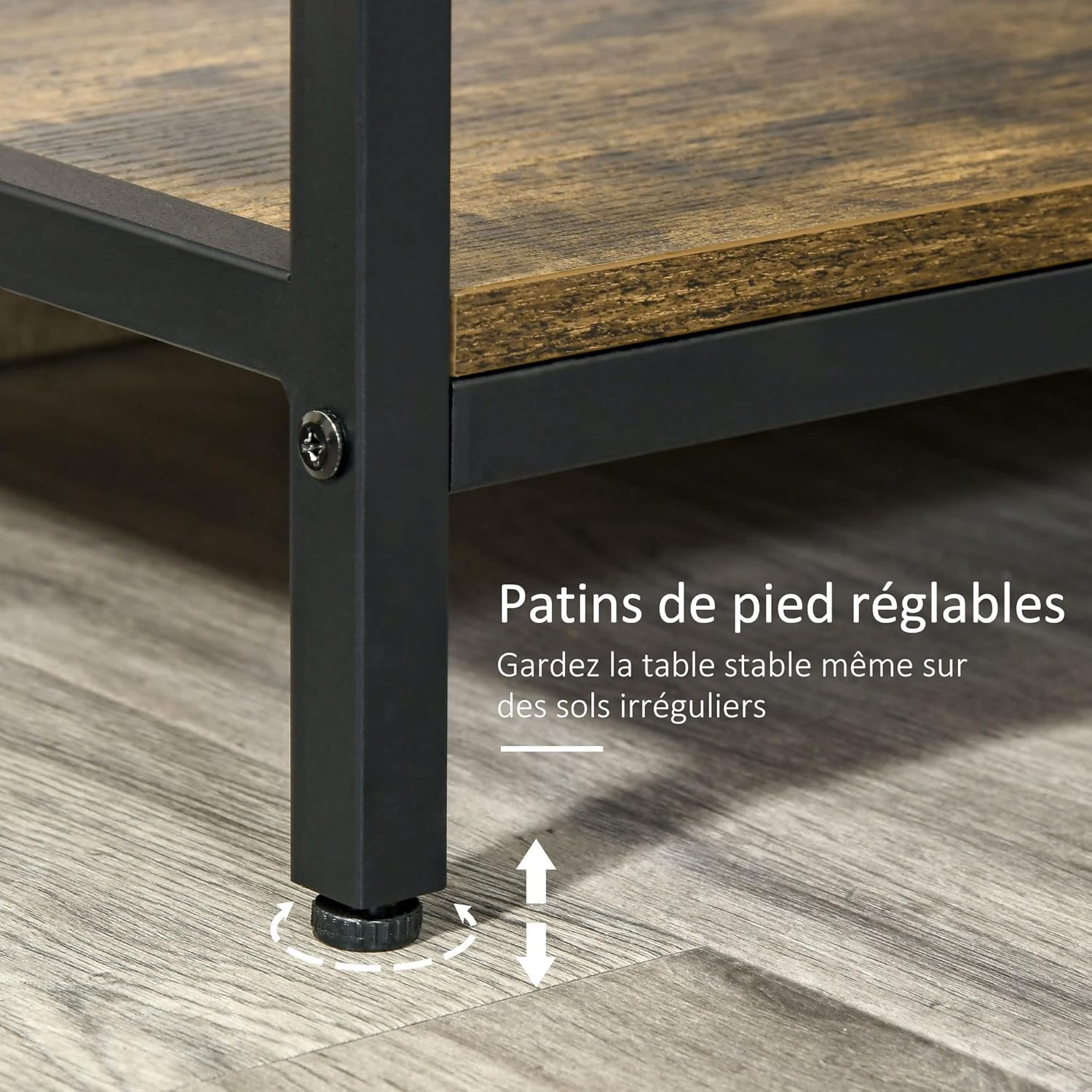
Image 4.1: Detail of the adjustable leveling feet, which can be rotated to stabilize the table on uneven surfaces.
- Install Anti-Tipping Device: Follow the instructions in Section 2 to securely attach the anti-tipping device to a wall stud or appropriate anchor point.
5. Operating and Usage
The HOMCOM Industrial Console Table is designed for versatile use in various areas of your home.
- Entryway Table: Use it in your entryway to hold keys, mail, decorative items, or as a convenient spot for bags and shoes on the lower shelves.
- Living Room Side Table: Place it behind a sofa or against a wall in your living room to display lamps, books, or other decor. The drawers can store remote controls or small accessories.
- Storage: Utilize the two smooth-gliding drawers for concealed storage of smaller items. The two open shelves are ideal for organizing books, baskets, or displaying decorative pieces.

Image 5.1: Overview of the console table's storage capabilities, including the main tabletop, two drawers, and two spacious lower shelves.
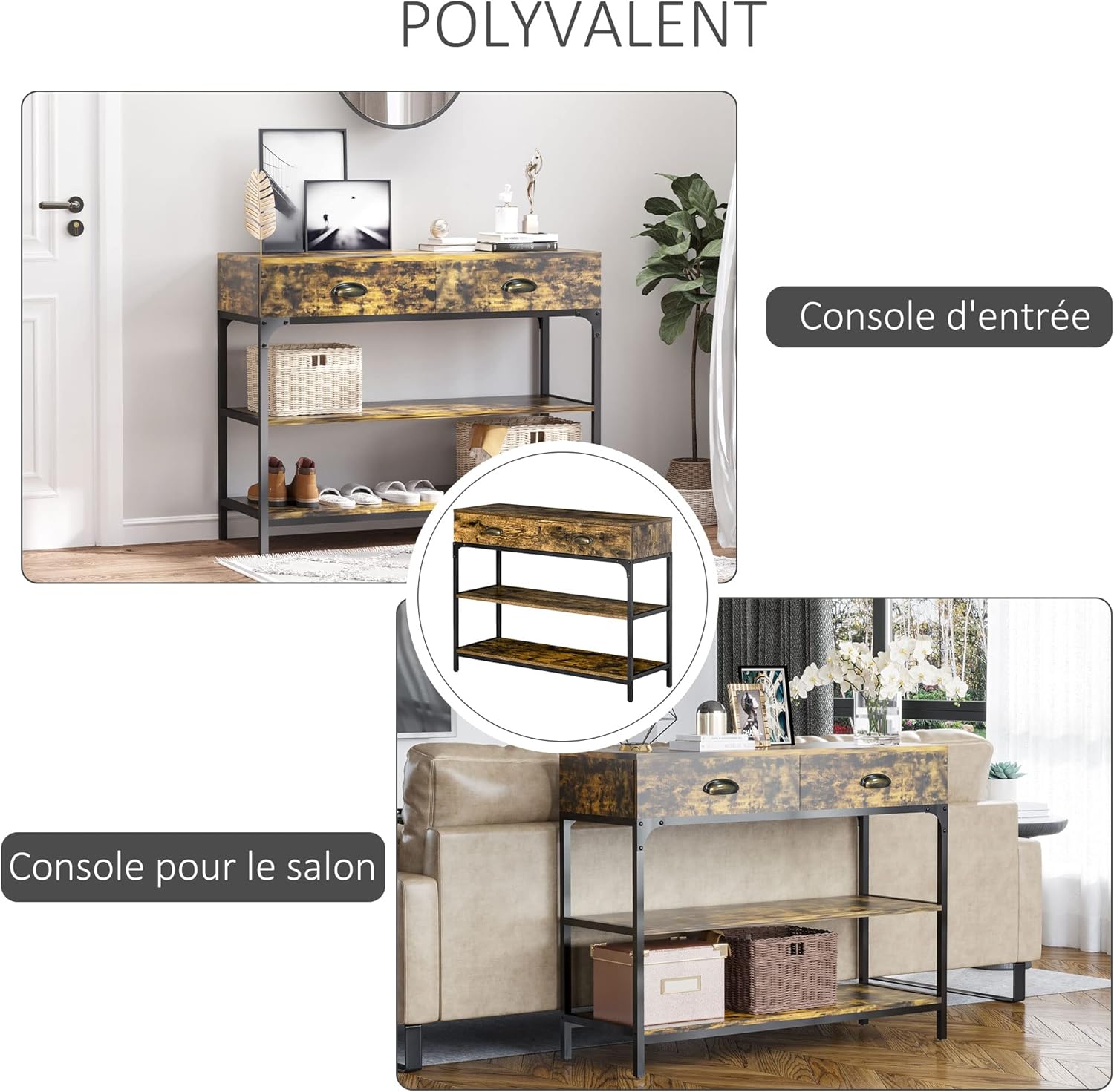
Image 5.2: Examples of the console table's versatility, functioning as an elegant entryway table and a practical living room console.
6. Maintenance
To ensure the longevity and appearance of your console table, follow these maintenance guidelines:
- Cleaning: Wipe surfaces with a soft, damp cloth. Avoid using harsh chemicals, abrasive cleaners, or polishes that may damage the melamine finish.
- Spills: Clean up spills immediately to prevent staining or damage to the wood-look surface.
- Hardware: Periodically check all screws and bolts to ensure they remain tight. Re-tighten if necessary to maintain structural integrity.
- Avoid Direct Sunlight: Prolonged exposure to direct sunlight can cause fading or discoloration of the finish.
- Heat Protection: Use coasters or protective pads under hot items to prevent heat damage to the tabletop.
7. Troubleshooting
- Table is wobbly:
- Ensure all assembly screws and bolts are securely tightened.
- Adjust the leveling feet on the bottom of the legs until the table is stable on your floor.
- Drawers do not slide smoothly:
- Check that the drawer slides are correctly installed and aligned.
- Ensure no obstructions are in the drawer tracks.
- Parts do not fit together:
- Double-check the assembly instructions to ensure you are using the correct parts for each step and that they are oriented correctly.
- Do not force parts together. If a part seems misaligned, disassemble and re-evaluate the step.
8. Specifications
| Feature | Detail |
|---|---|
| Brand | HOMCOM |
| Model Number | 837-1890531 |
| Color | Brown (Rustic Wood Look) |
| Material | Engineered Wood, Metal Frame |
| Overall Dimensions (L x W x H) | 100 cm x 35 cm x 79.2 cm (39.4 in x 13.8 in x 31.2 in) |
| Item Weight | 26.3 kg (58 lbs) |
| Maximum Weight Recommendation | 100 kg (220 lbs) |
| Features | 2 Drawers, 2 Shelves, Adjustable Leveling Feet, Anti-Tipping Device, Melamine Surface |

Image 8.1: Detailed dimensions of the console table, including height, width, and depth, as well as internal drawer and shelf clearances.
9. Warranty and Support
Information regarding specific warranty terms and customer support contact details for this product is not available in the provided data. Please refer to your purchase documentation or the retailer's website for warranty information and customer service contacts.


