
Product Overview
The KONUS GLORY 3-24x56 rifle scope is designed for precision and versatility, offering exceptional clarity and visibility in various lighting conditions. Its robust construction ensures reliability in demanding environments.
- Engraved and Illuminated Reticle: Features a dual-illuminated reticle for clear targeting from dusk till dawn.
- Variable Zoom: Offers a magnification range of 3x to 24x, suitable for diverse shooting distances.
- Precision Turrets: Equipped with 1/8 M.O.A. adjustable and lockable turrets for accurate windage and elevation adjustments.
- Fast Focus Eyepiece: Allows for quick and easy adjustment to achieve a sharp, clear image.
- Durable Construction: Built with a waterproof, fogproof, and shockproof aluminum monocoque body to withstand harsh conditions.
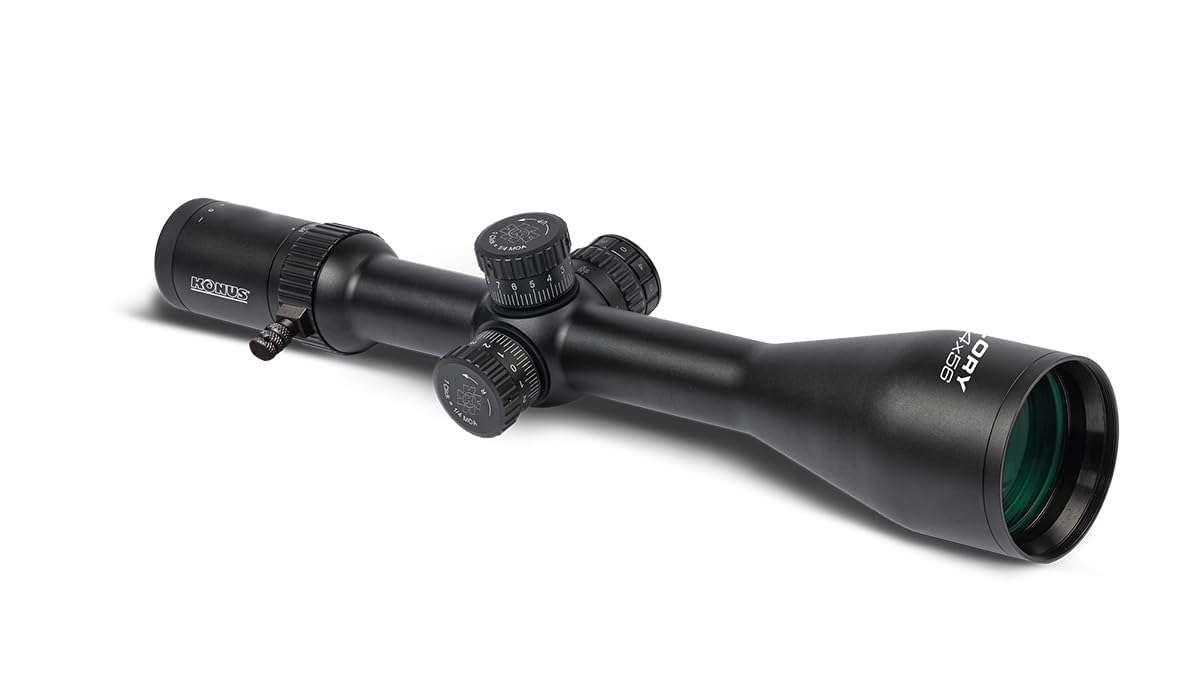
Image: Konus Glory 3-24x56 Rifle Scope, showcasing its robust design.
Setup Instructions
- Unpacking and Inspection: Carefully remove the rifle scope from its packaging. Inspect all components for any signs of damage. Ensure all included accessories are present.
- Mounting the Scope: Securely attach the scope to your rifle's Picatinny rail using appropriate scope rings (not included). Ensure the scope is level and positioned to provide optimal eye relief for your shooting stance. Tighten all screws according to the scope ring manufacturer's specifications.
- Focusing the Reticle: Point the scope at a plain, bright background (e.g., a clear sky). Look through the eyepiece and rotate the fast-focus eyepiece until the reticle appears sharp and clear. This adjustment is crucial for accurate aiming.
- Initial Zeroing: After mounting, perform an initial zeroing procedure at a short range (e.g., 25 yards/meters) to get the scope roughly aligned with your rifle's point of impact. Further fine-tuning will be done during operation.
Operating the Rifle Scope
- Adjusting Magnification: Rotate the magnification ring, typically located near the eyepiece, to select your desired magnification level between 3x and 24x.
- Parallax Adjustment: The scope features a side parallax adjustment knob. Rotate this knob to eliminate parallax error, which is the apparent shift in the reticle's position relative to the target when you move your eye. Adjust until the target and reticle appear to be on the same plane at your shooting distance.
- Reticle Illumination: The engraved reticle has dual illumination. Use the illumination control dial, usually located on the side of the scope, to turn the illumination on/off and adjust its brightness. Select a brightness level that provides good contrast without obscuring the target.
- Windage and Elevation Adjustments: The scope is equipped with lockable turrets for windage (horizontal adjustment) and elevation (vertical adjustment). To make adjustments, unlock the turrets (if locked), then rotate them to move the point of impact. Each click represents 1/8 M.O.A. After adjustment, ensure the turrets are locked to prevent accidental changes.

Image: Example of an illuminated reticle pattern, showing the central aiming point.
Maintenance
- Cleaning Lenses: Use a soft lens brush to remove dust and debris. For smudges or fingerprints, apply a small amount of lens cleaning solution to a clean microfiber lens cloth and gently wipe the lens surfaces. Avoid using harsh chemicals or abrasive materials.
- Cleaning Body: Wipe the exterior of the scope with a soft, damp cloth to remove dirt and grime. For stubborn dirt, a mild soap solution can be used, followed by wiping with a clean, damp cloth.
- Storage: Store the rifle scope in a dry, cool place, away from direct sunlight and extreme temperatures. Use lens caps to protect the lenses when not in use.
- Battery Replacement: If the reticle illumination dims or stops working, replace the battery according to the instructions provided with the scope. Ensure the correct battery type is used and inserted with the correct polarity.
Troubleshooting
| Problem | Possible Cause | Solution |
|---|---|---|
| Image is blurry or out of focus | Eyepiece not focused, parallax error | Adjust the fast-focus eyepiece for reticle clarity. Adjust the side parallax knob to match your shooting distance. |
| Reticle illumination not working | Dead battery, poor battery contact | Check battery, ensure it is correctly inserted. Replace battery if necessary. |
| Point of impact shifts or is inconsistent | Loose mounting, turrets unlocked, improper zeroing | Verify scope rings are securely tightened. Ensure windage and elevation turrets are locked after adjustment. Re-zero the scope. |
| Internal fogging of lenses | Rapid temperature change, seals compromised | Allow the scope to acclimate to ambient temperature. If persistent, contact customer support as seals may be compromised. |
Specifications
| Feature | Detail |
|---|---|
| Brand | Konus |
| Model Name | Konuspro |
| Model Number | 7189 |
| Color | Black |
| Style | Tactical |
| Material | Aluminum Alloy/Glass |
| Maximum Magnification | 24x |
| Objective Lens Diameter | 56 mm |
| Minimum Magnification | 3x |
| Compatible Devices | Rifle |
| Mounting Type | Picatinny |
| Reticle Type | Engraved and Illuminated |
| Field of View | 11.4 Meters |
| Night Vision | No |
| Included Components | Rifle Scope |
Warranty and Support
This Konus GLORY 3-24x56 Rifle Scope comes with a 2-year product warranty. This warranty covers manufacturing defects and malfunctions that are not caused by third parties or misuse.
For technical assistance, warranty claims, or any other inquiries, please contact Konus customer service. Refer to the official Konus website or your purchase documentation for specific contact details.


