
Autel MK906 Pro
Autel MaxiCOM MK906 Pro Diagnostic Scanner User Manual
Model: MK906 Pro
1. Introduction
The Autel MaxiCOM MK906 Pro is an advanced automotive diagnostic scanner designed for comprehensive vehicle system analysis. This device provides extensive diagnostic functions, including ECU coding, bi-directional control, and a wide range of service functions, making it suitable for professional automotive technicians.
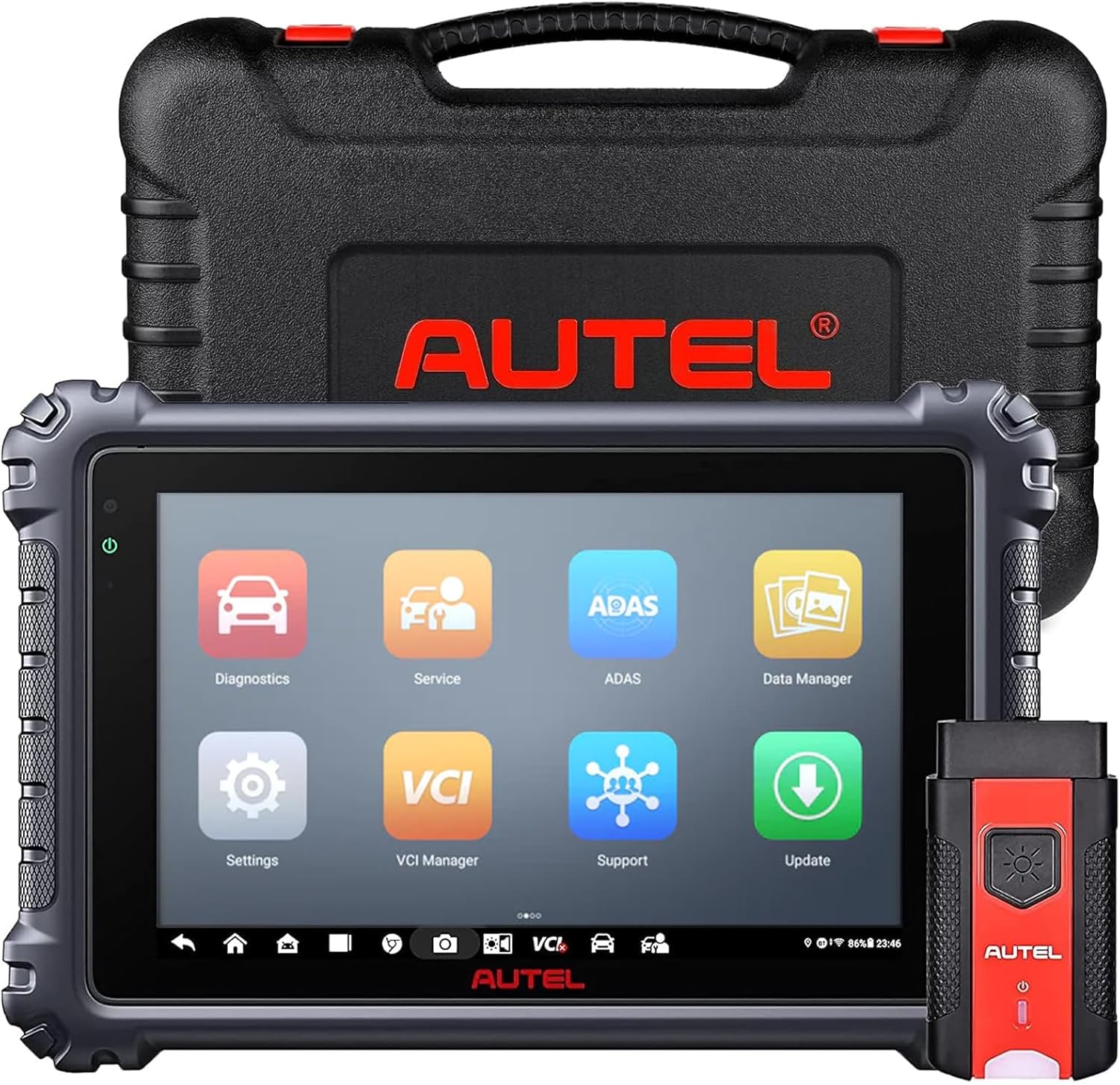
Image 1.1: The Autel MaxiCOM MK906 Pro tablet, MaxiVCI V200 wireless dongle, and protective carrying case.
2. Setup and Initial Configuration
2.1 Package Contents
Before beginning, verify all components are present:
- MaxiCOM MK906 Pro tablet
- MaxiVCI V200 wireless dongle
- Type-C USB Cable
- AC/DC Adapter
- USB to Ethernet Adapter
- Spare fuses
- User manual & quick guide
- Carrying case & soft cloth

Image 2.1: All items included in the Autel MaxiCOM MK906 Pro package.
2.2 Powering On and Initial Setup
- Connect the AC/DC adapter to the MK906 Pro tablet and a power outlet to fully charge the device before first use.
- Press and hold the Power button to turn on the tablet.
- Follow the on-screen prompts to select your language, region, and configure Wi-Fi settings.
- Register the device with your Autel ID to enable software updates and warranty services.
2.3 Connecting the MaxiVCI V200
- Locate the vehicle's OBDII port, typically under the dashboard.
- Plug the MaxiVCI V200 wireless dongle into the vehicle's OBDII port. The VCI's LED indicator will illuminate.
- On the MK906 Pro tablet, navigate to the VCI Manager application to establish a Bluetooth connection with the MaxiVCI V200. Ensure the VCI is powered on and within range.
3. Operating Instructions
The MaxiCOM MK906 Pro operates on an Android 10.0 OS with an intuitive touchscreen interface. The main menu provides access to various diagnostic and service functions.
3.1 Full System Diagnostics
This function allows for comprehensive scanning of all available electronic control units (ECUs) in the vehicle. It supports reading/erasing diagnostic trouble codes (DTCs), viewing live data, freeze frame data, and performing Auto VIN/Auto Scan for quick vehicle identification.

Image 3.1: The MK906 Pro displaying an overview of vehicle systems during a full system diagnostic scan.
3.2 Advanced ECU Coding
The ECU Coding function enables customization of vehicle settings, activation of hidden features, and module replacement procedures. This includes matching, adaptation, and relearn functions for various vehicle modules.
- Activate Hidden Functions: Unlock features not enabled by default.
- Customize OE-Settings: Modify original equipment manufacturer settings.
- Module Matching/Adaptation/Relearn: Integrate new modules or adapt existing ones.

Image 3.2: Interface demonstrating ECU coding capabilities, including activating hidden functions and customizing settings.
3.3 Bi-Directional Control (Active Test)
This feature allows the user to send commands to vehicle components to test their functionality. For example, activating solenoids, relays, or motors to verify their operational status without using the vehicle's controls.

Image 3.3: Illustration of bi-directional control, showing the ability to command vehicle components like headlights, doors, and mirrors.
3.4 Service Functions (40+ Options)
The MK906 Pro offers over 40 maintenance and reset services. Key services include:
- Oil Reset
- Electronic Parking Brake (EPB) Reset
- Brake Bleed (ABS Auto Bleed)
- Steering Angle Sensor (SAS) Reset
- Battery Management System (BMS) Reset
- Injector Coding
- Throttle Adaptation
- Diesel Particulate Filter (DPF) Regeneration

Image 3.4: Examples of special service functions available, such as ABS Auto Bleed, Oil Reset, and Injector Coding.
3.5 Digital Inspection and Battery Testing (Optional Accessories)
The MK906 Pro can be expanded with optional accessories for additional functionalities:
- Autel MV108S/MV105S Endoscope: For visual inspection of confined areas.
- Autel MaxiBAS BT506 Battery Tester: For 6-12V battery testing and 12-24V starter/generator testing.

Image 3.5: The MK906 Pro demonstrating connectivity with the MaxiBAS BT506 for battery, cranking, and generator tests.
4. Maintenance
4.1 Device Care
- Keep the device clean using the provided soft cloth. Avoid abrasive cleaners or solvents.
- Store the device in its protective carrying case when not in use to prevent damage.
- Avoid exposing the device to extreme temperatures, direct sunlight, or high humidity.
4.2 Software Updates
Regular software updates are crucial for maintaining optimal performance, expanding vehicle coverage, and adding new features. Connect the device to Wi-Fi and navigate to the 'Update' application on the main menu to check for and install available updates.
4.3 Battery Management
To prolong battery life, avoid fully discharging the battery frequently. Charge the device regularly, especially if it will be stored for an extended period.
5. Troubleshooting
This section addresses common issues you might encounter with your Autel MaxiCOM MK906 Pro.
5.1 Device Not Powering On
- Ensure the battery is charged. Connect the AC/DC adapter and allow it to charge for at least 30 minutes before attempting to power on again.
- Verify the power button is pressed and held for a few seconds.
5.2 VCI Connection Issues
- Confirm the MaxiVCI V200 is securely plugged into the vehicle's OBDII port and its indicator light is on.
- Ensure Bluetooth is enabled on the MK906 Pro tablet.
- Check that the VCI is within Bluetooth range of the tablet.
- Restart both the tablet and the vehicle's ignition.
5.3 Software Freezes or Slow Performance
- Close any unnecessary applications running in the background.
- Perform a software update to ensure you have the latest version.
- If the issue persists, perform a factory reset (note: this will erase all user data and settings).
6. Specifications
| Feature | Specification |
|---|---|
| Operating System | Android 10.0 |
| Processor | Exynos Octa-Core Processor |
| Memory | 4GB RAM, 128GB Storage |
| Display | 8-inch LCD with 1920x1200 resolution |
| Camera | Dual 16MP (Front & Rear) |
| Battery | 11600mAh Lithium Polymer |
| Connectivity | Wi-Fi (2.4 & 5 GHz), Bluetooth, USB Type-C |
| Dimensions | 6.69 x 10.63 x 1.42 inches |
| Weight | 6.93 pounds |
| Protocols Supported | DoIP, CAN FD, and standard OBDII protocols |
| UPC | 792499541613 |

Image 6.1: A comparison of the MK906 Pro's hardware specifications against other Autel models.
7. Warranty and Support
7.1 Product Warranty
The Autel MaxiCOM MK906 Pro comes with a 12-month warranty from the date of purchase, covering manufacturing defects and malfunctions under normal use. Please retain your proof of purchase for warranty claims.
7.2 Software Updates
Enjoy 12 months of free software updates from the date of device registration. Regular updates ensure expanded vehicle coverage and new feature additions.
7.3 Return Policy
A 30-day refund or replacement policy is available for eligible purchases, subject to the retailer's terms and conditions.
7.4 Technical Support
Autel provides 24/7 technical support to assist with any operational questions or issues. For assistance, please refer to the contact information provided in your quick guide or visit the official Autel website.
Related documentsMK906 Pro


Ask a question about this manual
Ask about setup, troubleshooting, compatibility, parts, safety, or missing instructions. Manuals+ will review the question and use this page’s manual context to help answer it.