1. Introduction
This AKIKI Multi-Function Cleaning Kit is designed to effectively clean various electronic devices, including Bluetooth earbuds, headsets, mobile phones, computers, tablets, and cameras. Made from environmentally friendly materials, the kit ensures no damage to delicate components while providing thorough cleaning.
2. Kit Components
The AKIKI Multi-Function Cleaning Kit includes the following tools:
- Multi-Function Cleaning Pen (with Metal Pen Tip, High-Density Brush, and Flocking Sponge)
- Cleaning Putty (Blue Butyl Rubber)
- Wet/Dry Wipes
- Microfiber Cloth
- Felt Storage Pouch

Figure 1: All components included in the AKIKI Multi-Function Cleaning Kit.
3. Setup
The cleaning kit is designed for immediate use. No assembly is required. Ensure all components are present and in good condition before beginning the cleaning process.

Figure 2: The multi-function cleaning pen features a dual-head design for versatile cleaning.
4. Operating Instructions
Follow these steps for effective cleaning of your electronic devices. Always ensure devices are powered off before cleaning.
4.1. Cleaning Earbuds (e.g., AirPods, Pixel Buds)
- Using the Metal Pen Tip: For stubborn dirt or debris in speaker meshes or small holes, gently use the metal pen tip. Avoid excessive force to prevent damage.
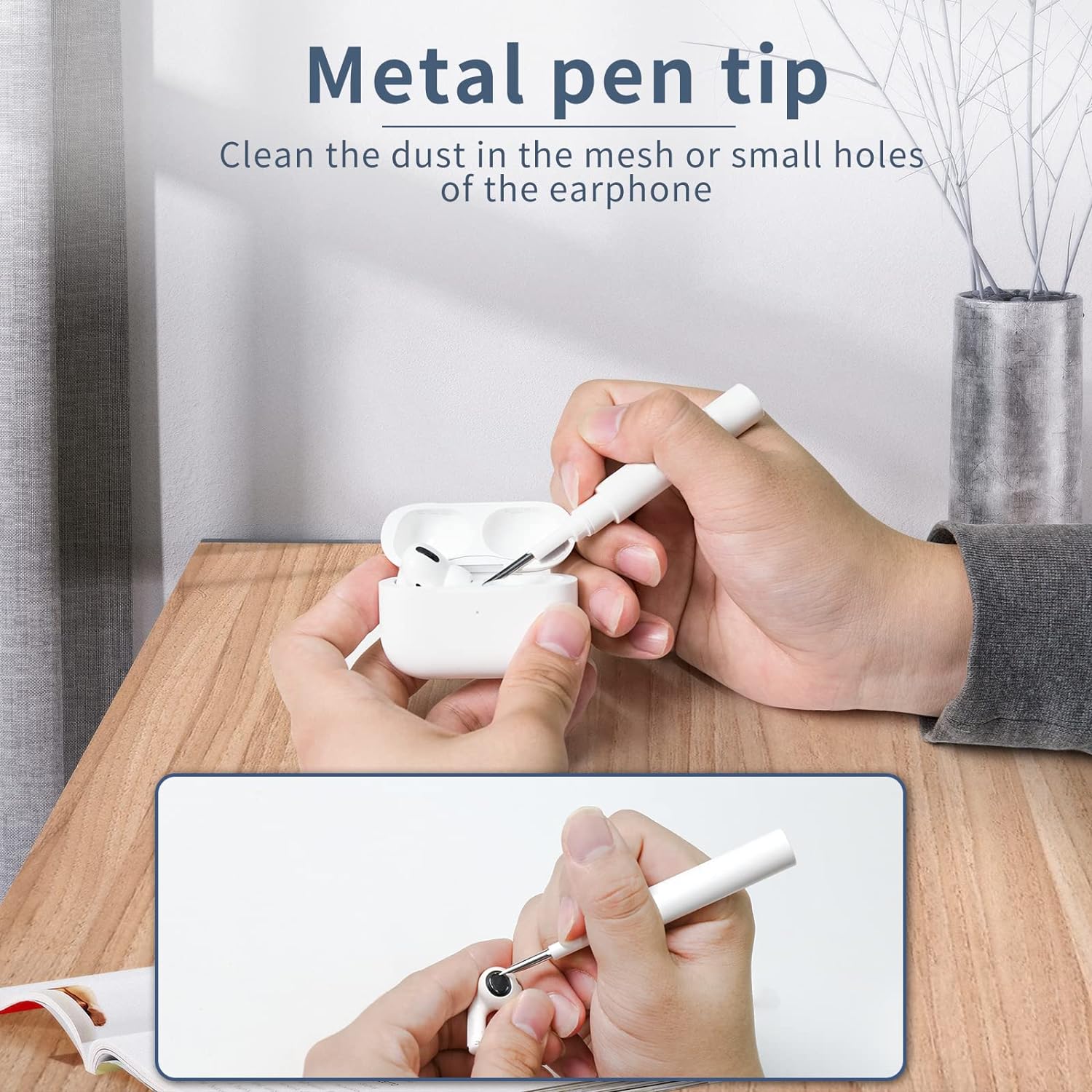
Figure 3: The metal pen tip is ideal for dislodging dirt from earbud meshes and small openings.
- Using the High-Density Brush: After using the metal tip, or for general cleaning of sound holes and other parts of the earbud, use the high-density brush to sweep away dust and debris.

Figure 4: The high-density brush effectively removes earwax and stains from crevices.
- Using Cleaning Putty: For deep cleaning of earbud speaker grilles, take a small piece of blue butyl rubber putty. Gently press it onto the speaker mesh and then pull it off. The putty will lift out embedded dirt and earwax. Note: Do not press too hard to avoid pushing debris further in.
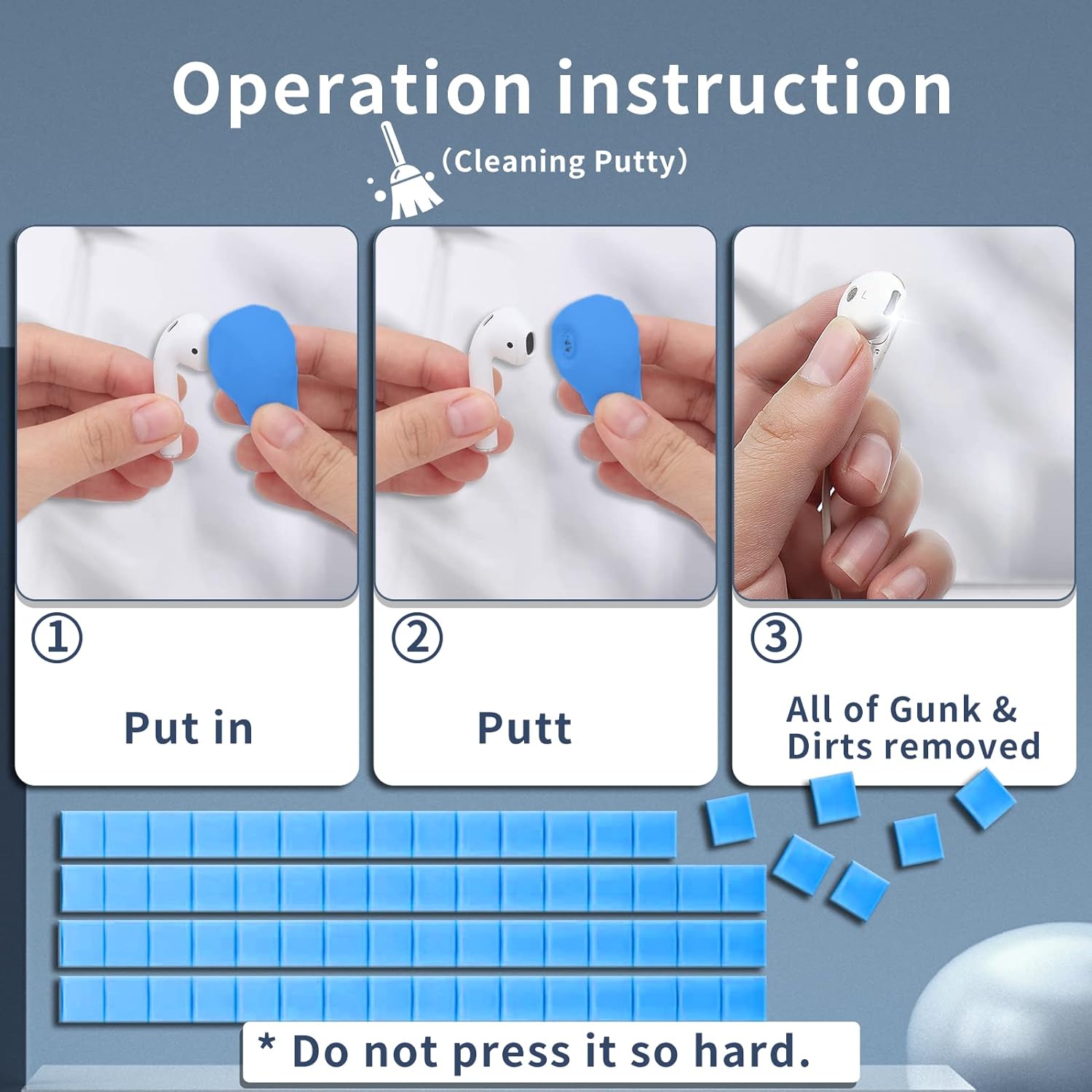
Figure 5: Cleaning putty helps remove stubborn gunk from earbud speaker grilles.
- Using Wet/Dry Wipes and Microfiber Cloth: For external surfaces and to remove fingerprints or smudges, first use a wet wipe (labeled '1') to clean the surface. Immediately follow with a dry wipe (labeled '2') to remove any moisture. For a final polish, use the microfiber cloth.
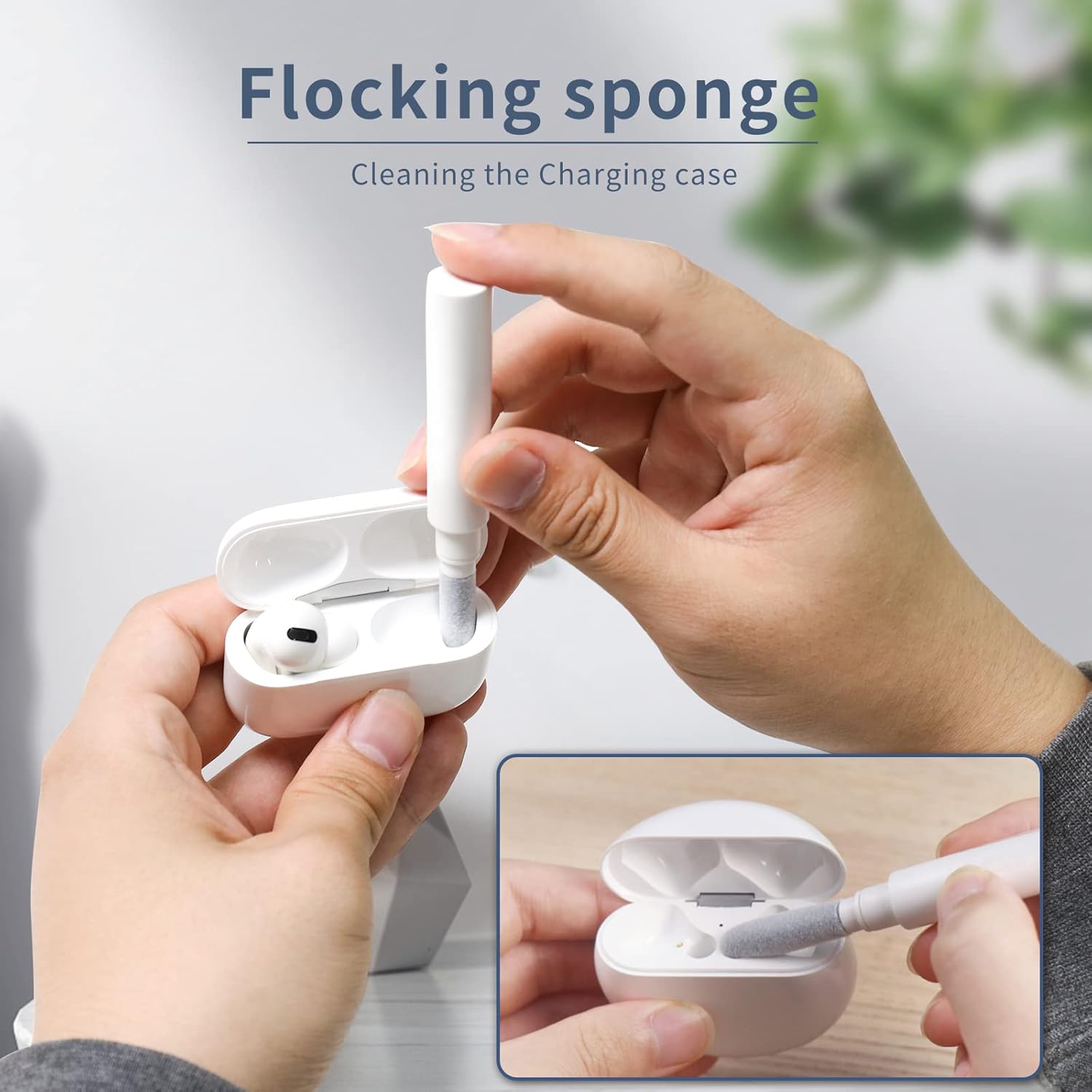
Figure 6: Wet and dry wipes, followed by the microfiber cloth, ensure a clean finish.
4.2. Cleaning Earbud Charging Case
- Using the Flocking Sponge: The soft flocking sponge is designed to clean the interior of the earbud charging case, especially the charging compartments where dust and lint can accumulate.

Figure 7: The flocking sponge effectively cleans the inside of the charging case.
- Using the Metal Pen Tip and High-Density Brush: For hard-to-reach corners or charging contacts within the case, use the metal pen tip to dislodge debris, then use the high-density brush to sweep it out.
4.3. Cleaning Other Devices (Phones, Laptops, Cameras)
The kit's versatility allows for cleaning various other electronics:
- Phone Earpieces & Microphones: Use the metal pen tip and high-density brush to clean small grilles and ports.
- Laptop Keyboards: The high-density brush can sweep away dust and crumbs from between keys.
- Camera Lenses/Screens: Use the microfiber cloth for gentle, streak-free cleaning. Avoid using wet wipes on optical surfaces unless specifically designed for them.
- General Surfaces: The wet/dry wipes and microfiber cloth are suitable for cleaning screens and outer casings of phones, tablets, and laptops.

Figure 8: The cleaning kit is suitable for a wide range of electronic devices.
5. Maintenance
To ensure the longevity and effectiveness of your cleaning kit:
- Cleaning Tools: After use, wipe down the metal pen tip and brushes with a clean, dry cloth.
- Cleaning Putty: Store unused putty in its original packaging to prevent it from drying out. If it has hardened significantly, it may need to be replaced.
- Microfiber Cloth: The microfiber cloth can be gently hand-washed with mild soap and water, then air-dried.
- Storage: Store all components in the provided felt pouch in a cool, dry place away from direct sunlight.
6. Troubleshooting
Common issues and their solutions:
| Problem | Solution |
|---|---|
| Cleaning putty is hard/dry. | Ensure putty is stored in its sealed packaging. If it has hardened significantly, it may need to be replaced. |
| Wet wipes are dry. | Ensure wipe packets are sealed. Dry wipes cannot be rehydrated and should be discarded. |
| Debris is still present after cleaning. | Repeat the cleaning process, ensuring gentle but firm application of tools. For very stubborn debris, multiple applications of the cleaning putty may be necessary. |
7. Specifications
- Brand: AKIKI
- Model Number: 1
- Color: White
- Material: Plastic, Microfiber
- Item Weight: 2.39 ounces
- Package Dimensions: 7.48 x 4.02 x 0.98 inches
- UPC: 727536642046
- Date First Available: November 17, 2021
- Manufacturer: AK Store
8. Warranty and Support
AKIKI is committed to providing high-quality products and excellent customer service. If you encounter any issues with your product, please contact us for assistance.
- Warranty: The product is covered by a warranty. Please refer to the product packaging or contact customer support for details.
- Contact Us: For support, please reach out to the manufacturer or seller through the platform where the product was purchased.


