
1. Product Overview
The Iwillink RJ45 Coupler is designed to effortlessly extend the length of your Ethernet network cables. This female-to-female connector allows you to link two Ethernet patch cables, providing a seamless extension without compromising network speed or signal quality. It's a plug-and-play solution ideal for various home or office networking requirements.
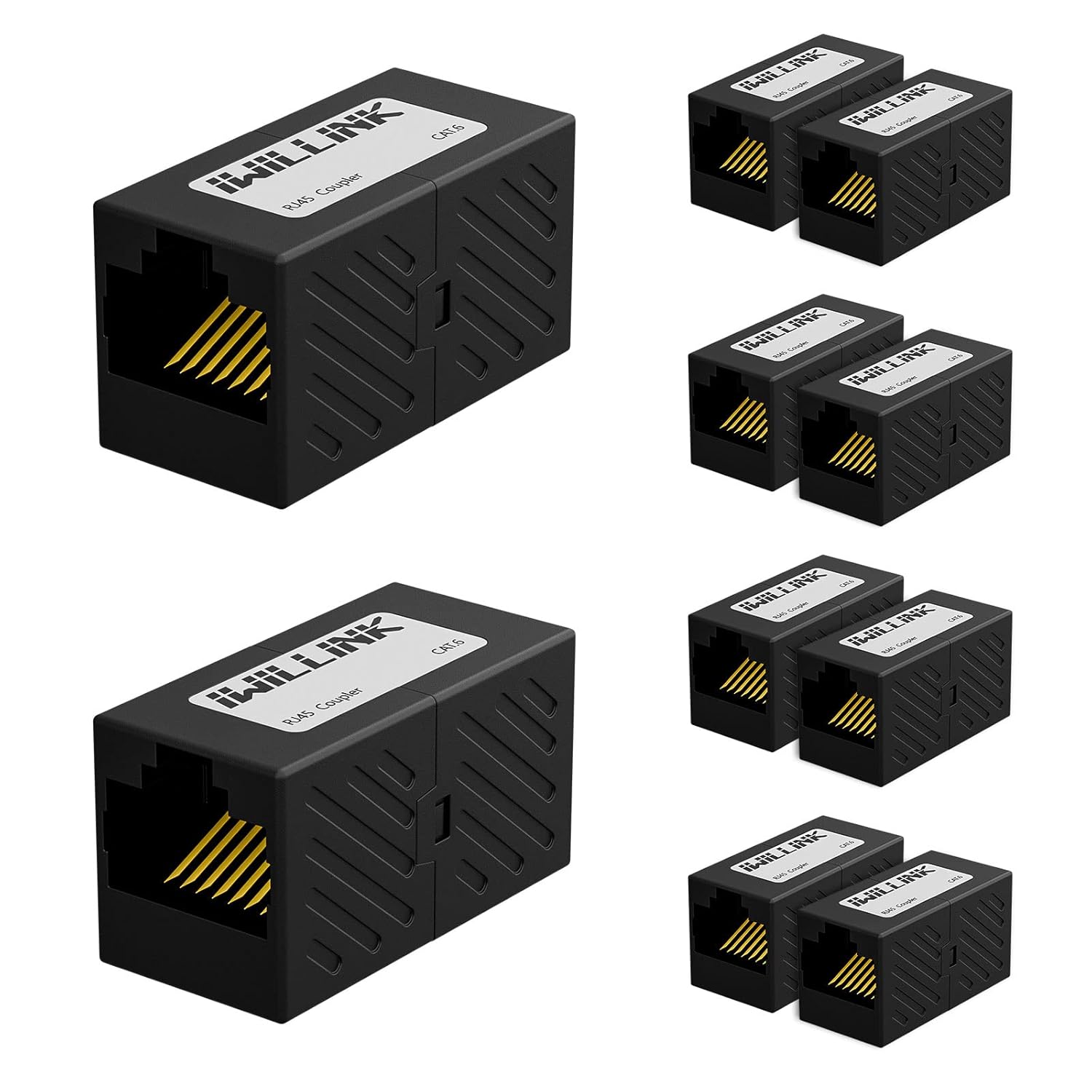
Image: A pack of Iwillink RJ45 Couplers, showcasing the product's design and quantity.

Image: The RJ45 coupler in use, extending an Ethernet cable discreetly along a wall in a home office environment.
2. Key Features
- Effortless Extension: Connects two Ethernet patch cables to extend network reach without signal degradation.
- Versatile Compatibility: Compatible with Cat7, Cat6, Cat5e, and Cat5 Ethernet cables.
- Reliable Construction: Features gold-plated contacts for secure, corrosion-free connections and a flame-retardant plastic housing for durability.
- High-Speed Data Transfer: Compliant with TIA/EIA568-C.2 standards, supporting speeds up to 1000 Mbps.
- Plug-and-Play: Simple to use with no additional software or drivers required.

Image: An exploded view highlighting the gold-plated pins for rust resistance and the flame-retardant plastic housing.
3. Installation Guide
Installing the Iwillink RJ45 Coupler is straightforward. Follow these simple steps:
- Ensure both Ethernet cables you wish to extend are RJ45 compatible (Cat7, Cat6, Cat5e, or Cat5).
- Insert the RJ45 connector of the first Ethernet cable into one end of the Iwillink coupler until it clicks securely into place.
- Insert the RJ45 connector of the second Ethernet cable into the other end of the Iwillink coupler until it also clicks securely.
- Verify that both connections are firm and the cables are properly seated. Your extended network connection is now ready for use.

Image: A close-up view demonstrating how two Ethernet cables connect to the RJ45 coupler.

Image: The coupler extending a network cable from a laptop, illustrating its practical application in a home or office setup.
4. Operating and Performance
The Iwillink RJ45 Coupler operates passively, simply extending the physical length of your Ethernet connection. It is designed to maintain high-speed data transmission, supporting up to 1000 Mbps (1 Gigabit per second) when used with compatible Cat6, Cat5e, or Cat5 cables. Its wide compatibility ensures it can be used with various network devices.

Image: A visual representation of the coupler's capability to support high-speed data transfer up to 1000 Mbps.

Image: Icons depicting the wide range of devices compatible with the RJ45 coupler, including PCs, routers, switches, printers, and hubs.
Video: An official iwillink video demonstrating the features and usage of the Cat6 RJ45 Ethernet Coupler, including its various available colors, internal components, transmission frequency capabilities, and ease of connection for extending network cables.
5. Care and Maintenance
The Iwillink RJ45 Coupler is designed for durability and requires minimal maintenance. To ensure optimal performance and longevity:
- Keep the coupler in a dry environment, away from excessive moisture or humidity.
- Avoid exposing the coupler to extreme temperatures.
- Do not force cables into the ports; ensure proper alignment to prevent damage to the gold-plated contacts.
- If necessary, gently wipe the exterior with a dry, soft cloth to remove dust. Do not use liquid cleaners.
6. Troubleshooting
If you experience issues with your network connection after using the Iwillink RJ45 Coupler, consider the following:
- No Network Connection: Ensure both Ethernet cables are fully inserted into the coupler and click into place. Check that the cables are securely connected to your devices (router, computer, etc.).
- Slow Network Speed: Verify that both Ethernet cables used are of the appropriate category (e.g., Cat6 for Gigabit speeds) and are not damaged. Ensure your network devices (router, modem, network card) also support the desired speeds.
- Intermittent Connection: Check for any physical damage to the coupler or the connected cables. Ensure there are no kinks or sharp bends in the cables.
- Compatibility Check: Confirm that your cables are standard RJ45 Ethernet cables (Cat5, Cat5e, Cat6, Cat7). This coupler is not designed for phone lines or other cable types.
7. Specifications
| Attribute | Detail |
|---|---|
| Brand | iwillink |
| Model Number | YUNXI-KJ-34-C5E/C6 |
| Color | Black |
| Connector Type | RJ45 Female to Female |
| Compatible Devices | Cat7, Cat6, Cat5e, Cat5 Ethernet Cables |
| Data Transfer Speed | Up to 1000 Mbps (1 Gbps) |
| Compliance | TIA/EIA568-C.2 standards |
| Housing Material | Flame-retardant plastic |
| Contacts | Gold-plated |
| Package Dimensions | 5.94 x 5.83 x 0.71 inches |
| Item Weight | 1.76 ounces |
| Manufacturer | iwillink |
| Date First Available | November 18, 2021 |
8. Warranty and Support
The Iwillink RJ45 Coupler comes with an 18-month warranty to ensure peace of mind for any quality-related issues. For support or warranty claims, please contact the manufacturer, iwillink, through their official channels or the retailer where the product was purchased.
This product is manufactured by iwillink, a professional manufacturer of cabling, network, and communication equipment and accessories systems.