
Introduction
This owner's manual provides essential information for the safe and effective use, assembly, and maintenance of your Weider 8225 Hard Drive Strength System. Please read this manual thoroughly before operating the equipment and retain it for future reference.
Model Identification:
- Model No.: 2319 WG-8225 / WG-82250
- Part No.: 119801
- Serial Number: The serial number decal is located under the seat of the equipment.
The Weider 8225 Hard Drive System is a multi-station professional quality fitness system designed for comprehensive strength training.
Safety Precautions
CAUTION!
To reduce the risk of serious injury, read all safety precautions and instructions in this owner's manual before using this equipment. Save this owner's manual for future reference.
- Consult a physician before beginning any exercise program.
- Keep children and pets away from the equipment at all times.
- Place the equipment on a level surface with adequate clearance around it.
- Inspect the equipment before each use for loose parts, worn cables, or any damage. Do not use if damaged.
- Wear appropriate exercise clothing and athletic shoes.
- Do not overexert yourself. Stop exercising immediately if you feel faint, dizzy, or experience pain.
- Ensure all pins, bolts, and adjustment knobs are securely fastened before use.
- Use the equipment only for its intended purpose as described in this manual.
Product Overview
The Weider 8225 Hard Drive Strength System is a versatile multi-station home gym designed to provide a full-body workout. It features various stations for targeting different muscle groups, utilizing a weight stack for resistance.
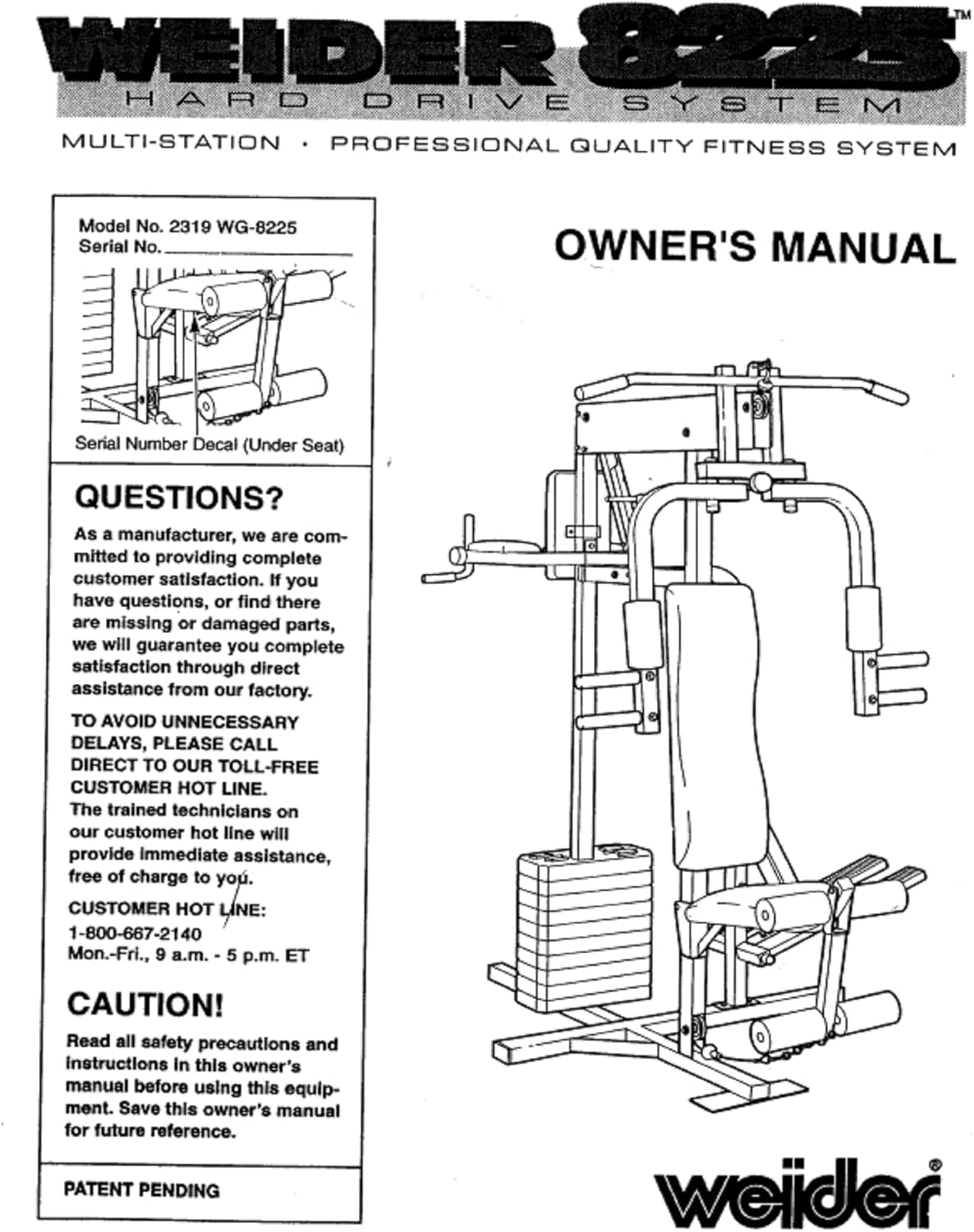
Image Description: A black and white line drawing depicting the Weider 8225 Hard Drive Strength System. The image shows a multi-station home gym with a weight stack on the left, a padded seat and backrest, and various exercise stations including a leg developer, chest press, and high pulley system. The overall structure is robust, indicating a comprehensive fitness machine.
Setup and Assembly
The Weider 8225 Hard Drive Strength System requires assembly. Due to the complexity and weight of the components, it is recommended to have at least two people for assembly. Follow the detailed assembly instructions and diagrams provided with your product packaging. Ensure all bolts, nuts, and washers are correctly installed and tightened before use.
- Unpack all components and verify against the parts list.
- Assemble the base frame first, ensuring stability.
- Attach the weight stack and cable systems carefully, following the routing diagrams.
- Install all padded components, seats, and accessories.
- Perform a final check to ensure all connections are secure and all moving parts operate smoothly.
Operating Instructions
The Weider 8225 Hard Drive Strength System offers a variety of exercises. Always warm up before your workout and cool down afterward. Maintain proper form during all exercises to maximize effectiveness and prevent injury.
Adjusting Resistance
The resistance is adjusted by selecting the desired weight plates on the weight stack. Insert the selector pin completely through the desired weight plate. Ensure the pin is fully engaged before beginning an exercise.
General Usage Guidelines
- Chest Press: Adjust the seat height so that the handles are at chest level. Push forward with controlled motion.
- Leg Developer: Position your shins against the padded rollers. Perform leg extensions or curls with controlled movements.
- High Pulley: Use for lat pulldowns or triceps pushdowns. Ensure a stable seated or kneeling position.
- Low Pulley: Suitable for seated rows, bicep curls, or upright rows. Maintain a straight back.
Refer to a qualified fitness professional or exercise guide for specific exercise techniques and workout routines tailored to your fitness goals.
Maintenance
Regular maintenance ensures the longevity and safe operation of your Weider 8225 Hard Drive Strength System.
- Cleaning: Wipe down the equipment with a damp cloth after each use to remove sweat and dust. Avoid abrasive cleaners.
- Inspection: Periodically check all nuts, bolts, and screws for tightness. Tighten as necessary. Inspect cables and pulleys for signs of wear, fraying, or damage. Replace any worn parts immediately.
- Lubrication: Apply a light lubricant to moving parts and pivot points as needed to ensure smooth operation and prevent squeaking.
- Parts Replacement: If replacement parts are needed, locate your model name and model number (or serial number for other manufacturers). For Icon products, the first 2-5 characters of the serial number may suffice. Refer to the product description or contact customer service for compatibility options.
Troubleshooting
This section addresses common issues you might encounter with your strength system.
- Squeaking or Grinding Noises: Check for loose bolts or components. Lubricate moving parts and pivot points. Inspect pulleys and cables for proper alignment and wear.
- Resistance Issues: Ensure the selector pin is fully inserted into the desired weight plate. Check cable tension and routing.
- Unstable Equipment: Verify that the equipment is on a level surface. Check all frame bolts for tightness.
If you are uncomfortable diagnosing or treating your machine with replacement parts, or if issues persist, please contact customer support.
Specifications
- Model: Weider 8225 Hard Drive System (WG-82250 / 2319 WG-8225)
- Manufacturer: ICON Health & Fitness, Inc.
- Package Weight: Approximately 1 Pound (for manual/parts)
- Item Dimensions (LxWxH): Approximately 6 x 8 x 1 inches (for manual/parts)
- ASIN: B09M1ZCBXN
- Date First Available: November 7, 2019
Customer Support and Warranty
As a manufacturer, Icon Health & Fitness, Inc. is committed to providing complete customer satisfaction. If you have questions, or find there are missing or damaged parts, assistance is available.
Customer Hot Line:
- Phone: 1-800-667-2140
- Hours: Monday - Friday, 9 a.m. - 5 p.m. ET
Trained technicians are available to provide immediate assistance, free of charge.
Warranty Information: For specific warranty details regarding your Weider 8225 Hard Drive Strength System, please refer to the warranty documentation included with your original purchase or contact customer support directly.


