1. Introduction
Thank you for choosing the UGREEN HiTune Max 3 Wireless Headphones. These headphones are designed to provide a superior audio experience with advanced features such as Active Noise Cancelling (ANC), Transparent Mode, and 3D Spatial Audio. This manual will guide you through the setup, operation, and maintenance of your new headphones.

Image 1.1: UGREEN HiTune Max 3 Wireless Headphones. These over-ear headphones feature a sleek black design and are equipped with Active Noise Cancelling technology.
2. Package Contents
Please check the package for the following items:
- UGREEN HiTune Max 3 Wireless Headphones
- Charging Cable (USB-C)
- 3.5mm Audio Cable
- User Manual (this document)
3. Product Overview
Familiarize yourself with the headphone's controls and features.

Image 3.1: Diagram illustrating the control buttons on the UGREEN HiTune Max 3 headphones, including the 3D, ANC, Power, Volume+, and Volume- buttons.
Control Buttons:
- 3D Button: Toggles 3D Spatial Audio mode.
- ANC Button: Cycles through Active Noise Cancelling (ANC) On, Transparent Mode, and ANC Off.
- Power Button: Controls power, playback, and call functions.
- Volume + Button: Increases volume and can skip to the next track.
- Volume - Button: Decreases volume and can skip to the previous track.
4. Setup
4.1 Charging the Headphones
Before first use, fully charge the headphones. Connect the provided USB-C charging cable to the charging port on the headphones and to a USB power source. The LED indicator will show charging status and turn off when fully charged.
- Battery Life: Up to 60 hours of playback on a single charge (40 hours with ANC enabled).
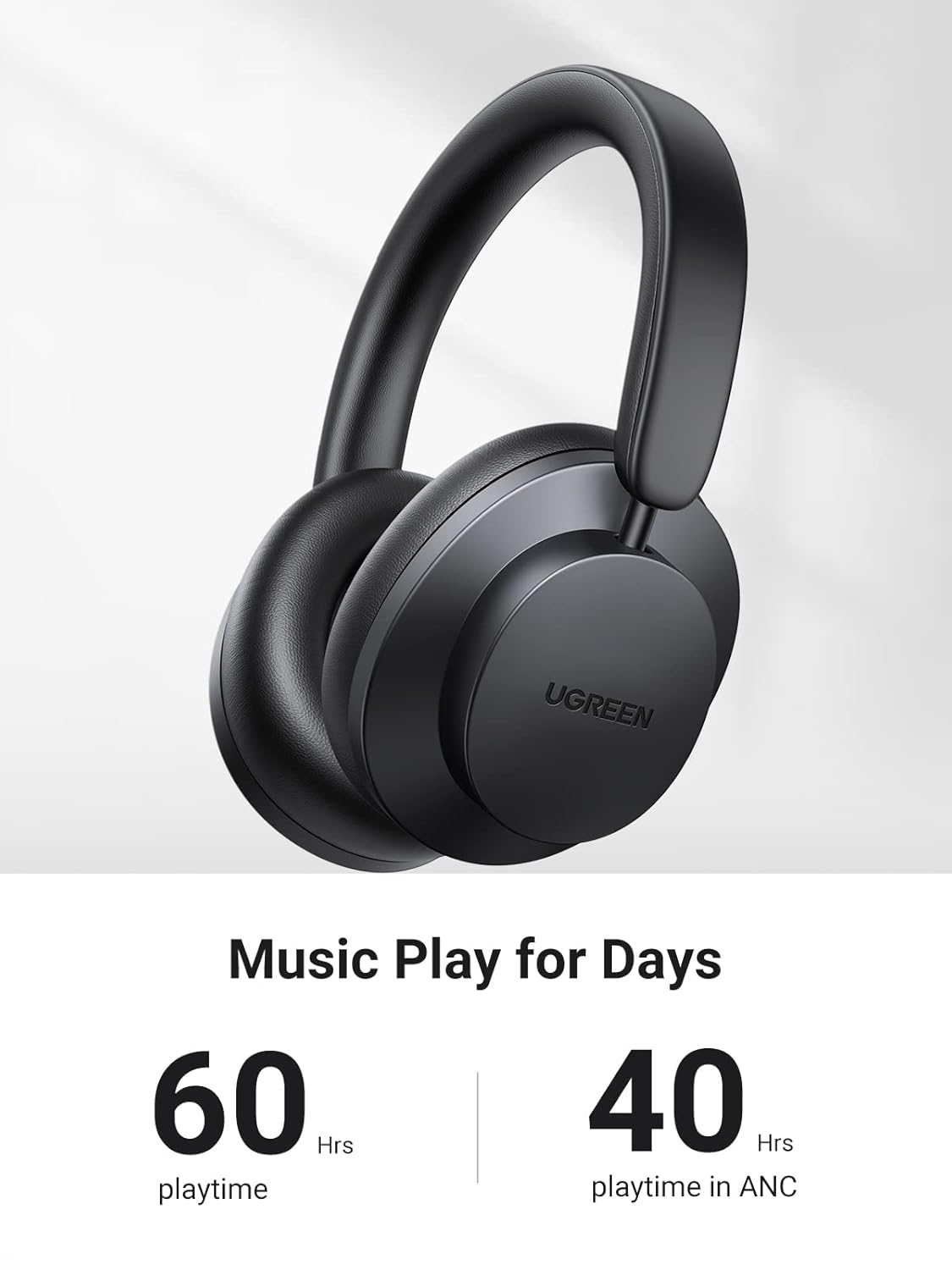
Image 4.1: The UGREEN HiTune Max 3 headphones, highlighting their extended battery life of up to 60 hours of playtime, or 40 hours with Active Noise Cancelling.
4.2 Bluetooth Pairing
- Ensure the headphones are powered off.
- Press and hold the Power Button for approximately 4 seconds until the LED indicator flashes blue and red, indicating pairing mode.
- On your device (smartphone, tablet, computer), enable Bluetooth and search for available devices.
- Select "UGREEN HiTune Max 3" from the list of devices.
- Once connected, the LED indicator will turn solid blue.
4.3 Wired Connection
For a wired connection, plug one end of the 3.5mm audio cable into the headphone's audio jack and the other end into your audio source. The headphones can be used passively in wired mode without power.
5. Operating Instructions
5.1 Power On/Off
- Power On: Press and hold the Power Button for 2 seconds.
- Power Off: Press and hold the Power Button for 2 seconds.
5.2 Music Playback
- Play/Pause: Press the Power Button once.
- Next Track: Press the Power Button twice, or press and hold the Volume + Button for 2 seconds.
- Previous Track: Press the Power Button three times, or press and hold the Volume - Button for 2 seconds.
- Volume Up: Press the Volume + Button once.
- Volume Down: Press the Volume - Button once.
5.3 Call Management
- Answer/End Call: Press the Power Button once.
- Reject Call: Press and hold the Power Button for 2 seconds.
5.4 Active Noise Cancelling (ANC) & Transparent Mode
The HiTune Max 3 features Hybrid ANC technology to reduce ambient noise and a Transparent Mode to allow you to hear your surroundings.

Image 5.1: Close-up of the UGREEN HiTune Max 3 headphone ear cup, illustrating the 35dB Hybrid Active Noise Cancelling capability, which effectively blocks out external sounds.
- Toggle Modes: Press the ANC Button once to cycle between ANC On, Transparent Mode, and ANC Off.
5.5 3D Spatial Audio
Experience immersive audio with 3D Spatial Audio, creating a lifelike sound environment.

Image 5.2: A person wearing UGREEN HiTune Max 3 headphones, depicted with sound waves emanating around them, illustrating the 3D Spatial Audio feature for an immersive listening experience.
- Toggle 3D Spatial Audio: Press the 3D Button once.
5.6 Auto Detection
The headphones feature an auto-detection function that pauses playback when removed from your head and resumes when put back on. This feature may be inconsistent based on usage.
6. Maintenance
6.1 Cleaning
- Wipe the headphones with a soft, dry, lint-free cloth.
- Do not use abrasive cleaners, alcohol, or chemical solvents.
- Avoid getting moisture into any openings.
6.2 Storage
- Store the headphones in a cool, dry place away from extreme temperatures.
- When not in use for extended periods, charge the headphones periodically to maintain battery health.
7. Troubleshooting
If you encounter issues with your headphones, refer to the following common solutions:
| Problem | Possible Solution |
|---|---|
| Headphones do not power on | Ensure the headphones are charged. Connect to a power source and try again. |
| Cannot pair with device | Ensure headphones are in pairing mode (LED flashing blue/red). Turn off and on Bluetooth on your device. Forget the device from your Bluetooth list and try pairing again. |
| No sound or low volume | Check headphone and device volume levels. Ensure headphones are properly connected via Bluetooth or 3.5mm cable. Try restarting both devices. |
| ANC not working effectively | Ensure ANC mode is activated (press ANC button). Check that earcups form a good seal around your ears. |
| Auto-pause/play is inconsistent | This feature may vary in performance. Ensure the headphones are worn correctly and sensors are not obstructed. |
8. Specifications
Key technical specifications for the UGREEN HiTune Max 3 Wireless Headphones:
- Model Name: UGREEN HiTune Max 3 Hybrid
- Model Number: 90422
- Noise Control: Active Noise Cancellation (Hybrid)
- Connectivity: Wireless (Bluetooth), 3.5 mm Jack
- Wireless Communication Technology: Bluetooth
- Audio Driver Type: 40mm Dynamic Driver
- Battery Life: Up to 60 Hours (40 Hours with ANC)
- Control Method: Touch and Physical Buttons
- Material: Plastic
- Item Weight: 920 Grams
- Product Dimensions: 23.7 x 21.8 x 7.2 cm
- Manufacturer: UGREEN, UGREEN GROUP LIMITED
- Country of Origin: China

Image 8.1: A detailed view of the 40mm dynamic driver unit within the UGREEN HiTune Max 3 headphones, engineered for powerful, enriched, and natural sound reproduction.
9. Warranty and Support
UGREEN products are designed to meet high quality standards. For warranty information and technical support, please refer to the warranty card included with your purchase or visit the official UGREEN website. Keep your proof of purchase for warranty claims.
- Manufacturer: UGREEN GROUP LIMITED
- Importer (India): Quantron Business Tech Solutions Pvt Ltd


