
1. Introduction
Thank you for choosing the YUSONIC Unicorn Kids Bluetooth Headphones, Model STN-27. These headphones are designed to provide a fun and safe audio experience for children, featuring a unique unicorn design with flashing LED lights, comfortable earcups, and versatile connectivity options.
Key features include:
- Unicorn Design with Flashing Lights: Foldable headset with LED cat ears and a unicorn horn that flash and change colors with rhythm.
- Kid-Friendly Design: Excellent sound effect, ideal for studying, listening to music, watching movies, playing games, and online communication. Includes a built-in microphone.
- Bluetooth 5.0 Connectivity: High-performance Bluetooth chip for fast and stable wireless connection, compatible with various devices like phones, tablets, and computers.
- Volume Limited Audio: Features a 93dB volume limit and EQ technology for high-quality sound without endangering hearing.
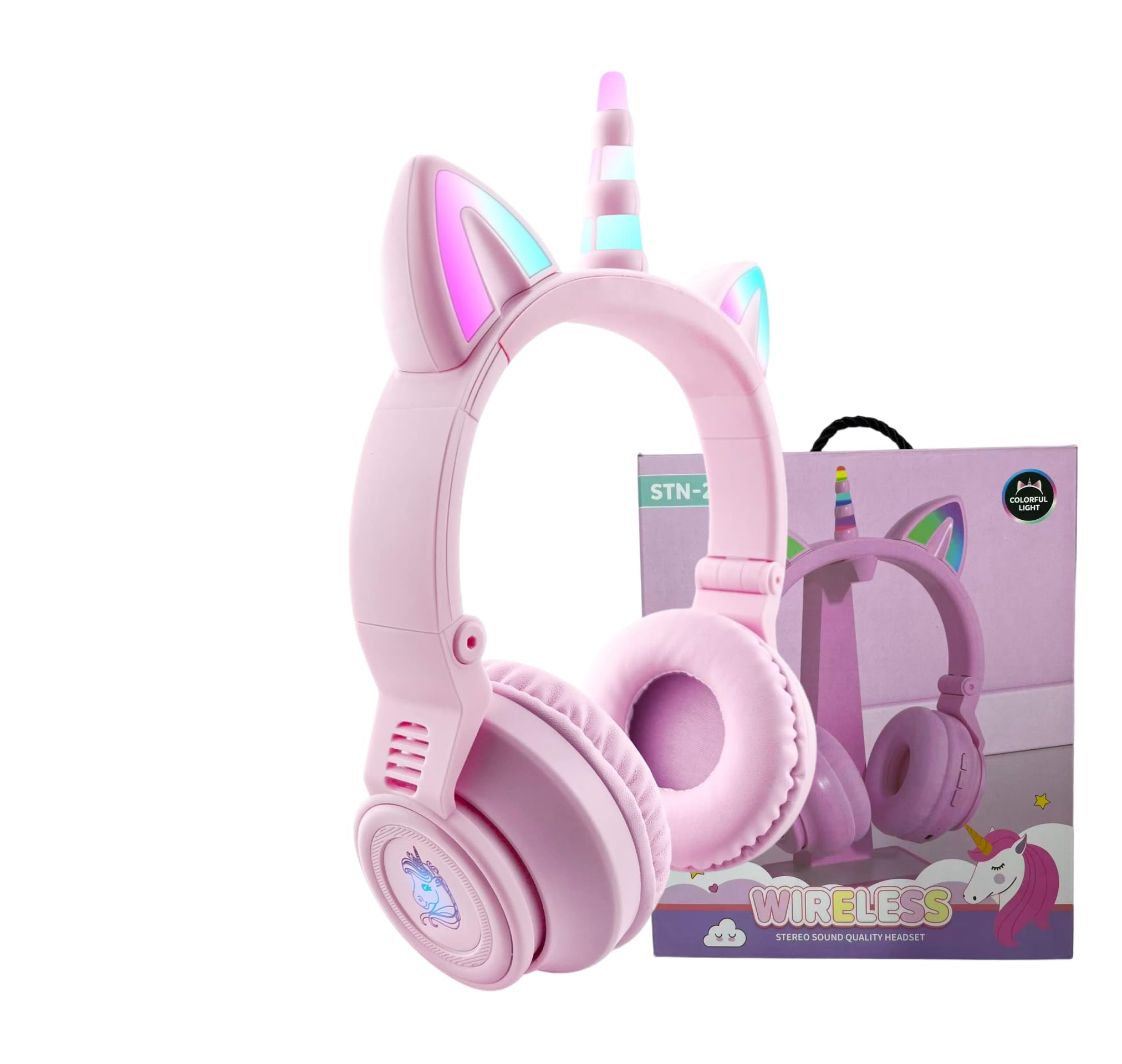
Figure 1: YUSONIC Unicorn Kids Bluetooth Headphones (Purple Pink)
2. Package Contents
Please check the box for the following items:
- YUSONIC Unicorn Kids Bluetooth Headphones (Model STN-27)
- USB Charging Cable
- 3.5mm Audio Cable
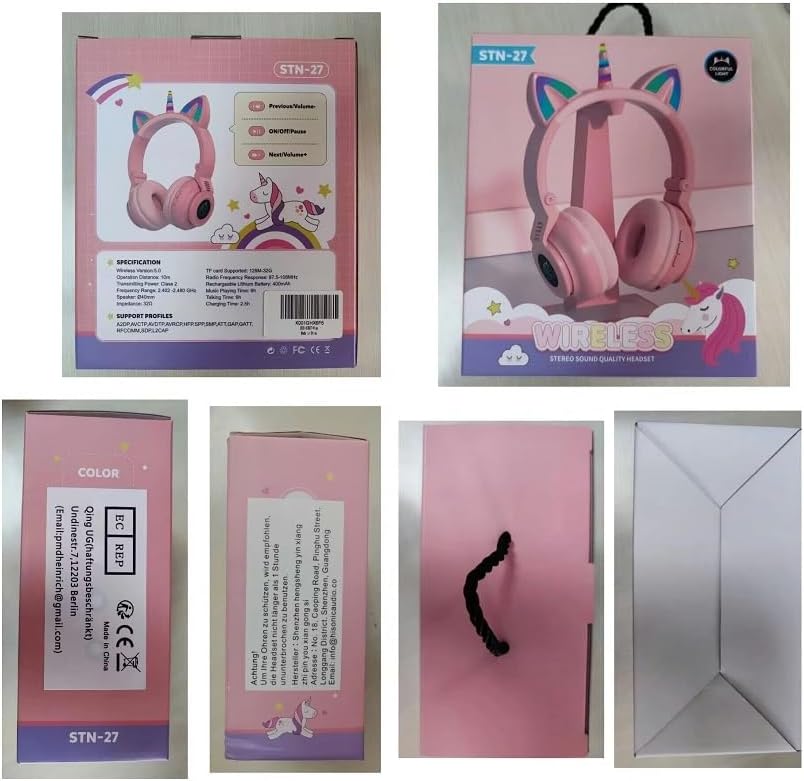
Figure 2: Packaging and included cables for the headphones.
3. Setup
3.1 Charging the Headphones
Before first use, fully charge the headphones. Connect the USB charging cable to the Micro USB port on the headphone and the other end to a USB power source (e.g., computer, wall adapter). The LED indicator will show charging status (typically red while charging, turning off or blue when fully charged).
- Charging Time: Approximately 1.5 hours.
- Battery Life: Up to 15 hours of playback.
3.2 Power On/Off
To power on the headphones, press and hold the multi-function button (usually the center button on the earcup controls) until the LED indicator lights up and you hear a power-on prompt. To power off, press and hold the same button until the LED indicator turns off and you hear a power-off prompt.
3.3 Bluetooth Pairing
1. Ensure the headphones are powered off.
2. Press and hold the multi-function button for approximately 5-7 seconds until the LED indicator flashes blue and red alternately, indicating pairing mode.
3. On your device (phone, tablet, computer), enable Bluetooth and search for available devices.
4. Select "STN-27" (or similar name) from the list of devices.
5. Once paired, the LED indicator will flash blue slowly, and you will hear a connected prompt.
Video 1: Official YUSONIC video demonstrating the unicorn Bluetooth headphones, including features and usage.
3.4 Wired Connection (3.5mm Audio Cable)
To use the headphones in wired mode, connect the 3.5mm audio cable to the audio jack on the headphone and the other end to your audio device. This mode does not require battery power for audio playback.
4. Operating Instructions
4.1 Controls
The headphones feature intuitive buttons on the earcup for easy control:
- Multi-function Button (Center): Power On/Off, Play/Pause, Answer/End Calls.
- Volume Up (+): Short press to increase volume. Long press for next song.
- Volume Down (-): Short press to decrease volume. Long press for previous song.

Figure 3: Control buttons on the headphone earcup.
4.2 LED Light Control
The unicorn horn and cat ears feature colorful LED lights. To control them, press the "+" button two times quickly to turn the lights off. Press the "+" button two times quickly again to turn the lights back on.
Video 2: Official YUSONIC video showcasing the unicorn design with flashing lights.
4.3 Adjusting Fit and Portability
The headphones feature an adjustable headband and a foldable design for comfortable fit and easy storage. Adjust the headband to fit the user's head comfortably. Fold the earcups inward to make the headphones compact for travel or storage.

Figure 4: Foldable design for portability.

Figure 5: Adjustable headband for a comfortable fit.
5. Maintenance
To ensure the longevity and optimal performance of your YUSONIC Unicorn Kids Bluetooth Headphones, follow these maintenance guidelines:
- Cleaning: Use a soft, dry cloth to wipe the headphones. Do not use harsh chemicals or abrasive materials.
- Storage: When not in use, store the headphones in a cool, dry place. Utilize the foldable design to minimize space and protect them from damage.
- Battery Care: Avoid fully discharging the battery frequently. Charge the headphones regularly, even if not in constant use, to maintain battery health.
- Avoid Moisture: The headphones are not water-resistant. Keep them away from water and excessive humidity.
6. Troubleshooting
If you encounter any issues with your headphones, please refer to the following common solutions:
- No Power: Ensure the headphones are fully charged. Connect them to a power source using the USB charging cable.
- Cannot Pair via Bluetooth: Make sure the headphones are in pairing mode (LED flashing red and blue). Ensure Bluetooth is enabled on your device and it is within the 10-meter range. Try restarting both the headphones and your device.
- No Sound: Check the volume levels on both the headphones and your connected device. Ensure the headphones are properly paired or the 3.5mm audio cable is securely connected.
- LED Lights Not Working: Press the "+" button two times quickly to toggle the lights on/off. Ensure the headphones have sufficient battery charge.
- Poor Sound Quality: Ensure the headphones are within Bluetooth range and there are no obstructions. For wired connection, check the audio cable for damage.
7. Specifications
| Feature | Specification |
|---|---|
| Brand | YUSONIC |
| Model Number | STN-27 |
| Color | Purple Pink |
| Ear Placement | Over Ear |
| Connectivity Technology | Wireless (Bluetooth), Wired (3.5mm Jack) |
| Bluetooth Version | 5.0 |
| Bluetooth Range | 10 Meters |
| Battery Average Life | 15 Hours |
| Battery Charge Time | 1.5 Hours |
| Audio Driver Size | 40 Millimeters |
| Sensitivity | 93 dB |
| Frequency Response | 20 Hz - 20 kHz |
| Item Weight | 180 Grams |
| Material | Plastic or Fabric |
| Additional Features | Adjustable Headband, Foldable, Microphone Included, Unicorn LED Lights |
| Compatible Devices | Phones, Tablets, Amazon Fire, PC, TV |
8. Warranty and Support
The YUSONIC Unicorn Kids Bluetooth Headphones come with a one-year warranty from the date of purchase. This warranty covers manufacturing defects and ensures the product meets quality standards.
For warranty claims, technical support, or any questions regarding your headphones, please contact YUSONIC customer service through the retailer where the product was purchased or visit the official YUSONIC website for contact information.
Please retain your proof of purchase for warranty validation.