
1. Introduction
The Blue Tees Golf Series 3 Max+ Laser Rangefinder is an advanced device designed to provide precise distance measurements for golfers. It features enhanced software and electronics, an ergonomic design, and a rechargeable battery. This manual provides comprehensive instructions for setting up, operating, and maintaining your rangefinder to optimize your golf game.

Figure 1: Blue Tees Golf Series 3 Max+ Rangefinder. This image shows the sleek black design of the rangefinder, highlighting its compact and ergonomic form factor.
2. Key Features
The Series 3 Max+ is equipped with several innovative features to enhance your golfing experience:
- High-Precision Measurement: Offers accurate distance readings up to 1000 yards with +/- 1 yard accuracy.
- Adaptive Slope Switch: Calculates true distance by accounting for incline/decline, with a toggle for tournament legality.
- Auto-Ambient Display: Automatically adjusts display text color (red or black) for optimal visibility in varying light conditions.
- Flag Lock with Pulse Vibration: Provides short vibrating pulses to confirm target acquisition, ensuring you lock onto the flag, not background objects.
- Built-in Magnetic Strip: Allows convenient attachment to golf carts or other metal surfaces.
- USB-C Rechargeable Battery: Eliminates the need for disposable batteries, offering a sustainable power solution.
- Water-Resistant Design: Durable casing suitable for various weather conditions (IPX4 rating).
- 7X Magnification: Provides clear and magnified views of your target.

Figure 2: Premium Features Overview. This graphic illustrates the key functionalities of the Series 3 Max+, including Crystal Clear Display, Magnetic Strip, Slope Switch, Red/Black Control, Active Tracking, Advanced Flag Lock, Pulse Vibration, 1000 Yard Range, Waterproof USB-C, and Water Resistant design.
3. Setup
3.1 Package Contents
Before first use, verify that all items are present in the package:
- Blue Tees Golf Series 3 Max+ Rangefinder
- Weather-proof Carrying Case
- Microfiber Cleaning Cloth
- Lanyard
- USB-C to USB-A Charging Cable
- Quick Start Guide & Insert

Figure 3: Rangefinder and Accessories. This image displays the rangefinder alongside its protective carrying case and packaging, indicating the complete product set.
3.2 Charging the Battery
The Series 3 Max+ comes with a built-in rechargeable lithium-ion battery. Fully charge the device before its first use.
- Locate the USB-C charging port on the rangefinder. This port is waterproof.
- Connect the provided USB-C to USB-A charging cable to the rangefinder.
- Connect the USB-A end of the cable to a compatible USB power adapter (not included) or a computer's USB port.
- The charging indicator light will illuminate during charging and turn off when fully charged.
- A full charge typically takes approximately 2-3 hours.

Figure 4: USB-C Charging. This image highlights the USB-C charging port on the rangefinder, emphasizing its modern and convenient charging capability.
4. Operating Instructions
4.1 Powering On/Off and Basic Measurement
- To power on the device, press the power button (usually marked with a power icon).
- Look through the eyepiece. You will see the reticle and display.
- Aim the reticle at your target.
- Press the power button again to activate the laser and obtain a distance reading. The distance will be displayed on the screen.
- The device will automatically power off after a period of inactivity to conserve battery.
4.2 Adaptive Slope Switch
The Adaptive Slope Switch provides compensated distances based on elevation changes. This feature can be toggled on or off for compliance with USGA regulations during tournament play.
- Locate the slope switch on the side of the rangefinder.
- Slide the switch to the "ON" position to enable slope compensation. The display will show both the actual distance and the slope-adjusted distance.
- Slide the switch to the "OFF" position to disable slope compensation. Only the actual distance will be displayed, making the device tournament legal.

Figure 5: Slope Switch Functionality. This diagram illustrates how the slope switch adjusts distance readings based on elevation, showing both non-compensated and slope-compensated distances.
4.3 Flag Lock with Pulse Vibration
This feature helps you accurately lock onto the flagstick, even with background objects present.
- While looking through the eyepiece, scan the area around the flagstick.
- Press and hold the power button while slowly moving the reticle across the flagstick.
- The device will emit a short vibrating pulse and display the distance once it has locked onto the flag. This confirms that the measurement is to the flag and not a tree or other object behind it.
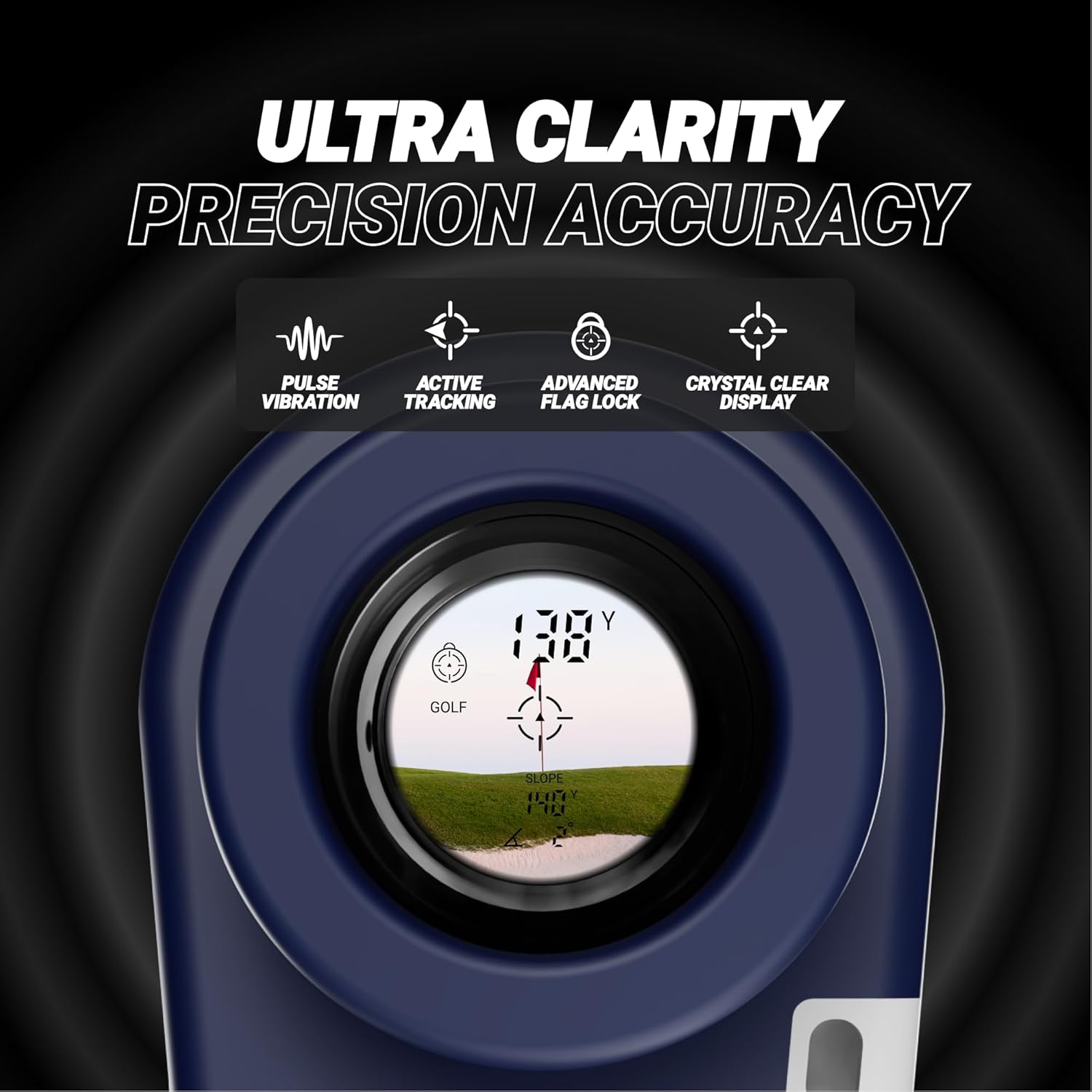
Figure 6: Ultra Clarity and Precision. This image shows the clear view through the rangefinder's lens, highlighting the digital display with distance readings and the flag lock icon, indicating precise target acquisition.
4.4 Auto-Ambient Display and Red/Black Control
The display automatically adjusts its color for optimal visibility. You can also manually switch between red and black display text.
- The rangefinder's display will automatically switch between red and black text based on ambient light conditions to ensure maximum contrast and readability.
- To manually override the auto-ambient setting and switch the display color, press the mode button (usually marked 'M' or a similar icon). This is useful in specific lighting situations where the automatic adjustment might not be ideal for your preference.

Figure 7: Red/Black Ambient Control. This image demonstrates the rangefinder's ability to switch between black and red display text for optimal visibility in different lighting conditions.
4.5 Magnetic Strip Usage
The built-in magnetic strip allows for convenient attachment to metal surfaces.
- The Series 3 Max+ features a powerful magnetic strip on its side.
- Simply attach the rangefinder to any metal surface, such as the frame of a golf cart, a golf club, or a metal bag rack, for easy access during your round.
- Ensure the rangefinder is securely attached before leaving it unattended.

Figure 8: Built-in Magnetic Strip. This image shows the rangefinder adhering to a metal surface, demonstrating the utility of its integrated magnetic strip for convenient storage.
5. Maintenance
5.1 Cleaning
- Use the provided microfiber cleaning cloth to gently wipe the lenses and the body of the rangefinder.
- For stubborn smudges on the lenses, breathe lightly on the lens surface to create condensation, then gently wipe with the microfiber cloth.
- Do not use abrasive cloths, paper towels, or chemical cleaners, as these can scratch the lenses or damage the coating.
- Keep the charging port free of debris.
5.2 Storage
- When not in use, store the rangefinder in its weather-proof carrying case to protect it from dust, dirt, and physical damage.
- Store the device in a cool, dry place, away from direct sunlight and extreme temperatures.
- Avoid storing the rangefinder with heavy objects on top of it.
6. Troubleshooting
If you encounter issues with your Series 3 Max+ Rangefinder, refer to the following common problems and solutions:
| Problem | Possible Cause | Solution |
|---|---|---|
| Device does not power on. | Low or depleted battery. | Charge the battery using the provided USB-C cable. Ensure the charging cable and adapter are functioning correctly. |
| Inaccurate distance readings. | Lens is dirty; target is too close/far; unstable hand. | Clean the lenses with the microfiber cloth. Ensure the target is within the 1000-yard range. Hold the device steady or use a stable surface. |
| Flag Lock not working. | Not scanning correctly; multiple objects in view. | Ensure you are slowly scanning across the flagstick. Try to isolate the flag from background objects if possible. |
| Display is dim or hard to read. | Low battery; extreme lighting conditions; auto-ambient setting. | Charge the battery. Try manually switching the display color (red/black) using the mode button. |
| No vibration feedback. | Flag Lock not successfully engaged. | Ensure the device successfully locks onto the flag. If the issue persists, contact customer support. |
If the problem persists after attempting these solutions, please contact Blue Tees Golf customer support.
7. Specifications
| Feature | Detail |
|---|---|
| Brand | Blue Tees Golf |
| Model Name | Series 3 Max + Black |
| Color | Black |
| Material | Plastic |
| Sport | Golf |
| Product Dimensions (LxWxH) | 10"L x 2"W x 2"H |
| Battery Type | Rechargeable Lithium-ion |
| Water Resistance Level | Water Resistant (IPX4) |
| Magnification Maximum | 7X |
| Measuring Range | Up to 1000 yards |
| Accuracy | +/- 1 yard |
| UPC | 728488906316 |
8. Warranty & Support
8.1 Manufacturer's Warranty
The Blue Tees Golf Series 3 Max+ Rangefinder comes with a 2-year manufacturer's warranty. This warranty covers defects in materials and workmanship under normal use. Please retain your proof of purchase for warranty claims.
For detailed warranty terms and conditions, please refer to the official Blue Tees Golf website or the documentation included with your product.
8.2 Customer Support
For technical assistance, troubleshooting, or warranty inquiries, please contact Blue Tees Golf customer support:
- Website: www.blueteesgolf.com (Check for support contact information)
- Email: Refer to the product packaging or website for specific support email.
- Phone: Refer to the product packaging or website for specific support phone number.
Please have your product model number (Series 3 Max+ Black) and purchase date ready when contacting support.