
1. Introduction
The TP-Link Deco Mesh WiFi 6 AX3000 System (Deco X50) provides high-speed, seamless Wi-Fi coverage throughout your home. This system utilizes Wi-Fi 6 technology to deliver speeds up to 3000 Mbps, connect over 150 devices, and eliminate Wi-Fi dead zones. With AI-Driven Mesh technology, it intelligently learns your network environment to provide an optimized and personalized Wi-Fi experience. This manual will guide you through the installation, operation, and maintenance of your Deco X50 system.

Image: A single TP-Link Deco X50 unit, showcasing its compact and modern design.
2. What's in the Box
Your TP-Link Deco Mesh WiFi 6 AX3000 System (Deco X50, Pack-3) package includes the following items:
- 3 x TP-Link Deco X50 units
- Ethernet Cable
- Power Adapters
3. Setup Instructions
Setting up your Deco X50 system is a straightforward process guided by the Deco app. Follow these steps for a quick and easy installation:
- Connect the Main Deco Unit: Connect one Deco unit to your modem or existing router using the provided Ethernet cable. Plug in the power adapter and power on the unit.
- Download the Deco App: Download the TP-Link Deco app from the App Store (iOS) or Google Play Store (Android) on your smartphone or tablet.
- Launch and Configure: Open the Deco app and follow the on-screen instructions to create a TP-Link ID and set up your main Deco unit. The app will guide you through naming your network and setting a password.
- Place Additional Deco Units: Once the main unit is configured, place the other Deco units in strategic locations around your home to maximize coverage. Plug them into power outlets. They will automatically detect and join your mesh network.
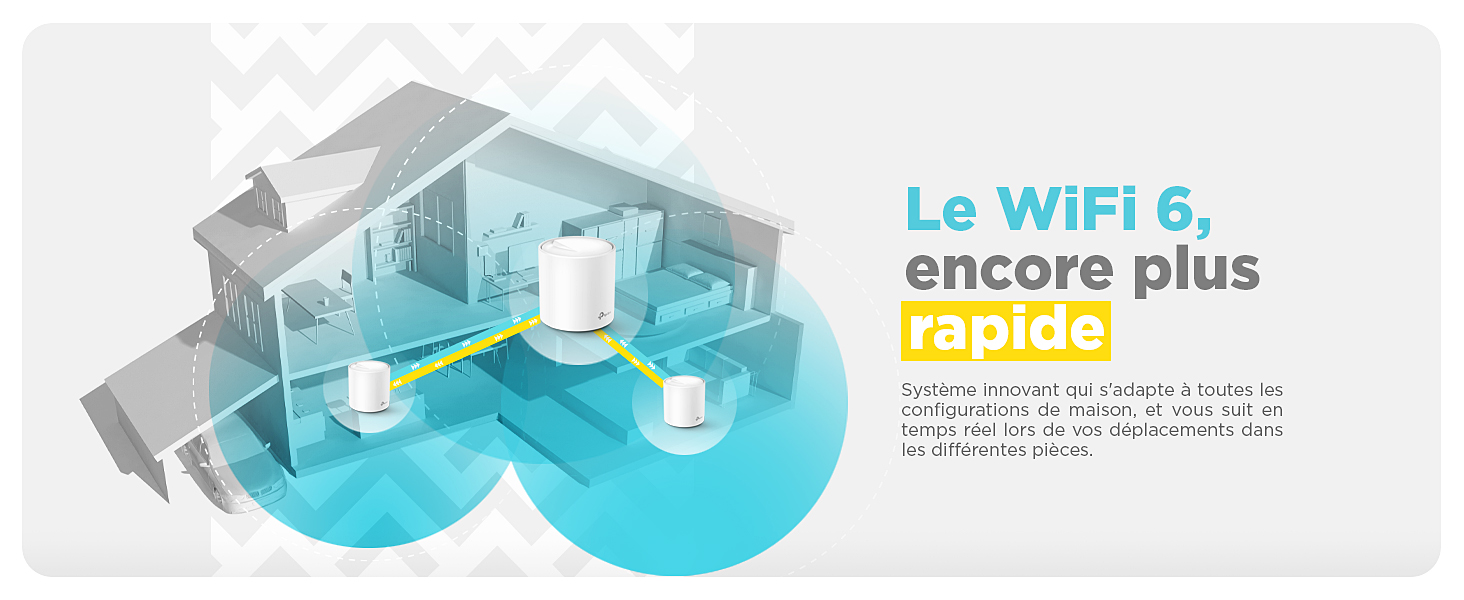
Image: A visual representation of the three-step setup process for the Deco X50 system, involving connecting the unit, downloading the app, and following in-app instructions.
4. Operating Instructions
The Deco X50 system is designed for seamless and high-performance network operation. Here's how to get the most out of your mesh Wi-Fi system:
4.1. Seamless Roaming
Your Deco system creates a unified network with a single Wi-Fi name and password. This allows your devices to automatically switch to the Deco unit with the strongest signal as you move around your home, ensuring uninterrupted connectivity without manual switching.

Image: An illustration demonstrating how Deco units provide seamless Wi-Fi coverage throughout a multi-story home, with devices automatically connecting to the nearest unit.
4.2. High-Speed Wi-Fi 6 Performance
Leveraging Wi-Fi 6 (802.11ax) technology, the Deco X50 delivers ultra-fast speeds up to 3000 Mbps (2402 Mbps on 5 GHz and 574 Mbps on 2.4 GHz). This ensures a smooth experience for demanding activities like 8K streaming, online gaming, and video conferencing across multiple devices simultaneously.
4.3. High Device Capacity
The Deco X50 system is capable of connecting over 150 devices simultaneously, making it ideal for smart homes with numerous connected gadgets, including smartphones, tablets, laptops, smart TVs, security cameras, and IoT devices.
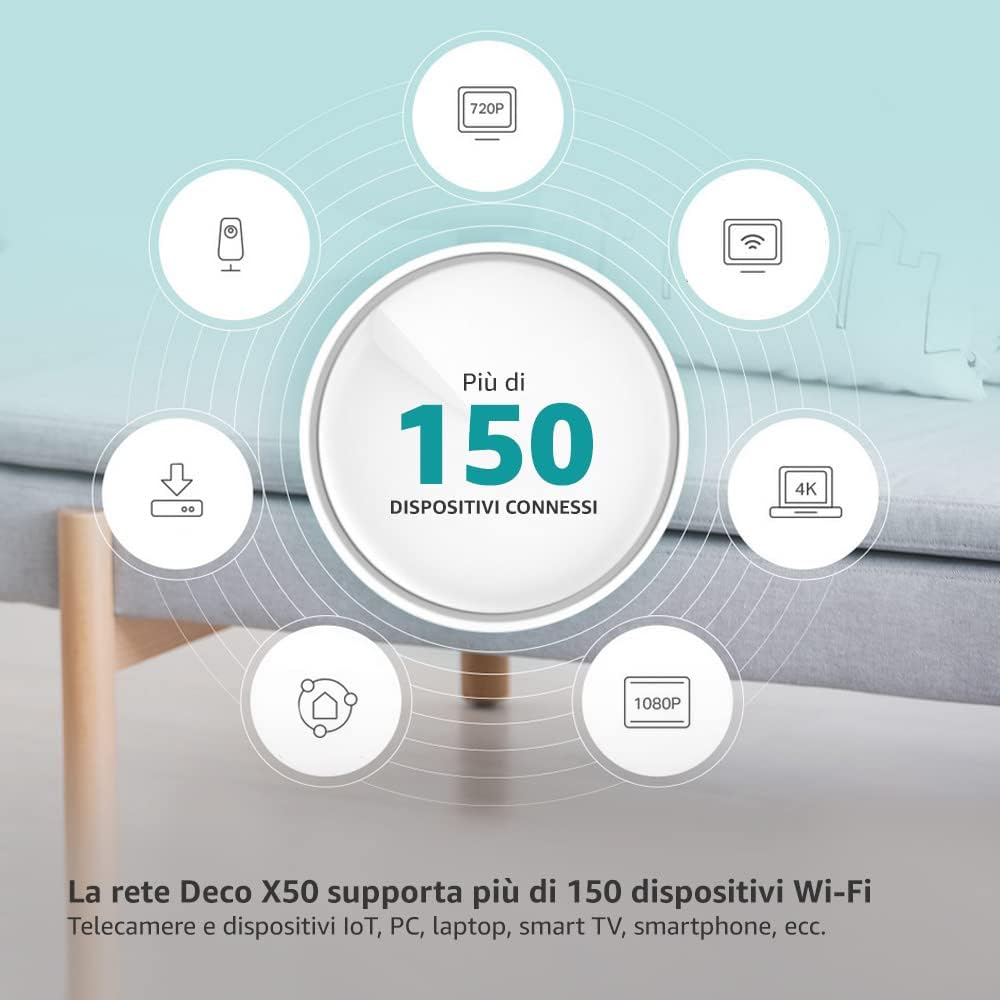
Image: A circular graphic illustrating the Deco X50's capability to support over 150 connected devices, including various smart home gadgets and media devices.
4.4. AI-Driven Mesh Technology
The AI-Driven Mesh technology intelligently learns your network environment, client quality, and user behavior to provide an optimized and personalized Wi-Fi experience. This ensures the best possible connection for every device, everywhere in your home.
4.5. Versatile Wired Connectivity
Each Deco X50 unit is equipped with three Gigabit LAN/WAN ports with auto-sensing technology. These ports allow you to connect wired devices such as smart TVs, gaming consoles, and PCs directly to the Deco units for maximum speed and stability.

Image: A close-up view of the back of a Deco X50 unit, highlighting its three Gigabit LAN/WAN ports and power input.
4.6. App Management and Voice Control
Manage your entire network effortlessly through the intuitive TP-Link Deco app. The app provides features such as parental controls, Quality of Service (QoS), guest network management, and network health monitoring. The Deco X50 also supports Amazon Alexa, allowing you to control certain functions with simple voice commands.

Image: A Deco X50 unit next to a smartphone displaying the Deco app interface, with the 'Works with Alexa' logo, indicating app management and voice control capabilities.
4.7. Enhanced Security with HomeShield
The Deco X50 system includes TP-Link HomeShield, offering comprehensive network protection. Features include WPA3 encryption, robust parental controls, antivirus protection, and QoS to prioritize traffic, ensuring a safer and more secure online experience for your entire family.

Image: A diagram illustrating the TP-Link HomeShield features, including network protection, parental control, and device management, all centered around a secure home network.
5. Maintenance
To ensure the longevity and optimal performance of your TP-Link Deco X50 system, consider the following maintenance tips:
- Firmware Updates: Regularly check for and install firmware updates through the Deco app. Updates often include performance improvements, new features, and security patches.
- Optimal Placement: Ensure your Deco units are placed in open areas, away from large metal objects, thick walls, and other sources of interference (e.g., microwaves, cordless phones).
- Ventilation: Ensure proper airflow around each Deco unit to prevent overheating. Do not cover the units or place them in enclosed spaces.
- Network Monitoring: Use the Deco app to monitor your network's health, connected devices, and data usage. This can help identify potential issues early.
- Cleaning: Gently wipe the exterior of the Deco units with a soft, dry cloth to remove dust. Do not use liquid cleaners or abrasive materials.
6. Troubleshooting
If you encounter issues with your Deco X50 system, refer to the following common troubleshooting steps:
6.1. No Internet Connection
- Check Modem/Router: Ensure your modem or existing router is working correctly and has an active internet connection.
- Cable Connections: Verify that the Ethernet cable connecting the main Deco unit to your modem/router is securely plugged in.
- Deco Status LED: Check the LED indicator on your main Deco unit. A solid green light typically indicates a healthy connection. Refer to the Deco app for specific LED meanings.
- Restart Devices: Power cycle your modem/router, then your main Deco unit, and finally any other Deco units.
6.2. Slow Wi-Fi Speeds
- Deco Placement: Ensure your Deco units are optimally placed, not too far apart, and without significant obstructions.
- Interference: Move Deco units away from potential sources of interference (e.g., large electronics, metal objects).
- Bandwidth Usage: Use the Deco app's QoS feature to prioritize devices or applications that require higher bandwidth.
- Firmware: Ensure all Deco units are running the latest firmware.
6.3. Deco Unit Not Connecting
- Power: Ensure the unit is powered on and receiving electricity.
- Proximity: Place the non-connecting Deco unit closer to an already working Deco unit or the main unit during setup.
- Reset: If a unit consistently fails to connect, perform a factory reset on that specific unit (refer to the product's quick start guide for reset instructions) and try adding it again via the Deco app.
For more detailed troubleshooting and advanced solutions, please visit the official TP-Link support website or contact customer support.
7. Specifications
Below are the technical specifications for the TP-Link Deco Mesh WiFi 6 AX3000 System (Deco X50):
| Feature | Detail |
|---|---|
| Brand | TP-Link |
| Model Name | Deco X50 |
| Wireless Standard | 802.11a, 802.11ac, 802.11ax (Wi-Fi 6), 802.11n |
| Frequency Band Class | Dual-band (2.4 GHz & 5 GHz) |
| Data Transfer Rate | Up to 3000 Mbps (2402 Mbps on 5 GHz, 574 Mbps on 2.4 GHz) |
| LAN Port Bandwidth | 1000 Mbps (Gigabit) |
| Number of Ports | 3 x Gigabit LAN/WAN ports per unit |
| Security Protocol | WPA2, WPA3 |
| Control Method | Application (TP-Link Deco App) |
| Compatible Devices | Personal Computer, Laptop, Tablet, Smart Television |
| Coverage (Pack-3) | Up to 550 m² (5920 sq ft) |
| RAM | 512 MB |
| Antenna Type | Internal (6 antennas) |
| Dimensions (L x W x H) | 11L x 11W x 11.4H cm (4.3 x 4.3 x 4.5 inches) |
| Item Weight | 176 Grams (0.39 lbs) |
| Special Features | QoS, WPS, AI-Driven Mesh, HomeShield |
8. Warranty Information
The TP-Link Deco Mesh WiFi 6 AX3000 System (Deco X50) comes with a 3-year manufacturer's warranty. Please retain your proof of purchase for warranty claims. For detailed terms and conditions, refer to the warranty card included in your product packaging or visit the official TP-Link website.
9. Support
For technical assistance, product inquiries, or further support, please contact TP-Link customer service. You can find comprehensive support resources, FAQs, and contact details on the official TP-Link website.
Contact Information:
- Manufacturer Address (USA): TP-Link Systems Inc. 10 Mauchly, Irvine, CA 92618, USA
- Manufacturer Address (India): TP-Link India Private Limited Office No.1, Tower 2, Level 2, Raiaskaran Tech Park, Andheri Kurla Road, M.V Road, Andheri East-400072
- Toll-Free Support (India): 1800-209-4168
- Email Support (India): support.in@tp-link.com
- Official Website: Visit www.tp-link.com for global support resources.


