
Introduction
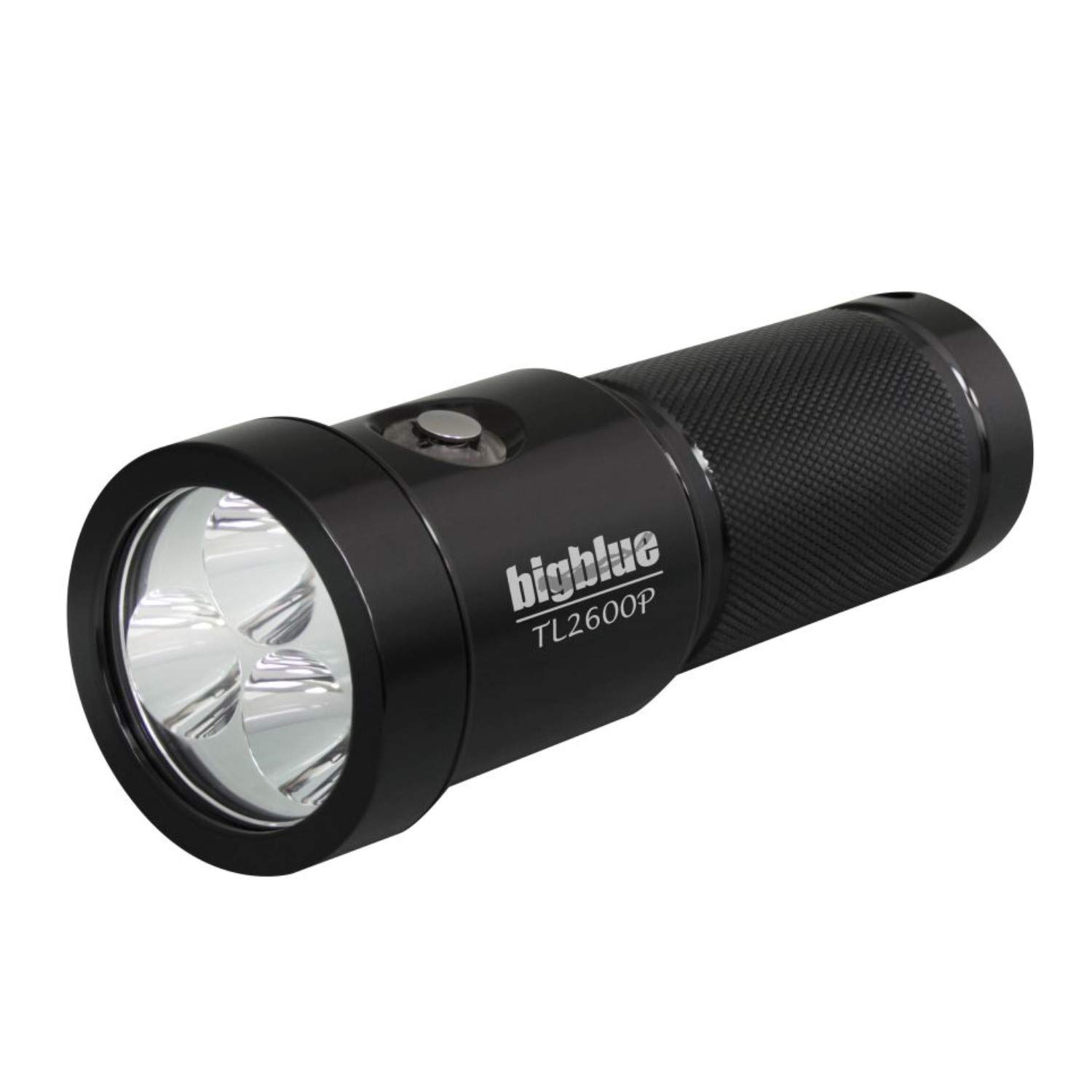
This manual provides detailed instructions for the safe and effective use of your Bigblue TL2600P-GBL 2600 Lumen Narrow Beam Tech Light. Please read this manual thoroughly before operating the device and retain it for future reference. The TL2600P-GBL is a high-performance, self-contained technical diving light designed for underwater illumination.
Safety Information
WARNING: Failure to follow these safety instructions may result in fire, electric shock, injury, or damage to the product or property.
- Always ensure the light is properly sealed before submerging in water.
- Do not look directly into the light beam when operating at high power settings to avoid eye injury.
- Keep out of reach of children.
- Use only the specified battery type (Lithium-Ion 32650) and charger.
- Do not disassemble, puncture, or expose the battery to extreme temperatures or fire.
- If the light becomes excessively hot during use, turn it off immediately and allow it to cool.
- Rinse the light with fresh water after each dive to prevent salt and debris buildup.
What's in the Box
Verify that all components are present upon unpacking:
- Bigblue TL2600P-GBL Tech Light
- Rechargeable Lithium-Ion 32650 Battery
- Battery Charger (Note: Charger type may vary, refer to charger manual for specific instructions.)
- Lanyard (if included)
- User Manual (this document)
Setup
1. Battery Installation
- Unscrew the tail cap of the light by turning it counter-clockwise.
- Insert the rechargeable Lithium-Ion 32650 battery with the positive (+) terminal facing towards the light head.
- Carefully screw the tail cap back on clockwise, ensuring it is fully tightened to maintain a waterproof seal. Do not overtighten.
2. Initial Charging
Before first use, fully charge the battery.
- Remove the battery from the light.
- Place the battery into the provided charger according to the charger's instructions.
- Connect the charger to a suitable power source.
- The suggested charge time for the BATCELL32650 battery is 7-8 hours for a full charge.
- Once charging is complete, disconnect the charger and remove the battery.
Note: Always ensure the battery is fully charged before a dive for optimal performance and burn time.
Operating Instructions
1. Turning On/Off and Power Levels
The TL2600P-GBL uses a reliable push-button switching mechanism.
- To Turn On: Press the push-button switch once. The light will typically turn on at its highest power setting.
- To Cycle Power Levels: Press the push-button switch repeatedly to cycle through the four available power settings (e.g., High > Medium > Low > Eco).
- To Turn Off: Press and hold the push-button switch for approximately 2 seconds.
2. Battery Level Indicator
The light features a color-coded battery level indicator on the light itself, providing real-time status of the battery charge.
- Green: Full to High charge.
- Yellow: Medium charge.
- Red: Low charge, consider ending the dive or switching to a lower power setting.
- Flashing Red: Very low charge, immediate action required to turn off the light or end the dive.
Maintenance
1. Post-Dive Care
- After each dive, thoroughly rinse the light with fresh water to remove salt, sand, and other debris.
- Operate the push-button switch several times while rinsing to flush out any trapped particles.
- Dry the light completely with a soft cloth.
2. O-Ring Care
- Periodically inspect the O-rings for any signs of damage, cracks, or debris.
- Clean the O-rings and their grooves with a clean, lint-free cloth.
- Apply a thin layer of silicone grease to the O-rings to ensure a proper seal and prevent drying.
- Replace damaged O-rings immediately.
3. Battery Care and Storage
- Always remove the battery from the light when storing for extended periods.
- Store batteries in a cool, dry place, away from direct sunlight and extreme temperatures.
- For long-term storage, charge the battery to approximately 50% capacity.
- Recharge the battery every 3-6 months during long-term storage to maintain its health.
Troubleshooting
| Problem | Possible Cause | Solution |
|---|---|---|
| Light does not turn on. |
|
|
| Light flickers or dims unexpectedly. |
|
|
| Water ingress. |
|
|
Specifications
| Feature | Detail |
|---|---|
| Model Number | TL2600P-GBL |
| Light Source Type | LED |
| White Brightness | 2600 Lumens |
| Beam Angle | 10° (Narrow Beam) |
| Color Temperature | 6500K |
| Power Source | Battery Powered |
| Battery Type | Rechargeable Lithium-Ion 32650 |
| Burn Time (Highest Setting) | Approximately 1.5 hours |
| Power Settings | Four (4) levels |
| Special Feature | Durable, Battery Indicator |
| Color Options | Black, Blue (Glossy Finish) |
Warranty and Support
Warranty Information
Specific warranty details for the Bigblue TL2600P-GBL Tech Light may vary by region and retailer. Please refer to the warranty card included with your product or contact your point of purchase for detailed warranty terms and conditions. Retain your proof of purchase for any warranty claims.
Customer Support
For technical assistance, spare parts, or service inquiries, please contact Bigblue customer support or your authorized Bigblue dealer. You can often find contact information on the official Bigblue website or through your retailer.
Online Resources: Visit the official Bigblue website for product updates, FAQs, and additional support resources.
Contact Information: (Please refer to the Bigblue official website or product packaging for the most current contact details.)
Product Videos
No official product videos from the seller were available for embedding in this manual. For visual demonstrations or additional product information, please check the Bigblue official website or authorized retailer product pages.