Introduction
Thank you for choosing the Homvana H101 3.6L Cool Mist Humidifier. This versatile 3-in-1 device combines a cool mist humidifier, an aromatherapy diffuser, and a mood light to enhance your living space. Designed for quiet operation and ease of use, the H101 is perfect for bedrooms, nurseries, large rooms, and offices, promoting a comfortable and healthy environment.
Product Overview
The Homvana H101 is engineered for optimal performance and user convenience. Its ultrasonic operation ensures a fine, cool mist output, while the SilentSpray technology keeps noise levels below 16dB for undisturbed sleep. The device is BPA-free and certified for safety by ETL, FCC, CE, and UKCA standards, featuring an auto shut-off function for dry running protection.
Included Components:
- Humidifier Body
- User Manual
- Cleaning Brush
- Power Cord
Key Features:
- 3-in-1 Functionality: Humidifier, Aromatherapy Diffuser, Mood Light.
- Ultra-Quiet Operation: Less than 16dB with SilentSpray technology.
- Large Capacity: 3.6L tank provides up to 34 hours of continuous mist.
- Easy Top-Fill Design: Simplifies refilling and cleaning.
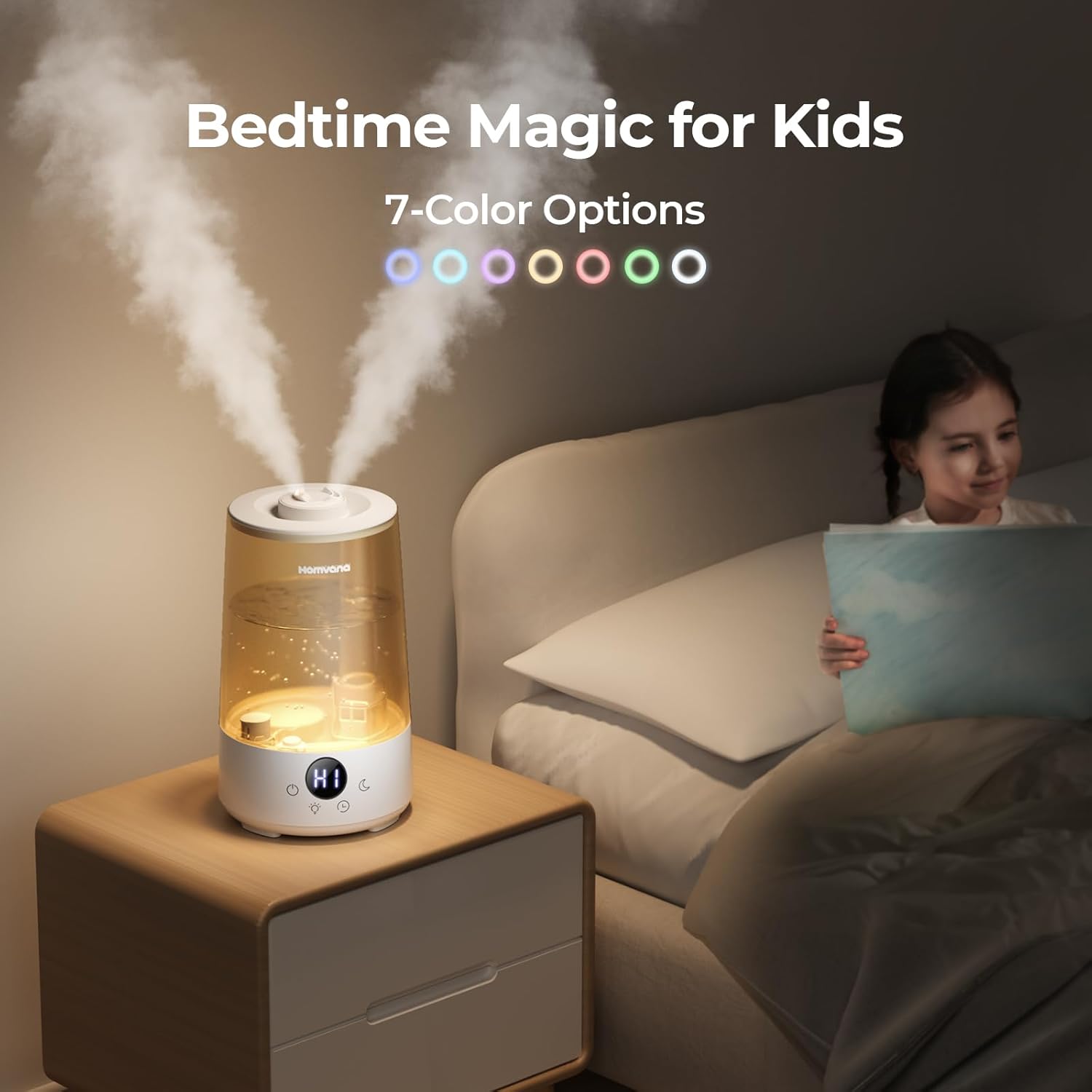
- 7-Color LED Mood Light: Customizable lighting for ambiance or nightlight use.
- Built-in Aroma Tray: For essential oil diffusion.
- Adjustable Mist Output: High and Low settings.
- Timer Settings: 2H, 4H, 6H, 8H, 10H options.
- Auto Shut-Off: For safety when water level is low.
Setup
Follow these steps to set up your Homvana H101 Humidifier for first use:
- Unpack: Carefully remove all components from the packaging.
- Place: Position the humidifier on a flat, stable, and water-resistant surface. Ensure it is away from direct sunlight and heat sources.
- Fill Water Tank: Remove the top lid. Fill the water tank with clean, cool tap water up to the 'MAX' line indicated on the tank. Do not overfill.
The top-fill design allows for easy and mess-free water replenishment.
- Replace Lid: Securely place the top lid back onto the humidifier.
- Connect Power: Plug the power cord into the humidifier's power port and then into a suitable electrical outlet (240 Volts).
Operating Instructions
The Homvana H101 features intuitive touch controls for easy operation.
Power On/Off and Mist Control:
- Touch the Power button (
 ) to turn the humidifier ON. It will start in High mist mode.
 - Touch the Power button again to switch to Low mist mode.
- Touch the Power button a third time to turn the humidifier OFF.
The main unit showing the digital display and touch controls.
Mood Light Control:
- Touch the Light button () to cycle through the 7 available colors.
- Continue touching to select your preferred color or to turn the light off.

The 7-color mood light creates a soothing ambiance, perfect for bedtime.
Timer Settings:
- Touch the Timer button () to set the auto-off timer for 2H, 4H, 6H, 8H, or 10H.
- The humidifier will automatically turn off once the set time has elapsed.
Sleep Mode:
- Touch the Sleep Mode button () to turn off all lights and the digital display for undisturbed sleep.
- The humidifier will continue to operate in the selected mist mode.
Aromatherapy Function:
- Locate the small aroma tray on the side of the humidifier base.
- Pull out the tray and add 2-6 drops of your favorite essential oil onto the built-in pad.
- Slide the tray back into place. The humidifier will diffuse the aroma along with the mist.

Easily add essential oils to the dedicated tray for a soothing aromatherapy experience.
Maintenance
Regular cleaning is essential to maintain the performance and longevity of your humidifier.
Cleaning Instructions:
- Daily: Empty the water tank and wipe it dry with a clean cloth.
- Weekly:
- Unplug the humidifier and remove the top lid.
- Remove the detachable tank from the base.
- Clean the water tank and base with a soft brush (provided) and mild detergent. Rinse thoroughly.
- For mineral buildup, fill the tank with a mixture of white vinegar and water (1:1 ratio) and let it soak for 30 minutes. Rinse well.
- Wipe all surfaces dry before reassembling.
- Aroma Pad: Clean the aroma pad regularly or replace it if it becomes saturated or discolored.
The wide opening and detachable tank make cleaning effortless.
Troubleshooting
If you encounter any issues with your Homvana H101 Humidifier, please refer to the following common solutions:
- No Mist Output: Ensure the humidifier is plugged in, the water tank is filled, and the unit is properly assembled. Check if the power button has been pressed.
- Unusual Odor: Clean the water tank and base thoroughly. Use distilled water if tap water quality is poor.
- Excessive Noise: Ensure the humidifier is on a flat, stable surface. Check for any obstructions in the fan or mist outlet.
- White Dust: This is typically caused by hard water minerals. Use distilled or demineralized water to reduce white dust.
For further assistance, please contact Homvana customer support.
Specifications
| Attribute | Detail |
|---|---|
| Brand | Homvana |
| Model Name | Humidifier (H101) |
| Color | Grey |
| Special Features | Night Light, Adjustable Humidity Control, Digital Display, Auto Shut Off, Aroma Diffuser |
| Water Tank Capacity | 3.6 Liters |
| Max Run Time | 34 Hours (Super Long Time) |
| Noise Level | 16dB (Quiet) |
| Operation Mode | Ultrasonic |
| Floor Area Coverage | 161 Square Feet |
| Product Dimensions | 8.39"D x 7.56"W x 11.54"H |
| Item Weight | 2.94 pounds |
| Voltage | 240 Volts |
| Control Method | Touch |
Warranty & Support
Homvana stands behind the quality of its products. The H101 Humidifier comes with a 3-year warranty.
For detailed warranty information or to access the full user manual and other documents, please refer to the links below:
If you have any questions or require further assistance, please visit the official Homvana Store or contact customer support through the provided channels in your user manual.


