
Product Overview
The Logitech MX Mechanical Mini is a minimalist wireless illuminated keyboard designed for precision and performance. It features low-profile mechanical switches, smart illumination, and multi-device connectivity, making it suitable for various operating systems and workflows.
Key features include:
- Linear mechanical key switches for smooth typing.
- Low-profile design for ergonomic comfort.
- Smart backlighting that adjusts to ambient light and hand proximity.
- Multi-device and multi-OS compatibility via Bluetooth Low Energy or Logi Bolt receiver.
- USB-C quick charging with extended battery life.
- Customizable Fn keys and backlighting effects via Logi Options+ software.
Setup and Connectivity
Your MX Mechanical Mini keyboard offers flexible connectivity options:
Connecting via Logi Bolt USB Receiver
- Locate the Logi Bolt USB receiver in the product packaging.
- Plug the Logi Bolt USB receiver into an available USB-A port on your computer.
- Turn on the keyboard using the power switch located on the side.
- The keyboard should automatically connect to the receiver. If not, use the Logi Options+ software to pair.
Note: The Logi Bolt receiver provides a slightly more reliable wireless connection compared to Bluetooth, especially in environments with multiple wireless devices.

Image: The Logi Bolt USB receiver, a small black USB-A dongle, shown next to the MX Mechanical Mini keyboard, illustrating its compact size and wireless capability.
Connecting via Bluetooth Low Energy
- Turn on the keyboard using the power switch.
- Press and hold one of the Easy-Switch keys (F1, F2, or F3) for three seconds until the LED light on the key starts blinking rapidly. This indicates the keyboard is in pairing mode.
- On your device (computer, tablet, or smartphone), open Bluetooth settings and select "MX Mechanical Mini" from the list of available devices.
- Follow any on-screen prompts to complete the pairing process.
Important: If FileVault is enabled on your macOS computer, it might prevent password entry at start or reboot when connected via Bluetooth. In such cases, use the Logi Bolt USB Receiver.

Image: The MX Mechanical Mini keyboard positioned on a desk, wirelessly connected to both a laptop and a tablet, demonstrating its multi-device capability.
Operating Instructions
Key Switch Types
The MX Mechanical Mini is available with three distinct low-profile mechanical key switch types, each offering a unique typing experience:
- Linear (Smooth Typing): These switches provide uninterrupted key travel with minimal spring force, resulting in fast reactivity and an ultra-smooth typing feeling. They are generally quieter.

Image: A diagram illustrating the internal mechanism of a linear mechanical key switch, highlighting its smooth, consistent travel.
- Tactile Quiet (Quiet Typing): These switches offer a satisfying tactile bump that you can feel, providing precise feedback and reactive key reset with less noise. Ideal for environments where quiet operation is preferred.

Image: A diagram illustrating the internal mechanism of a tactile quiet mechanical key switch, showing the bump that provides feedback without excessive noise.
- Clicky (Satisfying Click): These switches deliver a gratifying, audible click and tactile feedback with every keystroke, offering a familiar mechanical feel and sound.

Image: A diagram illustrating the internal mechanism of a clicky mechanical key switch, showing the distinct click mechanism for audible feedback.
Note: The key switches are soldered in and cannot be hot-swapped. Ensure you select the desired switch type at the time of purchase.
Smart Illumination
The keyboard features smart backlighting that enhances usability in various lighting conditions:
- Backlit keys illuminate automatically when your hands approach the keyboard.
- Backlight brightness adjusts automatically to suit changing ambient lighting conditions.
- The backlight will turn off when you move away from the keyboard to conserve battery life.
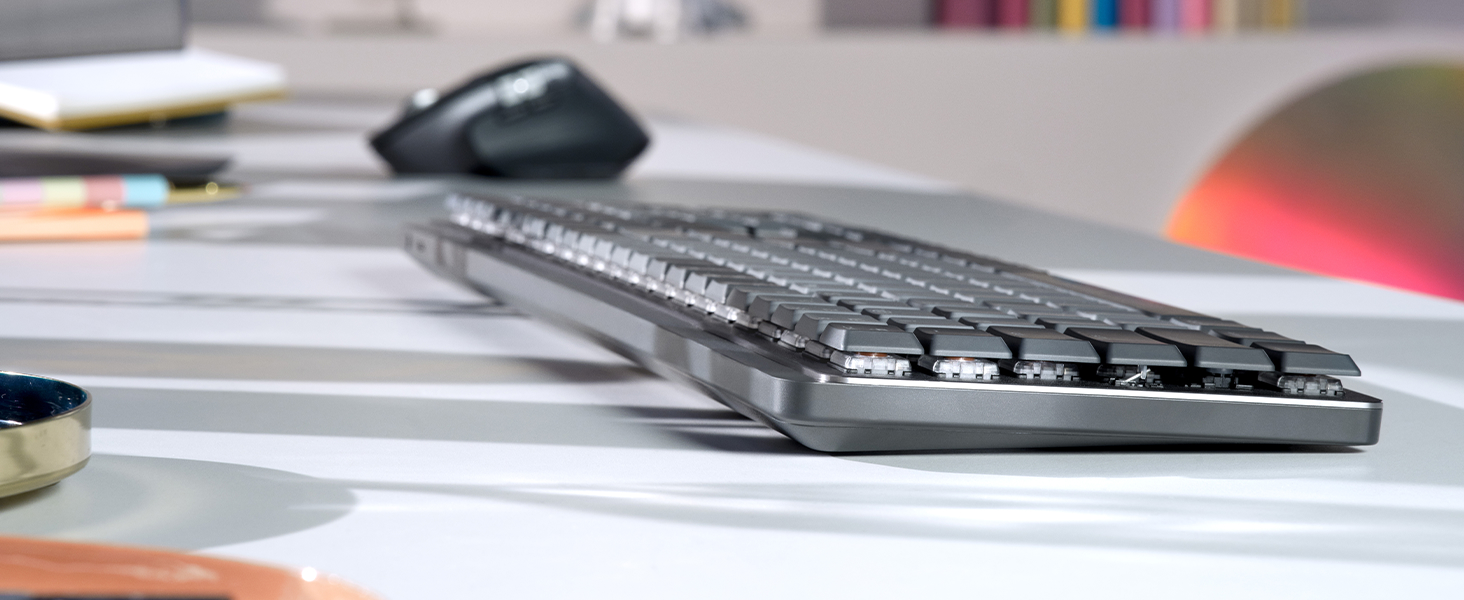
Image: The MX Mechanical Mini keyboard with its smart backlighting activated, illuminating the keys in a dimly lit environment.
Multi-Device and Multi-OS Functionality (Easy-Switch)
Seamlessly switch between up to three connected devices and across different operating systems:
- Use the F1, F2, and F3 keys as Easy-Switch buttons to instantly switch between paired devices.
- The keyboard is optimized for Windows, macOS, Linux, Chrome OS, iOS, and Android operating systems.
- Keycaps feature labels for both Mac and Windows specific commands, eliminating the need for reprogramming when switching OS.

Image: A user typing on the MX Mechanical Mini keyboard, seamlessly controlling content across a laptop and an external monitor, demonstrating the multi-device workflow.
Customization with Logi Options+ Software
Enhance your workflow and personalize your keyboard experience with the Logi Options+ software (available for Windows and macOS):
- Customize Fn keys (F4 through F12) to perform specific functions or launch applications.
- Assign different backlighting effects.
- Enable Flow cross-computer control for seamless navigation between multiple computers.
- Reprogram Home, End, Page Up, and Page Down buttons.
- Custom settings can be applied across your entire operating system or made active only for specific applications.

Image: A screenshot of the Logi Options+ software interface, displaying the MX Mechanical Mini keyboard and options for customizing keys and backlighting.
Key Layout and Ergonomics
The MX Mechanical Mini features a compact layout designed for efficiency:
- Low-profile keys contribute to better ergonomics and a comfortable typing experience.
- Full-size arrow keys are included, though their placement below the Enter key and beside Shift may require adjustment for some users.
- The spacebar and command buttons are designed for optimal use, though personal preference may vary regarding their size and placement.
- The keyboard can be used flat or with two kickstand feet on the back to adjust the typing angle.
Maintenance and Battery
Battery Life and Charging
The MX Mechanical Mini is equipped with a rechargeable Li-Po (1500 mAh) battery:
- Enjoy up to 15 days of battery life on a full charge with backlighting enabled.
- With backlighting turned off, the battery can last up to 10 months.
- The keyboard recharges via USB-C. A USB-C to USB-A charging cable is included.
Battery life may vary based on user and computing conditions.

Image: A circular icon representing battery life, indicating the keyboard's efficient power management.
Troubleshooting
- Connectivity Issues: If experiencing intermittent connection via Bluetooth, try connecting using the Logi Bolt USB receiver for a more stable connection. Ensure the keyboard is within range of your device.
- macOS FileVault: If FileVault is enabled on your macOS computer, you might be unable to enter your password at startup or reboot when connected via Bluetooth. Use the Logi Bolt USB Receiver in this scenario.
- Key Functionality: If certain keys or customized functions are not working as expected, ensure the Logi Options+ software is installed and updated. Check your custom settings within the software.
- Backlight Not Working: Ensure the keyboard is charged. The smart illumination feature may turn off backlighting in bright environments or when hands are not detected.
Specifications
| Brand | Logitech |
| Model Name | MX Mechanical Mini |
| Model Number | 920-010551 |
| Connectivity Technology | Bluetooth, Logi Bolt |
| Keyboard Description | Mechanical |
| Special Feature | Illuminated |
| Color | Graphite |
| Style | Linear (smooth typing) |
| Product Dimensions | 5.18"L x 12.31"W x 1.03"H |
| Item Weight | 1.65 Pounds (612 g) |
| Power Source | Battery Powered (Rechargeable Li-Po 1500 mAh) |
| Compatible Devices | PC (Windows, macOS, Linux, Chrome OS, iOS, iPadOS, Android) |
| Number of Keys | 104 |
What's in the Box
- Master Series MX Mechanical Wireless Illuminated Performance Keyboard
- Logi Bolt Receiver
- USB Cable (USB-C to USB-A)
- User Documentation

Image: The contents of the MX Mechanical Mini box, including the keyboard, Logi Bolt receiver, and USB-C charging cable.
Warranty and Support
The Logitech MX Mechanical Mini Wireless Illuminated Keyboard comes with a 1 Year Limited Hardware Warranty.
For additional support, product information, or to explore other Logitech products, please visit the Logitech Store on Amazon.
Product Videos
Overview Logitech MX Mechanical Mini, Wireless, Compact, Metal
Video: A detailed overview of the Logitech MX Mechanical Mini keyboard, highlighting its compact design, wireless capabilities, and metal construction. The video showcases the keyboard's features and aesthetic appeal.
Logitech K850 VS MX Mechanical wireless keyboard #thisorthat
Video: A comparison between the Logitech K850 and the MX Mechanical Mini wireless keyboards, discussing their differences in size, features, and typing experience to help users decide which is best for their needs.
This keyboard feels great!
Video: A short demonstration highlighting the satisfying feel and responsiveness of the MX Mechanical Mini keyboard during use.


