
Introduction
This manual provides comprehensive instructions for the operation and maintenance of your Retevis RB22 DMR Handheld Radio. The RB22 is a professional digital/analog two-way radio designed for reliable communication in various environments, featuring IP66 waterproofing, TDMA technology, and SMS capabilities.
Package Contents
Verify that all items listed below are included in your package:
- 2x RB22 Digital Two Way Radio
- 2x 1900mAh Li-ion Battery
- 2x Charging Base and Adapter
- 2x Back Clip and Lanyard
- User Manual (this document)

Image: The complete package contents, including two RB22 radios, batteries, charging bases, back clips, lanyards, and the user manual.
Product Features
- DMR High Power Radio: Designed for effective signal penetration through buildings and steel structures, ensuring stable and reliable communication.
- Wide Compatibility: Features 16 zones and 4000 channels. Compatible with Mototrbo series Tier 1 and 2, as well as most other Retevis two-way radios and other brands.
- IP66 Waterproof and Dustproof: Provides protection against dust ingress and water splashes, making it suitable for use in harsh environments such as hunting, camping, marine, off-road, and security operations.
- Long Battery Life: Equipped with a 1900mAh battery, offering up to 18 hours of operational time and 120 hours of standby time on a full charge. Includes a power display and low battery alarm.
- Crisp Sound Quality: Utilizes TDMA technology for clear audio, enabling double calls on a single frequency and reducing interference from irrelevant signals.
- 1.77-inch Color Display: Provides clear visibility of radio status and menu options.
- SMS Functionality: Supports text messaging between radios.
- Recording Function: Allows for audio recording.
- VOX Function: Enables voice-activated transmission.
Setup
1. Battery Installation
- Ensure the radio is powered off.
- Align the 1900mAh Li-ion battery with the battery compartment on the back of the radio.
- Gently push the battery into place until it clicks securely.

Image: The Retevis RB22 radio shown alongside its 1900mAh Li-ion battery, highlighting the long battery life feature.
Video: Demonstrates the installation of the 1900mAh Li-ion battery into the Retevis RB22 radio, along with other operational aspects.
2. Attaching the Back Clip
- Locate the back clip and the screw holes on the back of the radio.
- Align the back clip with the screw holes and secure it using the provided screws.

Image: A detailed view of the Retevis RB22 radio, illustrating the attachment point for the sturdy back clip and other components.
Video: Demonstrates the attachment of the sturdy back clip to the Retevis RB22 radio, along with other operational aspects.
3. Antenna Attachment
- Screw the antenna clockwise into the connector on the top of the radio until it is finger-tight. Do not overtighten.
Operating Instructions
1. Power On/Off
To power on the radio, rotate the power/volume knob clockwise until you hear a click and the display illuminates. To power off, rotate the knob counter-clockwise until it clicks off.
Video: Shows how to power on and off the Retevis RB22 radio using the top knob, and demonstrates other operational features.
2. Adjusting Frequency Parameters
The RB22 allows for easy adjustment of frequency parameters directly on the device. Use the navigation buttons and the menu to set RX/TX frequencies, steps, and other related settings.
Video: Illustrates how to easily adjust frequency parameters on the Retevis RB22 radio using the keypad and menu interface.
3. Function Adjustment (Color Code, Time Slot, Group Call)
Access the radio's menu to configure advanced functions such as color codes, time slots for DMR operation, and group call settings. Navigate through the menu using the directional buttons and confirm selections.
Video: Demonstrates how to adjust various functions on the Retevis RB22 radio, including color code, time slot, and group call settings, via the menu.
4. Side Key Functions
The radio features programmable side keys for quick access to frequently used functions. The default functions can be customized via the radio's menu or programming software.
Video: Shows the default functions of the side keys on the Retevis RB22 radio and how they can be used for quick operations.
5. Basic Communication (PTT)
To transmit, press and hold the Push-To-Talk (PTT) button located on the side of the radio. Speak clearly into the microphone. Release the PTT button to listen for a response.
6. Digital/Analog Conversion
The RB22 supports both digital and analog modes, allowing for flexible communication. The radio can be configured to operate in either mode, or to switch between them as needed for compatibility with different radio systems.

Image: A visual representation of the Retevis RB22's ability to convert between digital and analog signals, enhancing versatility.
7. SMS Functionality
The RB22 supports sending and receiving text messages (SMS) between compatible radios. Refer to the radio's menu for SMS composition and viewing options.
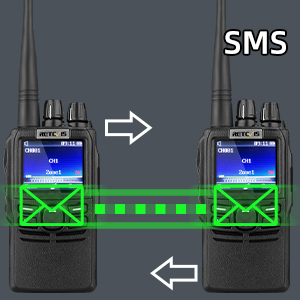
Image: A graphic depicting two Retevis RB22 radios communicating via SMS, indicating the text messaging feature.
8. Recording Function
The radio includes a recording feature to capture audio transmissions. Access this function through the radio's menu to start, stop, and playback recordings.

Image: A graphic featuring a microphone icon next to the Retevis RB22 radio, signifying its audio recording capability.
9. VOX Function
Voice-Operated Exchange (VOX) allows for hands-free transmission. When VOX is enabled, the radio will automatically transmit when it detects your voice, eliminating the need to press the PTT button.
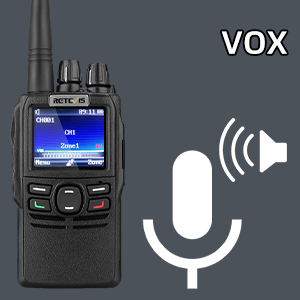
Image: A graphic with a speaker icon next to the Retevis RB22 radio, illustrating the Voice-Operated Exchange (VOX) function for hands-free operation.
Maintenance
- Cleaning: Use a soft, damp cloth to clean the radio's exterior. Avoid harsh chemicals or abrasive cleaners.
- Water and Dust Protection: The RB22 is IP66 rated, meaning it is protected against dust and powerful water jets. However, it is not designed for submersion. Ensure all port covers are securely closed in wet or dusty conditions.
- Battery Care: Charge the battery fully before first use. Avoid overcharging or completely draining the battery to prolong its lifespan. Store batteries in a cool, dry place.
- Storage: When not in use for extended periods, remove the battery and store the radio in a dry, temperate environment.
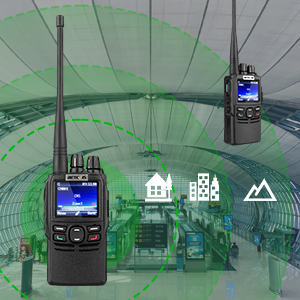
Image: The Retevis RB22 radio shown in a rainy setting, emphasizing its IP66 waterproof and dustproof capabilities.
Troubleshooting
If you encounter issues with your Retevis RB22 radio, consider the following general troubleshooting steps:
- No Power: Ensure the battery is correctly installed and fully charged. Check the power/volume knob is turned on.
- Cannot Transmit/Receive: Verify that the radio is on the correct channel and frequency. Check antenna connection. Ensure the battery has sufficient charge.
- Poor Audio Quality: Adjust the volume. Check for obstructions to the microphone or speaker. Ensure you are within range of other radios.
- Radio Not Responding: Try turning the radio off and then on again. If the issue persists, remove and reinsert the battery.
For more detailed troubleshooting or persistent issues, please contact Retevis customer support.
Specifications
| Feature | Detail |
|---|---|
| Model Number | RB22 |
| Item Weight | 7.9 ounces (225 Grams) |
| Product Dimensions | 2.64 x 7.8 x 9.88 inches (6.7 x 19.8 x 25.1 cm) |
| Batteries | 2 Lithium Ion batteries required (included) |
| Battery Capacity | 1900mAh |
| Display Type | LCD (1.77-inch color display) |
| Number of Channels | 4000 |
| Water Resistance Level | IP66 Waterproof |
| Voltage | 7.4 Volts (DC) |
| Special Features | DMR radio, Digital/Analog, High power long range, Security walkie talkie, Man down/on ground alarm |
Warranty and Support
Retevis provides a 2-year warranty for the radio body and a 1-year warranty for accessories. This warranty covers manufacturing defects and ensures product reliability.
For any warranty claims or support inquiries, please contact Retevis customer service via Amazon. They aim to respond within 12 hours to assist with any issues or maintenance needs, even beyond the warranty period (corresponding costs may apply).


